
Choosing between a wireless CarPlay adapter and your vehicle’s built-in navigation system for daily driving in Singapore depends on your priorities for data freshness, hardware reliability, and convenience. If you prefer real-time community traffic data, frequent map updates, and seamless phone integration, a wireless CarPlay adapter is the ideal choice. Conversely, if you prioritize automotive-grade hardware reliability, offline routing in signal-dead zones, and zero phone battery drain, built-in navigation is the better option. Before making a decision, verify that your vehicle’s head unit supports wired CarPlay and that your phone’s operating system is fully compatible with wireless projection.
Core Comparison: Phone Navigation via CarPlay vs Built-in Systems
To make an informed choice, it is essential to understand how these two systems compare across the core functional areas that affect your daily commute.
Map Accuracy and Real-Time Traffic Updates
Mobile navigation apps running through a wireless CarPlay adapter offer excellent map accuracy and real-time traffic updates. Because these apps leverage continuous cellular data and community-driven reports, they can instantly alert you to sudden accidents, road closures, or speed cameras along your route. This dynamic rerouting is highly beneficial during peak hours on major expressways.
Products mentioned in this guide
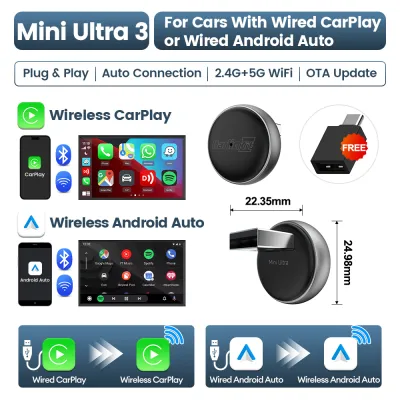
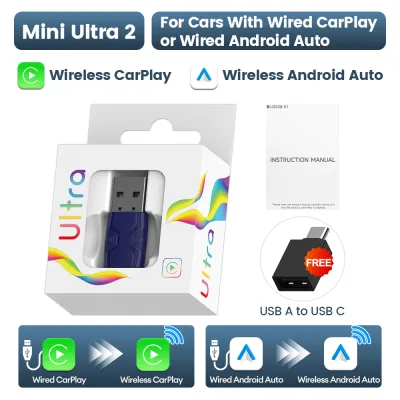
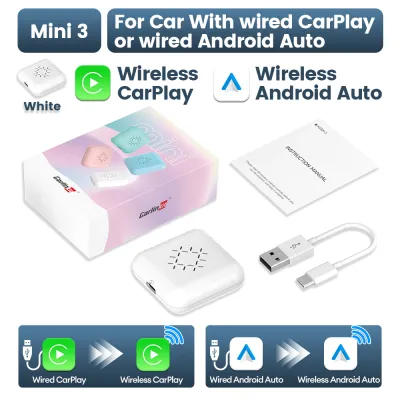
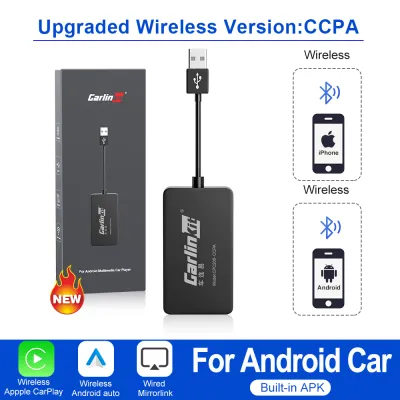
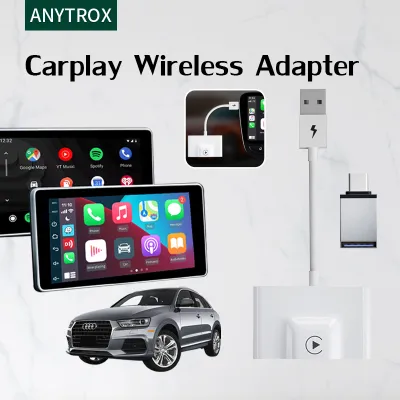
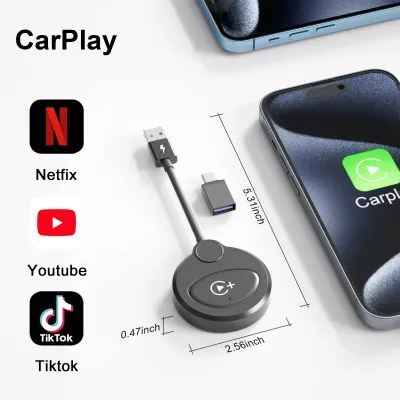
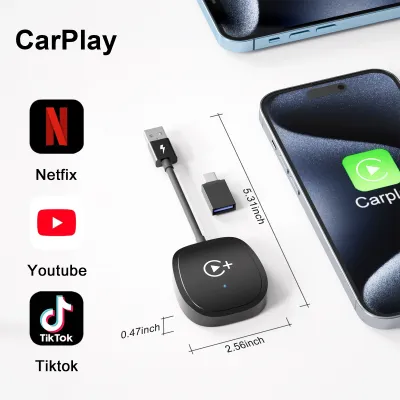
Prices are valid at publication and may change. Please refer to the product page for the latest price.
In contrast, built-in navigation systems rely on static maps stored on the vehicle’s local storage. While some modern luxury vehicles offer over-the-air map updates, many standard OEM systems require manual updates via USB drives or dealer visits, which often occur only once or twice a year. This slower update cycle means built-in maps may lack newly constructed roads, temporary detours, or recent changes to traffic directions. However, built-in systems do not require a continuous mobile data connection, making them highly reliable when driving through areas with poor cellular reception.
Interface, Responsiveness, and Ease of Use
The user experience of a wireless CarPlay adapter depends heavily on the quality of the adapter hardware and your phone’s processing power. Because the phone handles the heavy lifting, the interface is typically modern, familiar, and highly responsive. You can easily use familiar voice assistants to input destinations hands-free, and most adapters integrate smoothly with your car’s steering wheel controls or physical control knobs.
Built-in navigation systems are optimized specifically for the vehicle’s hardware, ensuring highly stable performance with zero wireless connection dropouts. However, the user interface on older or entry-level built-in systems can feel sluggish, and entering destinations via native keyboard interfaces or proprietary voice command systems is often more tedious than using a smartphone. A wireless CarPlay adapter connects automatically within seconds of starting the engine, though readers should expect occasional pairing delays or minor connection drops depending on local wireless interference.
Hardware Integration and Vehicle Display
Built-in navigation systems offer seamless integration with the vehicle’s physical hardware. They are designed to scale perfectly to the exact resolution and aspect ratio of your dashboard screen, and they transition smoothly between day and night modes based on your vehicle’s headlight status. Furthermore, built-in systems integrate deeply with other vehicle sensors; for example, the navigation screen will instantly and cleanly overlay or pause when the reverse camera is activated.
A wireless CarPlay adapter must project the phone’s interface onto the car’s screen, which can sometimes result in minor scaling issues, black bars, or stretched icons on non-standard screen shapes. Audio routing is generally well-handled, with navigation prompts temporarily lowering the volume of your music or radio. However, because the adapter acts as an intermediary, you may occasionally experience minor audio clipping or delays when switching between navigation prompts and media playback.
Practical Considerations for Singapore Drivers
Driving in Singapore presents unique environmental and infrastructural challenges that directly impact how these navigation systems perform.

GPS Signal Loss in Tunnels and Underground Facilities
Singapore’s extensive underground road networks, such as the Marina Coastal Expressway (MCE) and the Kallang-Paya Lebar Expressway (KPE), as well as deep basement car parks in commercial hubs, frequently block GPS satellite signals. Built-in navigation systems are often wired directly into the vehicle’s physical speed sensors and internal gyroscopes. This connection allows the system to use dead-reckoning calculations to estimate your vehicle’s position, speed, and direction even when GPS signals are completely lost. Smartphones, on the other hand, rely primarily on internal accelerometers and cellular tower triangulation when GPS is unavailable, which can lead to lagging or inaccurate positioning during long tunnel drives.
Thermal Management in a Tropical Climate
The tropical climate of Singapore poses a significant challenge for smartphones. Running intensive navigation apps, maintaining a continuous cellular data connection, and broadcasting wireless screen projection simultaneously generates substantial heat within a phone. If your phone is mounted on a dashboard cradle exposed to direct sunlight through the windshield, it can quickly overheat. This thermal stress can cause the phone to dim its screen, throttle performance, pause charging, or shut down entirely to protect the battery. Built-in infotainment units are constructed with automotive-grade components and dedicated cooling systems designed to operate reliably in extreme cabin temperatures.
ERP Routing and Local Infrastructure
Navigating Singapore’s Electronic Road Pricing (ERP) gantries is a daily reality for local drivers. Some mobile navigation apps offer specialized routing options that calculate ERP costs or suggest alternative routes to avoid gantries during peak hours. Because these apps update their databases frequently, they can quickly adapt to changes in ERP rates and operating hours. Built-in navigation systems may offer ERP-avoidance routing, but their ability to provide accurate cost calculations depends entirely on whether the manufacturer has localized the software for Singapore and how recently the maps have been updated.
Cost and Value Assessment
Evaluating the financial and long-term value of each option involves looking beyond the initial purchase price to consider ongoing maintenance and usability.
Upfront vs. Recurring Costs
A wireless CarPlay adapter represents a modest, one-time upfront cost, typically ranging from S$50 to S$150 on major online marketplaces. This allows you to upgrade an existing wired CarPlay system to wireless convenience without replacing the entire head unit. Built-in navigation is usually included in the vehicle’s purchase price, but keeping the maps updated can incur recurring costs. Some manufacturers charge annual subscription fees or require you to purchase map update packages after the vehicle’s initial warranty period expires.
Hidden Operational Costs
Using a smartphone for daily navigation requires a robust mobile data plan. While many local telecom plans offer generous data allowances, continuous daily streaming of map data and traffic updates can consume a noticeable portion of your monthly quota. Additionally, wireless projection drains your phone’s battery rapidly. To prevent your phone from dying during long drives, you may need to invest in a high-quality wireless charging mount or keep the phone plugged into a physical charger, which partially offsets the convenience of a wireless adapter.
Warranty and Resale Value
Because a wireless CarPlay adapter is a plug-and-play USB device, it requires no physical modifications to your vehicle’s wiring. This ensures your original vehicle warranty remains fully intact. When it comes time to sell your car, you can easily unplug the adapter and transfer it to your next vehicle. Built-in navigation systems remain with the car and can positively influence resale value, but only if the system is modern and fully functional at the time of sale.
Compatibility and Installation Checklist
Before purchasing a wireless CarPlay adapter, you must verify several technical specifications to ensure a successful setup and stable operation.
Wired CarPlay Verification
A wireless CarPlay adapter is not a standalone infotainment system; it acts as a bridge. It requires your vehicle’s factory head unit to already support official wired CarPlay. If your car does not have built-in wired CarPlay capability, plugging in a wireless adapter will not enable the feature. Always consult your vehicle’s manual or contact the manufacturer to confirm wired CarPlay support before buying an adapter.
USB Port Power Output
Wireless adapters require a stable power supply from the vehicle’s USB port to run their internal Wi-Fi and Bluetooth chips. Some older vehicles feature USB ports that output only 0.5 amperes (A) of current, which may be insufficient to power the adapter during boot-up or heavy data transmission, leading to frequent reboots or connection drops. Ensure your vehicle’s USB port outputs at least 1.0A or 2.1A for optimal stability.
Physical Placement and Safety
When installing the adapter, plan its physical placement carefully. Use the provided adhesive pads or short cables to secure the device in a location where it will not slide around during cornering. Ensure the adapter and its cable do not obstruct your vehicle’s physical controls, gear shifter, climate vents, or storage compartments. Most importantly, never mount or place the adapter near passenger airbag deployment zones or in a position that interferes with safe vehicle operation.
Final Decision Framework
To choose the right navigation setup for your daily drive, evaluate your priorities against the strengths of each system.
Choose a wireless CarPlay adapter if:
- You rely heavily on real-time traffic data, speed camera alerts, and dynamic rerouting to navigate peak-hour congestion.
- You prefer using familiar mobile apps and voice assistants that update automatically without manual intervention.
- Your vehicle already has a responsive touchscreen with wired CarPlay, and you want the convenience of wireless connectivity.
Choose built-in navigation if:
- You frequently drive through long tunnels or underground car parks where GPS signals are blocked, and you require precise dead-reckoning tracking.
- You want to avoid mounting your phone on the dashboard or exposing it to direct sunlight and thermal shutdown in Singapore's tropical heat.
- You prefer a highly stable, integrated system with zero wireless connection latency or pairing delays.
Neither option may fit if:
- Your vehicle's head unit is an older model that lacks both built-in navigation and wired CarPlay support. In this scenario, you may need to consider a professional aftermarket head unit upgrade or rely on a traditional dashboard phone mount.
- Your smartphone is an older model that does not support wireless projection protocols or suffers from severe battery degradation.
Frequently Asked Questions (FAQ)
Will a wireless CarPlay adapter drain my car battery when parked?
Most wireless CarPlay adapters draw power directly from the vehicle’s USB port. In many modern cars, the USB ports are automatically powered down a few minutes after the ignition is turned off and the doors are locked, preventing any risk of battery drain. However, some vehicles keep their USB ports continuously powered even when parked. If your vehicle falls into this category, the adapter may continue to draw a small amount of power. To prevent parasitic battery drain, check your vehicle’s manual regarding USB power behavior, or unplug the adapter if you plan to leave the car parked for an extended period.
Can I use both the built-in navigation and CarPlay simultaneously?
In most vehicles, the infotainment system treats CarPlay as an active external input source. When you launch CarPlay, the system will typically replace the native navigation interface on your dashboard screen. While you can often run built-in navigation and CarPlay media apps (like music streaming) at the same time, running two active navigation routes simultaneously is generally not supported on a single screen. Some premium vehicles with dual-screen setups or digital instrument clusters may allow you to display built-in maps on the driver’s display while running CarPlay on the central touchscreen, but audio prompts from both systems may conflict.
Does wireless CarPlay introduce noticeable audio or visual lag?
Because wireless CarPlay transmits data over a local Wi-Fi connection established between your phone and the adapter, a slight latency of approximately one to two seconds is normal. This lag is most noticeable when skipping audio tracks, adjusting volume, or using voice commands. However, visual navigation maps and real-time turn-by-turn prompts are typically synchronized to compensate for this delay, ensuring that your visual position on the map remains accurate. To minimize latency, keep your adapter’s firmware updated to the latest version and ensure your phone is placed in a position with minimal physical obstruction.

Community discussion
Share your experience or ask a question. Comments are reviewed before publication.