
Quick Answer: Which Navigation System Fits Your Daily Commute?
Choosing between wireless Apple CarPlay and built-in car navigation for your daily commute depends on whether you prioritize real-time, crowd-sourced traffic data or seamless hardware integration. Wireless Apple CarPlay is highly suited for drivers who want up-to-the-minute traffic alerts, frequent route recalculations, and a familiar smartphone interface. Built-in navigation is ideal for those who prefer a stable connection that works reliably in underground tunnels, integrates directly with the vehicle’s instrument cluster, and does not consume phone battery. Ultimately, vehicle compatibility and your existing smartphone ecosystem are the primary deciding factors.
Comparing the Core Driving Experience
Evaluating these systems involves looking at three main pillars: mapping data, user interface, and hardware integration. Before comparing features, check your specific vehicle’s infotainment generation, as performance and feature support vary significantly by model year.

Map Accuracy, Routing and Real-Time Traffic
In Singapore, navigating the dense urban landscape requires highly responsive routing. The road network changes frequently due to major infrastructure projects, temporary diversions, and daily traffic fluctuations during peak hours. Wireless Apple CarPlay relies on smartphone-based mapping applications that utilize crowd-sourced, real-time data. These applications receive continuous over-the-air updates, allowing them to reflect new road openings, closed lanes, and live traffic speed adjustments almost instantly. This makes smartphone projection highly effective for avoiding sudden congestion on major expressways like the Pan Island Expressway (PIE) or Central Expressway (CTE).
Products mentioned in this guide
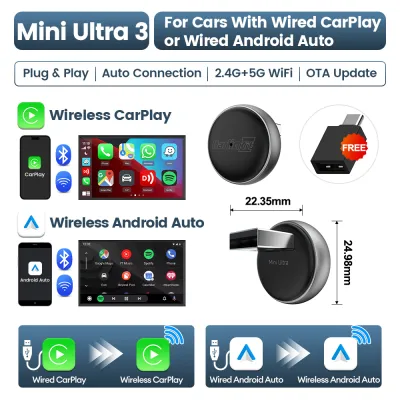
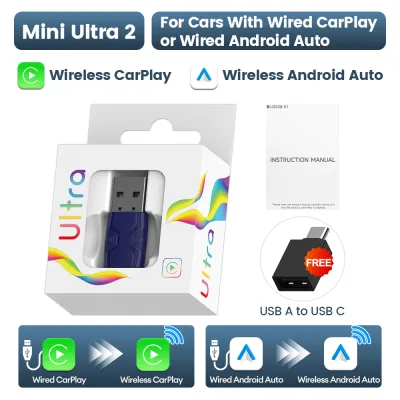
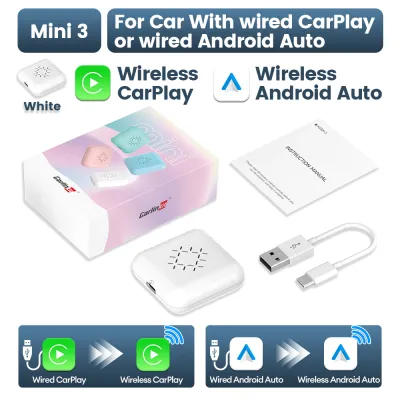
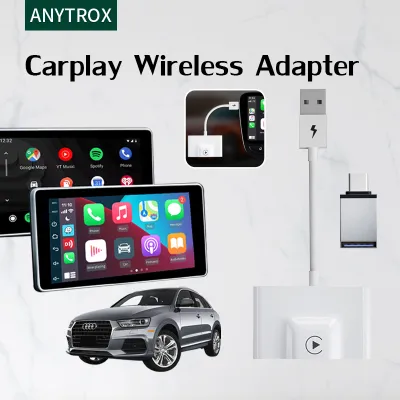
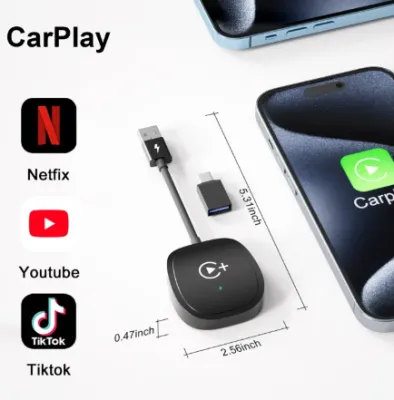
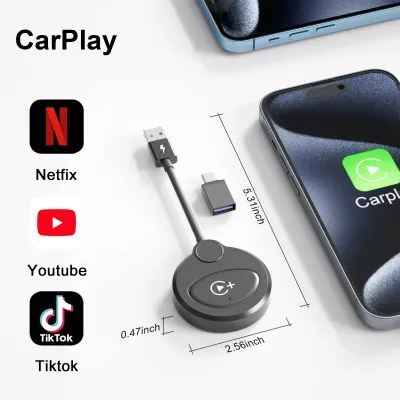

Prices are valid at publication and may change. Please refer to the product page for the latest price.
Conversely, built-in car navigation systems rely on proprietary map databases. While some modern systems support live traffic updates, this capability often depends on an active cellular connection via an integrated SIM card or smartphone tethering. Without this connection, a built-in system operates on static map data, which may not reflect recent road changes or real-time traffic incidents. Drivers should verify whether their vehicle’s built-in system requires manual map updates at the dealership or supports over-the-air updates.
Route recalculation speed is another critical factor for daily driving. This performance metric is determined by the processing power of the hardware and the strength of the network connection rather than the software alone. A high-end smartphone running wireless CarPlay often processes route changes rapidly, provided there is a stable mobile data signal. However, when driving through long underground tunnels, such as the Marina Coastal Expressway (MCE) or Kallang-Paya Lebar Expressway (KPE), GPS signals can degrade or drop entirely. Built-in navigation systems often have an advantage in these scenarios because they are typically connected to the vehicle’s wheel speed sensors and gyroscopes—a technology known as dead reckoning—allowing them to estimate the vehicle’s position accurately even without a GPS signal.
Interface Familiarity and Ecosystem Convenience
The user interface plays a significant role in driver focus and convenience. Utilizing wireless Apple CarPlay allows drivers to interact with a familiar, standardized layout that mirrors their smartphone’s design. This familiarity minimizes the learning curve, as the icons, menu structures, and touch gestures are identical to what the driver uses daily. For those who frequently switch between different vehicles, smartphone projection provides a consistent user experience across different infotainment screens.
In contrast, factory-installed navigation systems feature proprietary interfaces designed by the vehicle manufacturer. These interfaces vary widely in usability, menu logic, and touch responsiveness. While some drivers appreciate the bespoke aesthetic of a manufacturer’s native system, others may find the menu navigation less intuitive, requiring more physical interactions to input a destination.
Voice control capabilities further distinguish the two systems. Wireless CarPlay utilizes Siri, which benefits from continuous cloud-based natural language processing updates. This allows drivers to input destinations, send text messages, or make phone calls using conversational voice commands, reducing the need to look away from the road. Built-in systems often rely on localized voice recognition software, which may require specific, rigid command structures to function correctly. While some premium vehicles now feature advanced, cloud-connected voice assistants, their performance can vary depending on the manufacturer’s software ecosystem and active subscription status.
Ecosystem integration is another area where smartphone projection excels. Because CarPlay is linked directly to your phone, it can automatically sync with your calendar events, contacts, and recent search history. If you receive an address via a messaging application or save a location on your computer, the navigation app on CarPlay can suggest that destination the moment you start your vehicle. Built-in systems generally lack this level of cross-device integration, often requiring you to manually type in addresses or use a dedicated brand-specific mobile application to send destinations to the car’s head unit.
Hardware Integration, Display and Audio
While smartphone projection offers software flexibility, built-in navigation systems are engineered to integrate deeply with the vehicle’s physical hardware. One of the primary benefits of a native system is its ability to display turn-by-turn directions across multiple screens within the cabin. In many modern vehicles, native navigation instructions can be projected onto the digital instrument cluster directly behind the steering wheel or onto a heads-up display (HUD) on the windshield. This positioning keeps critical driving information directly in the driver’s line of sight, reducing eye strain and distraction.
Wireless Apple CarPlay, on the other hand, is typically restricted to the central infotainment screen. While newer vehicle architectures and updated software protocols allow some vehicles to display smartphone-projected maps on the instrument cluster, this feature is not universally supported. Drivers must check their specific vehicle’s specifications to confirm if dual-screen projection is supported for third-party apps. Furthermore, steering wheel controls, such as scroll wheels or custom buttons, are often optimized for the native system and may offer limited functionality when navigating CarPlay menus.
Audio integration also differs between the two platforms. Built-in navigation systems are calibrated to work seamlessly with the vehicle’s audio processor. When a navigation prompt is announced, the native system may lower the volume of the music in only the driver’s side speaker, allowing passengers to continue listening to audio undisturbed. With wireless CarPlay, the audio routing depends on how the manufacturer has implemented smartphone projection. In some cases, the navigation prompts may interrupt the entire audio system, lower the volume across all speakers, or exhibit a slight audio latency over the wireless connection.
Compatibility, Costs and Setup Requirements
Before deciding on a primary navigation system, drivers must evaluate the technical compatibility, associated costs, and installation requirements of their vehicle. Wireless Apple CarPlay requires a compatible infotainment head unit that supports both Wi-Fi and Bluetooth protocols, as the wireless connection uses Bluetooth for the initial handshake and Wi-Fi for data transfer. Older vehicles, or those equipped with basic infotainment packages, may only support wired CarPlay or lack smartphone projection entirely.
To determine your vehicle’s capabilities, consult the owner’s manual or contact the authorized dealer. If your vehicle only supports wired CarPlay, aftermarket wireless adapters are available on online marketplaces. However, drivers must exercise caution when selecting these accessories. Uncertified third-party dongles can suffer from connection drops, audio lag, or excessive battery drain. Furthermore, modifying the vehicle’s electrical system or installing unapproved aftermarket head units can void the manufacturer’s warranty and may not comply with local vehicle inspection standards. For any electrical modifications or head unit replacements, always seek professional installation from a qualified automotive technician to ensure road safety and system compatibility.
Ongoing costs are another consideration. Built-in navigation systems often require periodic map updates to remain accurate. Dealerships may charge a fee for these updates, or they may require a paid subscription service after the vehicle’s initial warranty period expires. In contrast, smartphone-based navigation apps used via CarPlay are updated automatically over the air at no direct cost, though they do consume mobile data. Drivers should review their mobile data plans to ensure they have sufficient allowance for daily navigation streaming, especially when using satellite map views which consume more data.
Decision Framework: Choose Based on Your Driving Habits
To choose the system that aligns most closely with your daily driving habits, consider the following conditional framework:
Choose Wireless Apple CarPlay if:
- You rely heavily on real-time, crowd-sourced traffic alerts to navigate around peak-hour congestion on major expressways.
- You prefer a familiar, unified user interface that integrates seamlessly with your personal contacts, calendar, and music streaming services.
- Your vehicle natively supports wireless projection, or you are willing to use a high-quality, compatible adapter that does not compromise your vehicle's electrical safety.
Choose Built-in Navigation if:
- You value deep hardware integration, such as turn-by-turn directions displayed on your heads-up display or digital instrument cluster.
- You frequently drive through long underground tunnels or areas with inconsistent cellular reception where dead reckoning sensors are necessary to maintain accurate positioning.
- You prefer to keep your smartphone battery charged without relying on continuous wireless data transmission, which can cause the phone to run warm.
Verify First if:
- Your vehicle's infotainment system requires a physical cable connection, which may prompt you to consider whether a wired setup is more practical for short daily commutes.
- Your built-in map database is outdated and requires a paid subscription or a dealership visit to update.
- Your smartphone model and vehicle firmware are fully updated to ensure stable wireless connectivity.
Frequently Asked Questions (FAQ)
Does wireless Apple CarPlay drain my phone battery faster than wired?
Yes, wireless Apple CarPlay consumes significantly more battery power than a wired connection. Because the system transmits high-resolution video and audio data continuously over Wi-Fi while maintaining a Bluetooth connection, the smartphone’s processor operates at a higher capacity. This continuous data transfer can also cause the device to run warm. For long journeys, it is advisable to place the phone on a wireless charging pad or use a physical USB cable to maintain the battery charge.
Can I use both built-in navigation and Apple CarPlay at the same time?
In most vehicles, the infotainment system is programmed to prioritize one active navigation source at a time. If you start a route guidance session on Apple CarPlay, any active route on the built-in navigation system will typically be canceled automatically, and vice versa. However, some advanced vehicle models allow you to display the built-in map on the digital instrument cluster while running a separate application on the central CarPlay screen. Drivers should consult their vehicle’s manual to verify the specific multi-display capabilities of their infotainment system.

Community discussion
Share your experience or ask a question. Comments are reviewed before publication.