
Navigating Singapore’s dense urban network, from the tight turns of the Central Business District to the sprawling lanes of the Pan Island Expressway (PIE), requires a reliable mapping system. Drivers must choose between the modern, app-driven convenience of wireless Android Auto and the integrated, stable performance of a vehicle’s built-in navigation system. The right choice depends on how you value real-time traffic updates, system reliability, and ease of use during your daily commute.
Quick Answer: Which Navigation System Fits Your Daily Drive?
Choosing between these two systems involves a fundamental trade-off: the rapid innovation and familiar interface of your smartphone ecosystem versus the robust, integrated reliability of native vehicle hardware. Wireless Android Auto is highly suited for drivers who prioritize real-time, crowd-sourced traffic data, frequent app updates, and seamless integration with their personal digital lives. It allows you to transition from walking to driving without interrupting your navigation or media playback.
Conversely, built-in navigation systems are preferable for drivers who value absolute connection stability and minimal distraction. These systems operate independently of cellular networks, making them highly reliable in areas with poor signal coverage, such as deep underground carparks or long tunnel networks. They also eliminate the battery drain and thermal issues associated with wireless smartphone projection, offering a seamless, factory-integrated experience.
Products mentioned in this guide
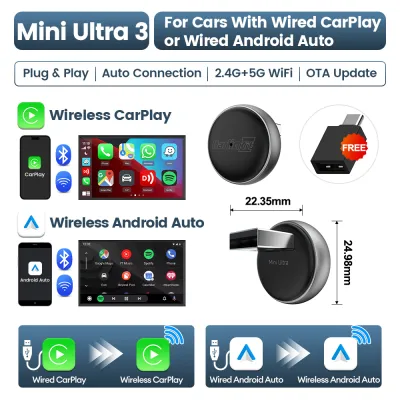
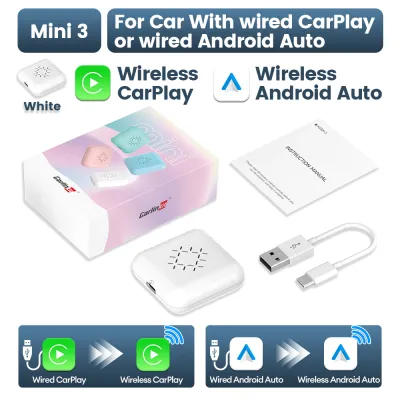
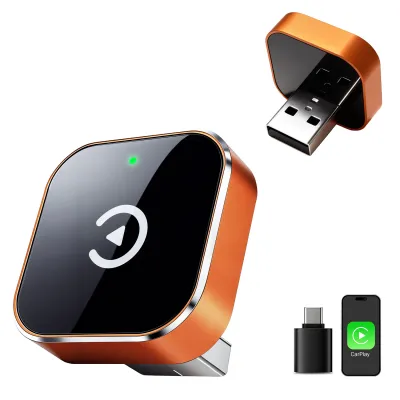
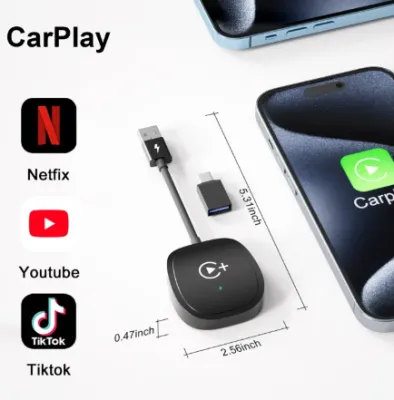
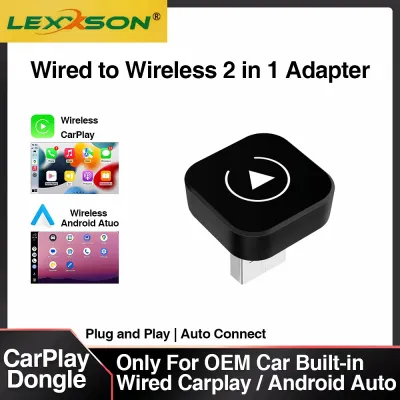
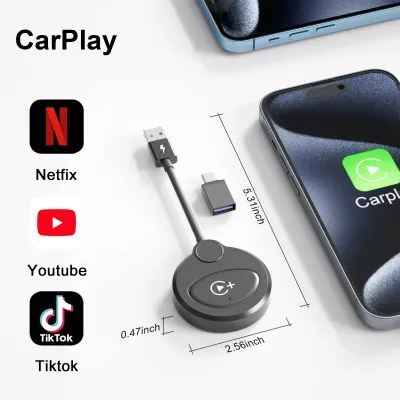
Prices are valid at publication and may change. Please refer to the product page for the latest price.
Map Accuracy, Real-Time Traffic, and Route Updates
Map freshness is a critical differentiator on Singapore’s rapidly evolving roads. Wireless Android Auto apps update automatically in the background via your phone’s cellular connection. This ensures that new road layouts, temporary diversions, and updated speed limits are reflected on your screen almost immediately without manual intervention.

In contrast, built-in navigation systems require manual updates. Depending on your vehicle manufacturer, you may need to download map files onto a USB drive, connect the car to home Wi-Fi, or visit an authorized dealership during regular servicing. Drivers should consult their vehicle owner’s manual to verify the recommended update frequency and any associated costs for map packages.
Real-time traffic data is essential for avoiding peak-hour congestion on major expressways like the Central Expressway (CTE). Smartphone apps on Android Auto use crowd-sourced data from millions of active users to provide minute-by-minute traffic alerts and dynamic rerouting. Built-in systems may use official traffic feeds or radio-broadcasted data, but their responsiveness to sudden traffic jams can vary. You should check your car’s infotainment settings to see if it supports live traffic subscriptions.
Signal dropouts present another challenge, particularly in Singapore’s extensive tunnel networks like the Kallang-Paya Lebar Expressway (KPE) or Marina Coastal Expressway (MCE). Built-in navigation systems often excel here because they connect directly to the vehicle’s wheel speed sensors and internal gyroscopes. This allows the system to estimate your position via dead reckoning even when GPS signals are completely blocked.
Wireless Android Auto relies heavily on your phone’s GPS receiver. While some modern vehicles share their native GPS antenna data with connected phones, many setups rely solely on the phone’s internal sensor. If your phone is tucked away in a glove compartment or center console, signal loss in tunnels can cause the map to freeze or lag until you emerge back into open air.
Interface, Ease of Use, and Distraction Risks
The physical integration of your navigation system directly impacts driving safety and comfort. Built-in navigation is designed to work harmoniously with the car’s physical cabin layout. This means you can often zoom in on maps, mute voice guidance, or accept rerouting suggestions using dedicated physical buttons on the center console or integrated steering wheel controls.
Wireless Android Auto projects a standardized smartphone interface onto the car’s display. While touch responsiveness is generally excellent on modern capacitive screens, navigating menus while driving can sometimes feel less intuitive if the car lacks physical shortcut buttons mapped to Android Auto functions. Drivers must ensure they configure their screen layout to minimize the need for precise taps while in motion.
Voice control offers a hands-free alternative to manual screen inputs. Google Assistant on Android Auto is highly sophisticated, allowing you to search for points of interest, send messages, or change destinations using natural language commands. It excels at recognizing local Singaporean street names and landmarks when prompted.
Native car voice commands, on the other hand, are often more limited in scope. While they can control vehicle-specific functions like adjusting the air conditioning temperature or switching radio stations, their destination search capabilities may require specific, rigid phrasing. You should test both systems to determine which voice assistant understands your natural speaking style more reliably.
Distraction management is a vital safety consideration under local traffic laws. Android Auto displays incoming notifications, text messages, and incoming calls directly on the dashboard. While this keeps you connected, it can also tempt you to look away from the road. Utilizing the “Do Not Disturb” or “Driving Mode” settings on your Android device is highly recommended to filter out non-essential alerts while driving.
Hardware Costs, Setup, and Connectivity Reliability
Financial considerations extend beyond the initial vehicle purchase. Built-in navigation is often included in higher-tier vehicle trim levels, but keeping the maps updated can incur ongoing subscription fees after the initial warranty period. Drivers should check with their local dealership to confirm if map updates are free or require a yearly payment, which can sometimes exceed S$100 to S$200.
Wireless Android Auto is generally free to use, as it utilizes the apps already installed on your smartphone. However, if your vehicle only supports wired Android Auto, you may choose to purchase a third-party wireless adapter. These adapters, available on various online marketplaces, typically cost between S$50 and S$150. It is crucial to verify the adapter’s compatibility with your specific car model and phone firmware before purchasing.
Connection stability is a common pain point for wireless projection systems. Wireless Android Auto establishes a connection using both Bluetooth for the initial handshake and Wi-Fi for data transfer. In areas with high electromagnetic interference, such as near certain toll gantries or dense industrial zones, you may experience brief audio stuttering or temporary disconnections.
Thermal management is another factor to monitor, especially in Singapore’s hot, tropical climate. Running wireless projection, GPS tracking, and cellular data simultaneously places a heavy processing load on your smartphone. This can cause the device to heat up rapidly, potentially leading to thermal throttling, lag, or sudden shutdowns. Placing your phone near an air conditioning vent can help mitigate this issue.
Before committing to either system, perform a compatibility check. Ensure your smartphone runs a compatible version of the Android operating system (typically Android 11 or higher for wireless support) and that your car’s head unit firmware is fully updated. If you plan to use an aftermarket adapter, consult the manufacturer’s compatibility list to ensure your vehicle’s head unit is supported.
Decision Framework: Choose Wireless Android Auto or Built-in Navigation?
To finalize your choice, evaluate your daily driving habits against the specific strengths of each system.
Choose Wireless Android Auto if:
- You rely heavily on real-time traffic apps like Waze or Google Maps to bypass peak-hour congestion.
- You prefer a system that updates its maps automatically without requiring dealership visits or manual downloads.
- Your vehicle already supports wireless projection, or you are comfortable using a verified third-party adapter.
- You want seamless integration with your personal calendar, music streaming services, and messaging apps.
Choose Built-in Navigation if:
- You prioritize absolute connection stability and want a system that works instantly when you start the engine, without waiting for a wireless handshake.
- You frequently drive through long tunnels, underground carparks, or areas with weak cellular signals where dead reckoning is required.
- You want to avoid excessive battery drain and heat buildup on your smartphone during long drives.
- You prefer using native steering wheel controls and physical dashboard buttons to manage your navigation.
Verify first if:
- Your car's head unit requires a specific firmware update to enable wireless projection or to improve connection stability.
- Your smartphone model has known compatibility issues with your vehicle's specific infotainment system.
- The cost of maintaining built-in map updates fits your long-term vehicle maintenance budget.
Frequently Asked Questions (FAQ)
Does wireless Android Auto drain my phone battery faster than built-in navigation?
Yes, wireless Android Auto consumes significantly more battery power than using a built-in navigation system. Because the phone must continuously run GPS tracking, process map data, and transmit high-bandwidth video and audio signals over Wi-Fi and Bluetooth, the power draw is substantial. This intensive processing also generates noticeable heat, particularly in warm climates.
To offset this drain, you can place your phone on a compatible wireless charging pad if your vehicle is equipped with one. However, many standard in-car wireless chargers have low output wattages (such as 5W or 10W) that may only slow down the battery drain rather than actively charge the device during intensive use. For longer journeys, connecting your phone directly to a high-output USB port using a certified cable is the most effective way to maintain battery levels and reduce heat buildup.
Can I use both systems at the same time on the car's display?
In most modern vehicles, you cannot display or actively use both wireless Android Auto and the built-in navigation system simultaneously on the primary infotainment screen. The vehicle’s head unit is typically programmed to prioritize one active navigation source at a time. When Android Auto is connected and actively routing, starting a route on the built-in system will usually pause or cancel the smartphone-based guidance, and vice versa.
If you require dual displays—for instance, keeping a broad highway overview on one map while monitoring local traffic alerts on another—you must use a physical phone mount to view your smartphone screen independently while the car’s dashboard display runs the built-in system. When doing so, ensure the phone mount is securely positioned in compliance with local road safety regulations, ensuring it does not obstruct your view of the road or interfere with vehicle controls.

Community discussion
Share your experience or ask a question. Comments are reviewed before publication.