
Choosing between wireless Android Auto and your car’s built-in navigation system in Singapore comes down to a fundamental trade-off: do you prioritize real-time, crowdsourced traffic intelligence and familiar mobile applications, or do you value seamless dashboard integration, offline reliability, and hardware stability? Singapore’s dense urban landscape, frequent Electronic Road Pricing (ERP) changes, and extensive tunnel networks make navigation demands unique. While one system excels at dodging sudden congestion on expressways, the other offers unmatched reliability when GPS signals drop in underground tunnels or high-rise districts.
Evaluating these options requires looking closely at map update frequencies, real-time traffic routing, interface usability, connection stability, and long-term costs. By understanding how each system handles these critical areas, you can determine which primary navigation method best suits your daily commute and driving habits.
Map Data Sources and Update Frequencies
Phone-based systems like Google Maps or Waze pull map data continuously from cloud servers. This means new roads, modified lane configurations, or temporary construction diversions are reflected almost instantly without manual intervention. For drivers navigating Singapore’s constantly evolving road network, this automatic synchronization ensures the map on the screen is always up to date.
Products mentioned in this guide
![[ SG ] CarlinKit Ai Box Wireless Carplay Adapter Android 13 8-Core 8+128G Built-in GPS Wireless Android Auto Apple Carplay Dongle Car Link Kit Tbox LED 车连易](https://img.lazcdn.com/g/ff/kf/S46cdc75f9378480db20ee29af4e8e255s.jpg_400x400q80.jpg_.webp)
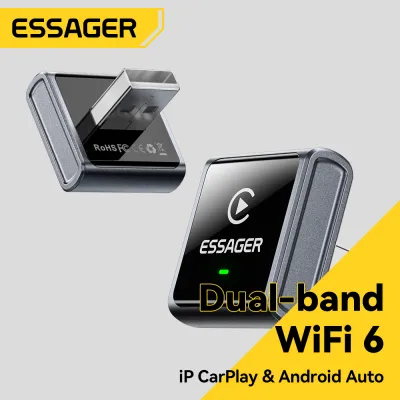
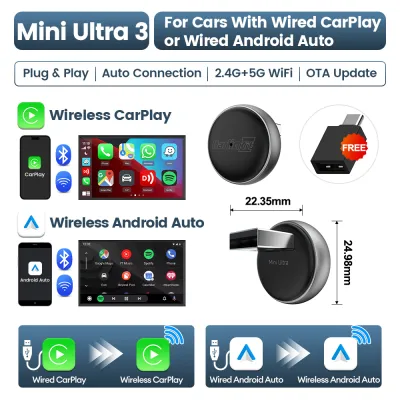
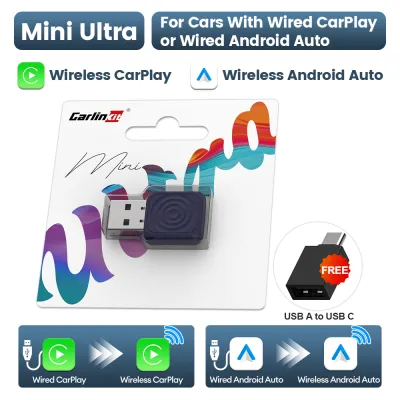
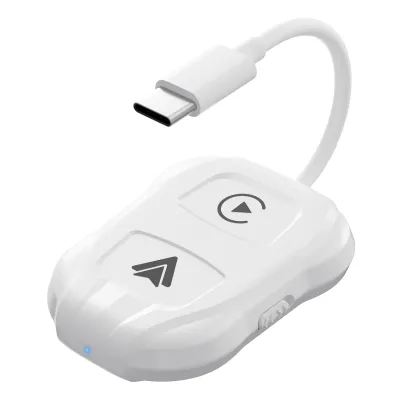
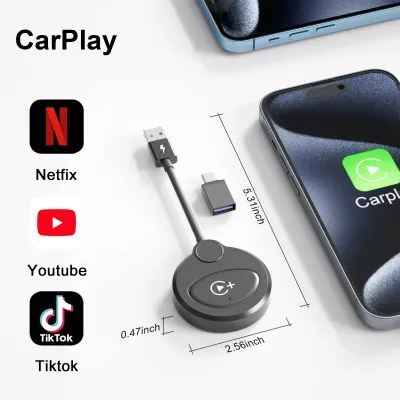
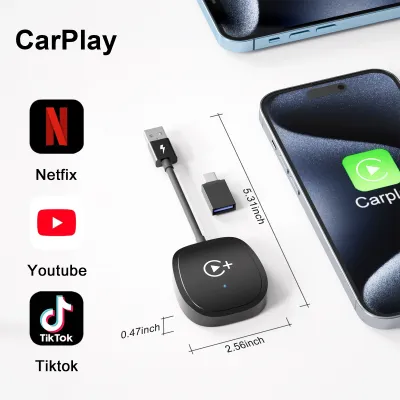
Prices are valid at publication and may change. Please refer to the product page for the latest price.
In contrast, built-in navigation systems rely on local storage, such as SD cards or onboard flash memory. Updates for these systems are typically packaged by the vehicle manufacturer or a third-party map provider. These updates are released periodically, often quarterly or annually, and may require downloading a large file to a USB drive or visiting an authorized dealership to install.
Wireless Android Auto requires an active mobile data connection to fetch map tiles in real time. If you drive into areas with poor cellular coverage, or if your mobile data plan is throttled, the map may fail to load unless you have pre-downloaded offline areas. Built-in systems operate entirely offline using pre-loaded maps, ensuring you never lose the base map layout even in deep basement car parks.
To check your vehicle’s status, navigate to the system settings menu on your infotainment screen. Look for “System Information” or “Map Version” to identify the date of the last update. Consult your vehicle’s manual to understand if updates are free, require a subscription, or must be performed by an authorized service center.
Real-Time Traffic and Dynamic Routing
Singapore’s traffic conditions shift rapidly, especially during peak hours on major expressways like the PIE or CTE. Wireless Android Auto leverages real-time, crowdsourced data from active mobile users. This allows apps to detect sudden slowdowns, accidents, or road hazards within minutes and suggest alternative routes dynamically to help you avoid delays.

Built-in navigation systems often rely on proprietary traffic feeds, such as Radio Data System-Traffic Message Channel (RDS-TMC) or connected telematics services. While these feeds provide official traffic advisories, they may suffer from update latency compared to crowdsourced mobile apps. This delay can sometimes result in the system directing you into a bottleneck that has just formed.
Dynamic routing behavior also differs. Mobile apps are highly aggressive, frequently recalculating routes to save even a few minutes, which might lead you through complex residential estates. Built-in systems tend to favor major arterial roads and expressways, prioritizing straightforward driving paths over minor time savings.
Be aware of signal loss vulnerabilities when driving through long underground tunnels like the Marina Coastal Expressway (MCE) or Kallang-Paya Lebar Expressway (KPE). GPS signals are blocked in these environments, forcing mobile apps to rely on dead reckoning using your phone’s internal sensors. This can cause delayed or incorrect rerouting instructions upon exiting the tunnel. Built-in systems are often wired directly to the vehicle’s wheel speed sensors, providing superior positioning accuracy in tunnels.
Interface Usability and Screen Integration
Wireless Android Auto projects your phone’s interface onto the car’s infotainment screen, offering a familiar layout. However, because the connection relies on Wi-Fi and Bluetooth, it can introduce slight latency. You might notice a brief delay when panning the map or inputting destinations compared to a wired connection or the native interface.
The primary advantage of built-in navigation is its deep integration with the vehicle’s hardware. Native directions can often be displayed directly on the driver’s instrument cluster or projected onto a heads-up display (HUD). Wireless Android Auto’s ability to project turn-by-turn directions onto these secondary screens depends heavily on the vehicle’s firmware; in many cars, these secondary displays remain blank when using phone projection.
Physical controls are another consideration. Built-in systems work seamlessly with steering wheel buttons, rotary dials, and physical shortcut keys on the dashboard. While Android Auto supports many of these controls, the integration may feel less intuitive, requiring multiple button presses to navigate menus.
When evaluating usability, perform a stationary check of the screen. Look for touch target sizes—mobile apps adapted for Android Auto generally feature large, easy-to-tap icons, but screen glare can affect visibility. Verify if your infotainment screen has an anti-reflective coating and whether the system automatically switches to night mode when your headlights turn on.
Connection Stability and Hardware Reliability
Wireless Android Auto relies on a complex wireless handoff. Your phone establishes an initial connection via Bluetooth, which then triggers a high-bandwidth Wi-Fi connection to transfer data. This process can be susceptible to interference from external wireless signals, occasionally causing temporary disconnects or lag.
Thermal throttling is a significant factor in Singapore’s tropical climate. Running GPS, Wi-Fi, and Bluetooth simultaneously while projecting to the car screen generates substantial heat. If your phone is placed in direct sunlight on a dashboard mount or inside a wireless charging tray without active cooling, it may overheat, leading to sluggish performance, connection drops, or sudden shutdowns.
GPS reception also varies. Built-in navigation utilizes a dedicated GPS antenna mounted on the vehicle’s roof or dashboard, which typically has a clearer view of the sky. Your phone, placed inside the cabin, must rely on its internal GPS receiver, which can struggle to maintain a lock when driving through dense high-rise areas like the Central Business District (CBD).
If you experience frequent drops, start troubleshooting by clearing the Android Auto cache on your phone, forgetting and repairing the Bluetooth connection, or updating your phone’s operating system. If wireless instability persists, switching to a high-quality, data-certified USB cable is the most reliable fallback.
Ongoing Costs and Subscription Requirements
While standard navigation apps on your phone are free to use, wireless Android Auto is not entirely cost-free. It consumes mobile data continuously to download map tiles and traffic updates. While a standard commute may only use a few megabytes, daily driving over a month can add up, potentially impacting users on limited data plans.
Built-in navigation systems often include free map updates for an initial period from the vehicle’s purchase date. Once this promotional period expires, manufacturers may charge a subscription fee or a one-time purchase fee to download the latest map packages. Live traffic services for built-in systems may also require an active telematics subscription after the trial period ends.
Before making a decision, review your vehicle’s warranty and service documentation to understand the long-term costs of keeping the built-in maps updated. Compare this against your mobile plan’s data allowance to determine which option is more financially sustainable for your driving habits.
Decision Framework: Choosing Your Primary Navigation
To help streamline your choice, consider these practical guidelines based on your daily driving scenarios and vehicle setup.
Choose Wireless Android Auto if:
- You prioritize real-time, crowdsourced traffic alerts to bypass sudden congestion on major expressways.
- You prefer a familiar, constantly updated user interface that integrates seamlessly with your personal calendar, contacts, and music streaming apps.
- You want to avoid paying recurring fees for manufacturer map updates and have a mobile data plan that comfortably accommodates daily navigation streaming.
Choose Built-in Navigation if:
- You frequently drive through long underground tunnels or dense high-rise areas where mobile GPS signals are prone to dropping or drifting.
- You value deep vehicle integration, such as having turn-by-turn directions displayed on your instrument cluster or heads-up display (HUD).
- You want a highly stable, plug-and-play system that operates independently of your phone's battery level, thermal state, or wireless connection stability.
Verify first if:
- Your vehicle's infotainment system supports wireless Android Auto natively, or if it requires a wired connection or an aftermarket wireless adapter.
- Your phone's hardware and operating system are fully compatible with wireless projection, and whether your vehicle's firmware requires an update from the dealership to resolve known connection bugs.
- Your mobile data plan has sufficient high-speed data allocation to support daily navigation without incurring overage charges.
Frequently Asked Questions (FAQ)
Does wireless Android Auto drain my phone battery during long drives?
Yes, wireless Android Auto can cause significant battery drain. The phone’s processor must simultaneously manage GPS tracking, render the navigation interface, compress the video stream, and transmit it over a high-bandwidth Wi-Fi connection while maintaining a Bluetooth link. This intensive workload generates heat and consumes power rapidly.
In Singapore’s warm climate, this power draw is compounded if the phone is placed in a poorly ventilated area or on a wireless charging pad. When a phone’s internal temperature rises, its charging rate is automatically throttled to protect the battery, meaning a wireless charger may not keep up with the rate of discharge.
To mitigate this, check if your vehicle has a ventilated wireless charging pocket, or use a phone mount that clips onto an air conditioning vent to keep the device cool. For longer journeys, the most effective solution is to bypass the wireless connection entirely and plug your phone directly into the vehicle’s dedicated USB data port using a high-quality cable.
Can I display phone navigation on the dashboard screen while using built-in audio?
In most modern vehicles, you can display phone-based navigation via wireless Android Auto while listening to built-in audio sources, such as the car’s native radio or a USB drive. The infotainment system’s operating software is designed to manage multiple input sources simultaneously.
However, the specific behavior depends on how your vehicle’s firmware handles audio focus. When a navigation prompt occurs on Android Auto, the system should temporarily lower the volume of the built-in audio to play the spoken direction, then restore the radio volume. In some older or less integrated infotainment systems, playing native radio may completely mute Android Auto’s voice prompts, or vice versa.
To verify and configure this, access your car’s audio settings menu while Android Auto is active. Look for options related to navigation guidance volume, audio mixing, or prompt volume. You can also adjust the relative volume levels by turning the physical volume knob on your dashboard precisely at the moment a navigation instruction is being spoken.

Community discussion
Share your experience or ask a question. Comments are reviewed before publication.