
Quick Answer: When Phone Navigation Outperforms Built-in GPS
A smartphone secured to a high-quality magnetic phone holder car mount represents the most agile navigation solution for driving in Singapore. While built-in car GPS systems offer stable offline maps and clean dashboard integration, they frequently suffer from outdated databases, sluggish interfaces, and a lack of real-time traffic updates.
In contrast, mobile navigation apps provide immediate updates on road closures, live Electronic Road Pricing (ERP) rates, and highly accurate local Point of Interest (POI) data. For drivers navigating complex urban environments, the combination of a dedicated magnetic phone holder and a smartphone is the superior choice for daily commuting, ride-hailing, and delivery services.
Specific Driving Scenarios for Phone Navigation in Singapore
Singapore’s road network is highly sophisticated, characterized by rapid infrastructural shifts, variable toll systems, and dense traffic patterns. Relying on a factory-installed navigation system often leads to missed exits, unexpected toll charges, or prolonged delays in heavy traffic. Transitioning to a smartphone-based navigation workflow, supported by a reliable magnetic phone holder car mount, directly addresses these hyper-local driving challenges.
Products mentioned in this guide
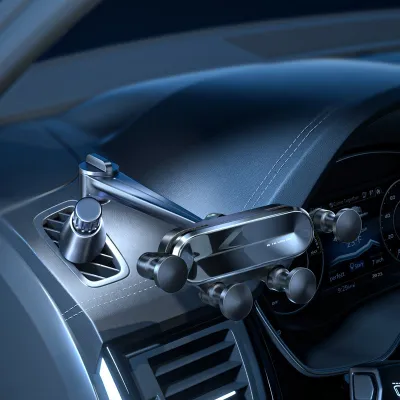
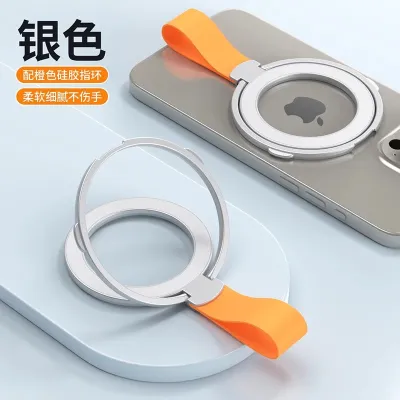
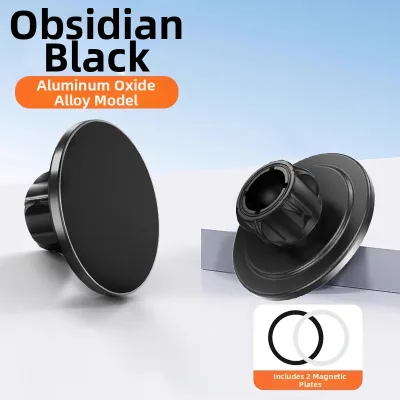
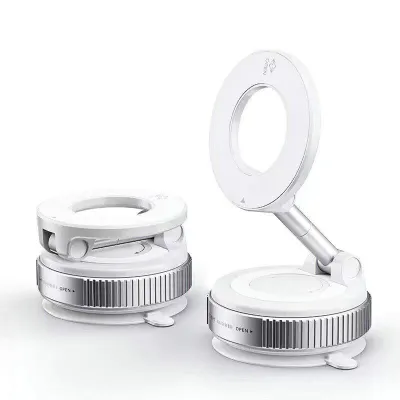
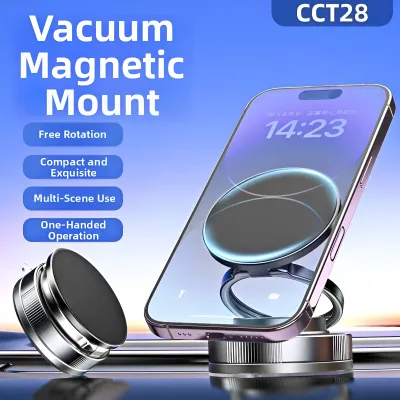
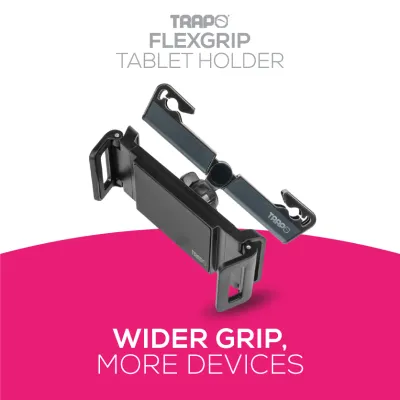
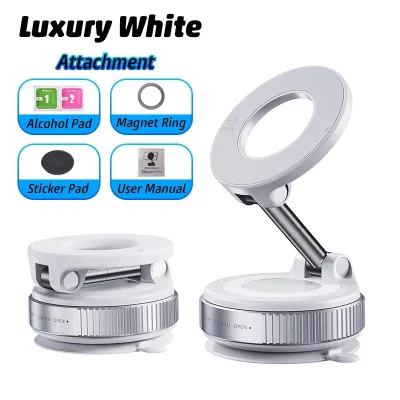
Prices are valid at publication and may change. Please refer to the product page for the latest price.

Navigating ERP Gantries and Complex Expressway Exits
The Electronic Road Pricing (ERP) system in Singapore is highly dynamic, with rates fluctuating based on the time of day and traffic congestion levels across key arterial roads and expressways. Built-in car GPS systems are rarely updated frequently enough to account for these real-time pricing changes, often routing drivers through active gantries without warning. Mobile navigation applications, however, integrate live ERP pricing structures directly into their routing algorithms. This allows you to compare the financial trade-offs of taking an expressway versus an alternative arterial road, potentially saving significant toll costs over a monthly commute.
Additionally, Singapore’s expressway network features highly complex interchanges, such as the transition from the Central Expressway (CTE) to the Pan Island Expressway (PIE), or navigating the underground tunnels of the Kallang-Paya Lebar Expressway (KPE). In these environments, lanes split rapidly, and a delayed navigation prompt can result in a dangerous last-minute lane change or a lengthy detour. Smartphone apps excel at providing highly detailed, lane-level visual guidance and timely voice prompts. By mounting your phone at eye level using a magnetic holder, you can glance at these precise lane guides without taking your eyes off the road, ensuring safe and predictable lane transitions.
Real-Time Rerouting During Peak Hour Congestion
Peak-hour traffic on major Singapore expressways like the Ayer Rajah Expressway (AYE) and the East Coast Parkway (ECP) can quickly grind to a halt due to sudden minor accidents, vehicle breakdowns, or heavy tropical downpours. Built-in car GPS systems often rely on static historical data or slow-to-update broadcast traffic messages, which fail to capture the immediate reality of the road. This lag can leave you trapped in gridlock that could have easily been avoided.
Smartphone navigation platforms leverage crowd-sourced, real-time telemetry from thousands of active users on the road. The moment a vehicle slows down or an accident is reported on the AYE, the app recalculates your ETA and suggests alternative routes via secondary roads or less congested expressways. A secure magnetic phone holder ensures that your device remains stable and perfectly visible during these sudden rerouting alerts. This allows you to quickly assess the new route and make split-second decisions to bypass major bottlenecks safely.
Locating HDB Car Parks and Local Amenities
Finding your destination in Singapore often involves navigating to specific Housing & Development Board (HDB) estates, which feature dense clusters of multi-storey car parks (MSCPs). These car parks frequently have specific Electronic Parking System (EPS) entrance gantries located on minor service roads rather than the main block address. Built-in car navigation systems typically direct you to the generic postal code or block number, leaving you to circle the estate blindly in search of the actual car park entrance.
Smartphone maps are continuously updated with precise user-generated pin drops, identifying the exact coordinates of HDB car park entrances, loading bays, and drop-off points. Furthermore, these apps often integrate live parking lot availability data, helping you determine if a multi-storey car park is full before you even arrive. Whether you are searching for a specific stall at a local hawker centre, a neighborhood clinic in a mature estate, or a newly opened retail outlet, the search algorithms of mobile apps provide unmatched point-of-interest accuracy that factory systems simply cannot match.
Critical Safety and Placement Rules for Magnetic Holders
While a magnetic phone holder car mount offers unmatched convenience, its installation and placement must prioritize safety and legal compliance. Improperly mounted devices can obstruct your view, interfere with critical vehicle safety systems, or lead to severe legal penalties under Singapore law. Understanding how to position and use your mount correctly is essential for every driver.
Avoiding Airbag Zones and Line-of-Sight Obstructions
Before installing any magnetic mount, you must consult your vehicle’s owner manual to locate the exact deployment paths of all cabin airbags, including passenger-side dashboard airbags and side-curtain airbags. Mounting a phone or a holder directly in the path of a deploying airbag can turn the device into a dangerous high-velocity projectile in the event of a collision. Never attach a holder to an airbag cover or within its marked deployment zone.
In addition to airbag safety, the mount must be positioned to avoid creating physical blind spots. The phone should not obstruct your direct line of sight to the road, pedestrians, side mirrors, or critical dashboard warning lights. Position the magnetic holder in a location that allows you to check navigation prompts using quick, peripheral glances. If a windshield suction mount is used, place it as low as possible or in the extreme right corner of the windshield to preserve your forward field of view.
Preventing Distraction and Complying with Traffic Laws
Singapore maintains strict laws regarding mobile device usage while driving. Under the Road Traffic Act, it is a serious offence for a driver to hold any mobile communication device in their hand while the vehicle is in motion. This includes writing or reading messages, browsing the internet, or manipulating navigation apps. Violations can result in heavy fines, demerit points, and potential court prosecution.
To remain fully compliant with Singapore Traffic Police regulations, your magnetic phone holder must facilitate completely hands-free operation. The navigation app should be configured before you begin your journey. Once the vehicle is in motion, you must not touch, adjust, or hold the phone. A magnetic mount is highly beneficial here, as its strong magnetic connection allows you to mount or remove the phone instantly with one hand before you start driving or after you have parked safely, minimizing any temptation to handle the device while on the road.
Selecting the Right Magnetic Mount for Your Car Interior
Selecting the ideal magnetic phone holder car mount requires evaluating your vehicle’s interior design, the weight of your phone, and Singapore’s unique tropical climate. Different mounting styles offer distinct advantages and trade-offs that can affect both your driving comfort and the longevity of your car’s interior materials.
Dashboard, Air Vent, and Windshield Mount Considerations
Dashboard mounts typically use adhesive pads or suction bases to secure the holder to the top of the dash. When choosing an adhesive mount, always check the manufacturer’s label for its maximum temperature tolerance. Singapore’s intense sun exposure can heat parked car cabins to extreme temperatures, which can degrade lower-quality adhesives, causing the mount to sag or detach. Ensure the adhesive is rated for high-heat environments to prevent failure.
Air vent mounts are a popular alternative because they are easy to install and position the phone directly in the path of the air conditioning, which helps keep your device cool during heavy GPS usage. However, you must verify that your car’s vent louvers are sturdy enough to support the combined weight of the mount and your phone. Heavy devices can cause delicate vent slats to sag or even snap over time, and the mount will inevitably block a portion of your cool airflow.
Windshield suction mounts offer excellent stability and high positioning options, but you must ensure the suction cup is made of high-quality, UV-resistant polyurethane. Cheaper suction cups can melt or lose their vacuum seal under direct Singapore sunlight. Always position a windshield mount carefully to ensure it does not violate local regulations regarding windshield obstructions.
Checking Compatibility with Phone Cases and Wireless Charging
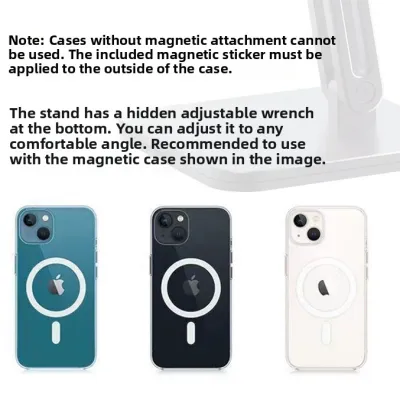
To ensure your phone remains securely attached over bumpy roads or speed table humps, you must verify the magnetic strength of the holder. Look for mounts utilizing high-grade magnets, such as N52 neodymium magnets, which provide a powerful hold even through phone cases. If you use a thick, rugged, or leather case, a standard magnetic mount may not offer sufficient attraction, requiring you to adhere a metal plate directly to the exterior of the case.
Furthermore, you must consider how the magnetic plate or built-in magnetic ring interacts with wireless charging. Placing a solid metal plate directly over your phone’s internal wireless charging coil will block the inductive charge and can cause severe overheating. If you rely on wireless charging pads in your car or at home, opt for a magnetic holder that features an open-ring design or is specifically certified as wireless-charging compatible to ensure safe and efficient power delivery.
Frequently Asked Questions (FAQ)
Will the magnets damage my phone's internal sensors?
No, the magnets used in consumer car mounts will not damage your smartphone’s internal components. Modern smartphones utilize solid-state flash memory, which is completely unaffected by static magnetic fields. Key functions such as GPS tracking, cellular connectivity, and Wi-Fi signals operate via radio frequencies and are not disrupted by magnetic mounts. However, your phone’s internal digital compass (magnetometer) may experience temporary interference while attached to the magnet. If you notice your map orientation spinning or pointing the wrong way after removing the phone from the mount, a simple figure-eight calibration motion in the air will quickly reset the sensor.
How do I safely clean the dashboard for an adhesive mount?
To ensure a strong, lasting bond for an adhesive mount, you must thoroughly prep the mounting surface. Start by wiping the area with a clean microfiber cloth and a mild, non-abrasive interior cleaner designed specifically for your dashboard material. This step is crucial for removing dust, body oils, and residual silicone-based dashboard dressings, which act as release agents and prevent adhesives from bonding. Avoid using harsh household chemicals or solvents like acetone, which can permanently discolor or melt plastics, vinyl, or leather. Always check your vehicle’s care instructions and the mount manufacturer’s guidelines before applying any adhesive. If your dashboard features delicate textured vinyl or natural leather, consider an air vent or windshield mount instead to avoid any risk of permanent surface damage or adhesive residue upon removal.

Community discussion
Share your experience or ask a question. Comments are reviewed before publication.