
A reliable car phone holder is essential for safe, hands-free navigation, keeping your GPS map directly in your line of sight without distracting you from the road. To choose the right mount, you must balance visibility, stability, power delivery, and physical compatibility with both your smartphone and your vehicle’s interior. Selecting the wrong type can lead to a drooping screen, blocked air vents, or even a dropped phone during sudden stops.
With smartphone navigation apps offering real-time traffic updates and dynamic routing, drivers rely on their screens more than ever. However, a poorly positioned or unstable mount can quickly turn a helpful tool into a dangerous distraction. Understanding the key features of a high-quality car phone holder ensures that your device remains secure, readable, and fully powered throughout your journey.
Evaluating Mounting Positions for Safety and Visibility
Choosing where to mount your car phone holder directly impacts your driving safety and how easily you can read navigation maps. The four primary mounting locations—windshield, dashboard, air vent, and CD slot—each present distinct trade-offs in terms of stability, reach, and driver distraction.
Products mentioned in this guide
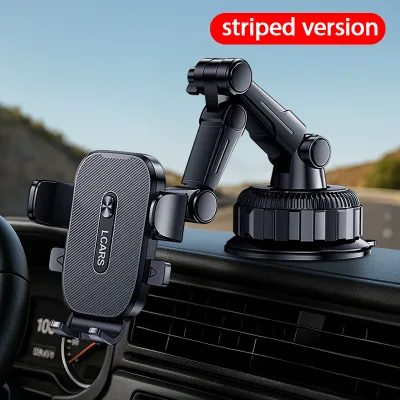
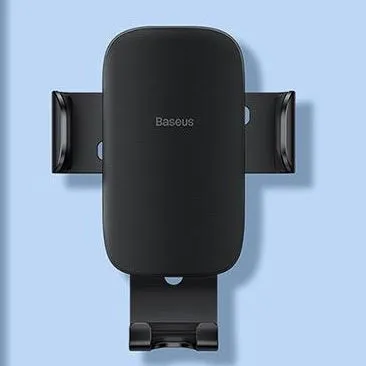
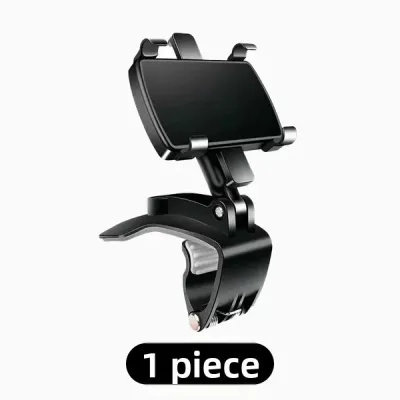
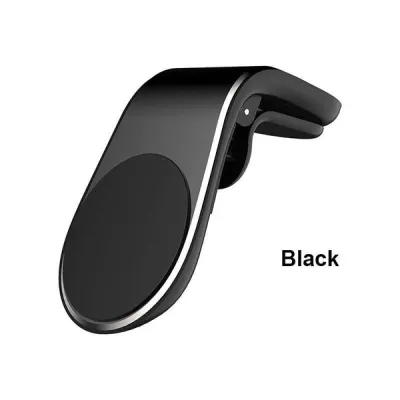
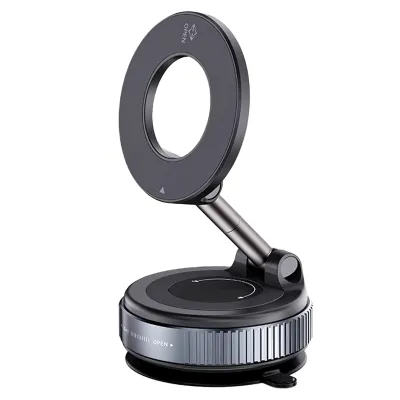
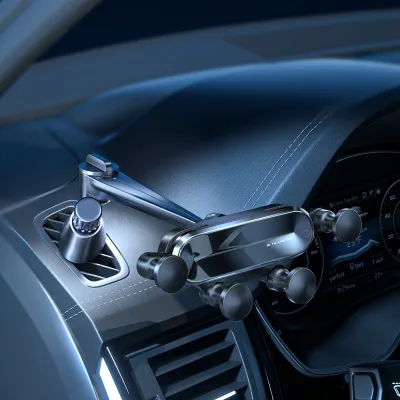
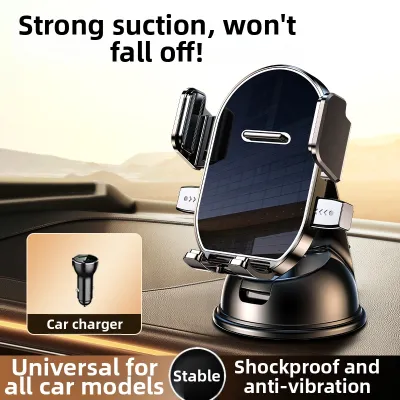
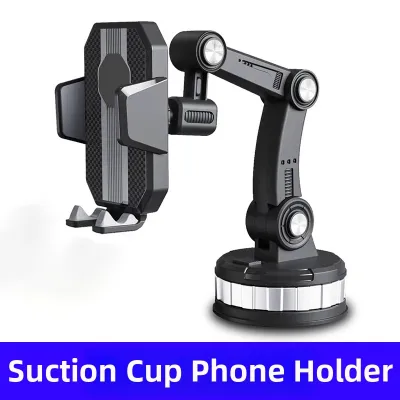
Prices are valid at publication and may change. Please refer to the product page for the latest price.
Windshield suction mounts place the phone closest to your natural line of sight, making it easy to glance at GPS directions without looking down. However, they can obstruct your view of the road and may be subject to local traffic regulations regarding windshield obstructions. In many jurisdictions, blocking any portion of the driver’s forward field of view is illegal, so you must position the suction cup carefully near the bottom corner or top edge of the glass.
Dashboard mounts offer a similar high-visibility position but require a flat, non-textured surface or an adhesive pad to secure the suction base properly. Many modern vehicles feature curved, textured, or leather-wrapped dashboards that prevent suction cups from forming an airtight seal. If your dashboard is made of soft-touch materials, adhesive pads can leave permanent marks or cause discoloration over time, making it important to check the vehicle manufacturer’s material guidelines.
Air vent mounts keep your dashboard and windshield completely clear, which helps maintain an unobstructed view of the road. They also position the phone within easy arm’s reach, though they can block airflow and expose your device to hot cabin air when the heater is running. Additionally, the weight of a heavy smartphone can pull the vent blades downward, potentially damaging the delicate plastic louvers over time.
CD slot mounts provide a highly stable mounting point lower down on the console, but they can block access to your infotainment screen or physical radio controls. Since CD players are increasingly rare in newer vehicle models, this option is primarily suitable for older cars with sturdy, centrally located CD slots. While highly stable, this lower position requires you to look further away from the road to check your map, which can increase reaction times during navigation.
Another critical safety consideration is the deployment zone of your vehicle’s airbags. Never mount a phone holder on or directly adjacent to the steering wheel, passenger dashboard airbag cover, or side curtain airbag pillars. In the event of a collision, a phone or mount positioned in these deployment zones can become a high-velocity projectile, causing severe injury to occupants. Always consult your vehicle’s owner manual to identify the exact locations of all airbags before choosing a mounting spot.
Before installing any mount, proper surface preparation is critical to prevent the holder from detaching while driving. For suction cups and adhesive pads, clean the mounting area thoroughly with isopropyl alcohol to remove dust, oils, and dashboard dressings. Allow the surface to dry completely before applying pressure, and let adhesive mounts cure for the manufacturer-recommended period—often 24 hours—before mounting your phone.
Assessing Stability and Vibration Control for Clear Map Reading
A shaky navigation screen is difficult to read and can cause eye strain or distraction while driving on uneven roads. The mounting mechanism and overall structural design of the holder play a critical role in dampening road vibrations and keeping your phone steady.

Mechanical clamps use spring-loaded or ratcheting arms to physically grip the sides of your phone, providing a highly secure hold that resists heavy bumps. These clamps often feature silicone or rubber padding inside the arms to grip the phone tightly without scratching the chassis. While highly secure, some mechanical clamps require two hands to open, which can be inconvenient when getting in and out of the vehicle.
Magnetic mounts offer a cleaner look and faster docking, relying on strong rare-earth magnets to hold a metal plate attached to your phone or case. This design allows you to mount or remove your phone instantly with one hand, making it highly convenient for quick trips. However, if the metal plate is not positioned correctly, or if the magnets are weak, the phone can slip or rotate when driving over speed bumps or potholes.
Gravity holders use the weight of the phone to pull the side arms inward, which is convenient but can allow the phone to bounce or rattle on rough terrain. Because these mounts rely on gravity to maintain their grip, they do not hold the phone securely if you drive over large bumps or if the vehicle experiences sudden vertical movement. They also generally do not support landscape orientation, as turning the mount sideways releases the gravity-fed clamping mechanism.
The connection between the mount’s base and the phone cradle is usually a ball joint, which must feature a robust locking collar. Over time, cheap plastic joints can wear down, causing the phone to droop or tilt downward under its own weight. Look for mounts with reinforced metal or high-density composite ball joints that can be tightened securely to lock the viewing angle in place.
Arm length also significantly influences screen stability, as longer telescopic arms act as levers that amplify vehicle vibrations. If you choose a mount with an extended arm to bring the phone closer, ensure it includes a secondary support stabilizer or stabilizer pad that rests against the dashboard. Keeping the arm as short and close to the mounting base as possible is the most effective way to minimize resonance and screen shaking.
The materials used in the construction of the mount also dictate its long-term stability and vibration resistance. Cheap, lightweight plastics tend to flex under load, which amplifies road vibrations and leads to a shaky screen. High-quality mounts utilize glass-filled nylon, aluminum alloys, or dense polycarbonate, which provide the structural rigidity needed to keep the phone steady. Additionally, look for mounts that feature thick silicone padding on all contact points, as this material helps absorb high-frequency vibrations from the engine and road surface.
Managing Power Delivery and Heat During Long Drives
Running a GPS navigation app with the screen constantly on, combined with active cellular data and GPS tracking, places a heavy electrical and thermal load on your smartphone. Without proper power management and heat dissipation, your phone can quickly drain its battery or overheat, leading to thermal throttling and screen dimming.
Wireless charging mounts offer the convenience of cable-free power delivery, but they generate more heat than traditional wired connections due to energy loss during induction. To ensure efficient charging and minimize heat, the wireless charging coils in the mount must align precisely with the receiver coil inside your phone. Many modern mounts feature adjustable bottom feet to help you align different phone models with the charging sweet spot.
Wired charging remains the most efficient and coolest way to power your phone during long navigation sessions. When using a wired setup, plan your cable routing carefully to prevent the cord from interfering with your vehicle’s gear shifter, steering wheel, or physical controls. Use cable clips to secure the wire, and ensure there is enough slack near the phone connector to prevent strain on the charging port.
High cabin temperatures, especially when direct sunlight hits the dashboard, can cause smartphones to shut down to protect their batteries. Some premium wireless charging mounts feature built-in cooling fans or active thermal sensors that automatically reduce charging speeds when temperatures rise. Alternatively, positioning an air vent mount so that the vehicle’s air conditioning blows directly onto the back of the phone is an effective way to keep the device cool.
When selecting a charging mount, verify that its power output matches your phone’s maximum wireless charging input, which typically ranges from 7.5W to 15W or more. Using an underpowered car charger adapter in your vehicle’s 12V accessory port can result in your phone losing battery charge even while plugged in. Always check the specifications of both the mount and the USB power adapter to ensure they support fast-charging protocols compatible with your specific device.
Using a high-quality car charger adapter is just as important as selecting the right mount. Cheap, unbranded 12V USB adapters often lack essential safety features like overcurrent protection, short-circuit prevention, and voltage regulation. A sudden voltage spike from your vehicle’s alternator can damage both the charging mount and your connected smartphone. To protect your electronics, choose a certified charger from a reputable brand that matches the power requirements specified in your phone’s user manual.
Ensuring Adjustability and Safe One-Handed Operation
A car phone holder should never require two hands to operate, as attempting to mount or release your device while driving poses a severe safety risk. The best mounts allow you to secure and retrieve your phone effortlessly with a single hand, keeping your focus on the road.
Auto-clamping mounts use infrared sensors or physical trigger buttons to automatically close the motorized arms around your phone when it is placed in the cradle. To release the phone, you simply touch a sensor on the side or press a physical quick-release button, which opens the arms even after the car engine is turned off. Manual quick-release systems use a mechanical button on the back or bottom that instantly springs the side clamps open.
The mount should also allow for smooth rotation between portrait and landscape orientations to accommodate different navigation preferences. While portrait mode is ideal for standard turn-by-turn directions, landscape mode provides a wider view of the surrounding map and is often preferred for highway driving. A high-quality ball joint should allow you to rotate the phone smoothly with one hand without loosening the main locking collar.
Tension adjustment is another critical factor for long-term usability, as the ball joint must maintain its resistance over thousands of rotations. If the joint is too loose, the phone will sag whenever you hit a bump; if it is too tight, you will not be able to adjust the angle without pulling the entire mount off the dashboard or vent. Look for designs that feature an external screw-cap collar, allowing you to manually fine-tune the joint tension as the materials wear over time.
Running Pre-Purchase Compatibility Checks for Your Vehicle and Phone
Before purchasing a car phone holder, you must verify that the physical dimensions and weight of your smartphone—including its protective case—are fully compatible with the mount. Heavy-duty or rugged cases add significant thickness and width, which can prevent the phone from seating deeply enough into mechanical clamps.
Check the manufacturer’s specifications for the maximum supported phone width, thickness, and weight capacity to ensure a secure fit. If you use a wallet case, a ring holder, or a pop-up grip on the back of your phone, a standard magnetic or wireless charging mount may not function correctly. In these cases, a deep-jawed mechanical clamp is usually the safest and most reliable option.
Next, inspect your vehicle’s interior to ensure the mount can be installed securely without damaging any components. Air vent mounts require sturdy, flat vent blades; circular, highly curved, or extremely thin vent blades often cannot support the weight of a modern smartphone and mount. For dashboard and windshield mounts, check that the surface is free of deep textures, leather wrapping, or soft-touch plastics that can prevent suction cups or adhesives from forming an airtight seal.
Additionally, consider the placement of your phone’s physical buttons, such as the volume and power keys. Some universal mechanical clamps have side arms that press directly against these buttons, causing accidental restarts or volume changes when clamped. Ensure the mount’s side grips are adjustable or positioned in a way that leaves your phone’s physical controls completely unobstructed.
When verifying compatibility, never infer that a mount will fit your car simply because it is labeled as a universal car accessory. You must verify your specific vehicle model, dashboard dimensions, vent design, and mounting position against the product’s official documentation. Checking your vehicle’s owner manual is also essential to ensure the mount does not interfere with airbag deployment zones, instrument clusters, or physical control interfaces.
Frequently Asked Questions (FAQ)
Are magnetic car phone holders safe for modern smartphones?
Yes, magnetic mounts are safe for modern smartphones, as the magnets used are not strong enough to damage solid-state storage, processors, or screens. However, they can occasionally interfere with internal digital compasses or optical image stabilization (OIS) systems in cameras if placed directly over the sensors. To avoid issues, ensure any metal plates are positioned away from the phone’s wireless charging coils and internal sensors, or use mounts designed to align with your phone’s built-in magnetic array.
How do I prevent my phone from overheating while navigating and charging?
To prevent overheating, avoid mounting your phone in direct sunlight on the windshield or dashboard during hot days. Instead, use an air vent mount and direct the vehicle’s air conditioning system to blow cool air onto the back of the device. Additionally, close unnecessary background applications, lower your screen brightness, and consider using a wired charger rather than a wireless one, as wired charging generates significantly less heat.

Community discussion
Share your experience or ask a question. Comments are reviewed before publication.