
Deciding between relying on your car’s built-in GPS and purchasing an aftermarket vacuum phone holder is a common dilemma for modern drivers. With smartphones offering rapid updates and highly sophisticated routing algorithms, traditional dashboard navigation systems face stiff competition. However, the correct choice is not universal; it depends heavily on your vehicle’s technological capabilities, your daily driving habits, and the environmental conditions of your local commute.
Before spending money on an additional accessory, it is highly beneficial to evaluate what your current vehicle setup actually offers. Many drivers overlook hidden capabilities or tolerate outdated systems simply out of habit. By systematically comparing the convenience of your factory-installed screen against the dynamic flexibility of a mobile device, you can determine whether a dedicated mount is a necessary addition or a redundant distraction.
Assess Your Current Built-In Car GPS
The first step in your self-assessment is to examine your vehicle’s infotainment interface for smartphone projection capabilities. Modern vehicles often come equipped with Apple CarPlay or Android Auto, which can operate via a wired USB connection or wirelessly. If your car supports these platforms, your phone’s navigation apps can display directly on the larger dashboard screen, allowing you to control routing via the car’s native interface. In this scenario, your phone can remain safely tucked away in a console tray or charging pad, completely eliminating the need for a separate vacuum phone holder.
Products mentioned in this guide
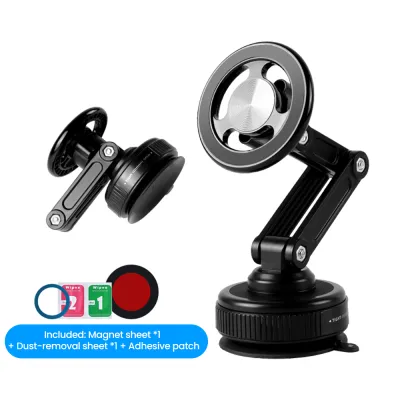
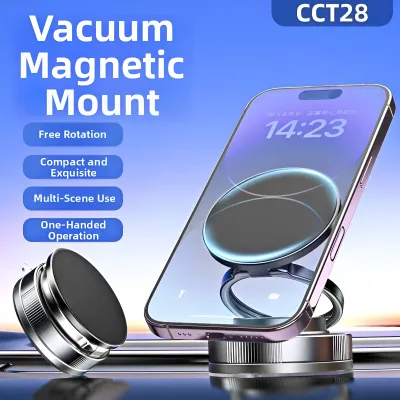
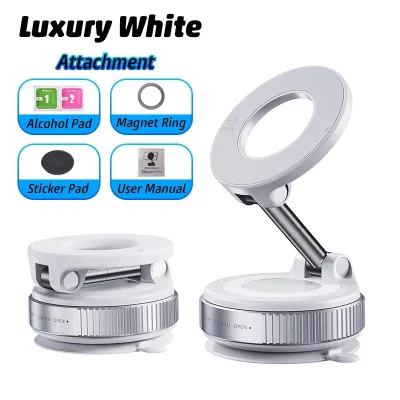
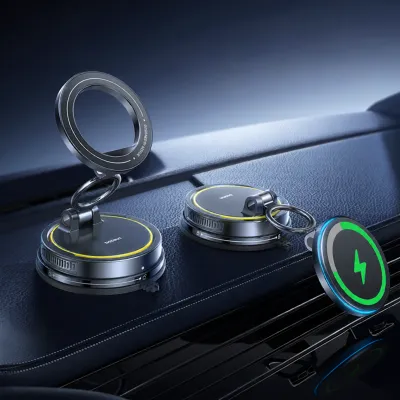
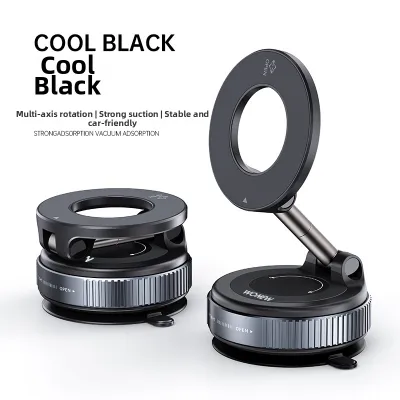
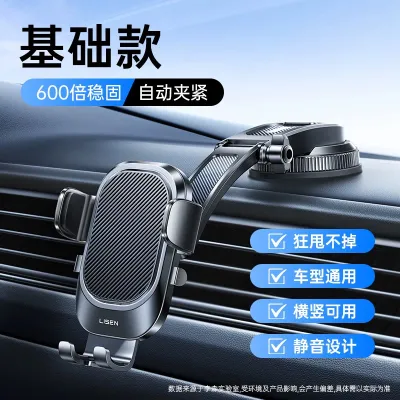
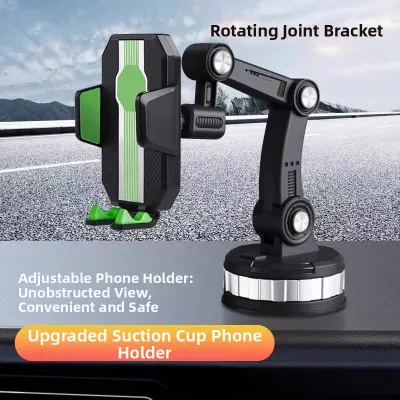
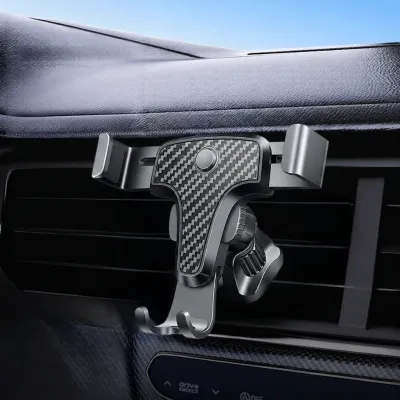
Prices are valid at publication and may change. Please refer to the product page for the latest price.
If your vehicle lacks smartphone projection, you must evaluate the age and update status of your factory-installed GPS maps. In rapidly developing urban environments like Singapore, road networks change frequently due to new residential zones, arterial road adjustments, and major expressway modifications. Older, static GPS systems require manual map updates, which often involve dealer visits or purchasing expensive SD cards. If your system has not been updated recently, you risk encountering outdated route guidance, missing new exits, or failing to locate recently established points of interest.
Another critical factor is the availability of real-time traffic data within your native system. Many older or base-model built-in GPS units rely on static map databases without active mobile data connections. This means they cannot provide live traffic rerouting, which is essential for avoiding peak-hour congestion on major expressways like the PIE, CTE, or KPE. Without real-time updates, a built-in GPS cannot alert you to sudden accidents, road closures, or active Electronic Road Pricing (ERP) gantries that might affect your travel time and toll costs.
Finally, consider the physical ergonomics of your vehicle’s dashboard layout. Even if your built-in GPS functions reasonably well, the screen’s placement can impact driving safety. If the factory display is positioned too low in the center console, you must look down and away from the road to view map instructions. This brief distraction increases reaction times and compromises safety, whereas an aftermarket mount allows you to position your phone closer to your natural line of sight.
When Phone Navigation Outperforms Factory GPS
Smartphone navigation apps consistently outperform traditional factory GPS systems due to their crowd-sourced data models. These applications collect real-time speed and hazard reports from thousands of active drivers on the road. This allows the software to provide instant alerts regarding stationary vehicles, speed cameras, road debris, and sudden traffic bottlenecks. For daily commuters, this level of dynamic routing is invaluable for saving time and reducing driving stress.

The accuracy of point-of-interest (POI) searches on mobile devices is also vastly superior to static vehicle databases. Because phone apps are connected directly to cloud search engines, they provide up-to-date information on business operating hours, exact building entrances, and user reviews. A factory GPS, by contrast, may direct you to a business that closed years ago or fail to recognize a newly opened shopping mall or medical center.
Multi-modal commuting is another area where smartphone navigation provides unmatched continuity. If your journey involves parking your car and walking the remaining distance to an office, restaurant, or train station, your phone transitions seamlessly from driving directions to pedestrian routing. A built-in car GPS can only guide you to the parking structure, leaving you to navigate the final leg of your trip without assistance.
Despite these clear operational advantages, using a mobile phone for navigation without a proper mount introduces significant safety and hardware risks. Balancing a phone on your lap, holding it in your hand, or wedging it into a cup holder is highly dangerous and illegal under local traffic laws. Furthermore, placing a phone loose on the dashboard exposes it to direct sunlight, which can lead to rapid thermal shutdown, accelerated battery degradation, and the physical hazard of the device sliding under the foot pedals during sudden braking.
Evaluating Vacuum Phone Holders for Singapore's Climate and Driving Conditions
If you decide that phone-based navigation is necessary, a vacuum phone holder is a popular mounting solution. However, these accessories must be carefully evaluated against the specific environmental and safety conditions of your daily drive.
Mounting Stability and Heat Exposure
Singapore’s tropical climate poses a unique challenge to the physical stability of vacuum suction mounts. When a vehicle is parked outdoors in direct sunlight, cabin temperatures can rise rapidly to extreme levels. This intense heat causes the air trapped inside the vacuum suction cup to expand, which can weaken the seal over time and cause the mount to fall unexpectedly while driving.
To mitigate this risk, do not rely on generic product claims regarding suction strength. Instead, check the manufacturer’s specified temperature limits and verify if the suction cup utilizes high-quality, UV-resistant silicone or sticky polyurethane gel pads. These materials are engineered to maintain flexibility and adhesion under high-temperature conditions far better than cheap, rigid plastics.
Additionally, strategic placement can prolong the life of your mount’s vacuum seal. If your windshield receives intense, direct sunlight throughout the day, consider mounting the holder in a shaded area of the dashboard or using an adhesive mounting disk. This disk provides a perfectly smooth surface for the suction cup while allowing you to position the mount away from the hottest zones of the glass.
Safety, Airbags, and Line of Sight
Before installing any aftermarket accessory, you must prioritize vehicle safety and regulatory compliance. Consult your vehicle’s owner manual to identify the exact deployment zones of all passenger and side-curtain airbags. Never mount a vacuum phone holder on or near these deployment paths, as a deploying airbag can launch a heavy phone and mount into the cabin at dangerous speeds, posing a severe injury risk to occupants.
Your chosen mounting position must also preserve your forward line of sight and eliminate potential blind spots. Position the holder so that the phone does not block your view of the road, pedestrians, or side mirrors. Local traffic regulations strictly prohibit any windshield obstructions that interfere with a driver’s clear view, meaning a poorly placed mount could result in traffic fines or vehicle inspection failures.
Finally, inspect your dashboard’s material composition before attempting installation. Refer to your vehicle’s care manual to determine if the dashboard surface consists of delicate leather, soft-touch plastics, or heavily textured vinyl. Vacuum suction cups require a non-porous, completely flat surface to maintain a seal; attempting to mount them on textured or soft materials will not only fail to hold but can also leave permanent indentations or discolorations on your car’s interior trim.
Self-Diagnosis Checklist: Do You Need a Vacuum Phone Holder?
To help you make an informed decision, review the following scenarios to identify which profile best matches your driving habits and vehicle technology.
- Scenario A: The Modern Commuter with Smartphone Projection
- Profile: Your vehicle is equipped with wired or wireless Apple CarPlay or Android Auto. You rely on live-traffic apps and prefer a clean, uncluttered dashboard.
- Diagnosis: No Mount Needed.
- Action: Connect your phone directly to the vehicle's infotainment system. Keep the phone securely placed in a dedicated console tray, glove box, or wireless charging pocket where it remains out of sight but fully functional through your car's built-in screen.
- Scenario B: The Older Vehicle without Live Traffic
- Profile: Your car lacks smartphone projection, and the built-in GPS maps are outdated or require expensive manual updates. You frequently drive during peak hours and need real-time traffic rerouting.
- Diagnosis: Mount Needed.
- Action: Invest in a high-quality vacuum phone holder with a heat-resistant gel pad. If your dashboard's texture or material prevents a secure vacuum seal, explore alternative mounting options such as air-vent clips or CD-slot mounts that do not rely on suction.
- Scenario C: The Gig-Economy or Delivery Driver
- Profile: You use your vehicle for commercial purposes, requiring constant access to navigation, delivery dispatch, or ride-hailing applications. You need the phone positioned close to your line of sight for safe, rapid interactions while parked.
- Diagnosis: Mount Needed.
- Action: Select a heavy-duty vacuum mount featuring a robust quick-release mechanism and a reinforced arm. Ensure the mount is positioned to maximize visibility without blocking your view of customers or pedestrian crossings.
- Scenario D: The Occasional Driver with Updated Factory GPS
- Profile: Your vehicle's native GPS receives regular over-the-air (OTA) updates, and you primarily drive familiar local routes. You value a minimalist cabin aesthetic and prefer not to attach aftermarket accessories to your glass or dashboard.
- Diagnosis: No Mount Needed.
- Action: Continue utilizing your car's built-in navigation system. This choice preserves your vehicle's original interior design and avoids the maintenance hassle of managing suction cups in hot weather.
Depending on your diagnosis, your optimal path forward will be to continue using your factory GPS, invest in a premium head-unit upgrade to add smartphone projection, or purchase a reliable vacuum phone holder to bring modern navigation safely into your cockpit.
Safe Installation and Maintenance for Vacuum Mounts
If your self-diagnosis indicates that a vacuum phone holder is necessary, proper installation is critical to ensure the mount remains secure and does not damage your vehicle’s interior. Begin by thoroughly cleaning the chosen mounting surface on your windshield or dashboard. Use a clean microfiber cloth and a mild surface cleaner to remove dust, oils, and residual dashboard dressings. If using isopropyl alcohol, first consult your vehicle’s interior care manual to verify that the solvent is safe for your specific dashboard material, as alcohol can degrade certain soft-touch coatings or leather finishes.
Once the surface is completely dry, press the suction cup firmly against the glass or dashboard disk to expel all trapped air from beneath the seal. While maintaining firm pressure, engage the locking lever or button to create the vacuum. This mechanical lock pulls the center of the suction cup upward, creating a powerful low-pressure zone that keeps the mount secured against vibrations and cornering forces.
To prevent unexpected failures, establish a routine maintenance schedule. Periodically check the suction strength by gently tugging on the mount’s arm, especially after your vehicle has been parked in the sun for an extended period. If you notice the edges of the suction cup beginning to lift, or if the gel pad has accumulated dust, remove the mount entirely. Wash the suction cup with warm water and mild soap to restore its stickiness, let it air dry completely, and re-seat it on the cleaned surface.
If your vacuum phone holder repeatedly fails to maintain a seal on a particular dashboard surface, stop attempting to force it. Repeated failures indicate that the surface is either too textured or too porous for a vacuum seal. In this case, consult the mount manufacturer’s compatibility guide or transition to an alternative mounting location, such as the windshield, to prevent the risk of your phone falling and distracting you while driving.
Frequently Asked Questions (FAQ)
Can a vacuum phone holder damage my car's dashboard or windshield?
High-quality suction cups generally do not cause damage to glass, though they may leave a temporary ring mark that can be easily wiped away with glass cleaner. However, on dashboards, prolonged suction combined with intense UV exposure and heat can cause permanent damage. This can manifest as circular indentations, slight discoloration, or warping on soft-touch plastics and leather. To protect your vehicle’s interior, always check the manufacturer’s care guidelines, and consider testing the mount on a small, inconspicuous area before committing to long-term installation.
Are there legal restrictions for windshield mounts in Singapore?
Yes, local traffic regulations require that drivers maintain a completely clear and unobstructed view of the road ahead. Any accessory mounted on the windshield that blocks your forward line of sight, obscures pedestrian crossings, or interferes with your view of traffic signals can be deemed a safety hazard and may result in traffic penalties. To ensure compliance, position your vacuum phone holder as low as possible on the windshield or utilize a dashboard mount that keeps the device entirely below your primary field of vision.

Community discussion
Share your experience or ask a question. Comments are reviewed before publication.