
For drivers navigating the fast-paced and constantly evolving roads of Singapore, having reliable navigation is not just a convenience—it is a daily necessity. Whether you are commuting along the Pan Island Expressway (PIE) during peak hours or trying to find a specific loading bay in a sprawling industrial estate in Jurong, the way you receive route guidance can make a significant difference in your stress levels and travel times. The debate between using a mobile phone mounted on a dedicated phone holder for car and relying on a vehicle’s built-in GPS system is a common one among local motorists. Each setup offers distinct advantages and drawbacks, shaped by Singapore’s unique urban environment, regulatory landscape, and tropical climate.
Deciding which navigation method to invest in requires a close look at several practical dimensions. While smartphone applications excel at providing real-time traffic updates and dynamic routing to bypass congestion, built-in automotive systems offer unmatched stability, clean aesthetics, and resilience against the elements. By evaluating how both options perform across key criteria—such as routing accuracy, environmental durability, overall cost, and local safety regulations—you can determine the ideal setup that aligns with your daily driving habits and vehicle configuration.
Quick Answer: Phone Holder vs Built-in GPS
Choosing between these two navigation methods comes down to your personal priorities regarding data accuracy, convenience, and cabin design. Neither system is universally superior, as each serves different driving styles and preferences.
Products mentioned in this guide
![🇸🇬[Ready Stock] Long Arm 17mm ball Car Phone Holder Adjustable Windshield Mount Dashboard Phone Stand Accessories with Strong Sticky Washable Suction Cup](https://img.lazcdn.com/g/p/cc18a61a496a7290765dff95e49ab029.jpg_400x400q80.jpg_.webp)

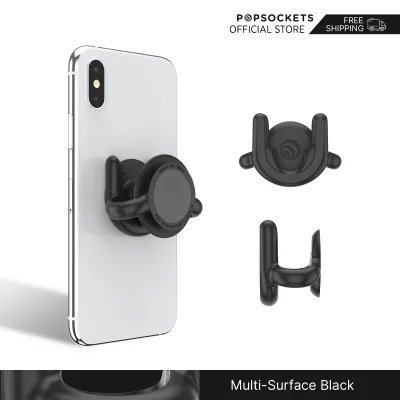
Prices are valid at publication and may change. Please refer to the product page for the latest price.
Choose phone navigation with a phone holder for car if:
- You prioritize highly accurate, crowd-sourced, real-time traffic updates to avoid sudden congestion on major expressways.
- You want dynamic routing that automatically calculates paths around active Electronic Road Pricing (ERP) gantries to minimize toll costs.
- You prefer a low-cost, flexible setup that updates its maps automatically without requiring manual downloads or dealer visits.
- Your vehicle lacks a modern infotainment system but you still want access to the latest navigation features.
Choose a built-in car GPS system if:
- You prefer a clean, integrated dashboard aesthetic without exposed cables, suction cups, or brackets cluttering your view.
- You want a system that is engineered to withstand Singapore's intense heat and direct sunlight without risk of overheating or shutting down.
- You frequently drive through areas with poor cellular reception, such as deep underground carparks, tunnels, or remote coastal areas, where offline satellite reliability is critical.
- Your vehicle is equipped with a high-quality head unit that integrates navigation prompts directly into the instrument cluster or head-up display.
Navigation Accuracy and Real-Time Traffic in Singapore
Singapore’s road network is exceptionally dynamic, characterized by rapid infrastructure developments, temporary lane closures due to construction, and highly variable traffic patterns. Navigating this environment successfully requires a system that can adapt to changes in real time.

Smartphone navigation applications, such as Google Maps and Waze, rely heavily on crowd-sourced data. By aggregating real-time speed and location telemetry from thousands of active users on the road, these platforms can detect traffic bottlenecks, accidents, and road hazards almost instantly. For a driver on the Central Expressway (CTE), this means receiving an alert about a sudden slowdown ahead and being rerouted via alternative arterial roads before getting stuck in gridlock. Furthermore, these apps are highly responsive to Singapore’s ERP system, often allowing drivers to configure their settings to avoid tolls or calculate the most cost-effective route based on current ERP operating hours.
In contrast, traditional built-in car GPS systems operate primarily on dedicated satellite signals and locally stored map data. While this provides exceptionally stable positioning—even when driving through the KPE tunnel or deep into multi-story basement carparks where cellular signals drop—the maps themselves do not update automatically. Unless your vehicle’s system is connected to a live telematics service via an onboard SIM card or a paired smartphone, it cannot provide real-time traffic updates or alert you to sudden road closures. Consequently, a built-in system might direct you straight into a heavy traffic jam or toward a road layout that has recently changed due to long-term construction projects like the North-South Corridor.
To bridge this gap, many modern vehicles offer a hybrid approach where the built-in system can receive live traffic feeds via smartphone tethering or integrated cellular connections. However, the freshness of the map data still depends on regular software updates. If your built-in system requires manual updates via a USB drive or SD card, you may find yourself driving on outdated maps for months between vehicle services. For drivers who demand absolute accuracy and up-to-the-minute traffic intelligence, the continuous background updates of smartphone apps remain highly advantageous.
Daily Usability and Coping with Singapore's Climate
Operating electronic devices in Singapore’s tropical climate presents unique physical challenges. The intense sunlight and high ambient temperatures can significantly affect the performance and longevity of consumer electronics mounted on the dashboard or windshield.
Smartphones are highly sensitive to thermal stress. When a phone is mounted on a windshield suction cup or a dashboard holder, it is exposed to direct solar radiation through the glass. This exposure, combined with the heat generated by running a high-demand navigation app, screen backlighting, and continuous GPS tracking, can cause the device to overheat rapidly. When a smartphone reaches its thermal limit, it will typically trigger a safety warning, dim the screen to unreadable levels, stop charging, or shut down entirely to protect the internal lithium-ion battery. This sudden loss of navigation mid-journey can be highly disruptive and potentially dangerous if you are actively navigating a complex junction.
Built-in car GPS systems, on the other hand, are engineered specifically for the automotive environment. The displays, processors, and internal components of factory-installed head units are rated for extreme temperature ranges, ensuring they remain fully operational even after the car has been parked under the hot afternoon sun in an open-air HDB carpark. The screen is typically recessed or angled to minimize glare, and the lack of an internal battery removes the risk of thermal swelling or degradation.
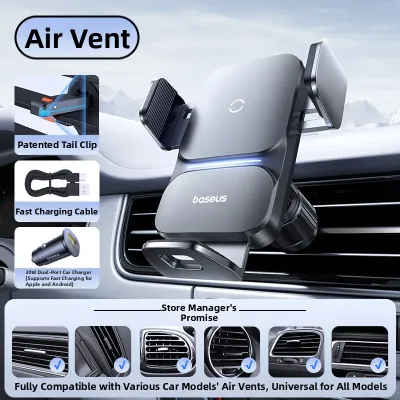
To mitigate thermal issues when using phone navigation, drivers must be strategic about where they place their phone holder for car. Mounting the device on an air vent clip is a popular solution among local motorists, as the cool air from the air conditioning system directly cools the back of the phone, preventing thermal shutdowns. However, this setup blocks a portion of the cabin’s airflow and may subject the phone to condensation if the cabin temperature drops rapidly. Understanding these environmental trade-offs is essential for maintaining daily usability.
Cost Comparison: Upfront Hardware vs Ongoing Updates
The financial investment required for each navigation setup varies considerably, involving both immediate upfront costs and long-term maintenance expenses.
Using a smartphone for navigation is highly cost-effective because it leverages hardware you already own. The only immediate purchase required is a reliable phone holder for car, which is generally a modest double-digit investment. Because mobile data plans in Singapore typically offer generous data allowances, the ongoing cellular data consumption of navigation apps is negligible and rarely incurs extra costs. Map updates are entirely free and handled automatically in the background through your phone’s app store.
On the other hand, built-in GPS systems represent a much higher financial barrier. If your vehicle did not come factory-equipped with navigation, retrofitting a high-quality aftermarket head unit with integrated GPS can cost hundreds or even thousands of dollars, depending on the brand and installation complexity. Additionally, some automotive manufacturers treat map updates as a premium service. After an initial complimentary period, you may be required to pay annual subscription fees or purchase proprietary map packages from the authorized dealer to keep the system updated.
Before committing to a built-in system, it is highly recommended to verify the manufacturer’s specific map update policy and any associated subscription costs. If the ongoing fees for keeping the built-in maps current are high, relying on a phone-based setup with a high-quality mount is often the more financially sensible choice over the lifespan of the vehicle.
Safety and Traffic Police Mounting Regulations
Safety is the most critical consideration when installing and using any navigation system on Singapore roads. The Land Transport Authority (LTA) and the Traffic Police enforce strict regulations to ensure that drivers maintain full concentration and an unobstructed view of the road.
Under Singapore’s Road Traffic Act, holding a mobile communication device while driving is a serious offense. This law applies not only when the vehicle is moving but also when it is stationary in traffic or stopped at a red light. To use phone-based navigation legally, the device must be securely mounted in a dedicated holder. Attempting to rest the phone on your lap, hold it in your hand, or balance it on the instrument cluster while driving can result in heavy penalties, including fines and demerit points.
However, simply using a mount is not enough; the physical placement of the phone holder for car must comply with safety guidelines. The mount must be positioned in a way that does not compromise your driving safety or that of your passengers.
Safety checklist for installing a phone holder:
- Windscreen Visibility: Ensure the mount and phone do not obstruct your forward line of sight. Avoid placing large mounts in the central sweep area of the windscreen wipers or directly in your primary field of view.
- Airbag Deployment Zones: Consult your vehicle's owner manual to identify the exact locations of all airbags, including the steering wheel hub, passenger dashboard panel, and side pillars. Never place a mount or routing cable across these deployment paths, as an inflating airbag can turn the device into a dangerous high-speed projectile.
- Dashboard Control Access: The mount should not block your access to critical vehicle controls, such as the hazard light button, climate controls, or gear selector.
- Windshield Tint Band: If using a suction cup mount on the upper windscreen, ensure it does not damage or peel the solar film or tint band applied to the glass.
- Securing Cables: Route any USB charging cables neatly along the dashboard panels using small cable clips. Loose, dangling cables can easily catch on the gear shifter, steering wheel, or your hands while driving, creating a severe hazard.
How to Choose the Best Phone Holder for Your Car
If you decide that phone navigation is the best fit for your needs, selecting the correct type of phone holder for car is crucial for stability, safety, and convenience. Different mounting mechanisms perform differently under Singapore’s specific environmental conditions.
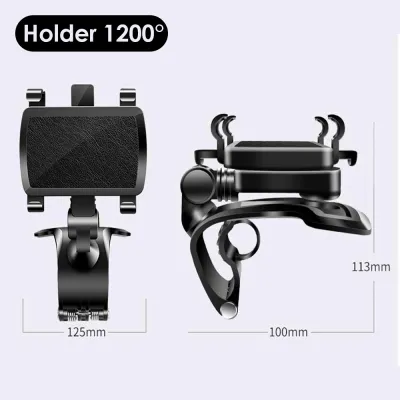
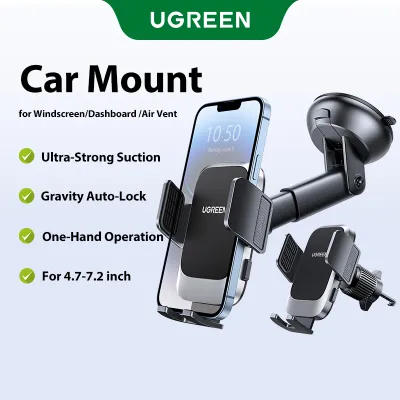
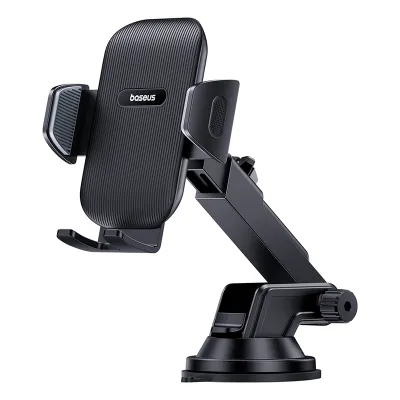
Suction Cup Mounts These mounts attach directly to the windshield or smooth dashboard surfaces using a vacuum suction pad. They offer excellent adjustability and keep the phone closer to your eye level. However, the combination of intense tropical heat and UV exposure can dry out the silicone or gel pad over time, causing the suction to fail and the mount to drop unexpectedly while driving.
Dashboard Adhesive Mounts Utilizing strong double-sided adhesives, these holders attach securely to flat textured surfaces on your dashboard. They provide a very stable mounting point and are less susceptible to heat-induced dropping than suction cups. The primary trade-off is the risk of leaving sticky residue or causing permanent discoloration on soft-touch dashboard plastics when the mount is eventually removed.
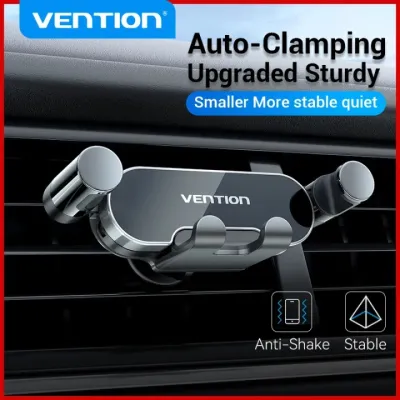
Air Vent Clips These holders clip directly onto the slats of your car’s air conditioning vents. They are highly popular because they keep the phone out of direct sunlight and allow the air conditioning to cool the device, preventing overheating. However, you must ensure your car’s vent slats are sturdy enough to support the weight of your phone. Heavy devices can cause the vents to sag or, in some cases, crack the delicate plastic louvers.
CD Slot Mounts If your car’s head unit features a CD player slot that you no longer use, a CD slot mount provides an exceptionally stable and central mounting point. It does not block your view of the road or rely on adhesives. The main drawback is that it may place the phone screen lower than your natural line of sight, requiring you to look down away from the road to see navigation prompts.
Magnetic Mounts Magnetic holders use a strong neodymium magnet on the mount and a thin metal plate attached to the back of your phone or case. They offer unmatched convenience, allowing you to mount and remove your phone with a simple one-handed motion. When choosing a magnetic mount, ensure the magnet is strong enough to hold your device securely when driving over speed bumps or rough road surfaces.
Before making a purchase, carefully inspect your vehicle’s interior layout, dashboard materials, and the weight of your smartphone to select a mount that offers the best balance of stability and safety.
Frequently Asked Questions (FAQ)
Can I use Apple CarPlay or Android Auto instead of a phone holder?
Yes, if your vehicle’s infotainment system supports Apple CarPlay or Android Auto, this is often the ideal middle-ground solution. These platforms project your phone’s navigation apps directly onto the car’s built-in dashboard screen. This setup provides the real-time traffic accuracy and automatic map updates of your smartphone while eliminating the need for a physical phone holder for car. It also keeps your phone out of direct sunlight, reducing the risk of overheating. Check your vehicle’s documentation to see if it supports these systems and whether a wired USB connection or a wireless pairing is required.
Will a dashboard phone holder damage my car's interior?
It can, depending on the mounting mechanism and materials. Adhesive mounts using strong chemical glues can leave stubborn residue or strip the top layer of delicate leather or soft-touch plastics, especially after being baked under the Singapore sun for years. Suction cups on textured dashboards can also leave permanent circular indentations. To protect your vehicle’s interior, consider using non-damaging alternatives such as air vent clips or CD slot mounts, or apply a protective barrier film to the dashboard before sticking down any adhesive mounts. Always refer to your vehicle’s care guidelines before applying strong adhesives to interior surfaces.

Community discussion
Share your experience or ask a question. Comments are reviewed before publication.