
Mounting an iPad on a car seat back is one of the most effective ways to keep rear-seat passengers entertained during long road trips or daily commutes. However, finding the right holder requires looking beyond simple compatibility with your tablet’s screen size. The ideal mount must secure your device firmly against vehicle vibrations, position it at an ergonomic viewing angle, and fit the specific architecture of your car’s front seats.
To make an informed decision, you must evaluate how the holder attaches to your vehicle, how it grips your tablet, and whether its physical design aligns with your safety requirements. Choosing the wrong type can lead to sagging screens, distracting rattles, or even safety hazards in the event of a sudden stop. By understanding the mechanical differences between clamp, strap, and hook mounts, you can select a solution that keeps your device safe and your passengers comfortable.
Key Features to Evaluate for Seat Back Mounts
When comparing tablet holders, several critical specifications dictate how well the unit performs on the road. The first consideration is adjustability and viewing angles. A high-quality mount should offer a multi-axis adjustment system, typically featuring a 360-degree swivel joint and a tilt mechanism. This allows passengers to switch between portrait and landscape modes easily, which is essential when transitioning from watching movies to playing games. Some advanced models feature extendable or folding arms that bring the screen closer to the passenger or allow it to be positioned centrally between the two front seats. This flexibility is crucial for preventing neck strain, especially for younger children sitting in lower booster seats.
Products mentioned in this guide
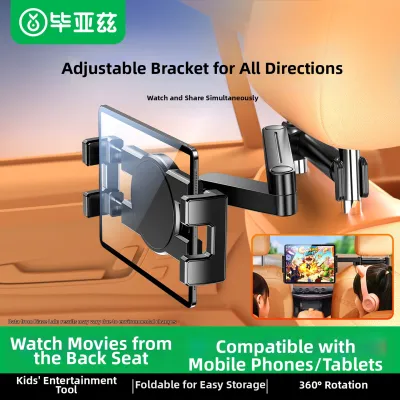
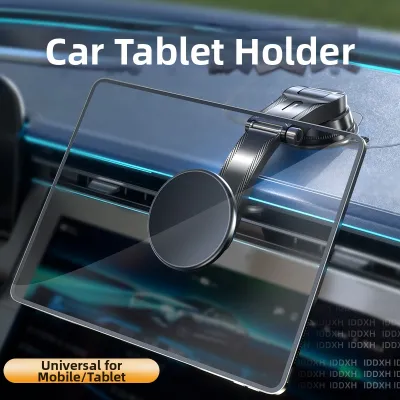
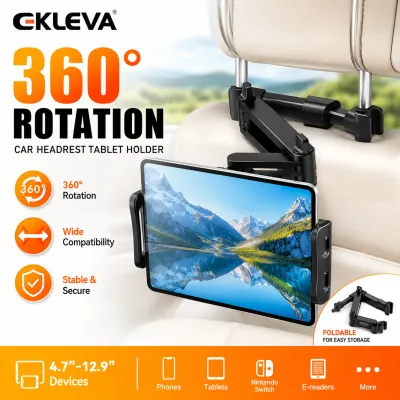
Prices are valid at publication and may change. Please refer to the product page for the latest price.
The grip mechanism and internal padding are equally vital for protecting your device. Look for holders that utilize spring-loaded clamps or mechanical brackets lined with thick, high-density silicone or rubber padding. This padding serves a dual purpose: it prevents the hard plastic of the mount from scratching the edges of your iPad, and it dampens road vibrations that could cause the tablet to slip out of the bracket. The clamping force must be strong enough to hold the weight of the tablet securely without putting excessive pressure on the screen or chassis, which could damage sensitive internal components over time.
Material durability and joint stiffness directly influence the longevity of the mount. Car interiors are subject to extreme temperature fluctuations, particularly in tropical climates like Singapore, where parked vehicles can experience intense cabin heat. Mounts constructed from high-grade ABS plastic, reinforced polycarbonate, or aluminum alloys resist warping and degradation far better than cheap, thin plastics. Furthermore, the joints and tightening rings must be robust. Ball joints should feature heavy-duty locking collars that can be tightened securely by hand, ensuring the screen remains at your chosen angle even when driving over speed bumps, uneven road surfaces, or during sudden braking maneuvers.
Common Types of Car Seat Back iPad Holders
The architecture of your vehicle’s front seats is the primary factor that determines which type of iPad holder you can use. Car manufacturers employ various headrest designs, ranging from traditional adjustable headrests with exposed metal posts to integrated, single-piece bucket seats. Because of these structural differences, tablet mounts are engineered with distinct attachment mechanisms. Matching the holder’s mounting style to your seat configuration is the first step toward a secure and functional installation.

Headrest Post Clamp Mounts
Headrest post clamp mounts are the most common and structurally stable options available. These holders feature a rigid bar or bracket that clamps directly onto the exposed metal support poles of your front seat’s headrest. This design leverages the strength of the seat’s internal steel frame, providing an exceptionally stable platform that minimizes screen shake while the vehicle is in motion.
To use this type of mount, your vehicle must have adjustable headrests with exposed metal posts that fall within a specific diameter and spacing range. While they offer superior stability, you must ensure the clamp tension is adjusted correctly. If the clamp is too loose, the mount may slide down the posts or create an annoying metallic rattling sound. Conversely, over-tightening can scratch the metal posts or damage the plastic collars of the seat frame.
Seat Back Strap and Pocket Mounts
For vehicles with fixed or integrated headrests—often found in sports cars, luxury sedans, or certain electric vehicles—traditional clamp mounts cannot be used. In these scenarios, seat back strap and pocket mounts offer a practical alternative. These holders typically consist of a fabric, neoprene, or leatherette sleeve that wraps around the entire headrest or secures via adjustable straps around the upper portion of the seat back.
While strap mounts are highly versatile and compatible with almost any seat shape, they involve certain trade-offs. Because they rely on flexible materials rather than rigid metal or plastic arms, they offer limited adjustability. The tablet generally sits flat against the seat back, which can make it difficult to eliminate glare or adjust the viewing angle for shorter passengers. Additionally, over time, the elastic straps may stretch or degrade due to heat exposure, requiring periodic adjustment to prevent the holder from sagging.
Headrest Wrap-Around and Hook Mounts
Headrest wrap-around and hook mounts represent a middle ground between rigid clamps and flexible straps. These systems often feature a semi-rigid bracket that hooks over the top of the headrest structure or clips into the seam where the headrest meets the seat back. They are designed for quick installation and removal, making them ideal for drivers who frequently transfer the mount between different vehicles.
However, you must verify that these mounts do not interfere with active headrest systems. Many modern vehicles feature safety mechanisms within the headrest designed to move forward during a rear-end collision to prevent whiplash. Placing a heavy, rigid hook or wrap-around bracket over these components can impede their movement or cause unexpected damage during an impact. Furthermore, because these mounts rely on gravity and tension rather than a locked clamp, they may shift or bounce on exceptionally bumpy roads.
How to Verify Compatibility Before Buying
Before purchasing an iPad holder, performing a thorough compatibility check will save you the hassle of returning an unsuitable product. Start by measuring your vehicle’s headrest configuration. Use a ruler or caliper to measure the diameter of the metal headrest posts, as well as the distance between the inner edges of the two posts. Compare these measurements against the manufacturer’s specifications for the mount. If your vehicle has active headrests or non-standard post spacing, look for mounts specifically labeled as compatible with your car’s make and model.
Next, account for the physical dimensions and weight of your iPad, including any protective case you plan to use. Many users keep their tablets in thick, rugged cases—especially when the devices are used by children. Measure the total thickness of the tablet inside its case, as well as the overall width and height. Ensure the mount’s clamping jaws can expand wide enough to accommodate the tablet’s width and are deep enough to securely grip the thickness of the case. Using a mount with jaws that are too shallow can cause the tablet to pop out unexpectedly while driving.
Finally, check the mount’s maximum load capacity. Heavy-duty tablets, especially larger models like the iPad Pro, require a mount with a high weight rating and stiff joints to prevent gradual drooping. If you plan to use a heavy protective case, add its weight to the tablet’s weight and verify that the total falls well within the mount’s safe operating limits. Ignoring these limits can lead to premature wear of the adjustment joints, causing the screen to tilt downward continuously under its own weight.
Installation and Safety Boundaries
Proper installation is critical not only for the longevity of your equipment but also for the safety of everyone in the vehicle. When positioning the mount, ensure that neither the bracket nor the installed iPad obstructs the driver’s rearward visibility. The screen should be positioned low enough on the seat back that it does not block the view through the rear window or side mirrors. Additionally, verify that the mount does not interfere with the deployment path of any seat-mounted side airbags, which are commonly located in the outer bolsters of the front seats.
You must also ensure that the installation does not compromise the primary safety functions of the headrest. The headrest is a vital safety device designed to protect against whiplash during a collision. The mount should not prevent the headrest from being adjusted to the correct height for the front-seat occupant, nor should it force the headrest into an unnatural forward angle. If the clamp mechanism prevents the headrest from locking securely into its adjustment notches, remove the mount immediately.
If you encounter any resistance during installation, or if your vehicle features modified seats, aftermarket covers, or integrated rear-seat entertainment screens, stop immediately. Consult your vehicle’s owner’s manual to understand the internal structure of the seats before proceeding. Never force a clamp onto a post that seems too tight, and avoid modifying the mount or the seat frame to force a fit. If in doubt, consult a qualified automotive accessory professional or the vehicle manufacturer to ensure the installation is safe and secure.
Frequently Asked Questions (FAQ)
Can I use a seat back iPad holder on a car seat with built-in seatbelts?
Yes, but you must exercise extreme caution. In vehicles where the seatbelts are integrated directly into the shoulder of the seat back rather than the B-pillar, you must ensure the mount’s clamping mechanism or straps do not contact, pinch, or restrict the movement of the seatbelt webbing. The seatbelt must be able to retract and extend freely without any physical interference. If the mount blocks the path of the belt or prevents it from tensioning correctly, it poses a severe safety risk and should not be used on that specific seat.
Will a headrest mount damage the leather or fabric on my car seats?
A poorly designed mount can leave permanent indentations, scratches, or wear marks on your upholstery. To prevent cosmetic damage, choose a mount that features soft, rubberized, or silicone padding on all contact points. When installing strap-based mounts on leather seats, avoid over-tightening the straps, as prolonged pressure combined with cabin heat can cause the leather to stretch or discolor. It is also wise to remove the mount periodically to allow the seat material to recover and to clean any dust or grit that may have accumulated beneath the contact pads.
Are there iPad holders that allow rear passengers to share a single screen comfortably?
Yes, certain mounts are specifically designed for shared viewing. These models typically feature a long, telescoping extension arm or a central bridge bar that attaches to both headrest posts of a single seat or spans the gap between the driver and passenger seats. By extending the arm, you can position the iPad centrally between the two front seats, allowing passengers on both sides of the rear cabin to view the screen at a comfortable angle. When using these extended mounts, ensure the joints are locked tightly to minimize the increased leverage and vibration caused by the extended arm.

Community discussion
Share your experience or ask a question. Comments are reviewed before publication.