
A phone that constantly disconnects or overheats while charging in your car is more than just an annoyance; it can disrupt your navigation, stop your music, and even degrade your phone’s battery health over time. Wireless charging naturally generates heat as energy transfers inductively between the coils in the charger and your phone. When you add the confined space of a vehicle cabin, direct sunlight, and potential physical misalignments, this heat can quickly build up to levels that trigger safety shutoffs. Understanding how to diagnose these issues step-by-step can help you restore a stable, safe charge without immediately buying new hardware.
Most modern smartphones and car wireless chargers are designed with built-in thermal protection systems. When temperatures exceed safe operating limits, these systems automatically throttle the charging speed or halt the power transfer entirely to protect the lithium-ion battery. By systematically checking your physical setup, managing your cabin’s climate, and verifying your power supply, you can pinpoint the exact cause of the interruption and keep your device running cool.
Identify the Symptoms and Safety Boundaries
Before troubleshooting, it is essential to distinguish between normal operating warmth and a genuine safety hazard. During a standard wireless charging session, both your phone and the charging pad will feel warm to the touch. This is a natural byproduct of electromagnetic induction, where some energy is inevitably lost as heat. However, if your phone becomes too hot to hold comfortably, displays a temperature warning screen, or suddenly shuts down, the system has crossed from normal operation into thermal throttling.
Products mentioned in this guide
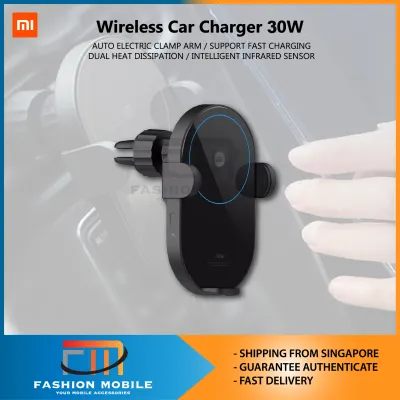
8 Lazada user ratings
Hopefully can fit in nicely in my ride and strong enough on a bumpy ride
Great product. Works perfectly. Cheaper than Xiaomi store.
Very good for cars

4 Lazada user ratings
Functionality:very good. mechanical button for release serves better than touch sensor in my opinion.
👌Ease of Use:Excellent 🔌Compatibility:Excellent
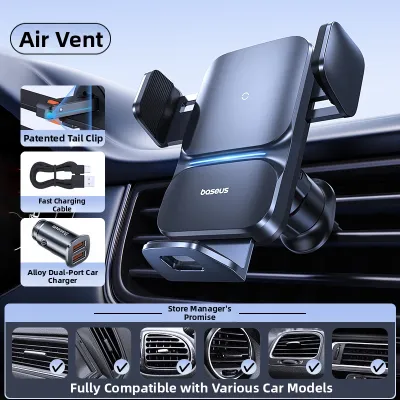
2 Lazada user ratings
The biting force feels a bit on the weaker side.
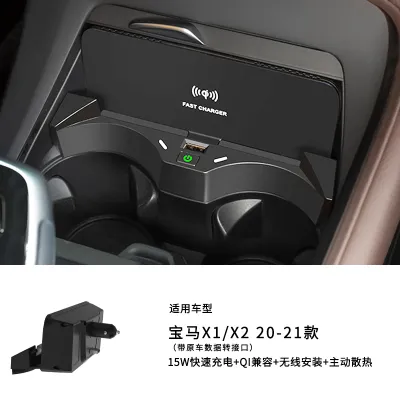
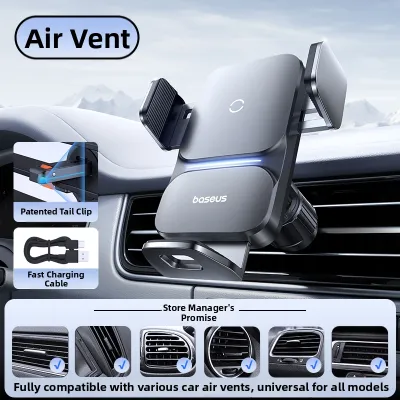
43 Lazada user ratings
Overall rating: Excellent, User experience: Great, Installation: Simple and convenient, Craftsmanship: Very good, Product material: High qua…Read full reviewShow less
Overall rating: Excellent, User experience: Great, Installation: Simple and convenient, Craftsmanship: Very good, Product material: High quality
The product feels really high-quality, the sensors and charging are very responsive, and the suction cup is strong. Definitely worth buying!
I trust Baseus, I trust the brand. Many electronics choose Baseus, they work great and charge really fast.
The stand is really good quality, easy to use, stable and sturdy, and it works well in practice.
Most of the stuff in the car is from Baseus because I trust the quality. I believe in the brand.
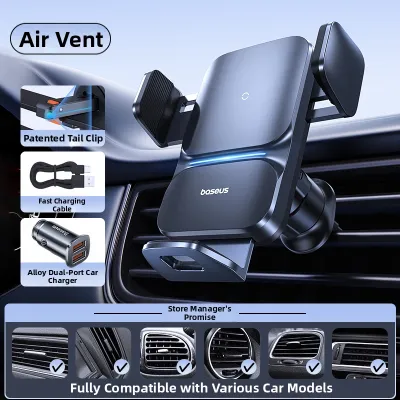
3 Lazada user ratings
Holds the phone steady, doesn't wobble while driving. Charging is a bit slow, but works great overall.
Great design, high charging efficiency, and stable quality.
Installation is really easy and saves time and effort.

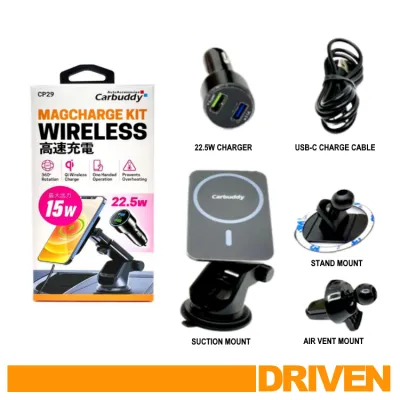
6 Lazada user ratings
Thanks. Good quality and very useful
Prices are valid at publication and may change. Please refer to the product page for the latest price.
Safety must always come first when dealing with electrical accessories in a vehicle. If you ever notice a burning smell, see smoke, or observe any warping or melting on the charger casing or your phone case, pull over safely immediately. Turn off the vehicle’s ignition and disconnect the charger from its power source. Do not attempt to handle the devices until they have cooled down completely.
Additionally, always consult your vehicle’s owner manual and your smartphone’s safety guidelines regarding temperature limits. Many manufacturers explicitly advise against charging devices when the cabin temperature is exceptionally high. Forcing a hot phone to continue charging by repeatedly unplugging and replugging it can cause permanent battery degradation or damage the internal circuitry of both the phone and the vehicle’s charging pad.
Check Physical Alignment and Obstructions
Wireless charging relies on precise alignment between the transmitter coil inside the car charger and the receiver coil inside your phone. When these coils are misaligned, the charger must work harder to transfer energy, which generates excessive waste heat and often causes the connection to drop. Even a shift of a few millimeters can significantly reduce charging efficiency and trigger a disconnection cycle.

Start by inspecting the charging pad or cradle for any physical debris. Small metallic objects like coins, paperclips, keychains, or even foil wrappers can easily slip onto the pad. When exposed to an active electromagnetic field, these metal objects absorb energy and become extremely hot, a phenomenon that should trigger the charger’s Foreign Object Detection (FOD) system and halt power transfer. Regularly wiping the pad clean ensures a clear path for the inductive field.
Next, evaluate your phone case, as it is one of the most common culprits behind charging failures. Thick, rugged cases or those made with incompatible materials can severely obstruct the wireless signal. If your case is thicker than the maximum distance specified by your charger—typically around 3 to 5 millimeters—the coils will struggle to connect. Furthermore, cases containing metal plates, kickstands, or magnetic mount adapters will block the electromagnetic waves entirely, converting that energy into rapid heat buildup. Try removing your case entirely for a test drive to see if the charging stability improves.
Finaly, adjust the physical positioning of your phone within the cradle or on the pad. Many car wireless chargers feature adjustable bottom feet or side clamps designed to help you align different phone models. Take the time to adjust these mounts so that the center of your phone aligns directly with the center of the charging symbol on the mount. If you are using a flat charging pad in a center console, consider using non-slip mats or custom inserts to prevent the phone from sliding out of alignment when you accelerate, brake, or take sharp turns.
Manage Cabin Temperature and Airflow
The environment inside a vehicle is uniquely challenging for electronics. Unlike a climate-controlled home or office, a car cabin can experience extreme temperature swings, particularly in tropical climates like Singapore. When your car is parked under the intense sun, dashboard temperatures can quickly soar far beyond safe operating limits, creating a high baseline temperature before you even turn on your phone.
Assess where your car wireless charger is mounted. Windshield and dashboard mounts are highly susceptible to solar load, as they sit directly under the glass and absorb constant, intense sunlight. This direct solar radiation, combined with the heat generated by wireless charging and the high processing demands of running navigation apps, creates a thermal perfect storm. If possible, consider relocating the charger to an air-con vent mount or a lower position in the center console to shield it from direct sun exposure.
If you use a vent-mounted charger, you can actively leverage your vehicle’s climate control system to keep your devices cool. Directing one of the active air-conditioning vents to blow cool air directly onto the back of the charger or phone can dramatically lower operating temperatures. Conversely, during cooler periods or in regions where you might use the car’s heater, ensure that hot air is not blowing directly onto the charging setup, as this will rapidly trigger thermal shutoffs.
For vehicles parked outdoors, taking preventive measures can make a significant difference. Using a high-quality front windshield sunshade or parking in shaded structures helps maintain a lower baseline cabin temperature. When you first enter a hot car, roll down the windows and run the air conditioning for a few minutes to flush out the trapped hot air before placing your phone on the wireless charger. This simple habit reduces the initial thermal stress on your phone’s battery.
Inspect Power Supply and Cable Connections
An unstable or insufficient power supply can cause a wireless charger to repeatedly cycle on and off, which in turn generates extra heat as the handshake protocol restarts continuously. To rule out electrical issues, you must inspect the entire power delivery path from the vehicle’s electrical system to the wireless charging pad.
Begin by examining the cable connecting the wireless charger to the car’s power source. Look for any visible signs of wear, such as fraying, sharp bends, or loose connector tips. A damaged cable can cause momentary power interruptions whenever the vehicle vibrates or goes over a bump. Ensure that both ends of the cable are firmly seated in their respective ports. If the cable feels loose or wobbly in the port, it may be time to replace it with a high-quality, shielded USB cable.
Next, verify the capabilities of the USB port you are using. Many built-in USB ports in vehicles, especially older models, are designed primarily for data transfer or low-power media playback. These ports often output a limited current that is insufficient to power a modern fast wireless charger. When a wireless charger attempts to draw more power than the port can safely supply, the voltage drops, causing the charger to disconnect.
To resolve this, plug your wireless charger into a dedicated high-output 12V accessory socket adapter (commonly known as a cigarette lighter adapter). Ensure the adapter supports modern fast-charging protocols compatible with your wireless charger’s specifications. Testing your setup with a known good cable and a high-output adapter will help you isolate whether the intermittent charging is caused by a bottleneck in your car’s built-in USB ports.
Triage Your Specific Charging Symptom
To help you quickly resolve your charging issues, you can map your specific symptoms to their most likely causes and immediate solutions:
- Intermittent Charging Drops (On-and-Off Cycling): This is most commonly caused by physical misalignment, a phone case that is too thick, or a loose power cable. Start by removing the phone case and carefully centering the device on the pad. If the issue persists, swap out the USB cable and test a different power outlet.
- Thermal Throttling (Phone Stops Charging and Feels Hot): This is typically triggered by environmental heat or high processing loads. Relocate the charger away from direct sunlight, direct an air-con vent toward the setup, and close demanding background apps like GPS navigation or video streaming if they are not immediately needed.
- Extreme Charger Heat (Charger is Hot Even Without a Phone): This indicates a potential hardware fault, trapped metallic debris, or an incompatible power adapter delivering incorrect voltage. Inspect the pad for foreign objects, verify that your 12V adapter matches the charger's input requirements, and discontinue use if the charger remains hot while idle.
When to Replace the Car Wireless Charger
If you have systematically addressed alignment, cabin temperature, and power supply issues but your charger still fails to perform, the hardware itself may be failing or outdated. Over time, internal components like the induction coils, capacitors, and thermal sensors can degrade due to constant exposure to cabin heat and vibration.
Look for clear physical indicators of hardware failure. Any signs of warping, discoloration of the plastic casing, persistent burnt odors, or a rattling sound when moved suggest internal damage. Additionally, if the charger consistently fails to work with multiple different phone models that charge perfectly on other wireless pads, the car charger is likely defective and should be decommissioned immediately for safety.
When selecting a replacement car wireless charger, prioritize models that feature active cooling systems, such as built-in miniature fans or heat sinks, which help dissipate heat directly from the back of the phone. Look for reputable brands that explicitly list compliance with modern wireless power standards and include robust safety features like advanced Foreign Object Detection (FOD), over-voltage protection, and dynamic thermal management. Ensuring the new unit integrates securely with your vehicle’s mounting options will provide a safer and more reliable charging experience on the road.
Frequently Asked Questions (FAQ)
Does wireless charging degrade my car battery?
When your vehicle’s engine is running, the alternator continuously generates electricity, meaning the wireless charger draws power directly from this active system without impacting the car’s 12V battery. However, if you leave a wireless charger plugged in while the engine is turned off, it can create a parasitic draw. While the standby draw of an idle charger is minimal, some older vehicles do not cut power to the 12V accessory socket when the ignition is off, which could eventually drain your car battery over extended periods of parking. To prevent this, always unplug the charger or use an ignition-switched outlet that automatically powers down when you turn off the car.
Can I use a magnetic phone mount with a wireless charger?
Yes, but only if the magnetic accessories are specifically designed to be compatible with wireless charging standards. Modern magnetic charging systems use a precisely aligned ring of magnets positioned around the central induction coil, allowing for secure mounting without blocking the power transfer. However, standard magnetic mounts that rely on solid metal plates stuck to the back of your phone or case are highly incompatible. These solid metal plates block the electromagnetic field entirely, preventing charging and causing the metal plate to heat up rapidly, which poses a significant burn and fire hazard. Always ensure any magnetic case or mount you use is certified for wireless charging compatibility.

Community discussion
Share your experience or ask a question. Comments are reviewed before publication.