
Choosing between USB-A, USB-C, and wireless car chargers depends entirely on your current devices, desired charging speed, and preference for cabin organization. As a general rule: select USB-C if you need fast, future-proof charging for modern smartphones and laptops; choose USB-A for legacy devices, basic budget setups, or older cables; and opt for wireless if you prioritize a clutter-free dashboard and your phone supports inductive charging. Before purchasing, you must verify your vehicle’s 12V socket behavior, your devices’ maximum power intake, and physical mounting constraints to ensure the charger actually fits your daily driving routine.
Navigating the crowded automotive accessory market in Singapore requires a clear understanding of how these technologies interact with your vehicle’s electrical system. Whether you are navigating daily peak-hour traffic along the CTE or embarking on a weekend drive, a reliable power source keeps your navigation apps running and your devices ready. The right choice prevents slow charging times, excessive cabin heat, and messy cables dangling near your gear shifter or handbrake. Budget-friendly options are widely available, with reliable multi-port adapters often starting under S$20, making it easy to upgrade without a major investment.
By auditing your specific hardware and understanding the physical and electrical limitations of each charger type, you can avoid common purchasing mistakes. This guide breaks down the technical differences, speed capabilities, compatibility requirements, and safety considerations of each format to help you make an informed decision.
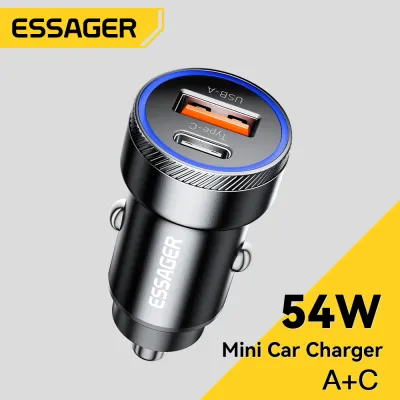
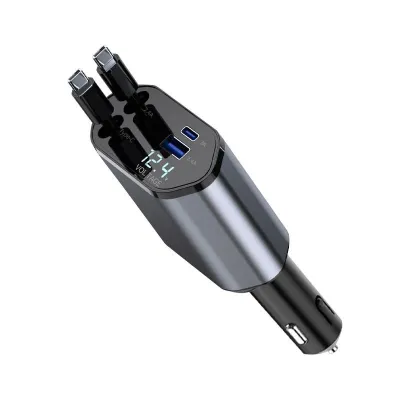
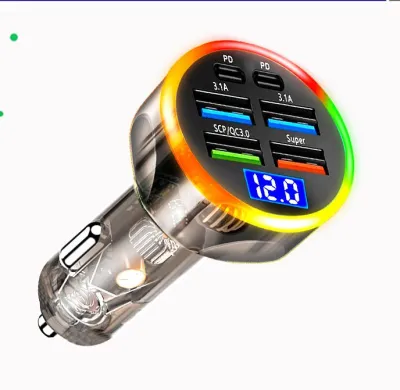
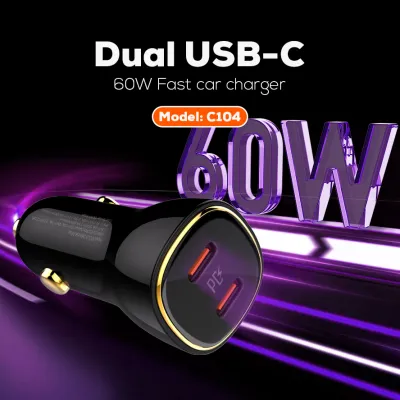
Products mentioned in this guide
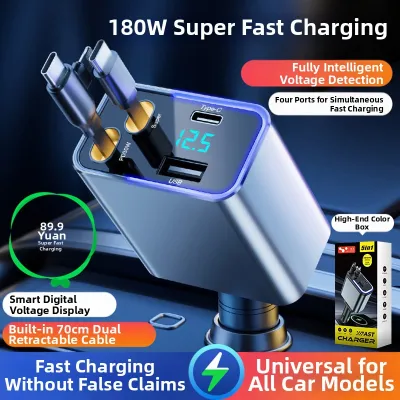
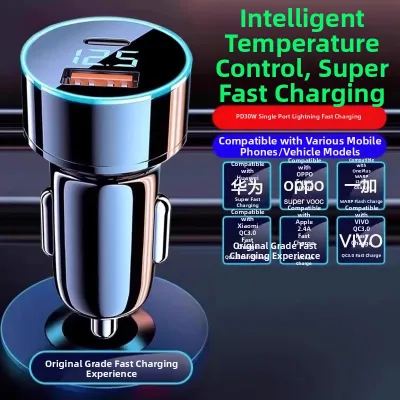
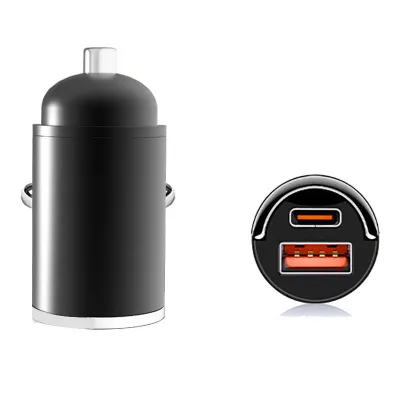
![[24 Hours ship]Hoco E86 Car Charger Bluetooth 5.4 Car Kit FM transmitter Audio Music MP3 Player PD 30W Fast Charging Dual USB and Type-C Port Car Charger With RGB Light](https://img.lazcdn.com/g/p/8e1041a0e240fff8873e06e5d3e2328b.jpg_400x400q80.jpg_.webp)
Prices are valid at publication and may change. Please refer to the product page for the latest price.
Core Differences Between USB-A, USB-C, and Wireless Chargers
To choose the right car charger, you must first understand the physical and technological distinctions that separate these three options. USB-A is the traditional rectangular connector that has been the standard for consumer electronics for decades. It features a non-reversible design, meaning the cable can only be inserted in one direction, and relies on a four-pin configuration that limits its maximum power transmission capabilities. In a vehicle, USB-A ports are commonly found built directly into older dashboards or as part of entry-level 12V accessory plugs.
USB-C represents the modern standard for wired connectivity, featuring a smaller, oval-shaped port that is fully reversible. This design eliminates the frustration of trying to plug in a cable while keeping your eyes on the road, though you should always connect your devices before starting your journey. With a 24-pin configuration, USB-C supports significantly higher data transfer rates and power delivery levels, allowing it to charge larger devices like tablets and compatible laptops directly from your car’s utility socket.
Wireless charging departs from physical connectors entirely, utilizing electromagnetic fields to transfer energy from a charging pad or mount to your smartphone. This method relies on the Qi inductive charging standard, where transmitter coils inside the car mount align with receiver coils inside your phone. While wireless charging offers unparalleled convenience by eliminating the need to plug and unplug cables during short trips, it requires precise physical alignment and operates with lower energy efficiency than direct wired connections.
Evaluating Charging Speed and Power Delivery Limits
When comparing charging speeds, you must look beyond marketing labels and verify the exact technical specifications printed on both the charger and your device. Every car charger has a labeled output wattage, often split across multiple ports, which you must match against your device’s maximum accepted input limits. For example, plugging a smartphone that only accepts 18 watts of power into a 45-watt charger will not damage the phone, but the device will only draw its maximum supported 18 watts. Conversely, using a low-wattage charger on a power-hungry device will result in extremely slow charging or a battery that continues to drain while in use.

USB-C chargers achieve their high speeds through advanced communication protocols, most notably USB Power Delivery (PD). This protocol allows the charger and the connected device to negotiate the optimal voltage and current dynamically, ensuring safe and rapid power transfer. To benefit from these speeds, however, you must pair the charger with a high-quality, certified USB-C cable capable of handling the negotiated current. Using a cheap, uncertified cable can bottleneck the power delivery or create electrical resistance that generates excess heat within the vehicle cabin.
Wireless charging is inherently slower and less efficient than wired charging due to the physics of inductive energy transfer. A significant portion of the electrical energy is lost as heat during the transfer across the air gap between the coils. This heat generation can cause your smartphone to throttle its charging speed automatically to protect its battery health, especially during hot afternoons in Singapore when cabin temperatures are already elevated. Furthermore, even a slight misalignment between the phone and the wireless pad can drastically reduce charging efficiency or halt the charging process altogether.
Checking Device Compatibility and Cable Requirements
Before purchasing any new car accessory, conduct a thorough audit of the devices you plan to power during your drives. Many legacy devices, such as older dashcams, dedicated GPS units, and older portable power banks, rely strictly on USB-A connections. If your vehicle’s primary accessories use these older cables, maintaining at least one high-output USB-A port in your cabin is essential. Attempting to adapt these legacy devices to newer ports using cheap adapters can sometimes lead to connection instability or power delivery failures.
Modern smartphones, tablets, and newer laptop models are designed to leverage the benefits of USB-C. To ensure compatibility, check your device’s user manual or manufacturer specifications to confirm its supported fast-charging standards, such as USB PD or Quick Charge. When selecting a USB-C cable for your car, look for durable materials like braided nylon, which can withstand the physical stress of being bent, pulled, and exposed to direct sunlight on your dashboard.
If you are considering a wireless car charger, you must first verify that your smartphone natively supports the Qi wireless charging standard. Additionally, you must evaluate your phone case and mounting setup, as physical obstructions can easily disrupt inductive charging. Thick protective cases, integrated wallet slots containing credit cards, metal plates used for magnetic mounts, and ring holders will block the electromagnetic signal. To ensure reliable wireless operation, you may need to switch to a thinner, wireless-charging-compatible case or remove the case entirely while driving.
In-Car Convenience, Mounting, and Driving Safety
The physical integration of a charger into your car’s cabin directly impacts your daily driving comfort and safety. Standard USB-A and USB-C chargers typically plug directly into the 12V accessory socket, keeping the power source low and close to the center console. This setup is highly stable but requires you to route cables upward if you use your phone for navigation. Managing these cables is crucial; loose cords dangling across the gear selector, handbrake, or steering column pose a serious safety hazard and can interfere with your control of the vehicle.
Wireless chargers are commonly integrated into phone mounts that attach to your car’s air vents, dashboard, or windshield. While this placement keeps your phone’s screen within your line of sight for navigation, it introduces specific mounting challenges. Windshield and dashboard mounts must be positioned carefully to ensure they do not obstruct your view of the road or block the deployment zones of your vehicle’s airbags. Vent mounts must be securely clamped to prevent the weight of the phone and mount from damaging the delicate plastic louvers of your air conditioning vents.
Before purchasing any car charger or mount, you must verify your specific vehicle model, year, dashboard dimensions, mounting positions, and road legality from your vehicle’s documentation and the product manual. Never infer compatibility simply from a generic category term like “universal vent mount” or “standard 12V plug.” If you plan to hardwire a charger or modify your vehicle’s electrical system, always consult your original-vehicle instructions and seek qualified professional installation to avoid compromising your vehicle’s safety systems.
Additionally, a phone mounted on the windshield or dashboard is exposed to direct sunlight, which, combined with the heat generated by wireless charging and active GPS navigation, can quickly lead to device overheating. Wired USB-C charging remains the cooler, more thermally stable option for long drives in tropical climates.
Decision Framework: Which Car Charger Fits Your Needs?
To finalize your decision, evaluate your driving habits and device inventory against this structured framework:
- Choose USB-A if: You primarily need to power older accessories like dashcams or legacy GPS units, prefer to use your existing collection of older cables, or are looking for a highly economical backup charger for occasional passenger use.
- Choose USB-C if: You require the fastest possible charging speeds for modern smartphones, need to power larger devices like tablets or laptops on the go, and want a future-proof setup that aligns with modern hardware standards.
- Choose Wireless if: You make frequent short trips where plugging and unplugging a cable is inconvenient, prioritize a clean dashboard with minimal visible cable clutter, and own a phone that supports inductive charging without thick protective cases.
Before making any purchase, you must perform two critical checks on your vehicle. First, verify whether your car’s 12V accessory socket remains powered when the engine is turned off. In some vehicles, these sockets are always live, meaning a plugged-in charger with an LED indicator or an active wireless pad can slowly drain your car battery overnight. Second, measure the physical clearance around your 12V socket; some sockets are recessed deeply within cubby holes or located close to cup holders, which may prevent larger, multi-port chargers from seating securely.
Frequently Asked Questions (FAQ)
Can I use a USB-C to USB-A cable to fast charge my new phone?
No, using an adapter cable or a USB-C to USB-A cable will generally not allow you to fast charge a modern phone at its maximum potential. The charging speed will be limited by the USB-A port’s lower maximum power output and its inability to support advanced power negotiation protocols like USB Power Delivery (PD). To achieve true fast charging, you must connect a native USB-C to USB-C cable directly to a dedicated USB-C port that supports the appropriate wattage for your device. Always check the labels on both your charger ports and cables to verify their maximum supported power limits.
Does wireless charging drain my car battery when the engine is off?
It depends entirely on how your vehicle’s 12V accessory socket is wired. In many vehicles, the accessory socket loses power immediately when the ignition is turned off. However, some car models keep the 12V socket permanently powered even when the vehicle is locked. If your car has an always-on socket, an active wireless charging mount or a charger with an integrated status light will continue to draw a small amount of parasitic current. To prevent battery drain, you should test your socket’s behavior and unplug the charger when parking the vehicle for extended periods.
Will a thick phone case block wireless car charging?
Yes, thick protective cases, rugged armor cases, and those containing metal components can easily block or disrupt wireless charging. Inductive charging relies on close physical proximity—typically less than 5 millimeters—between the coils in the charger and the phone. Metal plates used for magnetic mounts, ring stands, or credit cards stored in wallet cases will block the electromagnetic field and can cause dangerous heat buildup. Before purchasing a wireless car charger, check the manufacturer’s specifications for the maximum supported case thickness and ensure your case does not contain any metallic materials.
Community discussion
Share your experience or ask a question. Comments are reviewed before publication.