
Cleaning your car’s touchscreen requires a gentle touch and the correct materials to avoid permanent damage. Modern infotainment displays are engineered with delicate anti-glare and oleophobic (oil-resistant) coatings that can easily degrade, scratch, or cloud over if exposed to harsh chemicals or abrasive fabrics. By adopting a systematic cleaning routine and using dedicated tools, you can maintain a clear display without compromising its touch sensitivity or visual clarity. Taking a few extra precautions during your regular car care routine will preserve the screen’s responsiveness and prevent costly replacements down the road. With the right approach, you can safely remove fingerprints, dust, and smudges without leaving streaks or micro-scratches.
Gather the Right Tools and Check Your Vehicle Manual
Before you begin cleaning, it is essential to assemble the proper tools. The most critical item is a high-quality, lint-free microfiber cloth. This cloth should be reserved exclusively for your screen; using a general-purpose rag that has previously wiped down your dashboard, seats, or exterior panels can transfer trapped grit, sand, or greasy interior protectants onto the delicate screen, resulting in micro-scratches. Keep a dedicated cloth in your glove box so it remains clean and free of airborne dust.
Next, consult your vehicle owner’s manual. Manufacturers often specify the exact type of display technology used—whether it is a capacitive glass screen or a resistive plastic display—and outline approved cleaning methods. Some manuals explicitly warn against certain chemical agents, which is crucial information to review before applying any product. Understanding your specific screen type prevents you from using products that could dissolve or cloud the outer plastic layer.
Products mentioned in this guide
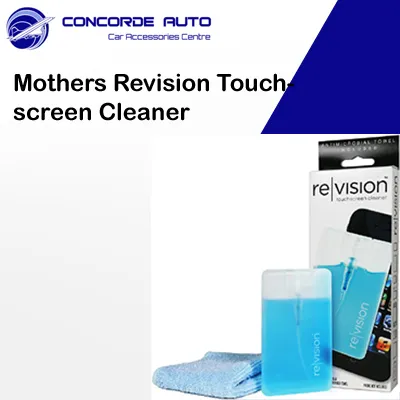
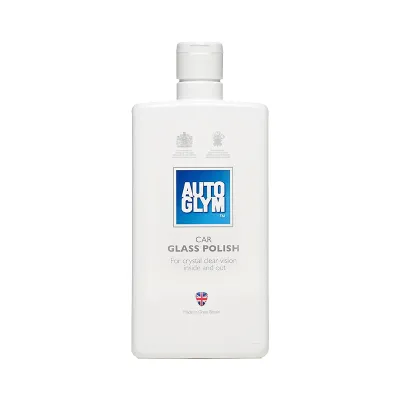
Prices are valid at publication and may change. Please refer to the product page for the latest price.
If you decide to purchase a commercial car screen cleaner, read the product label carefully. Ensure the formula explicitly states it is safe for automotive displays, anti-glare coatings, and sensitive interior plastics. Avoid generic electronics cleaners unless they specifically list automotive screens as a compatible surface, as car displays are subjected to high temperatures and UV exposure, making their coatings more vulnerable to chemical breakdown. Taking the time to verify these details protects your investment.
Step-by-Step Guide to Safely Wiping the Display
To clean your screen without causing damage, follow a structured process that minimizes friction and prevents liquid intrusion.

First, turn off the vehicle and ensure the infotainment screen is powered down. A dark, inactive screen makes fingerprints, smudges, and dust particles highly visible under ambient light. It also prevents you from accidentally triggering system settings or making unwanted inputs while wiping the surface. If your vehicle does not allow you to turn off the screen independently, turning off the ignition entirely is the safest approach.
Second, perform a gentle dry wipe. Take your clean microfiber cloth and lightly sweep it across the screen to lift loose dust particles. Do not apply pressure during this step; dragging dust across the screen under pressure can act like fine sandpaper, causing micro-scratches. Let the microfiber’s natural static charge do the work of attracting the dust. This initial pass removes the abrasive particles that could cause damage during the wet-cleaning phase.
Third, prepare your cleaning solution. If you are using a dedicated car screen cleaner or distilled water, spray a small amount directly onto the microfiber cloth rather than onto the screen itself. Spraying liquid directly onto the display is a major hazard, as the liquid can easily run down the screen and seep into the surrounding bezels, potentially reaching the internal circuitry and causing permanent electrical shorts or display failure. The cloth should be slightly damp, never dripping wet.
Fourth, wipe the screen using light, even pressure. Use circular motions or consistent side-to-side strokes to lift fingerprints and oily smudges. Avoid scrubbing or pressing hard on stubborn spots, as excessive force can damage the liquid crystal display (LCD) or capacitive touch sensors beneath the surface. If a spot is stubborn, let the damp cloth rest against it for a few seconds to soften the residue.
Finally, buff the screen dry. Flip your microfiber cloth to a dry, clean section and gently buff the surface to remove any remaining moisture. This step is crucial for preventing streaks, water spots, or hazy residues from drying on the screen, leaving you with a clear, streak-free finish. Ensure the screen is dry before turning the vehicle’s system back on.
Common Cleaning Mistakes That Ruin Screen Coatings
Many drivers inadvertently damage their infotainment screens by using common household cleaning products. The most damaging mistake is using household glass cleaners, especially those containing ammonia, vinegar, or high concentrations of isopropyl alcohol. These harsh chemicals chemically strip the delicate oleophobic and anti-glare coatings, leaving the screen cloudy, highly reflective, and permanently prone to fingerprint smudges. Once these coatings are stripped, they cannot be reapplied, requiring a costly screen replacement to restore the original look.
Another frequent error is using inappropriate wiping materials. Paper towels, facial tissues, napkins, and old cotton t-shirts may feel soft to the touch, but they contain abrasive wood fibers or trapped grit that can easily scratch soft plastic screen covers. Once these micro-scratches form, they catch the light and permanently degrade the screen’s clarity, especially under direct sunlight. Even a single wipe with a rough paper towel can leave permanent swirl marks across the display.
Additionally, spraying liquids directly onto the dashboard is a high-risk habit. In hot and humid climates, such as Singapore, moisture can quickly find its way into the tight gaps around the screen bezel, leading to corrosion of the delicate electronic contacts. This can result in erratic touch behavior, dead zones on the screen, or complete system failure, which can be incredibly costly to repair or replace. Always control the amount of moisture by applying it to your cloth first, ensuring no excess liquid can pool or run down the surface.
How to Choose a Safe Car Screen Cleaner
When shopping for a dedicated car screen cleaner, understanding what to look for on the product label will help you avoid damaging formulas.
Look for products with mild, alcohol-free, and ammonia-free ingredient profiles. Safe cleaners typically rely on highly purified water and mild, non-ionic surfactants that break down finger oils without attacking the screen’s protective coatings. Avoid any product that lists strong solvents or unverified chemical blends on its safety data sheet. If a product label does not clearly list its ingredients or compatibility, it is best to avoid using it on your dashboard.
Verify that the product packaging features explicit compatibility claims. The label should state that the cleaner is safe for automotive touchscreens, anti-glare films, and sensitive interior plastics. This ensures the formula has been tested against the specific materials and environmental conditions found inside a vehicle cabin, where temperatures can soar when parked in the sun.
Keep in mind that plain distilled water is often the safest and most cost-effective option available. For routine cleaning and light fingerprint removal, lightly dampening a microfiber cloth with distilled water is highly effective and carries zero risk of chemical damage. Distilled water is free of the minerals found in tap water, which can leave stubborn white spots on your screen as they dry, making it an excellent alternative to commercial cleaners that can cost upwards of S$20 a bottle. This simple solution keeps your maintenance costs low while ensuring safety for your vehicle’s electronics.
Frequently Asked Questions (FAQ)
Can I use disinfectant wipes on my car touchscreen?
Standard household disinfectant wipes should not be used on car touchscreens. These wipes are typically formulated with harsh chemicals, bleach, or high concentrations of alcohol designed to kill bacteria on hard, non-porous surfaces, which will quickly strip the screen’s protective coatings. Additionally, the paper-like texture of many disinfectant wipes can cause micro-scratches. If you must sanitize your screen, consult your vehicle manual first, or use specialized, low-alcohol, automotive-specific electronic wipes that are explicitly labeled as safe for delicate displays. Always test any new wipe on a small, inconspicuous corner of the screen first to ensure it does not cause clouding or discoloration.
How often should I clean my car infotainment screen?
To maintain your screen without causing unnecessary wear, establish a balanced maintenance routine. A quick, dry dusting with a clean microfiber cloth can be done weekly to keep dust from accumulating. However, wet cleaning with a liquid solution or damp cloth should only be performed when visible smudges, fingerprints, or sticky residues appear. Over-cleaning with liquid solutions, even safe ones, can gradually wear down the delicate protective coatings over time, so it is best to use liquids sparingly. Keeping a dry microfiber cloth in your center console makes it easy to perform quick, safe dustings whenever you notice buildup, reducing the need for wet cleaning.

Community discussion
Share your experience or ask a question. Comments are reviewed before publication.