
An effective anti-slip mat for car navigation must balance reliable surface grip, high heat resistance, and complete compatibility with your vehicle’s dashboard material. While many options claim universal adhesion, the ideal choice for your smartphone depends on the weight of your device, the angle of your dashboard, and local climate conditions. By evaluating material specifications, checking physical dimensions, and verifying safety clearances, you can secure your phone for safe navigation viewing without risking damage to your car’s interior.
Assessing Grip and Stability for Navigation Viewing
To keep a smartphone secure during sudden braking or sharp turns, you must first evaluate the physical properties of the mat’s base. A high-quality anti-slip mat relies on a combination of material tackiness and its own weight to remain anchored to the dashboard. Look for options with a textured underside that maximizes surface contact with the dashboard, preventing the entire assembly from shifting when the vehicle is in motion.
The design of the upper surface is equally critical for holding your phone. While flat mats rely entirely on friction, models featuring raised borders, built-in slots, or adjustable brackets provide physical barriers that prevent the phone from sliding off the edge. If your dashboard has a noticeable slope, a mat with a dedicated lip or cradle design is generally necessary to keep the device upright and visible.
Products mentioned in this guide
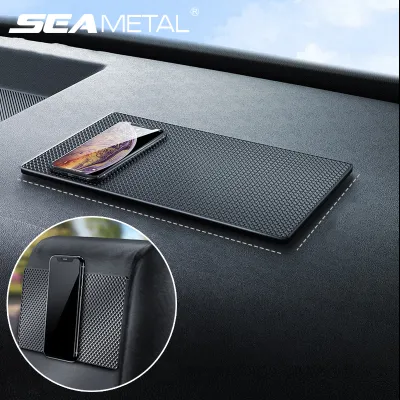
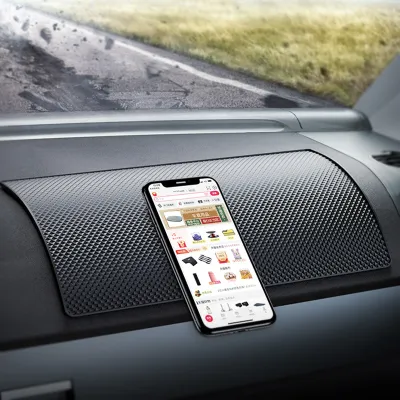
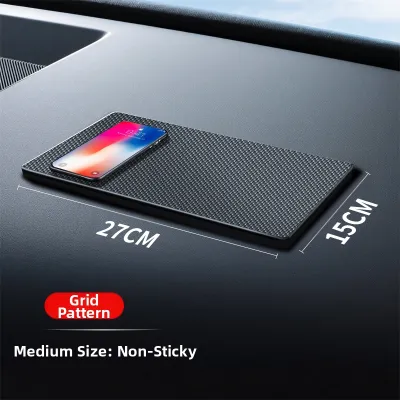
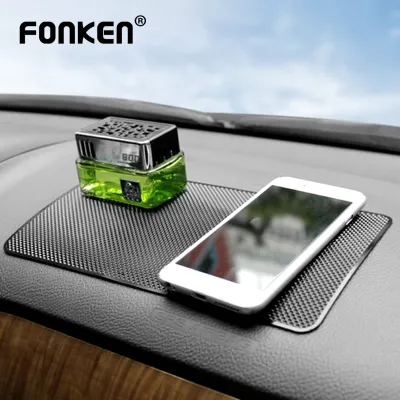
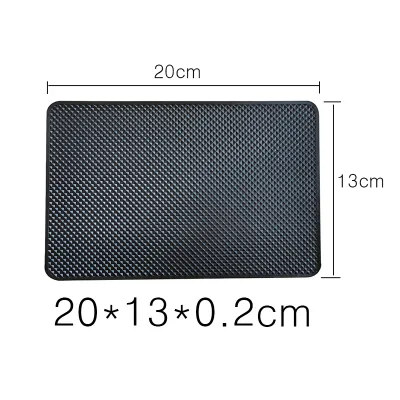
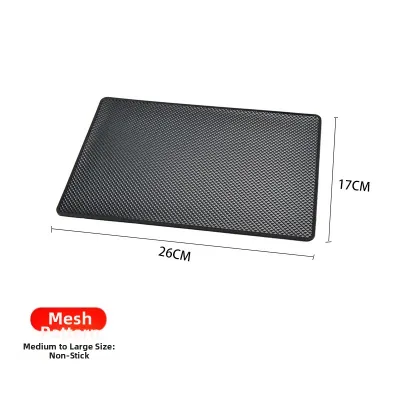

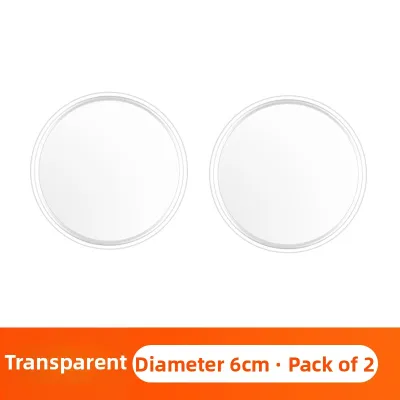
Prices are valid at publication and may change. Please refer to the product page for the latest price.
Before purchasing, compare the physical dimensions of the mat with both your smartphone and the available flat space on your dashboard. A mat that is too large may overlap curved trim pieces, reducing its contact area and compromising its stability. Ensure the designated mounting area is sufficiently flat and wide enough to accommodate the mat’s footprint without overhang.
Additionally, consider the thickness and weight of the mat itself. Heavier mats tend to absorb road vibrations more effectively, which helps keep your smartphone screen steady and readable while driving over uneven road surfaces or speed bumps.
Verifying Heat Resistance and Dashboard Surface Safety
Cabin temperatures can rise significantly when a vehicle is parked in direct sunlight, making heat resistance a primary safety consideration. Common mat materials include silicone, polyurethane, and polyvinyl chloride, each offering different levels of thermal stability. Review the manufacturer’s product labels to verify the maximum stated heat tolerance limits before installation.

Consult your vehicle owner’s manual to check if your dashboard material has specific chemical or adhesive restrictions. Some premium interiors feature delicate leather, soft-touch plastics, or vinyl that can react negatively to the plasticizers used in certain anti-slip mats. Verifying these guidelines helps prevent permanent discoloration, staining, or chemical bonding between the mat and the dashboard surface.
Regularly inspect the mat for visual warning signs of material degradation, especially during hot weather. If you notice the mat becoming overly sticky, soft, or starting to leave a greasy residue, it indicates the material is failing under sun exposure. Promptly remove any degrading mat to prevent chemical leaching from permanently damaging your vehicle’s interior trim.
Furthermore, be cautious of mats that use strong chemical adhesives rather than natural surface tension. Adhesives are much more prone to melting and bonding permanently to the dashboard under extreme heat, whereas high-grade silicone mats rely on suction and friction, making them easier to remove and clean without leaving a mark.
Positioning the Mat Safely and Restoring Adhesion
Safe placement of your anti-slip mat is essential to avoid interfering with critical vehicle safety systems. Map out your dashboard layout and strictly avoid placing the mat within passenger airbag deployment zones, which are typically marked on the dashboard trim. Additionally, ensure the mat does not block defroster vents, ambient light sensors, or built-in display screens.
Over time, dust, lint, and cabin debris will accumulate on the mat, reducing its adhesive properties. To restore the original grip, follow the manufacturer’s instructions for routine cleaning, which typically involves washing the mat with mild soap and lukewarm water. Allow the mat to air-dry completely before placing it back on the clean, dust-free dashboard surface.
Even with regular maintenance, anti-slip mats have a finite lifespan and will eventually require replacement. If the material permanently hardens, loses its flexibility, or begins to leave a persistent residue that is difficult to clean, it is time to discard it. Replacing the mat at the first sign of physical deterioration protects your dashboard and ensures your phone remains securely held.
When cleaning the dashboard surface prior to reinstallation, avoid using silicone-based interior polishes or protectants on the mounting spot. These products leave a slick film that prevents the anti-slip mat from adhering properly, causing it to slide during turns.
Recognizing When a Dedicated Mount Is Necessary
While anti-slip mats are convenient, they have physical limitations that make them unsuitable for certain driving scenarios. Heavy, oversized smartphones or tablets often exert too much leverage for a simple friction mat to hold securely during spirited driving. If your dashboard has an extremely steep slope or lacks a flat surface, a mat will not provide a stable viewing angle.
In these situations, evaluating alternative mounting solutions can provide better stability and safer viewing angles. Dedicated mechanical options, such as air vent clips, CD-slot mounts, or windshield suction cups, physically lock the phone in place. These alternatives allow you to position the screen closer to your line of sight without relying on dashboard friction.
When choosing any alternative mounting system, check local traffic regulations in Singapore regarding windshield and dashboard obstructions. Under local laws, drivers must maintain a clear, unobstructed view of the road ahead. Ensure that any mount you install does not block your forward vision or create a hazardous blind spot while driving.
Frequently Asked Questions (FAQ)
Can I leave the anti-slip mat on the dashboard in direct sunlight?
Continuous exposure to ultraviolet rays and high cabin temperatures can accelerate the breakdown of synthetic materials and adhesives. It is advisable to check the manufacturer’s guidelines for specific UV resistance ratings. If you park your vehicle outdoors for extended periods, removing the mat and storing it in the glove compartment or center console can prolong its lifespan and protect your dashboard.
How do I remove sticky residue left by an anti-slip mat?
Before applying any cleaning agents to your dashboard, consult your vehicle owner’s manual for approved interior cleaners and material compatibility. Use a gentle, non-abrasive cleaning technique, such as wiping with a damp microfiber cloth and mild soapy water. Stop immediately if you notice any discoloration or change in the dashboard’s texture, and consider consulting a professional automotive detailer for stubborn residue.

Community discussion
Share your experience or ask a question. Comments are reviewed before publication.