
Finding the ideal car non-slip mat to hold your smartphone on the dashboard requires balancing grip performance, material safety, and cabin conditions. In tropical climates like Singapore, where parked cars are subjected to intense solar radiation and extreme cabin temperatures, a simple friction pad must do more than just hold a device; it must withstand high heat without melting or damaging your vehicle’s interior. The most effective solution is a high-grade, temperature-resistant silicone or polyurethane mat designed specifically for automotive use, sized appropriately to support your phone’s weight and casing without obstructing your view or safety systems.
While these mats offer a convenient, drill-free storage solution, choosing the wrong material or placing it incorrectly can lead to sticky residues, damaged dashboard surfaces, or even safety hazards during a sudden stop. To make an informed decision, you must evaluate the physical attributes of the mat, verify its compatibility with your vehicle’s interior, and understand the physical limits of friction-based storage.
Key Factors for Choosing a Dashboard Non-Slip Mat
When shopping for a car non-slip mat, the material composition is the most critical factor determining both longevity and performance. The three most common materials used for these accessories are silicone, polyurethane (PU), and polyvinyl chloride (PVC). Each material behaves differently under environmental stress and offers varying levels of grip.
Products mentioned in this guide
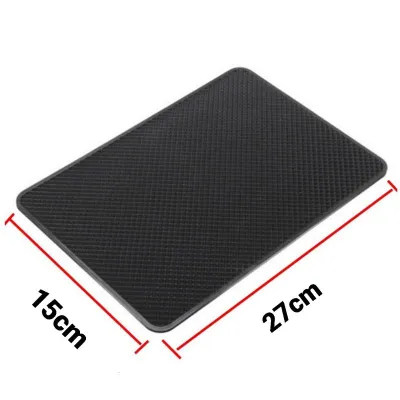
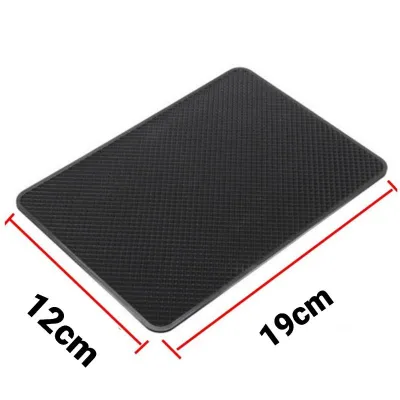
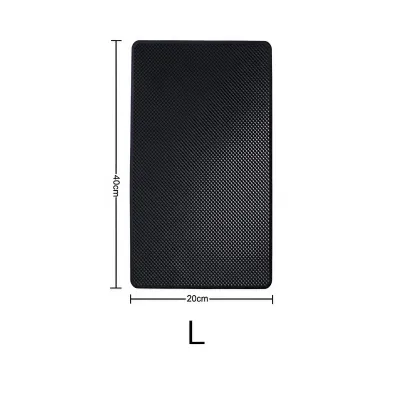
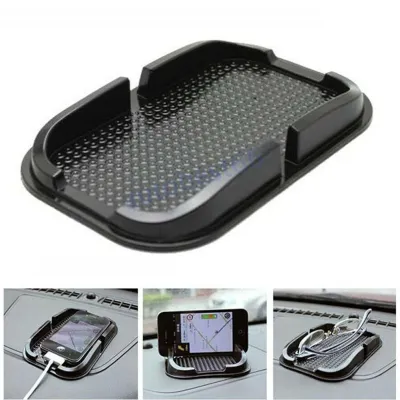
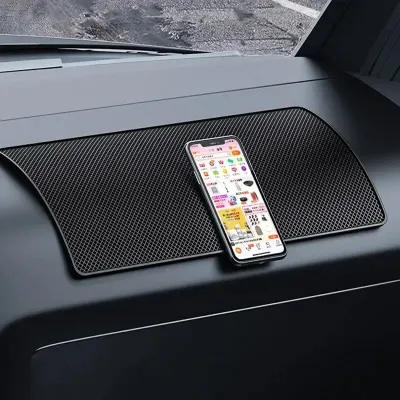
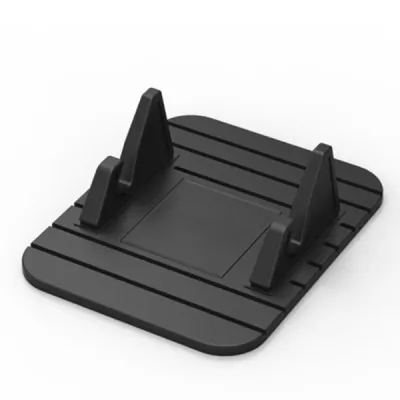
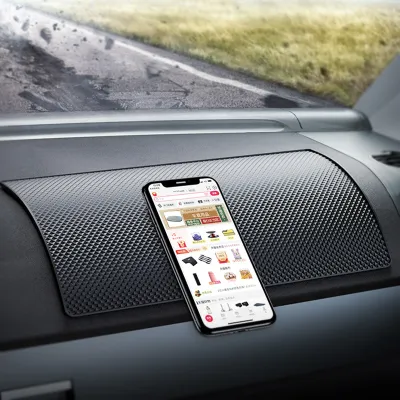
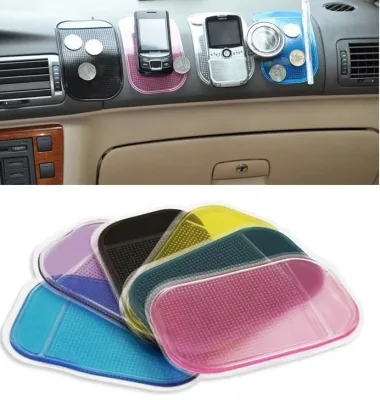
Prices are valid at publication and may change. Please refer to the product page for the latest price.
Silicone is widely considered the most reliable material for high-temperature environments. It possesses excellent thermal stability, meaning it can withstand the intense heat that builds up under a windscreen without warping, melting, or losing its physical shape. Silicone mats generally rely on a high coefficient of friction rather than chemical adhesives, making them safe for most dashboard surfaces.
Polyurethane (PU) mats, often marketed as “gel pads,” offer an exceptionally strong, tacky grip. They are highly effective at holding phones in place during normal driving conditions. However, lower-grade PU can become overly sticky or even liquefy slightly when exposed to extreme, prolonged heat. If you choose a PU mat, it is essential to verify that the manufacturer explicitly guarantees high-temperature resistance and a residue-free removal process.
Polyvinyl Chloride (PVC) is a common budget-friendly option, but it requires caution. PVC mats often contain plasticizers to make them flexible. Under intense heat and UV exposure, these plasticizers can migrate out of the material, leaving a stubborn, greasy residue on your dashboard or causing permanent discoloration. For long-term vehicle care, investing in high-grade silicone or premium PU is generally safer.
Beyond material, you must consider the physical dimensions and thickness of the mat. Modern smartphones are increasingly large and heavy, especially when fitted with rugged, shockproof protective cases. If a mat is too small, your phone will overhang the edges, shifting its center of gravity and making it highly susceptible to sliding off during a turn. Measure your phone with its case on before purchasing, and select a mat that provides at least a one-centimeter margin around the entire perimeter of your device. A thicker mat also helps absorb road vibrations, keeping the phone more stable.
Surface design plays a major role in keeping your device secure. Some mats feature micro-suction technology, which uses microscopic craters to create a vacuum-like grip on smooth surfaces without using sticky adhesives. Other designs incorporate raised borders, honeycomb textures, or integrated slots and flexible brackets. These physical barriers mechanically prevent the phone from sliding off during sudden lateral movements, making them highly effective for holding phones horizontally for navigation.
Safety and Dashboard Compatibility Checks
Before placing any accessory on your dashboard, you must perform critical safety and compatibility checks. The dashboard is not merely a flat shelf; it houses vital safety systems and must remain clear to ensure a safe driving environment.

Airbag deployment zones are the most critical safety boundary to respect. Modern vehicles are equipped with passenger-side front airbags and, in some models, additional knee or curtain airbags that deploy from or near the dashboard. These systems deploy with immense force in a fraction of a second. Placing a non-slip mat, or a smartphone resting on one, directly over or near an airbag deployment zone (typically marked by “SRS Airbag” lettering) is extremely dangerous. In a collision, the deploying airbag can launch the phone and the mat into the cabin at high speeds, turning them into dangerous projectiles. Always consult your vehicle’s owner’s manual to identify the exact boundaries of the airbag deployment zones and keep them completely clear.
Your line of sight is another vital safety consideration. The mat and the smartphone must be positioned so that they do not obstruct your forward view of the road or your ability to see the vehicle’s instrument cluster. In Singapore, maintaining a clear, unobstructed view through the windscreen is a key safety requirement. Avoid placing large mats or upright phone setups directly in your primary line of sight.
Dashboard material compatibility is equally important to prevent costly interior damage. Dashboards are constructed from various materials, including soft-touch plastics, vinyl, synthetic leather, or genuine leather. Some of these materials are highly sensitive to chemical migration and heat trapping. Before purchasing a mat, check your vehicle owner’s manual for warnings regarding aftermarket dashboard accessories. Some manufacturers explicitly warn against using adhesive or high-friction rubber and plastic products on leather or soft-touch vinyl dashboards, as they can cause permanent staining, discoloration, or chemical reactions that soften the dashboard material.
Additionally, consider the “shadow effect” caused by UV exposure. Even if a mat is chemically inert and does not react with your dashboard, it will block ultraviolet rays from the sun. Over months or years, the exposed parts of your dashboard will naturally fade slightly due to sunlight, while the area protected by the non-slip mat will retain its original color. This can leave a permanent, darker silhouette of the mat on your dashboard when it is eventually removed. Periodically repositioning the mat or using a windshield sunshade when parked can help minimize this uneven fading.
Understanding Performance Limits and Alternatives
It is vital to maintain realistic expectations regarding what a friction-based non-slip mat can and cannot do. These mats rely entirely on gravity and the friction coefficient between the mat, the dashboard, and the phone. They do not mechanically lock your device in place.
During emergency braking, sharp evasive maneuvers, or driving on steep inclines—such as the tight, winding ramps of multi-story carparks—the inertial forces acting on your phone can easily exceed the friction limit of the mat. When this happens, the phone will slide or fly off the dashboard. If you have an active driving style or frequently navigate uneven, bumpy roads, a simple flat mat may not provide sufficient security.
Viewing angles are another limitation. A flat non-slip mat forces you to look down to see the screen, which takes your eyes off the road. If you rely on active GPS navigation apps while driving, looking down at a flat dashboard mat can lead to distracted driving. For safe navigation, your phone should ideally be mounted closer to your eye level so you can glance at it without losing sight of the road ahead.
If you find that a non-slip mat does not meet your daily driving needs, you should transition to a dedicated, mechanically secured car phone mount. Options such as air vent mounts, CD slot mounts, or heavy-duty suction cup mounts designed for the windscreen or dashboard offer a much more secure hold. These mounts mechanically clamp the phone in place, ensuring it remains stationary even during sudden impacts or sharp turns, keeping you compliant with safe-driving practices.
Maintenance and Cleaning for Continued Grip
To ensure your non-slip mat continues to perform effectively and does not damage your dashboard, regular maintenance is required. Over time, the mat will inevitably accumulate dust, lint, pollen, and skin oils from daily handling. This debris forms a microscopic barrier over the high-friction surface, drastically reducing its ability to grip your phone.
To restore the mat’s original friction properties, clean it regularly according to the manufacturer’s care instructions. For most high-quality silicone and PU mats, this process is simple:
- Gently peel the mat off the dashboard, starting from one corner to avoid tearing the material or pulling too hard on the dashboard surface.
- Wash the mat under lukewarm running water.
- Apply a drop of mild, non-moisturizing dish soap and gently rub the surface with your fingers to remove oils and dirt. Avoid using abrasive sponges, steel wool, or harsh chemical cleaners, which can permanently ruin the high-friction surface.
- Rinse the mat thoroughly to remove all soap residue.
- Allow the mat to air dry completely on a clean, lint-free surface. Do not wipe it with a paper towel or cloth, as this will transfer lint back onto the freshly cleaned surface.
Inspect the mat periodically for signs of physical degradation. In hot climates, chemical breakdown can occur more rapidly. If you notice the mat has become permanently sticky, brittle, warped, or has started to leave a greasy residue on your fingers or the dashboard, it has reached the end of its usable lifespan. Replace the mat immediately to prevent permanent damage to your car’s interior.
When removing or repositioning the mat, always do so gently. If the mat feels stuck to the dashboard due to heat, do not yank it off forcefully. Instead, gently slide a thin plastic card (like an expired parking card) under one edge to break the seal, or wait until the cabin has cooled down before attempting to remove it.
Frequently Asked Questions (FAQ)
Will a non-slip mat damage my car's dashboard?
Yes, under certain conditions, a non-slip mat can cause damage. Prolonged exposure to intense ultraviolet (UV) light and extreme cabin heat can cause plasticizers in lower-quality mats (especially PVC) to migrate, leading to permanent yellowing, sticky residue, or even melting onto the dashboard surface. Additionally, because the mat blocks UV rays, the uncovered parts of your dashboard will naturally fade over time while the area under the mat remains dark, resulting in an uneven, discolored spot. To prevent this, choose high-quality silicone mats, remove the mat when parking in direct sunlight for extended periods, and regularly clean both the mat and the dashboard surface underneath.
Can I use a non-slip mat for items other than my phone?
Yes, non-slip mats are highly versatile and can hold small, lightweight items such as sunglasses, parking cards, access tokens, or keys. However, you must strictly observe weight and safety limits. Heavy or sharp objects, such as metal tools, heavy keychains, or loose coins, should not be kept on a dashboard mat. During sudden stops, sharp turns, or collisions, these items can easily slip off and become dangerous projectiles inside the cabin, potentially causing injury to passengers or distracting the driver. Always store heavier items in designated closed compartments like the glove box or center console.

Community discussion
Share your experience or ask a question. Comments are reviewed before publication.