
Navigating the dense, fast-paced road network of Singapore requires constant focus and quick decision-making. From tracking active Electronic Road Pricing (ERP) gantries to navigating complex expressway interchanges like those on the Pan Island Expressway (PIE) or Central Expressway (CTE), drivers must process a continuous stream of visual and auditory information. In this environment, deciding whether to install a physical phone holder in your car is more than a matter of convenience; it directly impacts your driving safety, legal compliance, and overall comfort behind the wheel.
Many drivers assume a phone mount is an essential accessory for every vehicle, but modern automotive technology has made this choice highly subjective. Depending on your vehicle’s age, its built-in infotainment capabilities, and your personal driving habits, a dedicated phone holder might either be an indispensable tool or an unnecessary clutter on your dashboard. Conducting a systematic self-assessment allows you to determine the most practical, safe, and legally compliant setup for your daily commute.
Assess Your Current In-Car Navigation Setup
Before purchasing any aftermarket accessories, evaluate the capabilities of your vehicle’s existing dashboard hardware. Many modern vehicles come equipped with factory-installed infotainment screens that offer built-in navigation systems. However, the utility of these systems varies significantly. You should check how frequently the built-in maps are updated and whether they support real-time traffic data. In a rapidly developing city-state where road layouts, construction zones, and traffic patterns change frequently, outdated offline maps can lead to missed exits or inefficient routing.
Products mentioned in this guide
![[allmobiles] 360 Rotatable Car Windscreen Suction Cup Mount Mobile Phone Holder Bracket Stand](https://img.lazcdn.com/g/p/b653bdcdc833cf2a61136a65cc1b5dce.jpg_400x400q80.jpg_.webp)
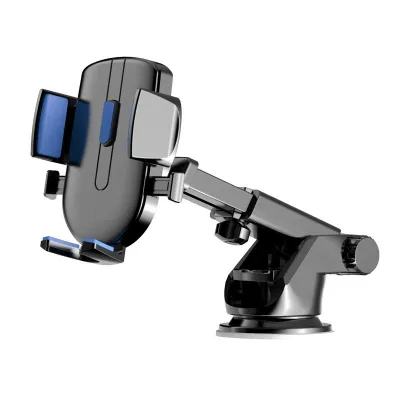
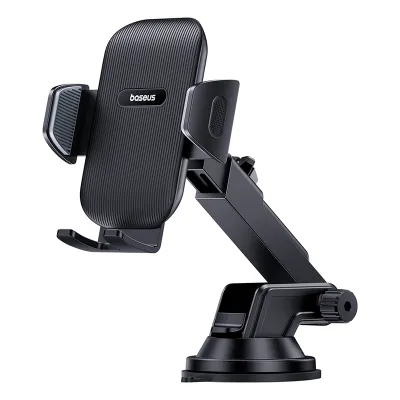
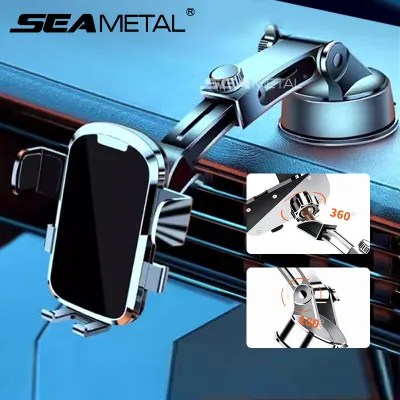
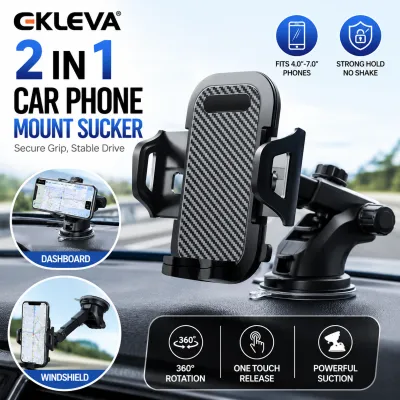
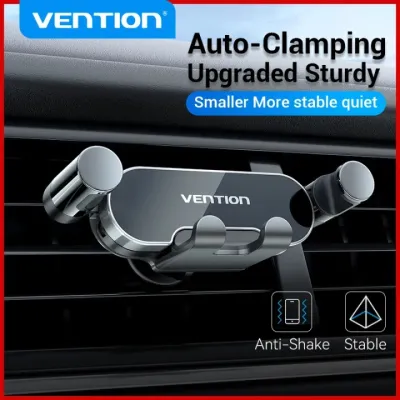
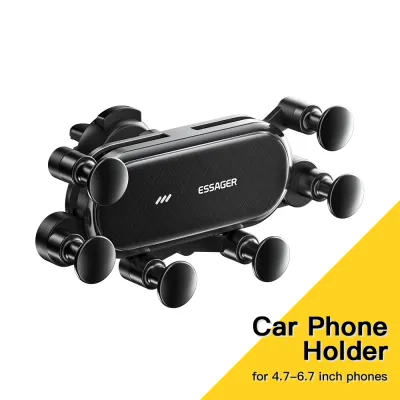
Prices are valid at publication and may change. Please refer to the product page for the latest price.
The presence of smartphone integration protocols, specifically Apple CarPlay and Android Auto, is the most critical factor in this assessment. If your vehicle supports these platforms—either through a wired USB connection or a wireless interface—your phone’s navigation apps can display directly on the car’s integrated screen. This integration allows you to control navigation, music, and calls using the vehicle’s native touchscreen, rotary dial, or steering wheel controls. When your phone’s interface is seamlessly mirrored onto a large, centrally located dashboard display, the need for a separate physical phone holder is virtually eliminated, allowing you to keep your device safely tucked away in a console or charging pad.
If your vehicle lacks smartphone mirroring but has a basic factory screen, assess its physical characteristics. Consider the screen’s size, resolution, and susceptibility to glare under the intense tropical sunlight. A screen mounted too low in the center console forces you to look down and away from the road, which poses a significant safety risk. If the factory display is difficult to read due to poor viewing angles or excessive glare, or if the built-in GPS interface is slow and frustrating to operate, a dedicated phone holder positioned closer to your natural line of sight may be a necessary upgrade.
Evaluate Your Daily Driving Habits and Route Complexity
Your typical driving routines and the complexity of your routes should heavily influence your decision. Consider the nature of your daily trips. If your driving consists almost entirely of a fixed commute between your home and office along familiar roads, you rarely need active navigation assistance. For these straightforward journeys, memorized routes require minimal cognitive load, and a visual map display is largely redundant.

Conversely, if your lifestyle or profession requires frequent travel to unfamiliar residential estates, industrial parks, or complex commercial districts, real-time visual guidance becomes essential. Navigating the intricate, multi-layered exits of the Marina Coastal Expressway (MCE) or finding specific drop-off points in dense areas like the Central Business District (CBD) demands precise, step-by-step lane guidance. In these scenarios, having a clear, stable view of a navigation app that provides real-time lane assistance can prevent stressful last-minute lane changes and reduce the risk of accidents.
Furthermore, real-time traffic updates are invaluable for managing travel times during peak hours. Mobile navigation apps excel at crowd-sourcing traffic data, allowing them to detect sudden bottlenecks, accidents, or road closures and suggest alternative routes dynamically. If you frequently drive during peak hours and rely on these dynamic rerouting features to avoid traffic jams or time-sensitive ERP charges, a securely mounted phone ensures you can view these alternative route suggestions instantly and safely.
Understand Safety and Legal Boundaries for Phone Mounts
Operating a motor vehicle in Singapore requires strict adherence to local traffic laws, particularly regarding mobile device usage. Under the Road Traffic Act, it is an offense for a driver to hold any mobile communication device while the vehicle is in motion. The penalties for distracted driving are severe, including substantial fines, demerit points, and potential court prosecution for repeat offenses. The law is designed to ensure that a driver’s hands remain on the steering wheel and their attention remains fully on the road.
Using a physical phone holder can help you comply with these regulations, but the mount itself must be positioned safely. A phone holder must never obstruct your clear view of the road, the windshield, or the side mirrors. Avoid mounting devices in areas that block your forward line of sight or create significant blind spots around the A-pillars. Crucially, you must verify that the mounting location does not interfere with the deployment paths of your vehicle’s airbags. Refer to your vehicle’s owner manual to identify the exact locations of the steering wheel, passenger dashboard, and side curtain airbags to ensure the mount is placed well outside these deployment zones.
It is also vital to understand that simply placing a phone in a holder does not grant unlimited freedom to interact with the device. Touching, scrolling, or typing on a mounted phone while driving can still be classified as distracted driving if it compromises your control of the vehicle. To maintain safety and legal compliance, you should set your destination and start your navigation app before moving off. If you need to adjust your route, search for a new destination, or change settings mid-journey, you must use hands-free voice commands or pull over safely to a designated parking lot before interacting with the screen.
Decision Matrix: Should You Buy, Adjust, or Skip a Holder?
To help clarify your path forward, consider this structured decision matrix based on your vehicle’s technology and your driving habits:
- When to Buy a Holder: You should purchase a high-quality phone holder if your vehicle lacks Apple CarPlay or Android Auto, and you rely heavily on mobile navigation apps for daily driving, peak-hour commuting, or professional delivery work. In this scenario, a secure mount is the only safe way to keep navigation prompts within your peripheral vision without violating handheld device laws.
- When to Skip a Holder: You can confidently skip a phone holder if your vehicle features a modern, well-positioned infotainment system with seamless smartphone integration. Keeping your phone stored in a closed console compartment or a dedicated wireless charging dock reduces cabin clutter, prevents visual distractions, and keeps your device protected from direct sunlight.
- Alternative Adjustments: If you fall between these categories, alternative solutions exist. You can upgrade your vehicle's head unit to a modern aftermarket system that supports wireless smartphone integration, which is a highly effective long-term solution for older cars. Alternatively, you can rely on audio-only navigation prompts streamed via Bluetooth through your car's speakers, or delegate navigation duties entirely to a front-seat passenger when traveling to unfamiliar destinations.
Verification Checklist If You Decide to Purchase a Car Holder Phone
If your self-assessment indicates that a phone holder is necessary, use this practical checklist before making a purchase to ensure compatibility, stability, and safety:
- Mounting Mechanism Compatibility: Match the holder's mounting style with your vehicle's interior design. Air vent mounts require sturdy, horizontal or vertical vent slats; they may not fit circular or deeply recessed vents. Suction cup and adhesive mounts require flat, non-porous surfaces. Check your vehicle's documentation to ensure adhesives or suction pads will not damage sensitive leather, soft-touch plastics, or delicate wood veneers on your dashboard.
- Device Dimensions and Weight: Verify that the holder's physical dimensions, grip width, and weight capacity match your specific smartphone model. Consider the thickness of your protective phone case, as bulky or heavy-duty cases can prevent the phone from seating securely in standard clamps, leading to the device falling while driving.
- Interference and Obstruction Checks: Ensure the mounted phone does not block essential vehicle controls, such as the hazard light button, climate control dials, or gear selector. Additionally, verify that the mount does not block air conditioning airflow, which is vital in Singapore's hot climate, or obscure built-in dashboard sensors, cameras, or driver-monitoring systems.
Frequently Asked Questions (FAQ)
Can I rely on voice assistants instead of a visual phone mount?
Voice assistants provide helpful audio-only prompts, which can reduce visual distraction and keep your eyes on the road. However, audio cues may fall short during complex, multi-lane expressway splits where visual lane guidance is critical. For simple routes, voice prompts are a viable alternative, but highly complex routes usually benefit from a secure visual display.
Do magnetic mounts interfere with smartphone cameras or optical image stabilization?
Some smartphone manufacturers advise that strong magnetic fields can temporarily affect optical image stabilization (OIS) systems or internal digital compasses. To prevent potential hardware issues, check your specific smartphone manufacturer’s guidelines and user manual before using a high-strength magnetic mount.
How should I prepare the dashboard surface before applying an adhesive or suction mount?
To ensure a secure bond, clean the mounting area with a mild, non-abrasive cleaner authorized for your vehicle’s specific dashboard material. Ensure the surface is completely dry and free of dust, oils, or interior protectants before applying the mount. Always consult your vehicle’s manual to verify if certain cleaning agents or adhesives could permanently discolor or damage the dashboard trim.

Community discussion
Share your experience or ask a question. Comments are reviewed before publication.