
Quick Answer: Which Navigation Setup Should You Choose?
Choosing between a dashboard phone holder and a built-in car navigation system depends on how you balance convenience, cost, and integration. A dashboard phone holder paired with a smartphone is highly practical for drivers who demand real-time traffic updates, frequent map refreshes, and a familiar user interface without a significant financial outlay. Conversely, built-in car navigation systems offer a seamless, factory-integrated aesthetic, larger dedicated displays, and reliable operation independent of cellular network coverage or phone battery life.
Ultimately, your choice should align with your daily driving habits, budget, and the technological capabilities of your vehicle. Drivers who frequently navigate peak-hour traffic often favor the agility of smartphone apps, while those who prefer a clutter-free cabin and reliable offline mapping tend to rely on built-in systems.
Cost and Value: Upfront Investment vs Long-Term Expenses
Evaluating the financial commitment of each navigation method requires looking beyond the initial purchase. A quality dashboard phone holder represents a minimal upfront investment, with various mechanical, magnetic, or wireless charging options available at local accessory retailers. In contrast, factory-installed built-in navigation systems are typically bundled into the vehicle’s purchase price or premium trim levels, while aftermarket head units require a more substantial investment in hardware and professional installation.
Products mentioned in this guide
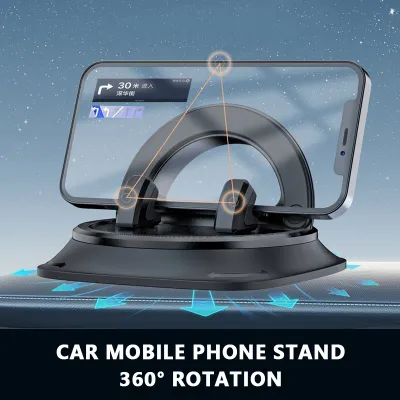
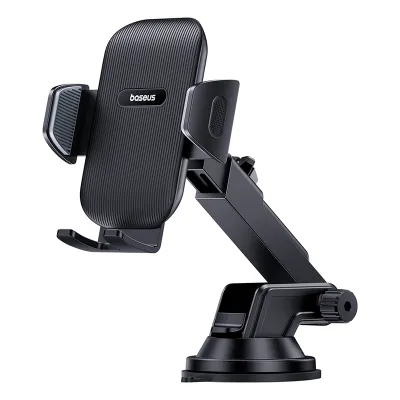
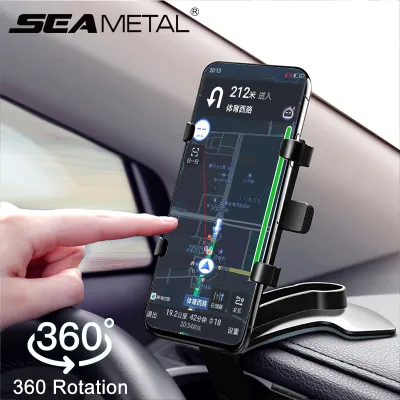
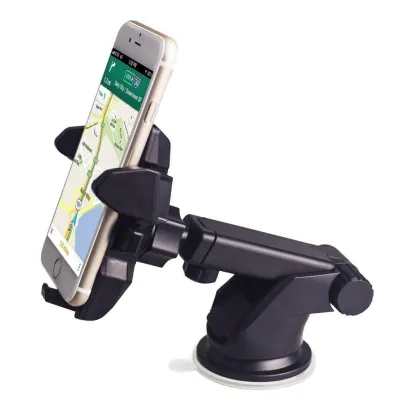
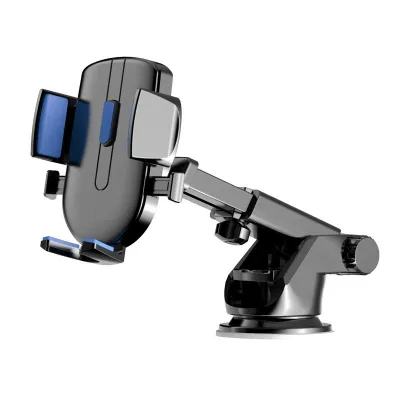
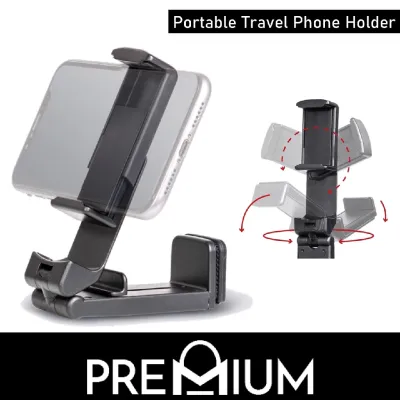

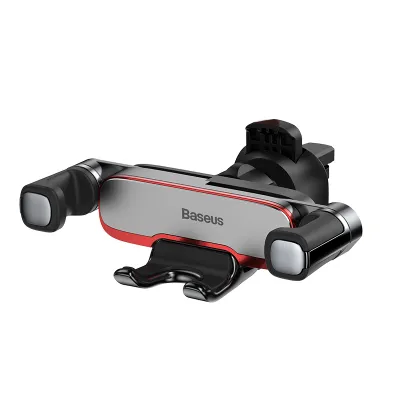
Prices are valid at publication and may change. Please refer to the product page for the latest price.

Long-term operational costs also differ significantly between the two setups. Smartphone-based navigation relies on your mobile data plan, which is generally manageable within local data bundles but can incur roaming charges if you frequently drive across the border. On the other hand, built-in navigation systems often require paid map update subscriptions from the vehicle manufacturer or authorized dealers to keep the database current after the initial promotional period expires.
Maintenance and replacement costs should also be factored into your long-term budget. A worn-out dashboard phone holder is inexpensive to replace if the mounting mechanism loses suction or grip over time. Conversely, if a built-in navigation screen or its internal GPS module malfunctions, repairs can be costly and typically require specialized diagnostic tools and professional labor at an authorized service center.
To make an informed financial decision, drivers should verify current pricing and compatibility options:
- Check dealer subscription fees: Inquire with your vehicle's authorized dealer about the cost and frequency of official map updates.
- Compare accessory prices: Browse local automotive accessory shops or online marketplaces to compare the costs of different dashboard phone holder designs.
- Review mobile data packages: Assess your current mobile data limits and check for affordable roaming add-ons if you plan to travel internationally.
- Obtain installation quotes: Request detailed quotes from qualified car audio workshops if you are considering upgrading to an aftermarket built-in navigation head unit.
Usability and Interface: Screen Real Estate and Ease of Use
The daily user experience of navigating through busy streets is heavily influenced by screen design and software responsiveness. Smartphones offer highly customizable, familiar interfaces with intuitive touch controls and rapid software updates. Built-in car navigation systems, while stable, sometimes feature proprietary menus that can feel less responsive or dated compared to modern mobile operating systems, though they are specifically optimized for in-car environments.
Screen size and physical placement play a critical role in driver usability. Built-in screens are typically larger and integrated directly into the vehicle’s center console, which minimizes clutter and often features anti-glare coatings. However, their fixed position may require you to look down and away from the road. A dashboard phone holder allows you to position your smartphone closer to your natural line of sight, though this setup can sometimes obstruct a portion of the windshield or be subject to direct sunlight, which can cause the phone to overheat and dim its screen.
The type of dashboard phone holder you select also impacts cabin usability. Suction cup mounts can leave residue or degrade under intense heat, while air vent mounts can block airflow. CD slot mounts offer stability but may block access to other physical console controls.
Voice command functionality and touchscreen responsiveness are also key differentiators. Modern smartphones utilize advanced cloud-based voice recognition, allowing for natural language inputs and quick destination searches. Built-in systems vary widely in performance; older models often rely on rigid, pre-programmed voice commands that can be frustrating to use, whereas newer systems offer improved integration with steering wheel controls for safer, hands-free operation.
Real-Time Traffic, Map Accuracy, and Connectivity
Reliable routing depends on how quickly a navigation system adapts to changing road conditions. Smartphone navigation applications excel in this area by leveraging continuous cloud connectivity and crowd-sourced data. This allows them to provide instantaneous rerouting suggestions to bypass sudden congestion, accidents, or road closures on major expressways like the PIE or CTE.
Built-in navigation systems face distinct limitations regarding map freshness. Because they do not update continuously in the background, they rely on periodic manual updates via SD cards, USB drives, or over-the-air packages. Consequently, they may not immediately reflect new housing estates, modified road layouts, or temporary traffic diversions. However, built-in systems benefit from dedicated external GPS antennas mounted on the vehicle, which often maintain a more stable satellite connection when driving through tunnels or high-density urban areas surrounded by skyscrapers.
Connectivity requirements represent another trade-off. Phone-based navigation requires a continuous and stable cellular network connection to download map data and traffic updates in real time. Drivers must ensure they have adequate network coverage and monitor their data usage. Built-in systems, conversely, operate independently of cellular networks for basic GPS tracking, though advanced live traffic features may still require an active subscription, a built-in SIM card, or tethering to a mobile hotspot.
Safety, Legal Compliance, and Driving Distractions
Operating any navigation system demands a strict adherence to safety principles to minimize driving distractions. The primary goal is to keep your eyes on the road and your hands on the steering wheel at all times. Manual interaction with any screen while the vehicle is in motion poses a significant safety hazard and should be avoided.
In Singapore, drivers must strictly comply with local traffic laws regarding mobile device usage. Under the Road Traffic Act, it is an offence to hold a mobile communication device while driving. To use a smartphone legally for navigation, the device must be securely mounted in a dashboard phone holder, and all route planning should be completed before moving off. The Singapore Traffic Police and the Land Transport Authority (LTA) enforce these regulations strictly to ensure road safety for all users.
Physical installation of a dashboard phone holder must be executed with care to prevent secondary hazards. The mount must be positioned so that it does not obstruct your forward field of vision or block critical vehicle controls. Crucially, you must avoid placing the holder or the phone within the deployment zones of the vehicle’s airbags, which are typically located in the steering wheel, passenger dashboard, and side pillars. Always consult your vehicle’s owner manual to identify safe mounting zones and seek professional advice if you are unsure about the structural impact of aftermarket accessories.
Furthermore, ensure that the mounting mechanism is highly secure and capable of withstanding vibrations from uneven road surfaces or speed bumps. A loose mount that detaches while driving can cause sudden distractions or physical interference with vehicle controls, creating an immediate safety risk.
Final Decision Framework: Matching the Setup to Your Driving Profile
To determine the most suitable setup for your vehicle, match your driving habits and preferences against these profiles.
- Choose a dashboard phone holder if: You prioritize real-time, crowd-sourced traffic alerts, prefer using familiar mobile applications that update automatically, and want a highly cost-effective solution that requires no modification to your vehicle's interior.
- Choose built-in car navigation if: You prefer a clean, integrated dashboard aesthetic without exposed wires, want a larger dedicated screen that is easy to read in bright sunlight, and prefer a system that operates reliably without relying on cellular data or phone battery.
- Verify first if: Your vehicle's existing infotainment system supports smartphone projection technologies like Apple CarPlay or Android Auto. This hybrid solution often bridges the gap by displaying your phone's navigation apps directly on the built-in car screen, offering the benefits of both systems without the need for a separate dashboard phone holder.
Frequently Asked Questions (FAQ)
Does using a dashboard phone holder drain my car battery?
A dashboard phone holder itself is a passive mechanical or magnetic mount and does not consume electrical power. However, if you use a holder with integrated wireless charging or connect your phone to a USB port or accessory socket (12V port) while navigating, the phone will draw power from the vehicle. When the engine is running, the alternator powers the vehicle’s electrical systems, meaning there is no risk of draining the car battery. If you charge your phone while the engine is switched off, some vehicles continue to supply power to the accessory socket, which can gradually deplete the car battery. Drivers should check their vehicle’s manual to understand how the accessory ports behave when the ignition is off.
Can I use my car's built-in screen for phone navigation apps?
Many modern vehicles are equipped with smartphone projection systems that allow you to mirror compatible navigation apps directly onto the built-in dashboard screen. This hybrid setup provides the real-time mapping and traffic data of your smartphone while utilizing the larger, integrated display of your vehicle. To determine if your car supports this feature, consult your vehicle’s infotainment specifications or owner’s manual. If supported, you can enjoy seamless navigation without installing a separate dashboard phone holder, though you should still ensure your phone is placed in a secure, designated compartment while driving to prevent distraction.

Community discussion
Share your experience or ask a question. Comments are reviewed before publication.