
Finding the right car dashboard mat with an integrated phone holder for daily driving in Singapore requires balancing heat resilience, secure mounting, and strict safety clearances. In a tropical climate where cabin temperatures can soar when parked outdoors, a standard accessory can quickly warp, slip, or even damage your dashboard. The ideal setup keeps your navigation device securely within your line of sight while protecting your vehicle’s interior from intense ultraviolet (UV) rays. By focusing on high-grade materials like food-grade silicone, verifying precise vehicle compatibility, and ensuring zero interference with safety systems like passenger airbags, you can secure a reliable, long-lasting solution for your daily commute.
Why Combine a Dashboard Mat and Phone Holder?
Integrating a dashboard mat with a phone holder offers a streamlined, dual-purpose solution that addresses several common pain points for drivers. Space on a modern car dashboard is premium real estate. Traditional setups often involve separate windshield suction mounts, air vent clips, and protective covers, which contribute to visual clutter and can block essential airflow. A combined mat and holder consolidates these accessories into a single, low-profile footprint, keeping your dashboard organized and maintaining an unobstructed view of the road ahead.
Beyond organization, a high-quality dashboard mat provides critical protection against environmental wear. Intense, year-round sunlight and a high UV index can accelerate the degradation of dashboard materials, leading to premature fading, cracking, or sticky surfaces. A custom-fit or strategically placed mat acts as a physical barrier, absorbing solar energy and shielding the sensitive plastics or leather underneath. Additionally, it prevents scratches and scuffs caused by loose items like keys, coins, or parking transponders sliding across the surface during transit.
Products mentioned in this guide
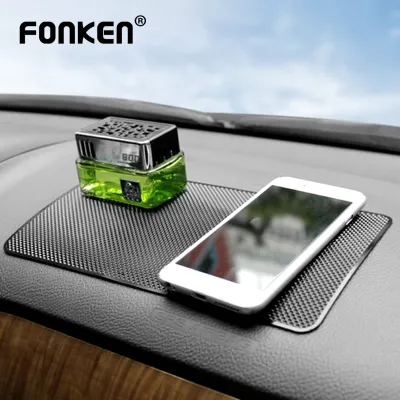
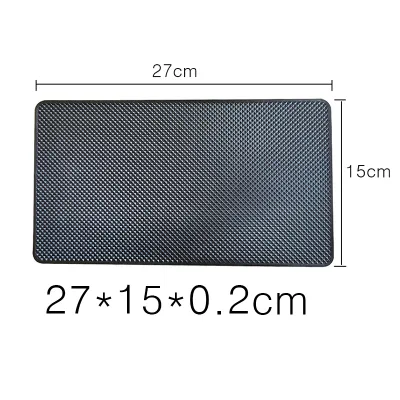
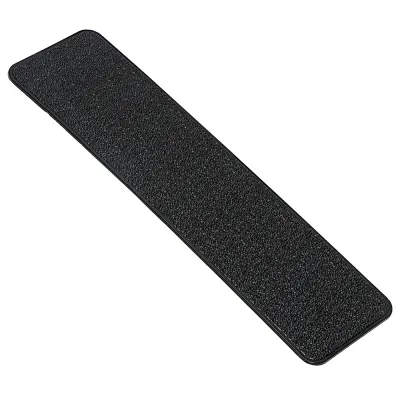
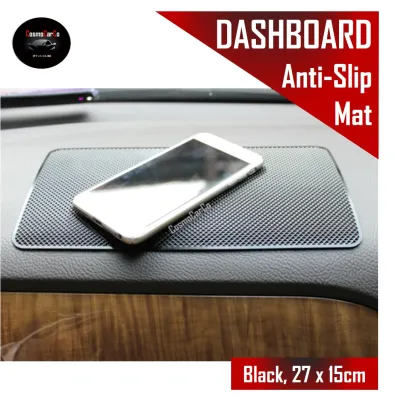
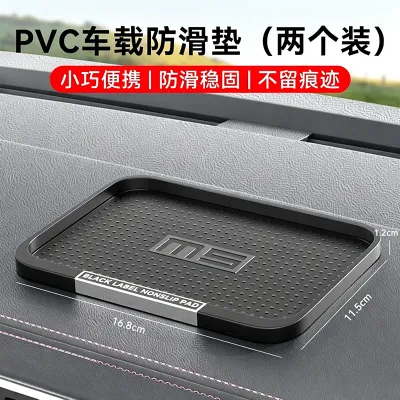
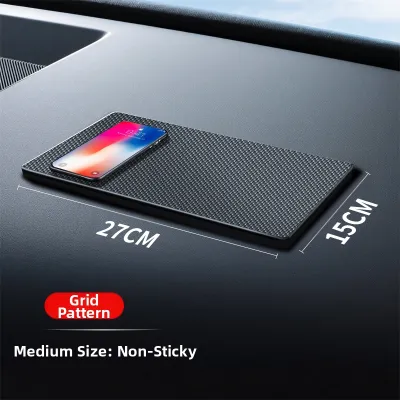
Prices are valid at publication and may change. Please refer to the product page for the latest price.
Positioning your phone on a dashboard-mounted holder also significantly improves driving safety by optimizing your line of sight. Looking down at a center console or cup-holder mount forces you to take your eyes off the road, increasing reaction times during sudden traffic changes on busy expressways. A dashboard-level mount keeps navigation maps and incoming traffic alerts within your peripheral vision, allowing you to monitor routes with minimal head movement.
Essential Features to Evaluate in Dashboard Mats with Phone Mounts
Selecting the right dashboard mat and phone holder combination requires a close examination of material specifications and mechanical designs. Because these accessories sit directly under the windshield, they are exposed to extreme thermal stress.

Material Durability and Heat Resistance: When evaluating options, prioritize materials that can withstand high temperatures without melting, warping, or emitting unpleasant chemical odors. Food-grade silicone and high-grade polyurethane (PU) are excellent choices due to their high thermal stability. Always check the manufacturer’s product specifications for explicit temperature thresholds and UV-resistance ratings. Avoid low-grade PVC mats, which are prone to becoming sticky, degrading under direct sunlight, and leaving stubborn residues on your dashboard surface.
Phone Mount Mechanisms: The mounting mechanism must match your device’s size, weight, and your preferred viewing angle.
- Magnetic Mounts: These offer rapid, one-handed mounting and a clean aesthetic. However, they require attaching a metal plate to your phone or case, and you must verify that the magnetic strength is sufficient to hold your device secure over speed bumps.
- Mechanical Clamps: These spring-loaded or gravity-based cradles provide a highly secure, physical grip on the phone. They are highly adjustable but tend to be bulkier and may require two hands to operate.
- Adhesive Slot Designs: These feature built-in grooves or flexible silicone teeth that hold the phone at a fixed angle. While incredibly durable and low-profile, they offer limited angle adjustment and may not accommodate exceptionally thick phone cases.
Anti-Slip Base Properties: A reliable mat must remain firmly anchored without relying on permanent adhesives that can ruin your car’s interior. Look for mats featuring high-friction, textured silicone bases or washable, non-residue gel pads. The thickness of the mat also plays a role; a slightly thicker mat provides better shock absorption, dampening road vibrations and keeping your phone steadier while driving.
Precision of Cutouts: A universal mat rarely fits perfectly. For comprehensive coverage, look for vehicle-specific mats designed with precise cutouts for dashboard vents, audio speakers, and ambient light sensors. Blocking these elements can impair your air conditioning efficiency, muffle sound quality, or disrupt your automatic headlight activation.
Recommended Mat Profiles Based on Your Commuting Style
Your choice of dashboard mat and phone holder should align with your daily driving habits, vehicle usage patterns, and aesthetic preferences.
The Heavy Navigator Profile: If you are a private-hire driver, delivery professional, or a commuter who relies constantly on real-time traffic apps, stability and ease of use are your top priorities. Look for a heavy-duty silicone mat paired with a robust mechanical clamp mount. These systems often feature a 360-degree rotating ball joint, allowing you to switch between portrait and landscape modes effortlessly. Quick-release buttons are essential here, enabling you to mount and dismount your phone rapidly throughout the day. Ensure the clamp arms are lined with soft silicone padding to prevent scratching your device during frequent use.
The Minimalist Commuter Profile: For drivers who only need navigation for occasional trips or short daily office commutes, a clean, uncluttered dashboard is highly desirable. A low-profile, flexible silicone mat with integrated, flush-mount slots is the ideal choice. When not in use, these mats lie flat and blend seamlessly into the dashboard contour, looking like an original part of the vehicle interior. They have no protruding arms or brackets, preserving a clean line of sight and minimizing visual distractions.
The Shared Vehicle Profile: If your car is shared among family members or multiple drivers, flexibility is key. Different drivers will have different phone models, case thicknesses, and seating positions, requiring a highly adaptable setup. Opt for a dashboard mat featuring an adjustable, modular mounting system. Some designs use movable magnetic pegs or adjustable clamp widths that can be repositioned along a grid on the mat. This allows each driver to customize the holder’s position and angle to suit their height and device specifications without needing to reinstall the entire mat.
Safety Clearances and Installation Checks Before You Buy
Before purchasing or installing any dashboard accessory, you must perform critical safety and compatibility checks to ensure it does not compromise vehicle safety systems.
Airbag Deployment Zones: This is the most critical safety boundary. Modern passenger vehicles are equipped with front airbags housed within the dashboard. A dashboard mat must never cover, overlap, or obstruct the seams where these airbags deploy. Covering these areas can delay airbag deployment or turn the mat and phone holder into dangerous projectiles during a collision. Always consult your vehicle’s owner manual to locate the exact boundaries of the passenger airbag deployment zone before positioning your mat.
Sensor and Camera Obstructions: Ensure the mat and mounted phone do not block your forward-facing dashcam, rain sensors, or automatic headlight sensors typically located near the base of the windshield. Additionally, verify that the height of the mounted phone does not obstruct your forward road visibility or block the path of your windshield defroster vents, which are vital for maintaining clear vision during heavy tropical downpours.
Manufacturer Guidelines: Review your vehicle owner’s manual for any specific warnings regarding dashboard covers or the use of adhesives on the dashboard material. Some premium leather or soft-touch synthetic dashboards are highly sensitive to pressure, heat buildup, and chemical adhesives, which can cause permanent discoloration or indentation.
Stability Testing: Once installed, perform a manual stability test before driving in heavy traffic. Secure your phone in the holder and apply moderate pressure to check for wobble. Test the setup in a safe, controlled environment—such as an empty carpark—by performing low-speed turns and controlled stops to ensure the mat does not slide and the phone remains firmly in place.
Routine Care and Maintenance for Dashboard Mats and Mounts
Regular maintenance ensures your dashboard mat and phone holder remain clean, functional, and safe over years of daily exposure to heat and dust.
Routine Dusting and Cleaning: Dust, lint, and pollen can accumulate on the mat’s surface, reducing its anti-slip properties. Clean the mat strictly according to the manufacturer’s material care labels. For most silicone and rubber mats, this involves removing the mat from the car, rinsing it under lukewarm water with a mild, pH-neutral soap, and letting it air dry completely. Avoid using harsh chemical cleaners, alcohol-based wipes, or abrasive brushes, which can degrade the UV-resistant coatings or dry out the material.
Mechanical and Magnetic Checks: Periodically inspect the moving parts of your phone holder. For mechanical clamps, check that the spring tension remains tight and that the joints do not slip under the weight of your phone. For magnetic mounts, ensure the adhesive holding the metal plate to your phone case remains secure and has not softened due to cabin heat.
Preventing Dashboard Damage: To prevent permanent indentations or adhesive residue buildup, avoid leaving the mat in the exact same position indefinitely. During periods of extended parking—such as when you are away on travel or parking in an unsheltered lot for several days—it is wise to temporarily remove the mat and store it in a cool, shaded place like the glove compartment. This allows the dashboard material to breathe and prevents localized heat buildup from causing uneven color fading.
Frequently Asked Questions (FAQ)
Will a dashboard mat interfere with my car's parking sensors or cameras?
A dashboard mat will not interfere with your parking sensors or cameras as long as you select a model with precise cutouts or position a universal mat away from these components. Most modern vehicles place parking cameras externally and sensors in the bumpers, but some interior-facing driver monitoring cameras or light sensors sit on the dashboard. Always verify the locations of these sensors in your vehicle manual and check that the mat does not cover them before completing your installation.
Can the phone holder damage my dashboard or the mat itself?
Damage can occur if you use low-quality adhesives, heavy mounts on soft-touch materials, or leave the setup exposed to extreme heat for prolonged periods. To prevent indentations or melting, choose high-grade silicone mats that rely on friction or washable gel bases rather than permanent chemical adhesives. Distribute the weight of heavy phone mounts evenly, and periodically lift the mat to clean the dashboard surface underneath, preventing dirt from grinding into the material.
Are magnetic phone mounts safe for modern smartphones?
Yes, magnetic phone mounts are safe for modern smartphones. Standard consumer electronics use solid-state drives (flash memory) and digital sensors that are not affected by the compact, low-power magnets used in car mounts. However, strong magnets can occasionally interfere with digital compasses or optical image stabilization (OIS) in cameras if placed directly over the sensor. To avoid this, place the metal plate away from the camera module and consult your phone manufacturer’s accessory guidelines for optimal placement.

Community discussion
Share your experience or ask a question. Comments are reviewed before publication.