
Choosing to use your smartphone for navigation instead of your Tesla’s built-in system is a common preference for drivers who rely on real-time traffic updates, localized speed camera alerts, or specific routing applications. However, because Tesla cabins feature a highly minimalist design centered around a single large touchscreen, finding the right place to mount your phone requires careful planning. A poorly positioned phone can block critical vehicle data, obstruct your view of the road, or even damage the delicate interior trim.
To select the ideal phone holder, you must evaluate how different mounting styles interact with your specific Tesla model’s dashboard layout, screen bezel thickness, and air vent design. By understanding the mechanical trade-offs of each mounting style and verifying compatibility with your vehicle’s production year, you can achieve a secure, ergonomic setup that keeps your navigation clear and your cabin undamaged.
Quick Guide: Matching Your Tesla Model to the Right Mount Style
Tesla vehicles lack a traditional instrument cluster behind the steering wheel in the Model 3 and Model Y, meaning the driver’s forward line of sight is completely open. While this design provides excellent road visibility, it also means there are fewer physical mounting points for accessories. Placing a phone holder in this environment requires balancing accessibility with visual safety.
Products mentioned in this guide
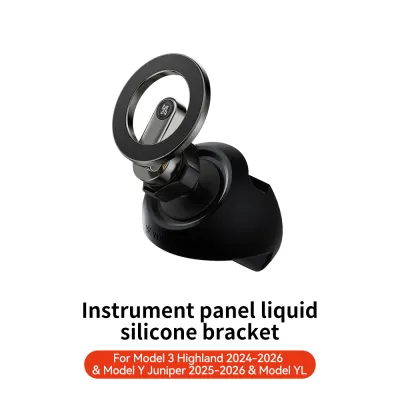
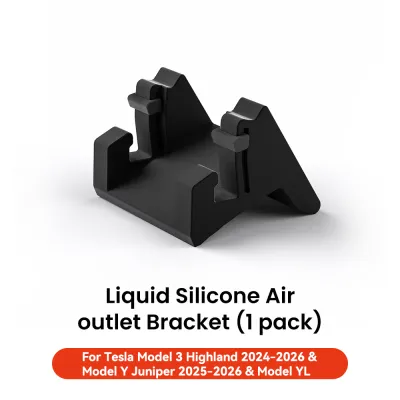
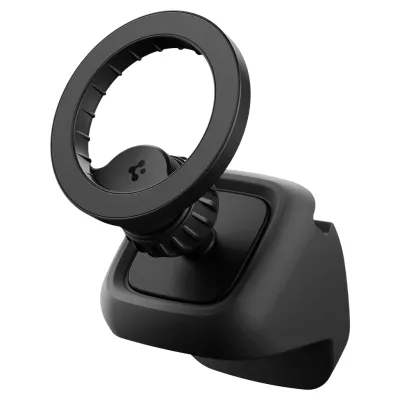
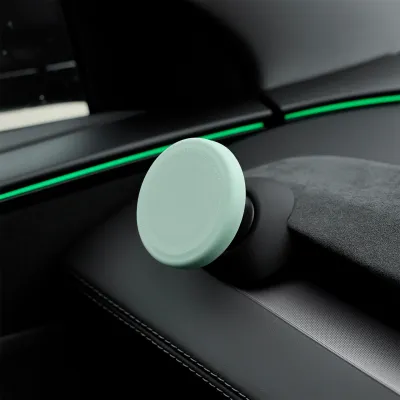
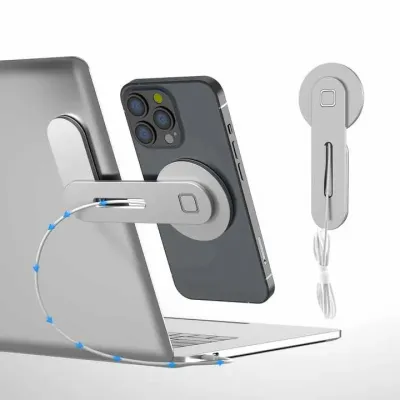

![[SG Seller Confirmed Fit] BYD Atto 3|Seal |Tesla |Alloy Mobile Phone Holder Mount on Rotating Display Multi Angle Adjust](https://img.lazcdn.com/g/p/21d2f7988695c2c95af1be964f6c6079.jpg_400x400q80.jpg_.webp)
Prices are valid at publication and may change. Please refer to the product page for the latest price.
Different Tesla models feature distinct interior architectures, which dictate which mounting styles will work effectively. The table below outlines the general compatibility of common mount categories across the primary Tesla model families:
| Mount Style | Model 3 & Model Y Compatibility | Model S & Model X Compatibility | Primary Trade-off |
|---|---|---|---|
| Screen-Edge Clamp | Highly Compatible (Standard & Refreshed screens) | Compatible (Post-2021 landscape screens only) | Keeps phone at eye level but can slightly block the main screen bezel. |
| Dashboard Suction | Moderately Compatible (Requires flat, non-porous surface) | Highly Compatible (Larger dashboard area) | Excellent line of sight but vulnerable to high cabin heat. |
| Specialized Vent Clip | Requires custom-fit wedge/hook designs | Requires model-specific clips (hidden vent structures) | Keeps dashboard clean but positions the phone lower, out of direct line of sight. |
| Behind-Screen Magnetic | Highly Compatible (Utilizes screen backing) | Highly Compatible (Post-2021 landscape screens) | Clean, hidden aesthetic but limits physical adjustability. |
Choosing between a screen-adjacent mount and a dashboard mount involves a clear trade-off. Screen-adjacent mounts keep your phone directly next to your primary vehicle display, minimizing the distance your eyes must travel to check directions. However, they add physical weight to the screen housing. Dashboard mounts offer a more traditional placement but require reliable adhesives or suction cups that must withstand intense sunlight and cabin heat.
Critical Evaluation Criteria for Tesla Phone Holders
Before purchasing any phone holder, you must verify several physical and mechanical criteria to ensure the accessory performs safely under daily driving conditions.

Line of Sight and Visual Obstruction
Your phone must be positioned so that it does not block your view of the road or obscure critical areas of the Tesla central touchscreen. In the Model 3 and Model Y, the top-right corner of the screen displays your current speed and autopilot status. A mount that clamps to the right side of the screen can easily block these vital readouts. Opt for mounts that allow you to adjust the height and angle of the phone, keeping it either fully to the right of the screen or tucked neatly behind the steering wheel line of sight.
Vibration Dampening
Tesla vehicles feature firm suspension tuning and instant electric torque, which can transmit significant road vibrations directly into the cabin. A phone holder without adequate vibration dampening will shake constantly, making navigation maps difficult to read and putting unnecessary stress on your phone’s internal camera components. Look for mounts with reinforced mechanical joints, thick silicone padding, or high-strength magnetic arrays that lock the phone firmly in place.
Charging Integration
If you choose a mount with integrated wireless charging, you must plan how to route the power cable. Tesla’s USB ports are located inside the center console and at the rear of the console. Running a long cable across the dashboard can look untidy and interfere with physical controls. Verify whether the mount includes cable management clips or if it is designed to route a thin cable discreetly along the seams of the dashboard trim.
Adhesive and Clip Safety
Tesla interiors utilize premium synthetic materials, including vegan leather, Alcantara, and delicate wood or metallic veneers. Standard industrial adhesives can permanently stain, stretch, or peel these surfaces when removed. Similarly, metal clips without protective rubber linings can scratch the plastic backing of your central touchscreen. Always verify that the mounting mechanism uses non-marring materials and automotive-grade adhesives designed for clean removal.
Comparing Common Mounting Styles for Tesla Interiors
Understanding the practical advantages and limitations of each mounting style will help you narrow down the best option for your daily commute.
Screen-Mounted and Side-Bracket Holders
These holders clamp directly onto the outer frame of the central touchscreen. They are highly popular because they utilize the rigid, engineered structure of the screen itself, providing an exceptionally stable platform.
- Pros: Minimal vibration, highly stable, and keeps the phone at a natural viewing height close to the vehicle's primary interface.
- Cons: They add physical stress to the screen bezel. If you have installed an aftermarket screen swivel kit to tilt your display, the added weight of a heavy phone and mount can cause the screen to tilt or sag over bumps.
Dashboard and Windshield Mounts
These mounts rely on heavy-duty suction cups or adhesive bases positioned on top of the dashboard or directly onto the glass of the windshield.
- Pros: Highly adjustable arms allow you to position the phone exactly where you want it, including directly in your forward line of sight.
- Cons: In tropical climates like Singapore, parked cars experience extreme cabin temperatures. This intense heat can rapidly degrade suction cup gel and soften adhesives, causing the mount to fall off unexpectedly while driving. Windshield mounts can also create physical blind spots if positioned too low.
Console Gap and Vent-Style Mounts
These mounts are engineered to clip into the narrow gaps along the center console trim or within the unique horizontal air vent system.
- Pros: They keep the dashboard completely clear of clutter and do not block any portion of the central touchscreen.
- Cons: Because Tesla uses a continuous, minimalist air vent slot rather than traditional plastic grilles, standard universal vent clips will not fit. You must purchase a mount specifically engineered with a wedge or hook mechanism designed for Tesla's vent geometry. Additionally, placing the phone lower down near the console forces you to look away from the road to read navigation instructions, which can compromise safety.
Model-Specific Fitment and Layout Considerations
Tesla interior designs have evolved significantly over the years. A phone holder that fits perfectly in one model year may be completely incompatible with another.
Model 3 and Model Y
The Model 3 and Model Y share a highly minimalist dashboard characterized by a single, continuous horizontal trim piece and a floating 15-inch touchscreen. Because there is no instrument binnacle, the space directly behind the steering wheel is open. Mounts designed for these models often use a custom-molded clip that wraps around the top of the wooden or composite dash trim, or a clamp that grips the left edge of the central screen.
Model S and Model X
The larger Model S and Model X feature a wider cabin layout, a dedicated driver instrument cluster behind the steering wheel, and a screen that is integrated more deeply into the dashboard structure. Post-2021 refreshes introduced a landscape-oriented screen that can tilt left and right. Because of these design differences, mounts designed for the Model 3/Y screen bezel will not fit the thicker, motorized screen of the Model S/X. You must select mounts specifically labeled for the larger sedan and SUV models.
Interior Refreshes and Trim Updates
Tesla frequently introduces running changes to its vehicle cabins. For example, the Model 3 “Highland” refresh brought a completely redesigned dashboard with ambient lighting strips and a different screen bezel profile. These changes mean that older clip-on mounts designed for pre-refresh Model 3 vehicles will not fit the newer cabins. Always verify your vehicle’s exact production date and trim level against the accessory manufacturer’s compatibility specifications before purchasing to avoid fitment issues.
Safe Installation and Interior Protection Guidelines
To protect your vehicle’s interior and ensure your safety on the road, follow these best practices when installing your new phone holder:
- Prepare the Surface: If using an adhesive or suction mount, clean the mounting area thoroughly with a mild, interior-safe cleaner. Avoid harsh chemical solvents that can strip the protective coatings on vegan leather or wood trim. Ensure the surface is completely dry and cool to the touch before applying adhesives.
- Avoid Airbag Zones: Never place a phone holder, mounting arm, or charging cable within the deployment path of any cabin airbag. Refer to your Tesla owner's manual to identify the exact locations of the dashboard, knee, and side airbags.
- Remove Adhesives Safely: If you need to remove an adhesive mount, do not use sharp metal tools to pry it off. Instead, use a plastic trim removal tool and gently apply heat from a hairdryer on a low setting to soften the adhesive backing. Slowly peel the mount away, and clean any remaining residue with an automotive-safe adhesive remover.
- Respect Load Limits: If a screen-edge mount requires excessive force to clamp onto the display, or if you notice the plastic backing of your central screen flexing during installation, stop immediately. Forcing a poorly fitting bracket can crack the screen glass or damage the internal display digitizer, leading to costly repairs that can easily exceed S$1,000 for a replacement display.
Frequently Asked Questions (FAQ)
Will a magnetic phone holder interfere with my Tesla's compass or sensors?
Modern smartphones and Tesla vehicles use solid-state sensors that are highly resistant to the small magnetic fields generated by consumer phone mounts. However, extremely strong magnets placed directly against the central screen’s internal components or near the key card reader (located on the center console) could cause localized interference. To prevent any issues, position magnetic mounts on the outer edges of the screen bezel and ensure the key card sensor area remains completely unobstructed.
Can I use the car's built-in wireless charger while the phone is mounted?
Yes, your Tesla’s built-in wireless charging pads will continue to function normally even if you have a phone holder installed elsewhere in the cabin. However, if your phone is actively placed in a screen or dashboard mount for navigation, it cannot physically rest on the center console’s charging pad. If you want to charge your phone while it is mounted, you will need to either run a USB-C cable from the console ports to your mount or purchase a phone holder that features integrated wireless charging capabilities.

Community discussion
Share your experience or ask a question. Comments are reviewed before publication.