
Finding the ideal car phone mount for navigation is not about finding a universally perfect product, but rather about matching a mount’s physical design to your vehicle’s interior layout and your daily driving environment. For drivers who prioritize keeping their eyes near the road, windshield and dashboard mounts offer an optimal line of sight, though they can obstruct your view or succumb to high cabin heat. Conversely, air vent and CD slot mounts keep your dashboard clear and your phone within easy reach, but they can block essential airflow or require specific console designs that may not exist in modern vehicles.
To make an informed decision, you must weigh how each mounting style handles the physical forces of driving, the climate inside your cabin, and the legal requirements of your local roads. By evaluating these factors against your specific vehicle model and driving habits, you can select a mount that keeps your GPS navigation clear, stable, and safe to use.
Core Navigation Requirements: Viewing Angle, Stability, and Accessibility
When using a smartphone for GPS navigation, ergonomic safety should be your primary concern. The ideal mounting position allows you to glance at map directions using only peripheral vision or minimal eye movement, without forcing you to turn your head or look completely away from the road. Placing a device too low forces your eyes downward, which increases reaction times during sudden traffic changes. Conversely, placing a device too high can create a physical blind spot, hiding pedestrians, motorcyclists, or low-lying obstacles from your view.
Products mentioned in this guide
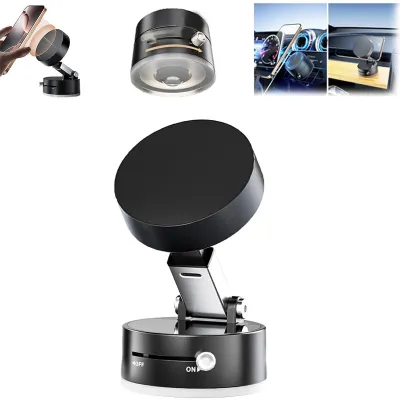
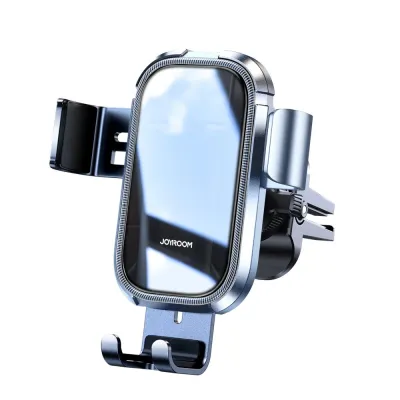
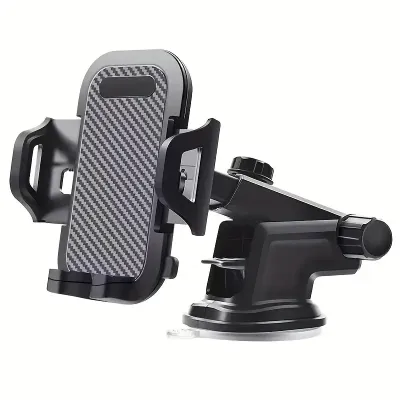
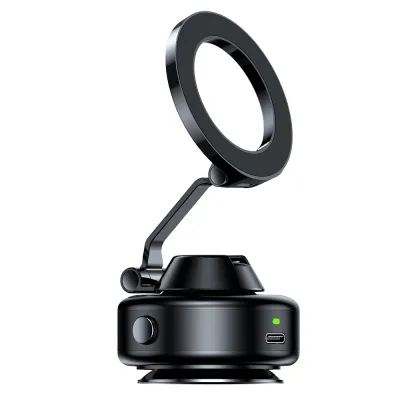
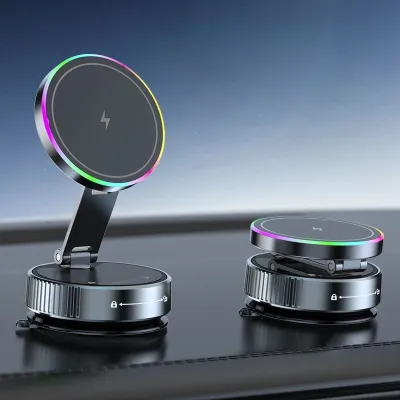
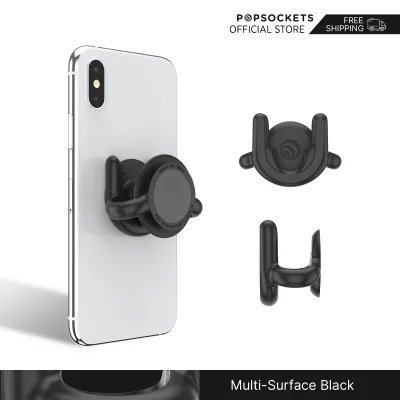
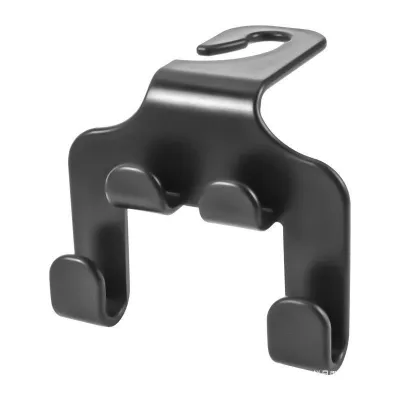
Prices are valid at publication and may change. Please refer to the product page for the latest price.
Stability is another critical factor for legible navigation. A mount must resist the vibrations caused by uneven road surfaces, speed bumps, and sudden stops. If a mount shakes or droops, reading a map becomes difficult, forcing you to stare longer at the screen to discern your route. This shaking also puts mechanical stress on the mount’s joints, which can lead to premature wear or sudden failure while driving.
Accessibility and ease of use dictate how seamlessly a mount fits into your daily routine. A high-quality mount should support one-handed operation, allowing you to secure or release your phone with a single motion when entering or exiting the vehicle. The mounting cradle must also leave physical ports unobstructed, ensuring you can easily connect a charging cable without bending the wire or straining the phone’s charging port.
Finally, vehicle-specific constraints will ultimately limit your choices. Modern car interiors feature highly varied designs, from heavily sloped windshields and textured, soft-touch dashboards to circular air vents and integrated touchscreen consoles that lack traditional CD slots. Before purchasing any mount, you must analyze the physical geometry of your dashboard, the texture of its surfaces, and the distance from your driving seat to the center console to ensure the device remains within comfortable arm’s reach.
Dashboard and Windshield Mounts: High Visibility vs. Obstruction Risks
Windshield and dashboard mounts are highly popular because they position your smartphone close to your natural line of sight. By mounting the device on the glass or the upper surface of the dashboard, you can view navigation prompts with minimal eye deviation from the road ahead. This high placement is particularly beneficial during complex highway merges or when navigating dense urban areas where split-second decisions are required.

However, this elevated positioning introduces significant obstruction risks. A phone mounted in the center of the windshield can block a substantial portion of your forward view, potentially obscuring pedestrians at crossings or vehicles merging from side streets. To mitigate this, drivers often place suction mounts in the lower-right corner of the windshield or near the A-pillar on the right side. While this keeps the central field of view clear, it can increase the distance you must look away from the road to see the screen, and it may limit your ability to run a charging cable cleanly without draping it across the steering column.
Dashboard mounts that rely on adhesive pads or suction cups face severe environmental challenges, particularly in tropical climates like Singapore. High cabin temperatures, caused by intense sunlight filtering through the windshield, can rapidly degrade adhesives and cause suction cups to lose their vacuum seal. Over time, the constant thermal expansion and contraction of the plastic dashboard can cause the mount to detach unexpectedly while driving.
Furthermore, textured or curved dashboard surfaces prevent suction cups from forming an airtight seal. While adhesive mounting disks can bridge this gap, they can leave permanent marks or damage delicate soft-touch dashboard materials when removed. You must also ensure that any dashboard-mounted device is positioned well away from passenger and driver airbag deployment zones, as a mount placed in these areas can become a dangerous projectile if the airbags deploy during a collision.
Air Vent and CD Slot Mounts: Discreet Placement vs. Climate and Fit Limits
For drivers who prefer an unobstructed windshield and a cleaner dashboard aesthetic, air vent and CD slot mounts offer a lower-profile alternative. These mounts position the smartphone lower down on the center console, keeping the glass completely clear and reducing the visual clutter in your forward field of view. This lower placement also keeps the phone within easy arm’s reach, making it simpler to interact with touchscreens safely when the vehicle is stationary.
Air vent mounts rely on clips that attach directly to the individual slats of your vehicle’s climate control vents. While highly convenient and easy to transfer between vehicles, their compatibility depends entirely on the design of your vents. Standard horizontal or vertical slats generally provide a stable foundation, but circular, turbine-style, or exceptionally thin vent blades often cannot support the weight of a modern, heavy smartphone.
In tropical climates like Singapore, mounting a phone directly in front of an air vent introduces distinct climate-related challenges. During hot days, blocking a major cabin vent with a large smartphone can significantly reduce the efficiency of your air conditioning system, making the cabin uncomfortable. Conversely, running the air conditioning directly onto the back of the phone can cause condensation to form inside the device once you exit the cool vehicle into the humid outdoor air, potentially damaging sensitive internal electronics.
CD slot mounts utilize the unused CD player slot found in many older or mid-generation vehicle audio units. By inserting an expandable wedge into the slot, these mounts achieve exceptional physical stability, resisting road vibrations better than many vent or suction mounts. However, this option is entirely unavailable in most modern vehicles, which have phased out physical CD players in favor of digital touchscreen infotainment systems. If your vehicle does have a CD slot, you must verify that the mount’s insertion depth does not damage the internal mechanism of the player or block access to critical hazard lights and climate control buttons located nearby.
Decision Matrix: Matching Mount Types to Your Driving Scenario
Selecting the right mount type requires analyzing your typical driving environment and vehicle setup. For daily city driving characterized by frequent stop-and-go traffic, tight turns, and short trips, quick accessibility and low visual obstruction are paramount. In these scenarios, a high-quality air vent mount or a compact dashboard mount placed out of the direct line of sight is often ideal. These options keep your windshield clear for spotting pedestrians and navigating tight lanes while allowing you to grab your phone quickly when parking.
For long-distance highway driving or commuting over uneven road surfaces, stability becomes the primary requirement. The constant high-frequency vibrations of highway travel can cause weak mounts to sag or shake, making navigation maps unreadable. A heavy-duty windshield suction mount with an additional stabilizing arm, or a secure CD slot mount, provides the rigid support needed to keep your screen perfectly steady at high speeds.
Before making a purchase, it is essential to run through a physical compatibility checklist. First, weigh your smartphone, including its protective case; heavy rugged cases or those with built-in wallet compartments can exceed the weight limits of standard vent clips, causing them to sag or damage the vent blades. Second, measure the thickness of your phone case, as thick or heavily textured cases may not fit securely into shallow mechanical clamps.
Finally, choose between magnetic and mechanical clamping systems based on your daily convenience needs. Magnetic mounts offer the fastest mounting experience, requiring you to simply place the phone against the magnetic pad. However, they require attaching a metal plate to your phone or case, which can interfere with wireless charging. Mechanical clamps, while slightly slower to operate, provide a physical, wrap-around grip that does not require modifying your phone and is highly resistant to slipping on bumpy roads.
Safe Installation and Legal Compliance for Singapore Roads
When installing any phone mount, you must ensure that your setup complies with local traffic regulations regarding driver visibility and vehicle safety. In Singapore, the Land Transport Authority (LTA) and traffic police emphasize that drivers must maintain a clear, unobstructed view of the road at all times. Mounting a large smartphone directly in the center of your windshield can be deemed an obstruction of your field of vision, potentially leading to traffic stops or vehicle inspection failures. To remain compliant, position windshield mounts in the extreme corners of the glass where they do not block your view of traffic lights, pedestrians, or surrounding vehicles.
Proper surface preparation is critical to ensuring your mount remains securely attached, especially in Singapore’s high-humidity environment. Before applying any adhesive pad or suction cup, thoroughly clean the mounting surface with isopropyl alcohol to remove dust, dashboard polishes, and oils. Allow the surface to dry completely before applying the mount. For adhesive mounts, apply firm pressure for at least sixty seconds and allow the adhesive to cure fully—ideally for 24 hours—before attaching the weight of your phone.
Safety must always take precedence over convenience. If you find that a phone mount blocks your view of the instrument cluster, interferes with the physical operation of the steering wheel, gear selector, or wiper stalks, or covers essential safety sensors and passenger airbag deployment zones, stop the installation immediately. In such cases, consult a professional car accessories installer to explore custom mounting brackets or integrated dashboard solutions that preserve your vehicle’s safety systems.
Frequently Asked Questions (FAQ)
Do magnetic car phone mounts damage smartphone internals or GPS signals?
Modern smartphones utilize solid-state storage and digital sensors that are highly resistant to the magnetic fields produced by consumer car mounts. The magnets used in these mounts are not strong enough to disrupt your phone’s internal processor, flash memory, or GPS receiver. You can navigate using GPS apps without worrying about the magnet degrading your location accuracy or damaging the device’s core hardware.
However, strong magnets can temporarily affect the phone’s internal digital compass, which may cause the map orientation to lag or point in the wrong direction until calibrated. Additionally, if you use wireless charging, the metal plate required for magnetic mounts can block the induction coils or cause overheating. To avoid this, place the metal plate near the bottom of the phone, away from the central charging coil, or use a magnetic system specifically designed to be compatible with your phone’s built-in magnetic charging standard.
How do I remove adhesive residue from my dashboard without damaging it?
Removing adhesive residue from a dashboard requires patience to avoid tearing or discoloring the interior materials. Before applying any cleaning agents, consult your vehicle owner’s manual for specific warnings regarding dashboard care, and always test any cleaning method on a small, hidden area of the dashboard first to check for discoloration.
To safely remove the residue, apply gentle heat using a hair dryer on a low setting to soften the adhesive, making sure not to overheat the plastic or leather. Once softened, use your fingers or a soft plastic scraper to gently roll the adhesive off the surface. Avoid using metal blades, screwdrivers, or harsh chemical solvents like acetone or paint thinner, as these can permanently melt plastic dashboard trims, strip away protective coatings, or dissolve synthetic leather surfaces. For stubborn residue, a mild, citrus-based adhesive remover applied sparingly to a microfiber cloth is generally the safest option.

Community discussion
Share your experience or ask a question. Comments are reviewed before publication.