
Choosing the right navigation setup is one of the most frequent decisions drivers face. While built-in car navigation systems offer a clean, integrated look, smartphone navigation apps provide highly dynamic, real-time routing. The ideal choice depends on your vehicle’s age, its built-in technology, and how you prefer to interact with maps while driving. If you decide that a smartphone is your preferred tool, finding a secure handphone holder for your car becomes a critical step to ensure safety and convenience on the road.
Built-In Car Navigation vs Phone Apps: Core Differences
To make an informed choice, it is helpful to look at how these two systems operate under the hood. The most significant difference lies in how maps are updated. Smartphone navigation apps update automatically in the background through your phone’s app store, ensuring you always have access to the latest road layouts, point-of-interest changes, and traffic regulations. In contrast, built-in car navigation systems often rely on static map databases stored on internal hard drives or SD cards. Updating these systems typically requires a manual download, a visit to the dealership, or a paid subscription, meaning built-in maps can quickly become outdated unless actively maintained.
Display quality and dashboard integration also set these systems apart. Built-in screens are designed specifically for the automotive environment. They are typically larger, positioned at an optimal viewing angle, and engineered with anti-glare coatings to remain highly visible even under direct, harsh sunlight. Smartphone screens, while incredibly sharp, are smaller and can suffer from severe glare depending on where they are mounted. However, smartphones offer highly responsive capacitive touchscreens and intuitive pinch-to-zoom gestures that many older built-in systems struggle to match.
Products mentioned in this guide

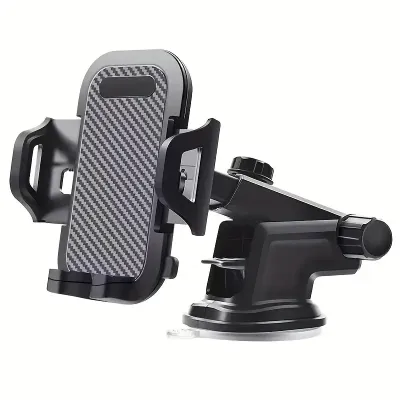
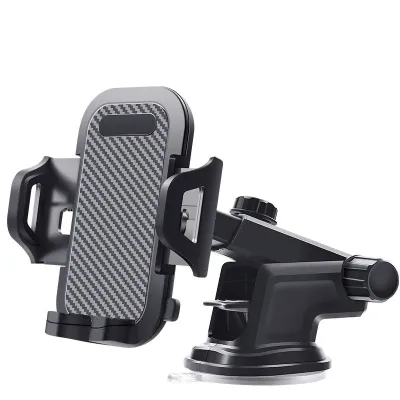

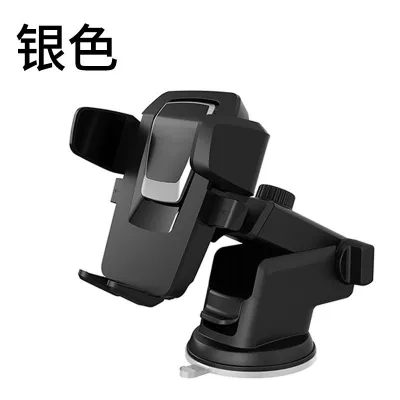
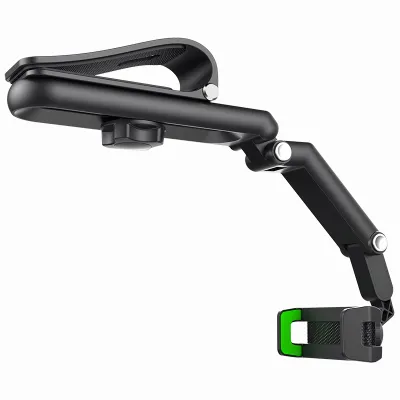
![🇸🇬[Ready Stock] New 360 Rotation Vacuum Suction Cup Phone Holder Foldable Magnetic Magsafe Car Phone Mount for Gym/Mirror/Smooth Surface](https://img.lazcdn.com/g/p/8209a6499e644df04a911de525ca3b30.jpg_400x400q80.jpg_.webp)
Prices are valid at publication and may change. Please refer to the product page for the latest price.
Signal acquisition is another area of contrast. Built-in navigation systems use dedicated, high-gain GPS antennas mounted on the vehicle’s exterior, which provide a stable connection to global positioning satellites. Smartphone apps use a combination of cellular tower triangulation, Wi-Fi networks, and internal GPS chips. While this allows for incredibly fast initial positioning, it makes the phone highly dependent on cellular network coverage to stream map data and real-time traffic updates. If you drive into an area with poor cellular reception, a phone app may fail to load new map tiles unless you have pre-downloaded the region’s data.
Practical Considerations for Daily Driving in Singapore
Driving in Singapore presents unique environmental and infrastructural challenges that directly impact how navigation systems perform. The local road network is highly dynamic, featuring complex expressway interchanges like those on the Pan Island Expressway (PIE) or the Ayer Rajah Expressway (AYE). Missing a turn can result in a lengthy detour. Smartphone apps excel here because their real-time crowdsourced data updates almost instantly to reflect sudden lane closures, accidents, or changes in Electronic Road Pricing (ERP) gantry operations. Built-in systems may not show these temporary changes, potentially leading you toward active ERP gantries during peak hours.

However, Singapore’s extensive underground road network, such as the Marina Coastal Expressway (MCE) and the Kallang-Paya Lebar Expressway (KPE), poses a major challenge for mobile devices. When driving through these long tunnels or entering deep multi-level basement car parks, smartphones frequently lose their GPS and cellular signals, causing the map to freeze or lag. Many modern built-in navigation systems mitigate this by using “dead reckoning.” By connecting directly to the vehicle’s internal sensors—such as the odometer and gyroscopes—the built-in system can estimate your vehicle’s speed and direction, maintaining accurate on-screen positioning even when completely cut off from satellite signals.
The tropical climate is another critical factor for Singapore drivers. Mounting a smartphone on the dashboard or windshield exposes the device to intense direct sunlight and high cabin temperatures. Because smartphones generate significant internal heat when running GPS, screen backlights, and cellular data simultaneously, they are highly prone to overheating in this environment. When a phone overheats, it may dim its screen to unreadable levels, stop charging, or shut down entirely to protect its battery. Built-in car infotainment systems are engineered to meet strict automotive thermal standards, allowing them to operate reliably in extreme heat without risk of thermal shutdown.
Selecting a Reliable Handphone Holder for Your Car
If you decide that smartphone navigation is the best fit for your daily commute, selecting a high-quality handphone holder for your car is essential for both safety and usability. There are three primary mounting mechanisms to consider, each with distinct trade-offs. Air vent clips are highly popular because they position the phone within easy reach and allow the car’s air conditioning to actively cool the device, preventing the overheating issues common in tropical climates. However, they can block airflow and put stress on delicate vent slats, so you must verify that your car’s vent design can support the weight of your phone.
Dashboard suction cups and adhesive mounts offer more flexibility in placement, allowing you to position the phone closer to your natural line of sight. However, Singapore’s intense heat can cause suction gels to melt or adhesives to lose their grip over time, potentially causing the mount to fall while driving. Windshield suction mounts provide excellent stability and keep the phone high up, but they can create a physical blind spot on your windscreen. When choosing a mount, always check the manufacturer’s specifications to ensure it is compatible with your phone’s dimensions, weight, and the thickness of your protective case.
Safety must be your absolute priority when installing any phone holder. The mount must be positioned so that it does not obstruct your forward view of the road or block your mirrors. Furthermore, you must consult your vehicle’s owner’s manual to identify the exact deployment zones for all cabin airbags, including steering wheel, passenger dashboard, and side curtain airbags. Never mount a phone holder on or near an airbag cover, as a deploying airbag can turn the phone and mount into dangerous high-speed projectiles.
Decision Framework: Which Navigation Setup Fits Your Needs?
To determine the best setup for your vehicle, start by evaluating your car’s existing technology. If your vehicle supports smartphone projection systems like Apple CarPlay or Android Auto, this is often the ideal hybrid solution. These systems allow you to run your preferred phone-based navigation apps directly on the car’s large, built-in dashboard screen. This setup gives you the benefit of real-time, automatically updated maps and traffic data while keeping your phone safely tucked away in a console, avoiding dashboard clutter and direct sunlight exposure.
If your car does not support smartphone projection, you will need to choose based on your driving habits and priorities. Opt for smartphone navigation if you frequently drive during peak hours, rely heavily on real-time traffic alerts to avoid ERP charges, and are willing to invest in a secure handphone holder for your car. This setup ensures you always have the most agile routing available, provided you manage the phone’s heat and battery consumption.
On the other hand, choose the built-in car navigation system if you prefer a clean, wire-free dashboard and want a system that works reliably the moment you start the engine, without needing to mount or plug in your phone. This is also the preferred choice if you frequently navigate underground tunnels or multi-level car parks where cellular signals are unreliable. Whichever path you choose, ensure your setup allows you to keep your eyes on the road and your hands on the wheel at all times.
Frequently Asked Questions (FAQ)
Can I use my phone's GPS without a mobile data connection?
Yes, you can use your phone’s GPS without mobile data, but you must plan ahead. Most major navigation apps allow you to download offline maps of Singapore while connected to Wi-Fi. Once downloaded, your phone’s internal GPS chip can track your location on the offline map without using cellular data. However, keep in mind that you will lose access to real-time traffic updates, ERP rate changes, and live incident reports until your data connection is restored.
Will a dashboard handphone holder damage my car's interior?
It can, depending on the mounting method and materials. Adhesive pads and suction cups with sticky gel linings can leave stubborn residues, discolor soft-touch plastics, or even tear delicate leather dashboard wraps, especially when exposed to high cabin temperatures in Singapore. To prevent damage, consider using a high-quality air vent mount or a specialized bracket that clips into existing dashboard seams without adhesives. If using an adhesive mount, ensure the surface is thoroughly cleaned according to the manufacturer’s instructions before application.
Is it legal to mount a phone on the windshield in Singapore?
Yes, it is legal to mount a phone on your windshield or dashboard in Singapore, provided it does not obstruct your clear view of the road or traffic. The device must be positioned in a way that maintains your full field of vision. Additionally, under local traffic laws, holding a mobile communication device while driving is a serious offense. Using a secure handphone holder for your car helps you comply with the law by keeping the device mounted and allowing for hands-free operation when necessary.

Community discussion
Share your experience or ask a question. Comments are reviewed before publication.