
Choosing between built-in car navigation and smartphone-based navigation for daily driving in Singapore depends on how you balance real-time traffic accuracy, convenience, and cabin integration. While built-in systems offer a seamless aesthetic and reliable offline maps, smartphone applications excel at dynamic rerouting through congested expressways like the PIE or CTE. For many drivers, the decision comes down to whether they want to upgrade their car’s hardware or simply optimize their current smartphone setup with a secure mounting accessory, such as a wonew phone holder. Understanding how these systems perform under local driving conditions will help you choose the safest and most efficient setup for your daily commute.
Core Differences in Daily Navigation Performance
Daily driving in Singapore requires rapid adaptation to sudden traffic changes, road closures, and Electronic Road Pricing (ERP) operational hours. Smartphone navigation applications rely on continuous cloud connectivity, allowing them to process crowd-sourced traffic data almost instantly. This results in highly responsive rerouting suggestions when bottlenecks occur. In contrast, traditional built-in car navigation systems often rely on periodic map updates, which may require manual installation via USB or SD card. Without active internet connections or subscription-based traffic services, built-in units can struggle to provide real-time updates on sudden road diversions or active ERP changes.
Screen visibility and hardware integration present a different set of trade-offs. Built-in car displays are typically larger, integrated directly into the dashboard, and designed to minimize glare under the intense tropical sunlight of Singapore. They also route audio prompts seamlessly through the vehicle’s sound system, automatically lowering the volume of your music when a turn-by-turn instruction is announced. Many factory systems are also linked to steering wheel controls, allowing you to manage maps without taking your hands off the wheel.
Products mentioned in this guide
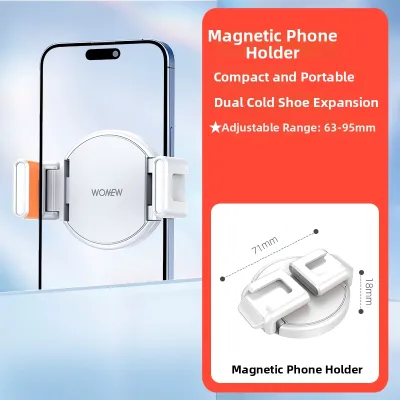
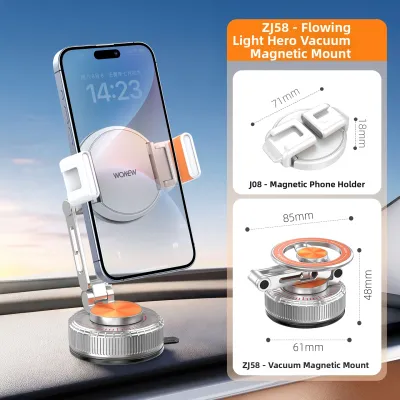
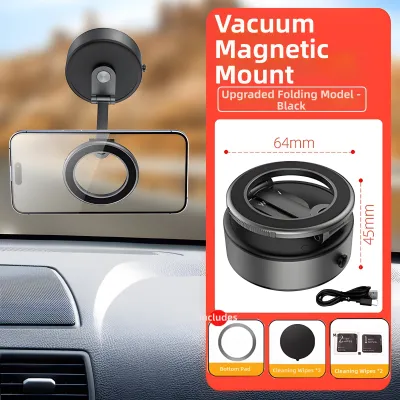
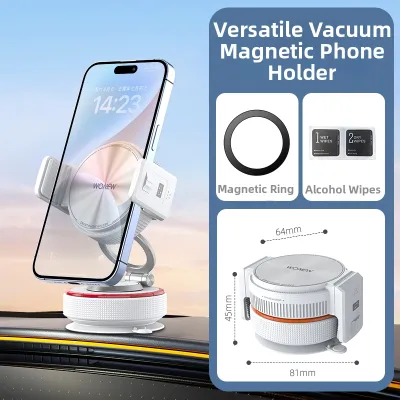
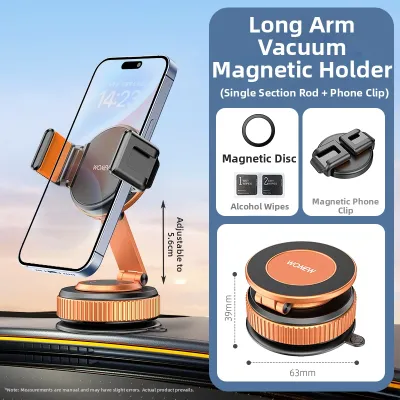
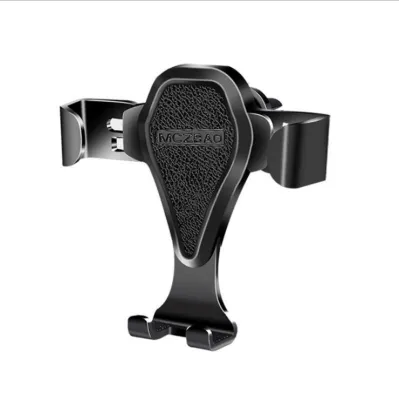
Prices are valid at publication and may change. Please refer to the product page for the latest price.
Smartphones, while highly versatile, feature smaller screens that can be difficult to read if positioned poorly. Direct sunlight streaming through the windshield can cause the phone’s screen to dim automatically to prevent overheating, a common issue in Singapore’s warm climate. However, smartphones offer unmatched convenience when it comes to search functionality, allowing you to quickly look up local businesses, postal codes, or specific building names using familiar search engines.
Connectivity is another critical factor. Built-in navigation systems often feature dedicated GPS antennas mounted on the vehicle’s exterior, ensuring a stable satellite connection even when driving through dense high-rise areas or underground tunnels. Smartphones rely on internal GPS chips and cellular tower triangulation, which can occasionally lose signal in deep basement car parks or under heavy concrete structures. However, because smartphones utilize your existing mobile data plan, they do not require separate hardware subscriptions to access up-to-date mapping data.
Safety, Mounting, and the Role of a Phone Holder
Operating a vehicle safely in Singapore requires strict adherence to local traffic laws regarding mobile device usage. Under the Road Traffic Act, holding a mobile phone while driving is a serious offense. To use smartphone navigation legally, the device must be mounted securely in a dedicated holder, and the driver must not hold or interact with the phone while the vehicle is in motion. Ensuring your phone is mounted in an optimal position is not just a matter of legal compliance; it directly impacts your field of view and reaction times.

Choosing the right mounting location involves balancing visibility, stability, and device health. Windshield suction mounts place the phone closer to your natural line of sight, but they can obstruct your view of the road and expose the device to direct sunlight, leading to rapid thermal shutdown. Dashboard mounts offer a stable platform but may require adhesive bases that can damage interior plastics over time. Air vent mounts keep the phone cool by utilizing the car’s air conditioning system, but they can block airflow and may not support heavier phone models on bumpy roads.
When selecting a mounting solution, such as a wonew phone holder, look for robust construction and reliable grip mechanisms. A high-quality holder should feature adjustable arms that accommodate various phone sizes, even when wrapped in thick protective cases. Look for quick-release buttons that allow for easy one-handed operation, and ensure the mounting clip or suction cup is compatible with your vehicle’s specific vent design or dashboard texture. The holder must remain stable during sudden braking or sharp turns to prevent the device from falling and creating a dangerous distraction.
Before installing any aftermarket accessory, consult your vehicle’s owner manual to ensure the mount does not interfere with airbag deployment zones or block essential instrument clusters. If you are considering a semi-permanent installation that requires routing charging cables behind the dashboard or modifying the vehicle’s electrical system, always seek advice from a qualified automotive technician to avoid damaging sensitive onboard electronics or voiding your manufacturer’s warranty.
Cost, Upgrades, and Long-Term Value
The financial aspect of navigation setups involves comparing immediate upfront costs against long-term operational expenses. Utilizing a smartphone for navigation is highly cost-effective for most drivers, as it leverages hardware they already own. The primary investment is limited to a reliable phone holder and a high-quality charging cable. This setup provides access to premium, continuously updated navigation software without the need for expensive hardware upgrades.
In contrast, upgrading a vehicle’s built-in navigation system can be a significant financial undertaking. Replacing an older factory head unit with a modern aftermarket system requires purchasing the head unit, compatible wiring harnesses, and dash kits. In many modern vehicles, the infotainment system is deeply integrated with climate controls and vehicle settings, making aftermarket replacement complex and sometimes impossible without professional installation. For vehicles with proprietary factory systems, map updates themselves can carry recurring fees from the manufacturer or dealership.
Ongoing operational costs should also be factored into your decision. While smartphone apps are generally free to use, they consume mobile data and can accelerate battery degradation due to the heat generated by simultaneous GPS usage, screen operation, and charging. Over time, this can lead to shorter phone battery lifespans. Built-in systems, once paid for, do not contribute to phone battery wear or data consumption, though they may eventually require paid software updates to remain accurate.
An upgrade to a modern integrated system is usually justified if your existing head unit has suffered a complete hardware failure, or if you want to integrate advanced driver-assistance features like reverse cameras and parking sensors. If your vehicle’s current screen is functional but lacks modern navigation, exploring smartphone projection retrofits can offer a middle ground, combining the physical benefits of a built-in screen with the software advantages of your phone.
Decision Framework: Which Setup Fits Your Driving Needs?
To determine the best navigation strategy for your daily driving in Singapore, consider how your specific habits align with the strengths of each system.
Choose phone navigation if:
- You prioritize real-time traffic rerouting to avoid peak-hour congestion on major expressways.
- You frequently drive different vehicles, such as rental cars or shared fleet vehicles, and need a portable setup.
- You prefer using familiar search interfaces to locate destinations by postal code or business name.
- You want to avoid the high upfront costs of upgrading your vehicle's built-in dashboard hardware.
Choose car navigation if:
- Your vehicle is already equipped with a modern, responsive built-in system that receives regular map updates.
- You prefer a clean, clutter-free dashboard layout without visible wires or mounting brackets.
- You want to minimize phone battery wear and avoid the risk of your device overheating on hot days.
- You value seamless integration with steering wheel controls and native vehicle audio systems.
Verify first if:
- Your current vehicle's head unit supports smartphone projection interfaces, which may allow you to display phone-based maps directly on the dashboard screen.
- Your phone holder is compatible with your vehicle's air vents or dashboard shape before making a purchase.
- Your mobile data plan has sufficient allowance to support daily navigation streaming without incurring extra charges.
Frequently Asked Questions (FAQ)
Does using phone navigation drain my car battery or phone battery faster?
Using phone navigation drains your phone’s battery rapidly because the device must simultaneously run the GPS receiver, process real-time map data, and keep the screen illuminated at high brightness. To prevent your phone from dying mid-journey, it is highly recommended to keep it connected to a car charger. This charging process does not drain your car’s battery while you are driving, as the vehicle’s alternator continuously generates electricity to power the onboard electronics and charge the car battery while the engine is running.
Can I use Android Auto or Apple CarPlay instead of a standalone phone holder?
If your vehicle’s head unit supports Android Auto or Apple CarPlay, you can project your phone’s navigation apps directly onto the car’s built-in dashboard screen. This hybrid approach combines the real-time data accuracy of your smartphone with the larger, glare-resistant display and audio integration of your vehicle. Before relying on this setup, verify your vehicle’s compatibility in the owner’s manual, as some systems require a wired USB connection while others support wireless projection. If your car lacks this compatibility, using a dedicated phone holder remains the most practical and legal way to navigate using your smartphone.

Community discussion
Share your experience or ask a question. Comments are reviewed before publication.