
For drivers navigating Singapore’s fast-paced roads, choosing between a built-in car navigation system and a smartphone secured by a silicon magnetic car mount is a daily practical decision. The ideal setup depends on your vehicle’s age, how often you drive through ERP gantries during peak hours, and your preference for real-time traffic alerts. While factory-installed systems offer a clean, integrated look that blends seamlessly with your dashboard, a smartphone paired with a high-quality silicon magnetic car mount provides unmatched flexibility, instant map updates, and cost-effective convenience. Both systems have distinct advantages, and understanding how they perform under local driving conditions is key to making the right choice.
Core Differences in Daily Driving Convenience
Screen visibility under Singapore’s intense tropical sunlight is a key consideration. Built-in screens are often recessed or angled to minimize glare, and they typically feature matte finishes that remain readable even at midday. On the other hand, smartphones have highly reflective glass screens. While modern phones offer high peak brightness, direct sunlight can cause reflections that obscure map details, forcing drivers to adjust their viewing angles.
Inputting destinations is another major differentiator. Built-in systems often restrict touch inputs while the vehicle is in motion for safety reasons, relying instead on voice commands or physical rotary controllers. These voice systems can sometimes struggle with local Singaporean road names or postal codes. Conversely, smartphone navigation apps excel at processing local search terms, postal codes, and colloquial building names. However, drivers must input these destinations while stationary to comply with local road safety regulations.
Products mentioned in this guide
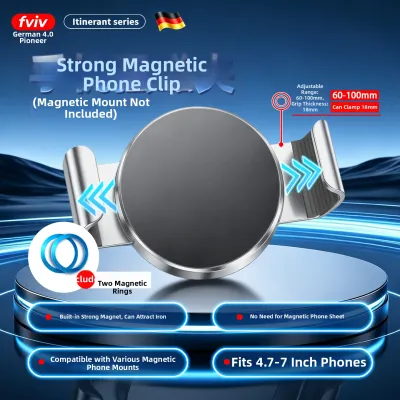
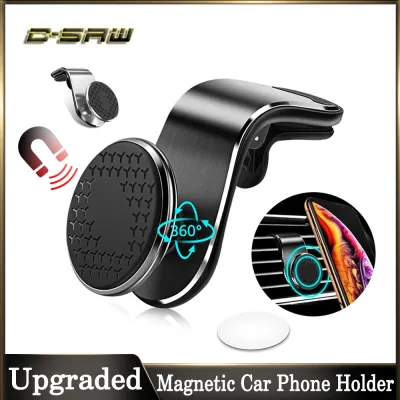
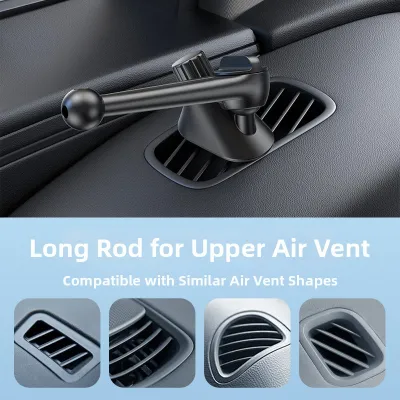
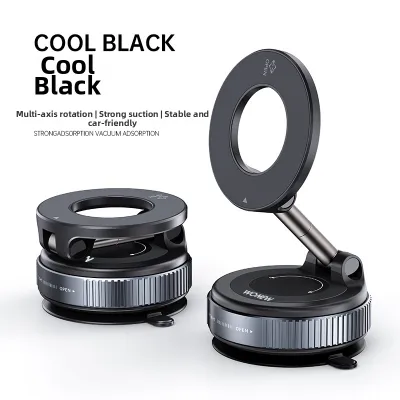

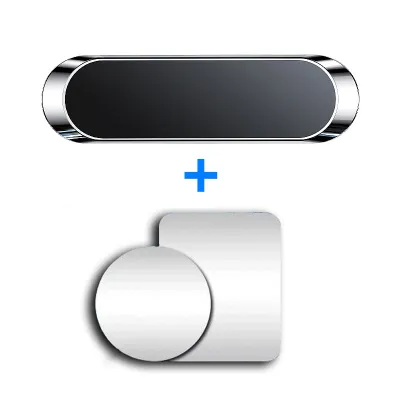
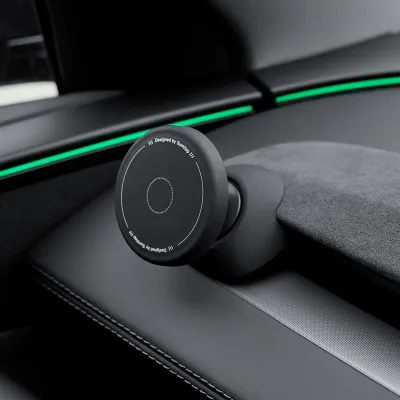
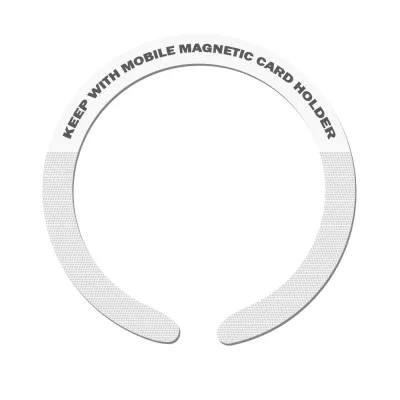
Prices are valid at publication and may change. Please refer to the product page for the latest price.
Integration with the vehicle’s native ecosystem is where built-in systems shine. They connect directly to steering wheel controls, allowing you to adjust volume or skip prompts without taking your hands off the wheel. The audio prompts integrate smoothly with your car’s sound system, automatically lowering the music volume when a navigation instruction is announced. While smartphones can connect via Bluetooth or auxiliary cables, the integration may occasionally suffer from audio lag or require manual switching of input sources.
Navigation Accuracy and Real-Time Traffic Updates
In Singapore’s dense urban landscape, real-time traffic data is crucial for avoiding sudden congestion on major expressways like the PIE or CTE. Smartphone navigation relies on active mobile data networks to stream crowd-sourced traffic updates, providing minute-by-minute alerts on accidents, roadworks, and ERP rate changes. Built-in navigation systems, unless equipped with an active telematics subscription and an onboard SIM card, often rely on older broadcast traffic protocols or static map data, which may not reflect sudden road closures or real-time traffic flow.

Map freshness is another critical factor. Smartphone apps update their maps automatically in the background, ensuring that new housing estates in Tengah or updated road layouts around Marina South are reflected immediately. Built-in systems, however, typically require manual updates. This process often involves downloading large files onto a USB drive or visiting an authorized dealership, which can be time-consuming and may incur additional service fees.
Signal retention is a common challenge when driving through Singapore’s extensive tunnel networks, such as the KPE or MCE, or parking in deep underground basement car parks. Built-in navigation systems often utilize dead reckoning technology, which combines wheel speed sensors and gyroscopes to estimate your position even when GPS signals are blocked. Smartphones rely primarily on internal GPS receivers and cellular tower triangulation. In deep tunnels, a phone’s location marker may freeze or drift until you exit the tunnel, though modern navigation apps have improved their offline positioning algorithms to mitigate this issue.
Safety, Mounting Stability, and Dashboard Integration
When opting for a smartphone setup, the choice of mount is critical for safety and stability. A silicon magnetic car mount offers a reliable solution by combining a strong magnetic core with a soft silicone exterior. The silicone material provides a high-friction surface that prevents the phone from sliding or rotating, even when driving over speed bumps or navigating sharp turns. Additionally, the soft silicone acts as a protective barrier, preventing scratches on both your phone case and your vehicle’s dashboard or air vent blades.
Managing cabin heat is a unique challenge for Singapore drivers. The tropical climate, combined with direct sunlight through the windshield, can cause dashboards to reach high temperatures. When a smartphone is mounted on the dashboard and runs intensive navigation apps while charging, it is highly susceptible to overheating. This can lead to dimmed screens, slow performance, or thermal shutdown. Mounting the phone on an air vent using a silicon magnetic car mount can help keep the device cool by utilizing the car’s air conditioning, though this may block some airflow to the cabin.
Ergonomics and safety regulations must also be considered. According to local traffic safety guidelines, drivers must not hold any mobile device while operating a vehicle. A securely fixed mount ensures compliance and keeps the phone within your natural line of sight, reducing the need to look down away from the road. It is important to position the mount where it does not obstruct your view of the windshield or interfere with the deployment of airbags.
Cost and Long-Term Value Comparison
The financial aspect of both setups involves different upfront and ongoing costs. Built-in navigation systems are typically bundled into the purchase price of the vehicle or offered as an expensive optional upgrade that can add hundreds or thousands of dollars to the initial cost. Furthermore, keeping these systems updated can involve recurring subscription fees or paid map packages from the manufacturer, which can accumulate over years of vehicle ownership.
In contrast, a smartphone setup requires a minimal upfront investment. A high-quality silicon magnetic car mount is highly affordable, typically costing under S$30 to S$50 in local online marketplaces or automotive accessory shops. Since most drivers already own a smartphone with an active mobile data plan, there are virtually no additional hardware costs.
However, there are minor long-term costs associated with smartphone navigation. Continuous use of GPS and mobile data can contribute to accelerated battery degradation due to heat and constant charging cycles. While the data consumption of navigation apps is generally low—often using only a few megabytes per hour—drivers on limited data plans should monitor their usage to avoid excess charges.
How to Choose the Right Setup for Your Vehicle
To determine the best setup for your daily commute, evaluate your vehicle’s existing features and your personal driving habits. Choose a built-in navigation system if you prefer a clean, clutter-free dashboard aesthetic, value seamless integration with your car’s audio and steering wheel controls, and want to avoid mounting external hardware. This option is highly suited for drivers who prefer a set-and-forget system and do not mind occasional manual map updates.
On the other hand, choose a smartphone paired with a silicon magnetic car mount if you prioritize real-time traffic alerts, instant map updates, and a highly responsive touch interface. This setup is ideal for budget-conscious drivers, those who drive older vehicles without modern infotainment systems, or private-hire drivers who rely heavily on precise, crowd-sourced routing to optimize their journeys.
Before purchasing a silicon magnetic car mount, perform a few quick verification steps. Inspect your dashboard’s surface material; textured leather or soft-touch plastics may not bond well with adhesive mounts, making air vent or windshield mounts a more secure choice. Check the clearance and design of your air vent blades to ensure they can support the weight of the mount and your phone. Finally, verify the manufacturer’s specifications regarding magnetic strength and weight capacity to ensure a secure fit for your specific phone model.
Frequently Asked Questions (FAQ)
Does a silicon magnetic car mount damage the phone or dashboard?
A high-quality silicon magnetic car mount is designed to be safe for both your phone and your vehicle. The magnets used in these mounts are typically safe for modern smartphones, as they do not interfere with solid-state storage or internal components. However, it is always wise to check your phone manufacturer’s guidelines regarding magnetic accessories, especially if your device supports wireless charging or magnetic accessories. For the dashboard, the soft silicone exterior prevents scratches and abrasions. If using an adhesive mount, verify that the adhesive is rated for automotive use and compatible with your dashboard material to prevent residue or discoloration under high cabin temperatures.
Can I use my phone's navigation without a mobile data plan?
Yes, you can use smartphone navigation without an active mobile data plan by downloading offline maps while connected to Wi-Fi. Most popular navigation apps allow you to select and save specific geographic regions directly to your device’s internal storage. Keep in mind that offline navigation has limitations. Without a data connection, you will not receive real-time traffic updates, live ERP rate alerts, or automatic rerouting around sudden congestion. Additionally, searching for specific points of interest or new businesses may be limited to the data stored locally on your device.
Are built-in car navigation systems still updated by manufacturers?
Support for built-in car navigation systems varies widely depending on the vehicle manufacturer and the age of the car. Many manufacturers provide map updates for several years after a model’s release, though these updates may require a paid subscription or a visit to an authorized service center. To confirm support, check your vehicle manufacturer’s official portal or consult your owner’s manual. If your native system’s maps are outdated or no longer supported, using a smartphone projection system like Apple CarPlay or Android Auto—or mounting your phone with a silicon magnetic car mount—is a highly effective alternative.

Community discussion
Share your experience or ask a question. Comments are reviewed before publication.