
Choosing between your car’s built-in navigation system and phone-based navigation via a Carlink adapter comes down to how you balance real-time data against hardware reliability. In Singapore’s fast-paced driving environment, where Electronic Road Pricing (ERP) rates change and traffic conditions shift rapidly on major expressways like the PIE or CTE, having the right navigation setup is essential. While phone projection offers dynamic routing, native systems provide unmatched stability when driving through long underground tunnels.
A Carlink adapter serves as the bridge between your smartphone and your vehicle’s infotainment screen. Depending on the specific hardware configuration of your car and the adapter itself, you can access highly responsive mapping applications or rely on the vehicle’s integrated GPS receiver. Understanding the technical differences between these systems allows you to optimize your daily commute and avoid unnecessary delays.
How Your Carlink Adapter Type Changes the Setup
The way you interact with navigation depends heavily on the specific category of Carlink device installed in your vehicle. The most common type is a wireless CarPlay or Android Auto dongle, which plugs into your car’s factory USB port. This device acts as a wireless transmitter, mirroring your smartphone’s interface onto the dashboard screen while your phone handles all the processing, GPS tracking, and data retrieval.
Products mentioned in this guide
![[ SG ] CarlinKit Ai Box Wireless Carplay Adapter Android 13 8-Core 8+128G Built-in GPS Wireless Android Auto Apple Carplay Dongle Car Link Kit Tbox LED 车连易](https://img.lazcdn.com/g/ff/kf/S46cdc75f9378480db20ee29af4e8e255s.jpg_400x400q80.jpg_.webp)
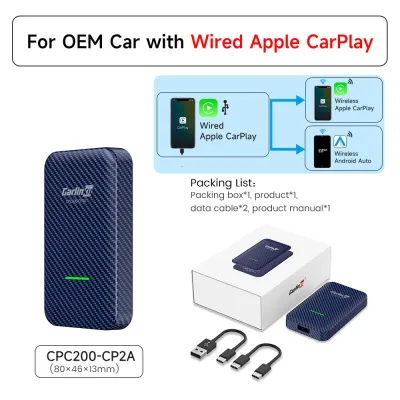
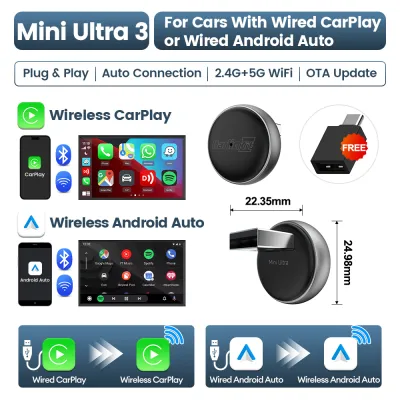
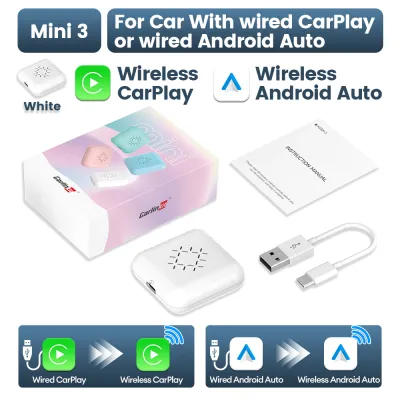
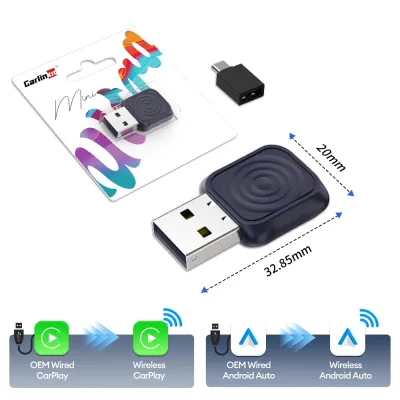
Prices are valid at publication and may change. Please refer to the product page for the latest price.
Alternatively, standalone Android AI boxes represent a different class of hardware. These devices run an independent operating system directly on your vehicle’s head unit, turning the screen into a self-contained tablet. An AI box can run navigation apps independently if you insert a local SIM card or connect it to a mobile hotspot, bypassing the need to mirror your phone entirely.
Before choosing a navigation strategy, you must verify your adapter’s firmware capabilities and your vehicle’s factory head unit specifications. Some older head units may introduce display latency or audio lag when processing wireless signals, which can affect voice guidance timing. Always consult the manufacturer’s documentation to ensure your adapter is updated to the latest firmware version for optimal stability.
Built-In Car Navigation: Strengths and Limitations
Built-in car navigation systems are engineered to integrate seamlessly with your vehicle’s onboard hardware. One of the primary advantages of a native system is its connection to the vehicle’s physical sensors, such as wheel speed sensors and internal gyroscopes. This integration enables “dead reckoning,” allowing the navigation system to track your position accurately even when GPS signals are completely blocked, such as inside the Marina Coastal Expressway (MCE) or Kallang-Paya Lebar Expressway (KPE) tunnels.

Furthermore, native navigation often displays turn-by-turn directions directly on the instrument cluster or a head-up display (HUD). This keeps your eyes closer to the road compared to looking at the central infotainment screen. Because the maps are stored locally on the vehicle’s hard drive or SD card, the system remains fully functional without any cellular data connection.
However, built-in systems suffer from notable limitations, particularly regarding map updates. Updating factory maps often requires purchasing proprietary software updates from the dealership, which can be costly and infrequent. Consequently, native maps may lack newly constructed roads, updated housing estates, or changes in traffic directions. The point-of-interest (POI) search interfaces on older factory systems can also feel clunky and slow compared to modern smartphone applications.
Phone Navigation via Carlink: Strengths and Limitations
Projecting phone navigation through a Carlink adapter brings the power of cloud-based mapping directly to your dashboard. Applications like Google Maps, Waze, or Apple Maps update their databases continuously without requiring manual installation or subscription fees. This ensures you always have access to the latest road layouts, newly opened expressway exits, and updated business listings.
The greatest strength of phone-based navigation is its ability to process real-time traffic data. By analyzing crowd-sourced speed reports, these applications can dynamically reroute you around sudden congestion, accidents, or roadworks on major routes like the Central Expressway (CTE). They can also integrate alerts for speed cameras and active ERP gantries, helping you manage your driving costs more effectively.
Despite these benefits, wireless phone projection introduces specific operational challenges. Running GPS tracking, cellular data, and wireless screen mirroring simultaneously places a heavy processing load on your smartphone. In Singapore’s tropical climate, this high workload can cause your phone to overheat rapidly, especially if it is placed in direct sunlight on a dashboard mount or inside a closed console box. Overheating often leads to thermal throttling, which manifests as laggy map rendering or sudden connection drops on your Carlink adapter. Additionally, this setup relies entirely on your mobile data plan, which can be a limitation if you have a restricted data package or experience signal drops in deep underground parking structures.
Key Comparison Dimensions for Your Daily Drive
To determine which system fits your driving routine, it is helpful to compare their performance across several practical dimensions. Map accuracy and update frequency are critical for navigating rapidly developing urban areas. While phone apps update almost daily, built-in systems may only receive updates once or twice a year.
User interface responsiveness and voice control integration also differ significantly. Phone navigation apps leverage advanced voice recognition engines, allowing you to dictate destinations naturally or ask for alternative routes hands-free. Built-in systems often rely on rigid voice command structures that require specific phrasing, which can be frustrating to use while driving.
The following table outlines the key operational differences to help you evaluate both options:
| Feature Dimension | Built-In Car Navigation | Phone Navigation via Carlink |
|---|---|---|
| Map Update Frequency | Infrequent (requires manual dealer or SD card updates) | Continuous (automatic cloud updates) |
| Real-Time Traffic & ERP Alerts | Limited or unavailable without active telematics | Dynamic rerouting with live traffic and incident alerts |
| GPS Signal Reliability | High (supported by vehicle sensors and dead reckoning) | Dependent on phone GPS; prone to drift in deep tunnels |
| Hardware Thermal Load | None (runs on dedicated vehicle hardware) | High (can cause smartphone overheating and battery drain) |
| Data Consumption | Offline (no mobile data required) | Online (requires active mobile data or hotspot connection) |
| Dashboard Integration | Full (supports HUD and instrument cluster displays) | Limited to central infotainment screen in most vehicles |
How to Decide: A Practical Checklist
Your final choice should align with your specific driving habits, vehicle hardware, and route preferences. Use this practical checklist to guide your decision:
- Choose Phone Navigation via Carlink if:
- Your daily commute involves highly congested routes where real-time traffic rerouting saves significant travel time.
- You frequently search for new businesses, restaurants, or changing points of interest that require an up-to-date online database.
- You prefer using voice assistants to input destinations quickly and safely while driving.
- You have a reliable mobile data plan and a convenient way to keep your phone cool and charged, such as an air-vent mount.
- Choose Built-In Car Navigation if:
- You frequently drive through long underground tunnels or areas with poor cellular reception where GPS drift is highly disruptive.
- You want to minimize smartphone battery wear and avoid the risk of device overheating during long drives.
- Your vehicle features a head-up display or instrument cluster integration that only works with the factory navigation system.
- You prefer a plug-and-play experience that does not rely on wireless pairing stability or mobile data.
Before committing to either method, verify the compatibility of your specific Carlink adapter. Test the wireless connection in your vehicle to check for input latency or audio lag. If you experience frequent disconnects, check the adapter manufacturer’s website for firmware updates, or consider using a high-quality wired connection to stabilize the interface.
Frequently Asked Questions (FAQ)
Does using phone navigation through a wireless Carlink adapter drain my phone battery quickly?
Yes, wireless phone projection consumes a significant amount of battery power because your phone must simultaneously run GPS tracking, process map rendering, and transmit high-bandwidth video data over Wi-Fi to the Carlink adapter. To prevent your battery from draining during long trips, it is highly recommended to connect your phone to a dedicated high-output car charger. Avoid relying on low-amperage factory USB ports, which may not supply enough power to offset the high consumption rate of wireless projection.
Can I view built-in car navigation and phone navigation on the screen at the same time?
In almost all factory infotainment systems, you cannot display both built-in navigation and projected phone navigation on the main central screen simultaneously. The head unit’s operating system treats the Carlink adapter as a single external video source, which completely takes over the display area when active. However, depending on your vehicle’s specific manufacturer configurations, you may be able to view the native navigation’s turn-by-turn directions on your instrument cluster or head-up display while running a phone-based map on the main central screen. Refer to your vehicle’s owner manual to verify if dual-display integration is supported.

Community discussion
Share your experience or ask a question. Comments are reviewed before publication.