
Navigating the densely packed expressways and highly regulated arterial roads of Singapore requires split-second decision-making. As commuters face dynamic Electronic Road Pricing (ERP) rates, sudden traffic build-ups on the Central Expressway (CTE), and GPS-blocking tunnels like the Marina Coastal Expressway (MCE), having the right navigation setup is essential. Drivers are often caught between using their vehicle’s built-in infotainment screen or relying on a smartphone mounted to the dashboard. Both methods offer distinct advantages, but they also come with unique trade-offs in terms of accuracy, convenience, and physical management within the cabin.
The Short Answer: Which Navigation Setup is Best for Your Daily Drive?
For the vast majority of daily commuters in Singapore, smartphone navigation remains the superior choice due to its unmatched real-time data accuracy. Mobile applications leverage crowdsourced, live information to provide instant updates on traffic congestion, speed camera locations, and road hazards. This dynamic routing is particularly valuable when trying to bypass heavy gridlock or optimize routes around active ERP gantries during peak hours.
However, relying on a phone requires a secondary investment in a high-quality handphone holder for car to ensure the device is securely mounted within your line of sight. This accessory is not just a matter of convenience; it is a critical safety and legal requirement under local traffic regulations, which strictly prohibit holding a mobile device while operating a vehicle.
Products mentioned in this guide
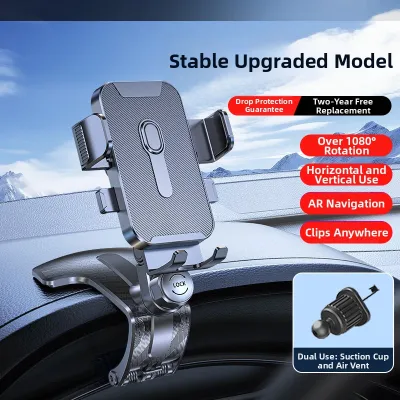
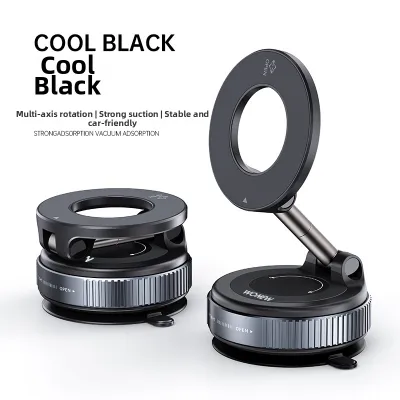

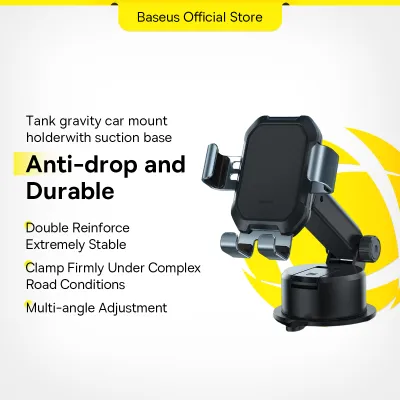
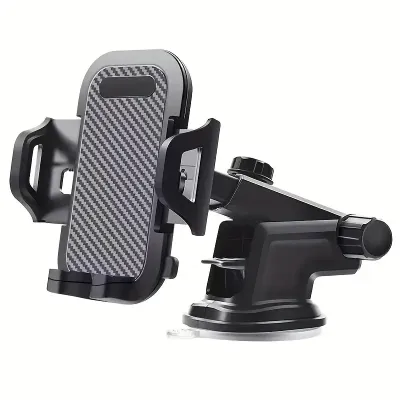
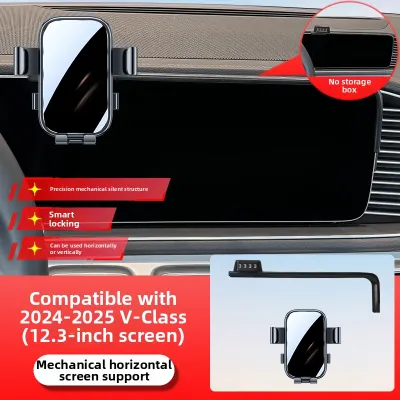
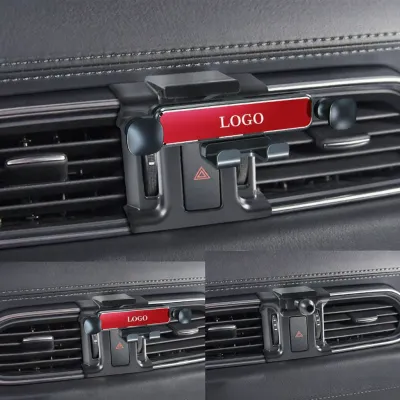
Prices are valid at publication and may change. Please refer to the product page for the latest price.
Conversely, built-in car navigation systems shine when it comes to seamless integration and physical comfort. These systems do not clutter your dashboard with mounts or cables, they never suffer from thermal shutdown due to direct sunlight, and they integrate flawlessly with your car’s steering wheel controls and native audio system. If your daily drive consists of familiar routes where real-time rerouting is secondary to a clean, distraction-free cabin environment, a built-in system offers a highly polished experience.
Key Differences: How Built-in and Phone Navigation Compare
To determine which setup fits your driving style, it is necessary to examine how these systems perform across several critical operational dimensions. The choice is no longer just about getting from point A to point B; it is about how efficiently the system processes live environmental changes and how comfortably it fits into your daily routine.

While modern vehicle infotainment systems have closed the gap with sharper screens and faster processors, a fundamental architectural difference remains. Built-in systems generally rely on pre-loaded map databases that require manual or periodic dealer updates, whereas smartphone applications operate on cloud-based, continuously updated networks that refresh every few seconds.
Real-Time Traffic, ERP Routing, and Map Accuracy
Singapore’s road network is exceptionally dynamic, featuring frequent lane adjustments, temporary construction closures, and fluctuating ERP toll rates. Smartphone navigation applications excel in this environment by utilizing active GPS data from thousands of nearby road users. This crowdsourced model allows the software to detect sudden slowdowns on the Pan Island Expressway (PIE) or accidents on the East Coast Parkway (ECP) long before traditional broadcast traffic messages can relay the information.
In contrast, traditional built-in navigation systems often operate on static maps stored on local hard drives or SD cards. Even when these systems feature basic traffic channel receivers, their rerouting suggestions can be slow and may fail to account for active ERP gantry pricing. This delay can lead to unexpected toll charges or missed exits. Drivers should consult their vehicle’s specific infotainment documentation, as some premium modern vehicles feature built-in SIM cards that pull live traffic data, though these services often require ongoing subscription fees after an initial trial period.
Another critical factor for Singapore drivers is GPS signal retention. When driving through deep underground structures, such as the Kallang-Paya Lebar Expressway (KPE) tunnel or multi-level basement carparks in the Downtown Core, smartphones can lose satellite connectivity, leading to frozen maps or delayed instructions. Built-in navigation systems often have a distinct technical advantage here. They are frequently connected directly to the vehicle’s internal sensors, including wheel speed sensors and gyroscopes. This integration enables “dead reckoning,” allowing the system to estimate your position accurately even when satellite signals are completely blocked.
Screen Responsiveness, Interface, and Vehicle Integration
The physical interaction with your navigation screen plays a major role in driving safety and convenience. Modern smartphones feature exceptionally responsive capacitive touchscreens, high-refresh-rate displays, and powerful processors that make panning, zooming, and searching for destinations instantaneous. These interfaces are designed to be highly intuitive, mimicking the gestures you use in daily life.
Built-in vehicle screens, particularly in older or entry-level models, may use resistive touch displays that require firmer pressure and exhibit noticeable lag when rendering complex map layouts. Glare is another common issue; while smartphones can be angled on a mount to avoid direct sunlight, built-in screens are fixed in place, making them susceptible to washouts during mid-day sun.
However, built-in systems offer unparalleled physical integration. When a navigation prompt is announced, the system automatically lowers the volume of your music (audio ducking) across all cabin speakers and restores it seamlessly afterward. Furthermore, integration with steering wheel buttons and head-up displays (HUD) allows you to manage routes or view upcoming turns without ever taking your eyes off the road or your hands off the wheel. Phone navigation, even when connected via Bluetooth, can sometimes experience audio lag or fail to interrupt certain audio sources properly.
Upfront Costs, Map Updates, and Hidden Expenses
Evaluating the financial impact of each option requires looking beyond the initial purchase. Built-in navigation systems are rarely standalone options; they are typically bundled into higher, more expensive vehicle trim levels or technology packages. Once the vehicle’s initial warranty or complimentary map update period expires, manufacturers often charge substantial fees for map updates, which must be performed via SD card or a dealership service visit.
Smartphone navigation apps are generally free to download and use, but they carry minor ongoing costs. Continuous GPS tracking and screen usage consume mobile data, though most modern data plans in Singapore easily accommodate this traffic. The more significant hidden cost is the accelerated wear on your phone’s hardware. Running high-brightness screens alongside active GPS and cellular radios generates significant internal heat, which can permanently degrade your phone’s battery health over time.
Additionally, optimizing a phone setup requires investing in high-quality cabin accessories. To maintain a safe and legal driving environment, you must purchase a reliable handphone holder for car. You will also need to invest in premium, high-wattage charging cables and a compatible fast-charging adapter to ensure your phone gains battery charge while running resource-intensive navigation apps.
Making Phone Navigation Work: Choosing a Handphone Holder for Car, Managing Heat, and Power
If you decide that the real-time routing accuracy of a smartphone is indispensable for your daily commute, you must address the practical challenges of running a high-performance mobile device inside a vehicle cabin. Singapore’s tropical climate and intense sunlight create a demanding environment that can quickly compromise your phone’s performance if not managed correctly.
The Overheating Challenge When a smartphone is mounted on the dashboard or windshield, it is exposed to direct sunlight through the glass while simultaneously running intensive GPS, cellular, and screen processing. This combination generates extreme thermal load. To prevent permanent battery damage, modern smartphones are programmed to automatically dim their screens, throttle processing speeds, or shut down entirely when internal temperatures exceed safe limits. A thermal shutdown in the middle of a complex junction on the Ayer Rajah Expressway (AYE) can be highly stressful and potentially dangerous.
Choosing the Right Handphone Holder for Car Selecting the correct mounting mechanism is the most effective way to combat thermal issues while keeping your device secure. Drivers generally choose between several primary mount designs:
- Air Vent Mounts: These clips attach directly to your car's air conditioning vents. By placing the phone directly in the path of cold air, they highly effectively prevent overheating, even during long midday drives. However, you must verify that your car's vent slats are sturdy enough to support the weight of your device, as heavy modern smartphones can cause delicate plastic louvers to sag or break. Additionally, these mounts block a portion of the airflow to the cabin, which may reduce cooling comfort on exceptionally hot days.
- Windshield and Dashboard Suction Mounts: These mounts use heavy-duty suction cups or adhesive bases to attach to the glass or flat surfaces of the dashboard. They offer excellent flexibility in placement, allowing you to position the phone directly in your natural line of sight. The primary disadvantage is maximum exposure to direct sunlight, which accelerates overheating. If you choose this style, try to mount the base in a shaded area of the dashboard or use a model with an adjustable arm that lets you position the phone lower down, out of the direct path of the sun.
- Magnetic Mounts: Utilizing strong neodymium magnets, these mounts allow you to snap your phone on and off with a single hand. They can be integrated into either vent clips or suction bases. While highly convenient, you must ensure the metal plate attached to your phone or case does not interfere with wireless charging capabilities or internal compass sensors.
Before purchasing any mount, consult your vehicle’s owner manual to ensure the placement does not block air vents, mechanical controls, or—most importantly—the deployment paths of the passenger and side-curtain airbags.
Power and Cable Management Running a navigation app with the screen at maximum brightness to combat daytime glare drains a phone battery rapidly. Standard built-in USB ports in many vehicles, especially older models, often output only 0.5 amperes of current. This is insufficient to charge a modern smartphone under heavy use, resulting in a battery that continues to drain even while plugged in.
To resolve this, use a dedicated, high-quality cigarette lighter adapter that supports fast-charging protocols such as Power Delivery (PD) or Quick Charge (QC). Ensure your charging cable is certified by the device manufacturer to handle higher currents safely, preventing electrical faults or damage to your phone’s charging port.
Safety and Compliance Any mount you install must be highly secure. Singapore’s roads feature numerous speed humps, particularly in HDB estates and residential areas, which can easily dislodge a poorly designed or weak mount. A falling phone creates an immediate distraction and a physical hazard in the footwell. Always position the mount so that it provides a clear view of the screen without obstructing your physical line of sight to the road, traffic signals, or pedestrians.
How to Choose the Right Navigation Setup for Your Car
Selecting the ideal navigation setup is not about finding a universally superior system, but rather about matching the technology to your specific driving habits, vehicle capabilities, and personal preferences.
Choose Phone Navigation if:
- Your daily commute involves navigating heavy rush-hour traffic on highly congested expressways.
- You rely heavily on community-reported alerts for speed cameras, road hazards, and active police checkpoints.
- You want to avoid paying recurring fees for proprietary map updates from your car dealership.
- You are comfortable mounting a device and managing charging cables on your dashboard.
Choose Built-in Navigation if:
- You prefer a clean, minimalist dashboard aesthetic completely free of physical mounts and visible wires.
- Your smartphone is prone to rapid overheating or has poor battery health.
- You frequently drive through long tunnels or areas with inconsistent mobile network coverage where dead reckoning is crucial.
- You highly value seamless integration with steering wheel controls, HUDs, and smooth audio ducking.
Consider the Middle Ground (Smartphone Projection) If your vehicle was manufactured recently, you may not have to choose between these two options. Many modern infotainment systems support smartphone projection technologies like Apple CarPlay or Android Auto. These platforms allow you to run phone-based navigation applications directly on your car’s built-in dashboard screen.
This hybrid approach combines the best of both worlds: you get the highly accurate, real-time crowdsourced traffic data of your phone apps, displayed on a larger, built-in screen with native audio integration. Because the phone can remain tucked away in a glovebox or center console out of direct sunlight, this setup significantly reduces overheating risks and completely eliminates the need for a separate handphone holder for car. Check your vehicle’s manual or consult your dealer to see if your system supports wired or wireless smartphone projection.
Frequently Asked Questions (FAQ)
Is it legal to use a phone for navigation while driving in Singapore?
Yes, it is legal to use your phone for navigation, but only if the device is mounted securely in a dedicated handphone holder for car. Under the Road Traffic Act, holding a mobile communication device in your hand while the vehicle is in motion is a serious offense that carries heavy fines and demerit points. To remain fully compliant with local laws, you must mount the phone before you begin your journey, ensure the mount does not obstruct your view of the road, and refrain from interacting with or touching the screen while driving. If you need to adjust your route or enter a new destination, pull over safely in a designated parking area first.
Do built-in car navigation systems require an internet connection?
The core positioning functionality of a built-in car navigation system does not require an internet connection. These systems utilize dedicated internal GPS antennas to receive direct signals from global positioning satellites, allowing them to track your location and display pre-loaded maps completely offline. However, advanced features such as real-time traffic updates, dynamic rerouting around congestion, and searches for newly opened points of interest do require an active data connection. Depending on your vehicle’s make and model, this connection is established via an onboard SIM card, by tethering to your smartphone’s Wi-Fi hotspot, or through a paired smartphone projection interface. Refer to your vehicle’s infotainment manual to verify your system’s specific data requirements and potential subscription costs.

Community discussion
Share your experience or ask a question. Comments are reviewed before publication.