
For most drivers navigating Singapore’s highly dynamic road network, smartphone navigation paired with a reliable car phone holder offers the most practical, real-time, and cost-effective solution. Mobile applications update instantly to reflect sudden traffic jams, road closures, and changing Electronic Road Pricing (ERP) rates, providing a level of agility that traditional built-in systems struggle to match. By securing your smartphone in a dedicated mount, you gain access to crowd-sourced intelligence without sacrificing your focus on the road.
However, built-in car navigation systems remain the superior choice for drivers who prioritize a clean, cable-free cabin aesthetic and seamless hardware integration. Built-in setups eliminate the risk of your smartphone overheating under the intense tropical sun and leverage the vehicle’s larger dashboard display and physical steering wheel controls. Deciding between these two setups ultimately depends on your vehicle’s existing infotainment features, your tolerance for manual map updates, and your willingness to invest in a high-quality aftermarket phone mount.
Core Comparison Dimensions for Singapore Driving
Real-Time Traffic, ERP, and Route Accuracy
Navigating Singapore’s roads requires a system that can adapt instantly to rapid traffic changes, especially during peak hours on major expressways like the PIE, CTE, or AYE. Smartphone navigation apps excel in this arena by utilizing continuous, crowd-sourced data from millions of active users. This allows apps to detect sudden slowdowns, accidents, or police speed laser cameras ahead, offering dynamic rerouting alternatives before you get stuck in a bottleneck.
Products mentioned in this guide

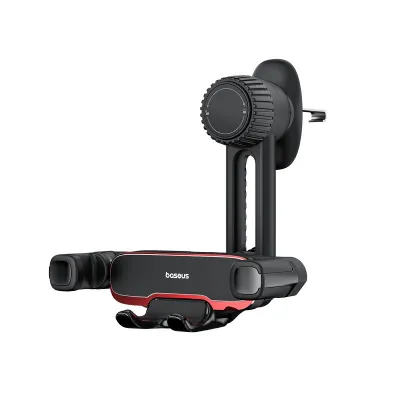
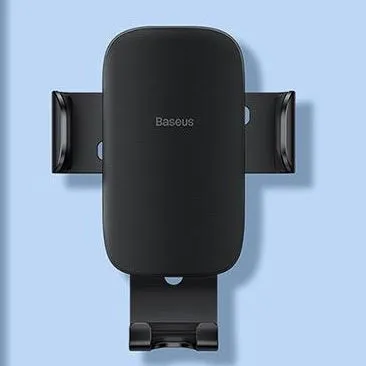
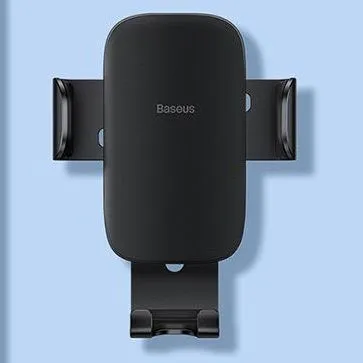
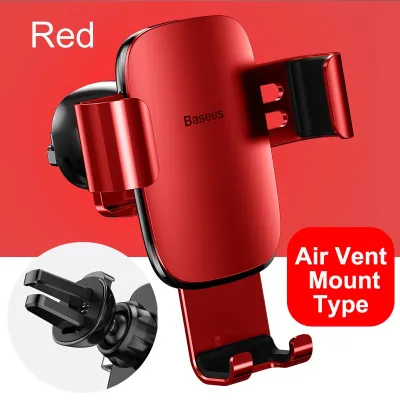
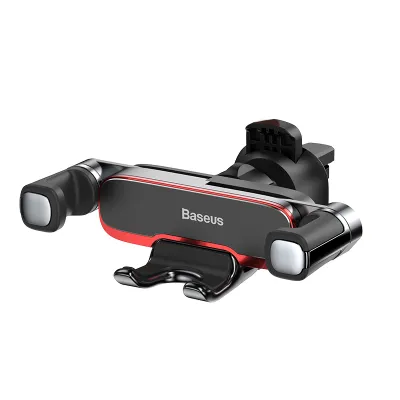
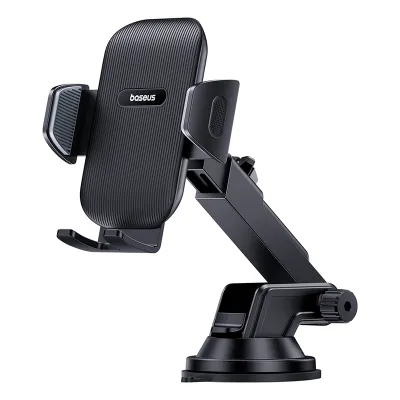
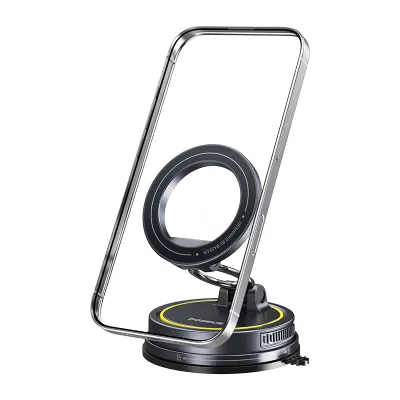
Prices are valid at publication and may change. Please refer to the product page for the latest price.
Furthermore, Singapore’s Electronic Road Pricing (ERP) system introduces a unique financial variable to daily commuting. Popular mobile applications are highly adept at calculating routes that minimize or completely avoid ERP charges based on the exact time of day. They pull live toll schedules directly from online databases, allowing you to weigh the trade-off between a slightly longer travel time and a cheaper commute.
In contrast, built-in car navigation systems often operate on static, pre-loaded map packages. While some premium or modern vehicles feature live data integration through proprietary telematics or local Land Transport Authority (LTA) feeds, many standard built-in units require manual updates via SD cards or USB drives. Without these frequent updates, a built-in system may fail to recognize newly constructed residential estates in Tengah, altered slip roads, or updated ERP operating hours, leading to outdated routing and unexpected charges on your CEPAS card.
Hardware Durability and Heat Management
Singapore’s tropical climate presents a harsh operating environment for consumer electronics, with cabin temperatures easily exceeding 40 degrees Celsius when parked under direct sunlight. Running a power-intensive GPS navigation app while simultaneously charging your smartphone generates significant internal heat. If your phone is mounted on the windshield or dashboard where it receives direct solar radiation, it faces a high risk of thermal throttling, screen dimming, or complete thermal shutdown.
Built-in car screens and infotainment processors are specifically engineered to withstand these extreme automotive temperature ranges. They feature robust, passive or active cooling designs that ensure stable operation even during long drives in the middle of the afternoon. You will rarely, if ever, experience a built-in navigation system freezing or shutting down due to heat exposure.
For drivers who opt for phone navigation, mitigating this heat risk requires careful selection of both the mounting position and the hardware. Placing your phone in an air-vent mount allows the vehicle’s air conditioning to actively cool the device during operation. Additionally, you must verify the heat-resistance specifications of your chosen car phone holder; low-grade plastics and cheap suction cup gels can degrade, melt, or lose their adhesive grip when subjected to intense cabin heat, potentially causing your phone to fall while driving.
Cost, Updates, and Subscriptions
The financial commitment associated with each navigation method differs significantly over the lifespan of a vehicle. Built-in navigation systems are frequently bundled into higher-tier vehicle trim levels or expensive optional technology packages, representing a substantial upfront cost at the point of purchase. To keep these systems accurate, manufacturers often charge annual subscription fees or one-off fees for updated local map packages, which can cost upwards of S$100 to S$300 per update depending on the brand.
Smartphone navigation, on the other hand, is virtually free. The applications themselves do not require purchase or subscription fees, and they update their map databases automatically in the background using your mobile data plan. Because Singapore has excellent, high-speed mobile network coverage across the entire island, the data consumption required for real-time navigation is minimal and easily covered by standard local data bundles.
The only physical cost associated with the smartphone route is the purchase of a durable, high-quality car phone holder. With prices for premium, reliable mounts generally ranging from S$15 to S$50, this represents a fraction of the cost of maintaining a factory navigation system. This minimal one-time investment makes phone-based navigation an incredibly economical choice for budget-conscious drivers.
Cabin Integration, Ergonomics, and Safety
A major advantage of built-in navigation systems is their seamless integration into the vehicle’s interior architecture. The maps are displayed on a factory-installed screen that is ergonomically positioned at an optimal viewing angle, minimizing the time your eyes spend off the road. These systems also coordinate with the car’s audio setup, automatically lowering the volume of your music when voice prompts are active, and can be controlled safely via steering wheel buttons or integrated voice commands.
Using a smartphone for navigation introduces ergonomic and safety challenges that require careful management. Drivers must position their phone holder in a location that keeps the screen within their natural peripheral line of sight, preventing the need to look down away from the road. Looking down at a phone resting on the center console or passenger seat is highly dangerous and a major cause of distracted driving accidents.
Furthermore, safety boundaries must be strictly observed when installing aftermarket accessories. Any phone holder you choose must be mounted in a way that does not obstruct your view of the windshield, block critical dashboard warning lights, or interfere with the deployment zones of the vehicle’s steering wheel, passenger, side, or curtain airbags. Always refer to your vehicle’s owner’s manual to identify airbag deployment zones before selecting a mounting location.
Feature-by-Feature Comparison Table
To help you visualize the trade-offs between these two setups, the table below outlines how each system performs across key driving dimensions in Singapore.

| Comparison Dimension | Built-In Car Navigation | Phone Navigation with Holder |
|---|---|---|
| Real-Time Traffic Data | Variable; often requires premium telematics or manual updates. | Excellent; continuous, crowd-sourced live updates. |
| ERP Routing Accuracy | Low to Moderate; depends on map update frequency. | High; dynamically calculates routes to minimize tolls. |
| Heat Resistance | Excellent; automotive-grade hardware designed for high heat. | Moderate to Low; prone to thermal throttling under direct sun. |
| Initial & Ongoing Costs | High upfront cost; potential fees for annual map updates. | Very Low; free apps, small one-time cost for a phone holder. |
| Cabin Aesthetics | Seamless; integrated directly into the dashboard design. | Cluttered; requires physical mounts and visible charging cables. |
| Ease of Use | High; works with steering wheel controls and car audio. | Moderate; requires manual mounting and separate phone interaction. |
Selecting the Right Car Phone Holder for Your Setup
If you decide that phone-based navigation is the best fit for your daily drive, choosing the right car phone holder is critical to ensuring safety, stability, and longevity. There are three primary mounting designs available on the market, each with distinct advantages and limitations within Singapore’s driving environment.
Air vent clips are highly popular because they position the phone directly in the path of the vehicle’s air conditioning, which effectively prevents the device from overheating during intensive navigation. However, the weight of modern, heavy smartphones combined with a robust holder can place significant mechanical stress on fragile air vent blades. Before purchasing a vent mount, inspect your vehicle’s vent design to ensure the blades are sturdy enough, and verify that the mount’s clip mechanism is compatible with your specific vent shape (horizontal, vertical, or circular).
Suction cup and dashboard mounts offer greater flexibility in placement, allowing you to position the phone closer to your natural line of sight on top of the dashboard or windshield. The primary drawback in Singapore is the intense solar heat, which can dry out suction cup gels and cause the mount to detach unexpectedly. CD slot mounts provide an extremely stable mechanical connection if your car has an older dashboard design with an unused CD player, but they are increasingly rare in modern vehicles.
When evaluating your options, a sturdy choice such as a baseus car phone holder should be assessed for its grip strength, build quality, and adjustability. Look for models that feature gravity-linkage mechanisms or robust magnetic arrays that hold the phone securely over bumpy roads or sudden stops. It is essential to verify the holder’s maximum weight capacity and phone size compatibility, taking into account the thickness of your preferred phone case, to ensure a snug and reliable fit.
Always read the manufacturer’s specific installation instructions carefully before mounting the holder in your vehicle. Clean the mounting surface thoroughly with isopropyl alcohol (if safe for the material) to remove dust and oils that could compromise adhesion. If you notice any signs of the mount slipping, the adhesive gel melting, or the holder obstructing your physical access to critical vehicle controls, stop using the mount immediately and adjust its position or seek a more compatible alternative.
Decision Framework: Which Setup Should You Choose?
Selecting the ideal navigation setup does not require a one-size-fits-all answer; instead, it depends on your specific vehicle configuration and personal driving habits. Use the following framework to guide your decision.
Choose Phone Navigation if:
- You drive extensively during peak hours and rely heavily on real-time, crowd-sourced traffic alerts to bypass congestion.
- You want to avoid paying recurring subscription fees or expensive one-off charges for manufacturer map updates.
- You frequently drive different vehicles, such as rental cars or car-sharing fleet vehicles, and need a portable navigation setup.
- You are willing to invest in a high-quality, heat-resistant car phone holder and manage the routing of charging cables neatly.
Choose Built-in Navigation if:
- You prefer a completely clean, factory-original dashboard layout without visible aftermarket mounts or dangling wires.
- You want to eliminate any risk of your smartphone battery draining rapidly or overheating during long commutes.
- You rely on physical steering wheel controls, integrated voice commands, and HUD (Heads-Up Display) integration for safety.
- Your vehicle's manufacturer provides regular, complimentary local map updates that accurately reflect Singapore's changing road networks.
Verify First if:
- You are uncertain about your vehicle's current navigation capabilities. Check your vehicle's owner's manual or consult your local authorized dealer to confirm whether your built-in system supports live Singapore traffic feeds, ERP-optimized routing, or smartphone mirroring interfaces like Apple CarPlay and Android Auto. Confirming these capabilities beforehand can save you from unnecessary aftermarket purchases.
Frequently Asked Questions (FAQ)
Do built-in car navigation systems automatically avoid Singapore ERP charges?
No, avoiding or factoring in ERP charges is not a universal default feature for all built-in car navigation systems. Whether a built-in system can dynamically calculate routes to avoid ERP gantries depends entirely on the vehicle’s make, model, the age of its infotainment software, and whether it has active integration with local Land Transport Authority (LTA) data. Many older or imported built-in systems rely on static map databases that do not contain current ERP pricing schedules or operating hours. To ensure accurate toll-avoidance routing, you must verify that your system’s maps are fully updated to the latest local version, whereas popular smartphone navigation apps handle these calculations dynamically and update automatically via the cloud.
Is it safe to mount a phone holder on the air vent in Singapore's climate?
Mounting a phone holder on an air vent is generally safe and highly beneficial for cooling your smartphone, but it requires careful physical inspection of your vehicle’s interior components. The cold air flowing from the air conditioning vent plays a crucial role in preventing your phone from overheating while running intensive GPS and charging simultaneously. However, heavy modern smartphones paired with bulky mounts can place excessive leverage and physical strain on thin, plastic air vent blades, which may lead to cracking or structural failure over time. To prevent damage, always check the phone holder manufacturer’s weight limits and compatibility guidelines, and avoid forcing a tight clip onto fragile or uniquely styled circular vent designs.

Community discussion
Share your experience or ask a question. Comments are reviewed before publication.