
Deciding between a dedicated car navigation system and a smartphone mounted on a holder depends largely on your budget, vehicle configuration, and reliance on real-time traffic data. For most daily commuting in Singapore, using a navigation app with a high-quality mount offers highly responsive routing and cost efficiency. However, a built-in system remains a practical choice for drivers prioritizing a clean dashboard aesthetic and seamless vehicle integration.
Navigating the busy roads of Singapore requires quick decision-making, especially when approaching complex expressway junctions or managing Electronic Road Pricing (ERP) charges. The choice of navigation setup directly impacts your daily driving comfort, safety, and overall convenience. By evaluating how each option handles real-time updates, physical placement, and environmental factors, you can select the setup that best fits your driving habits.
Core Differences in Daily Driving
Understanding the fundamental operational and hardware distinctions between integrated car systems and smartphone-based navigation is the first step in making an informed choice. Integrated systems are built directly into the vehicle’s dashboard, drawing power and data from the car’s internal electrical architecture. In contrast, smartphone-based navigation relies on an external mobile device secured by a physical mounting solution.
Products mentioned in this guide
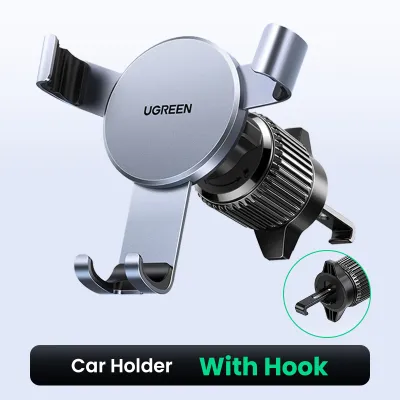
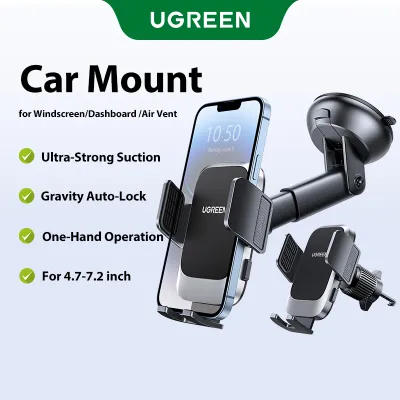
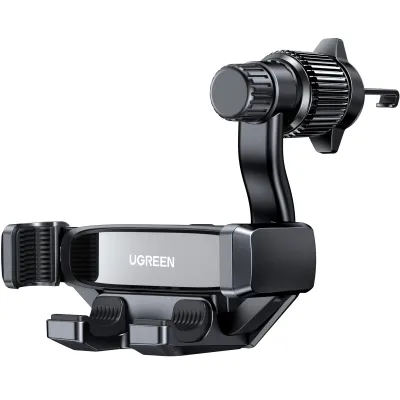
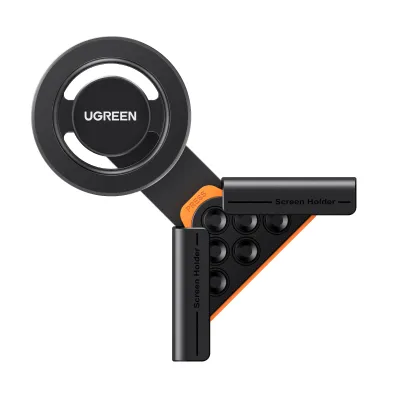
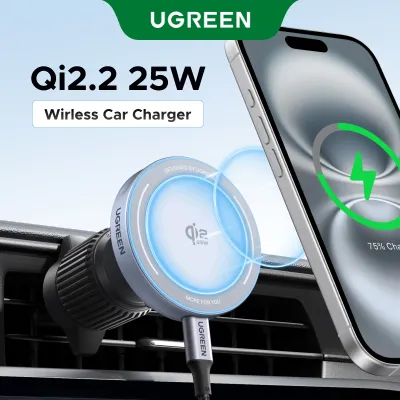
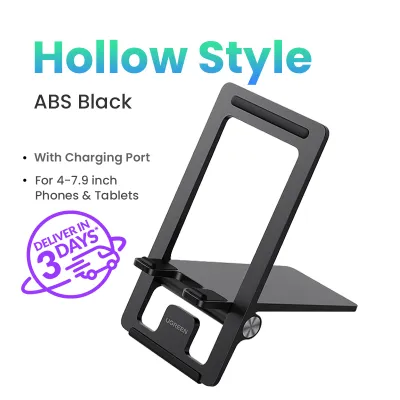
Prices are valid at publication and may change. Please refer to the product page for the latest price.
Hardware integration plays a significant role in how you interact with maps while driving. Built-in dashboard screens are positioned to minimize glare and are often connected to the vehicle’s steering wheel controls or rotary dials. Smartphone setups require a separate holder attached to the air vents, dashboard, or windshield, which places the screen within your line of sight but introduces external hardware to the cabin.
Data reliance and update mechanisms also differ significantly between the two setups. Dedicated car navigation systems often rely on pre-loaded offline maps stored on internal memory or SD cards, sometimes supplemented by vehicle speed sensors to estimate position when GPS signals are weak. Smartphones rely heavily on real-time cellular data, allowing them to download continuous map updates, crowdsourced traffic alerts, and instant route modifications. While a dedicated system may require manual updates via a dealer or memory card, smartphone apps update automatically in the background.
When a Dedicated Car Navigation System Makes Sense
A dedicated car navigation system, whether factory-installed or an aftermarket head unit, appeals to drivers who value a clean dashboard aesthetic and deep vehicle integration. Because the screen is built directly into the center console, there are no exposed cables, suction cups, or brackets cluttering your view. This seamless integration preserves the original design of your vehicle’s interior while keeping the dashboard completely clear.

One of the primary advantages of an integrated system is its reliability in challenging environments. When driving through long underground tunnels, such as the Marina Coastal Expressway (MCE) or the Kallang-Paya Lebar Expressway (KPE), GPS signals frequently drop. Dedicated systems often connect to the vehicle’s wheel speed sensors and internal gyroscopes, allowing them to estimate your position through dead reckoning until the GPS signal is re-established. Additionally, the larger built-in displays are designed to remain highly legible under varying cabin lighting conditions.
However, these systems come with notable limitations that you must consider before investing. The upfront cost of purchasing and installing a high-quality aftermarket head unit can be substantial, often running into hundreds or thousands of dollars. Map update cycles are typically slower, and some manufacturers charge ongoing fees for updated map packages. Furthermore, without a constant cellular connection, these systems generally lack the ability to provide real-time, community-reported road hazards or sudden traffic build-ups.
Before choosing this route, it is essential to run through a verification checklist. Check your vehicle’s dashboard dimensions and wiring harness compatibility to ensure an aftermarket unit can be installed safely. Verify whether the manufacturer charges annual fees for map updates, and test the screen responsiveness of the unit in person if possible. If you plan to install an aftermarket system, consult a qualified automotive technician to ensure the installation does not interfere with your vehicle’s original electrical wiring or safety systems.
Maximizing Phone Navigation with a Reliable Holder
For many drivers, maximizing smartphone navigation is the most practical path, provided you pair your device with a stable mounting solution. Using a high-quality mount, such as a Ugreen phone holder, ensures your phone remains securely in place even when navigating sharp turns or uneven road surfaces. This setup allows you to leverage the full processing power and connectivity of your smartphone without compromising safety.
The advantages of smartphone navigation are particularly evident in Singapore’s dynamic traffic environment. Mobile navigation apps offer real-time traffic routing, helping you bypass sudden congestion on major expressways like the Central Expressway (CTE) or Pan Island Expressway (PIE). These apps can also assist with dynamic ERP gantry avoidance, calculating alternative routes to minimize toll costs. Because map updates are free and continuous, you always have access to the latest road layouts, new housing estate routes, and point-of-interest data.
When setting up your phone holder, careful mounting considerations are necessary to maintain safety and legality on the road. You must compare air vent mounts, dashboard mounts, and windshield suction mounts to see which fits your vehicle’s layout best. Ensure that the chosen mounting position does not block your vehicle’s airbags or obstruct your clear driving sightlines. According to local road safety guidelines, any device mounted on the windshield or dashboard must not interfere with your view of the road ahead.
Device management is another critical factor when relying on a smartphone for daily navigation. Singapore’s tropical climate can cause smartphones to heat up rapidly, especially when placed in direct sunlight on a dashboard mount while running intensive GPS and screen processes. To mitigate this, placing the phone on an air vent mount allows the car’s air conditioning to cool the device actively. Additionally, running navigation apps drains battery life quickly, so you should ensure stable power delivery via a high-quality charging cable connected to a reliable USB port or car charger during long trips.
Side-by-Side Comparison of Navigation Setups
To help you quickly evaluate which option aligns with your driving needs, the table below summarizes how both setups perform across critical driving dimensions. Note that specific performance, features, and costs depend on the exact head unit model, smartphone app, and holder brand you choose.
| Evaluation Dimension | Dedicated Car Navigation System | Phone Navigation with Holder |
|---|---|---|
| Real-Time Traffic Accuracy | Limited or requires external data tethering | Highly accurate with continuous crowdsourced updates |
| Upfront Cost Profile | Higher initial investment for hardware and installation | Lower cost, requiring only a reliable phone holder |
| Map Update Frequency | Periodic, often requiring manual downloads or dealer visits | Continuous, automatic, and generally free of charge |
| Dashboard Clutter | None; fully integrated into the center console | Moderate; requires a mount and visible charging cables |
| Offline Reliability | High; often utilizes vehicle sensors in tunnels | Moderate; dependent on cellular signal and pre-downloaded maps |
Decision Framework: Which Setup Fits Your Drive?
Choosing the right navigation setup ultimately depends on your specific driving profile, vehicle age, and personal preferences. By analyzing how you use your vehicle daily, you can determine which configuration offers the most seamless and stress-free driving experience.
You should choose phone navigation with a sturdy holder if you prioritize real-time traffic updates, route flexibility, and lower initial costs. If you frequently drive during peak hours and need to navigate around ERP gantries or sudden expressway accidents, the dynamic routing of smartphone apps is invaluable. This setup is also ideal if you prefer not to modify your vehicle’s original dashboard or if you drive multiple vehicles and need a portable navigation solution.
Conversely, a dedicated car navigation system is the more suitable choice if you prefer a minimalist dashboard free of mounts and cables. It is also highly beneficial if you frequently drive through long tunnels where GPS signals drop, or if you want integrated vehicle telemetry and a larger, permanent screen. This option appeals to drivers who view their vehicle as a long-term investment and want to maintain a factory-standard interior appearance.
Before making a final decision, verify if your current car head unit supports Apple CarPlay or Android Auto. These smartphone projection systems effectively bridge the gap between both options. They allow you to project your phone’s navigation apps directly onto the built-in dashboard screen, giving you the real-time routing benefits of a smartphone alongside the clean, integrated look of a dedicated car system. If your vehicle supports this feature, investing in a high-quality charging cable or a wireless adapter may be the only upgrade you need.
Frequently Asked Questions (FAQ)
Do I need a dedicated GPS if my car has Apple CarPlay or Android Auto?
If your vehicle is equipped with Apple CarPlay or Android Auto, you generally do not need a dedicated GPS system. These projection technologies use your smartphone’s processing power, cellular data, and navigation apps while displaying the map interface directly on your car’s built-in dashboard screen. This setup eliminates the need for a separate built-in GPS module, as it combines the real-time routing capabilities of your phone with the clean, integrated look of a factory display. You only need to ensure a stable connection via a compatible cable or wireless connection.
How do I prevent my phone from overheating while navigating in a slow-moving car?
To prevent your smartphone from overheating during slow-moving traffic in Singapore’s warm climate, consider mounting the device on an air vent holder. This position allows the vehicle’s air conditioning system to blow cool air directly onto the back of the phone, counteracting the heat generated by the screen, GPS receiver, and charging process. Additionally, avoid placing the phone in direct sunlight on top of the dashboard, close any unnecessary background applications to reduce the processor’s workload, and use a high-quality charger that regulates power delivery efficiently.

Community discussion
Share your experience or ask a question. Comments are reviewed before publication.