
Navigating Singapore’s dense expressways and constantly evolving road networks requires a reliable mapping setup. Choosing between a dedicated car navigation system and a smartphone paired with a magnetic phone holder depends on your budget, vehicle compatibility, and how heavily you rely on real-time traffic updates. Neither option is a universal winner, as each serves distinct driving habits and vehicle configurations.
A dedicated car navigation system is ideal for drivers who prefer a permanent, integrated solution. If you drive a vehicle with a spacious dashboard, value a clean cabin aesthetic without dangling cables, and want a reliable system that functions independently of your phone’s battery or cellular signal, a dedicated unit is highly suitable.
Conversely, a smartphone paired with a magnetic car phone holder is the ideal setup for drivers seeking maximum flexibility and cost-effectiveness. This combination is perfect if you rely on daily, real-time traffic rerouting through popular mobile apps, frequently switch between different vehicles, or want to avoid the high upfront costs and installation complexities of dedicated hardware.
Products mentioned in this guide

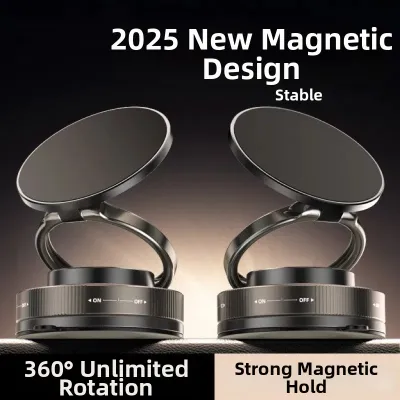
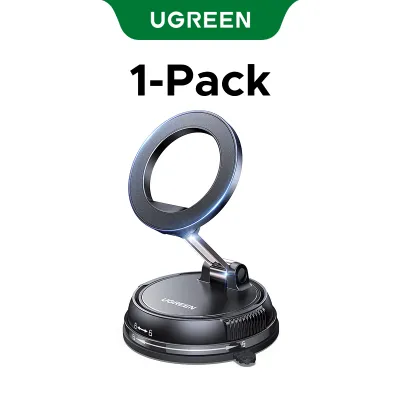

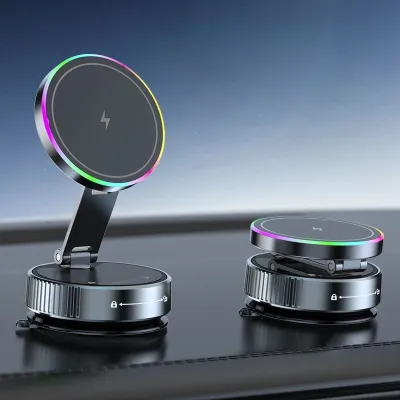
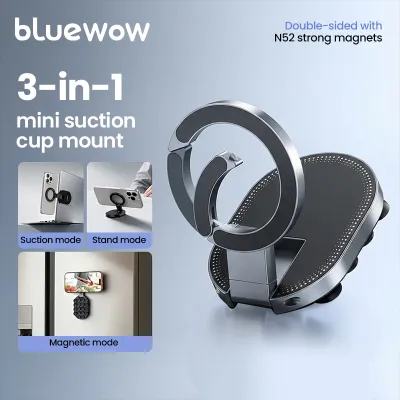
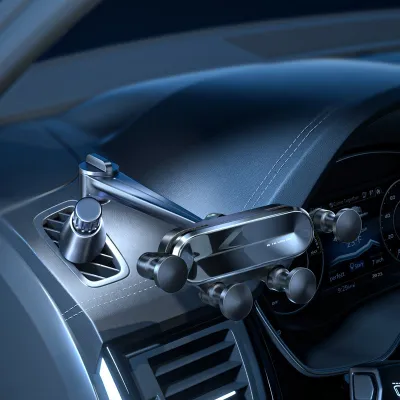
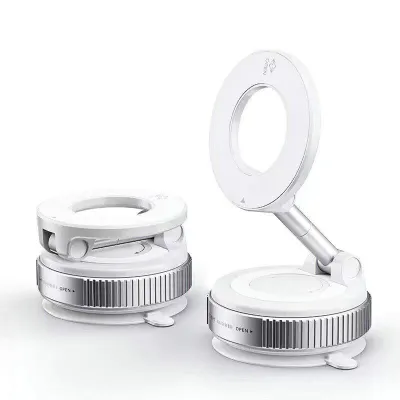
Prices are valid at publication and may change. Please refer to the product page for the latest price.
Cost, Installation, and Hardware Trade-offs
Integrating a navigation system into your vehicle involves distinct financial and physical commitments. A dedicated car navigation system typically requires a significant upfront investment. Because these systems often require tapping into your car’s electrical wiring, removing dashboard panels, or integrating with existing steering wheel controls, attempting a DIY installation can risk damaging your vehicle’s electronics or voiding its warranty. Always consult your vehicle’s manual and seek qualified professional installation for any electrical modifications or dashboard disassembly.
In contrast, a magnetic car phone holder offers an incredibly low-cost entry point. High-quality magnetic mounts are widely available on online marketplaces and local automotive accessory shops, often costing under S$50. Installation is straightforward and completely reversible, requiring no tools, wiring, or permanent modifications to your vehicle’s interior.
Before making a decision, carefully evaluate your vehicle’s dashboard layout and available mounting surfaces. Some modern dashboards feature textured, curved, or leather-wrapped surfaces that do not bond well with adhesive suction mounts. Other vehicles have unique air vent designs that may not support vent-mounted magnetic holders. If you opt for a dedicated unit, verify whether your specific car model and year require a custom dash kit or specialized wiring harnesses to ensure a seamless fit.
Screen Visibility, Interface, and Daily Convenience
Daily usability is heavily influenced by how easily you can view and interact with your navigation screen while driving. Dedicated car navigation systems generally feature larger, high-contrast displays that are permanently fixed in an optimal viewing position. These screens are designed specifically for automotive environments, meaning they often handle direct sunlight and glare better than standard consumer electronics. However, older or entry-level dedicated units may suffer from sluggish touch response and clunky, non-intuitive user interfaces that feel outdated compared to modern smartphones.

A smartphone mounted on a magnetic holder offers unparalleled flexibility in positioning. Depending on the mount design, you can position your phone on the windscreen, dashboard, or air vents to keep it directly within your line of sight. This flexibility allows you to adjust the viewing angle easily to minimize glare. The trade-off is screen size; even larger smartphones have smaller displays than most dedicated in-dash screens, which can make reading detailed map labels or complex junction views more challenging at a glance.
When choosing a magnetic holder, pay close attention to its adjustability, arm length, and weight capacity. A mount with a weak ball joint or a short, rigid arm may limit your ability to position the screen comfortably. Furthermore, you must verify that the magnetic grip is strong enough to support the specific size and weight of your phone, especially if you use a heavy protective case. The convenience of simply tapping your phone onto a magnetic mount when entering the car is unmatched, but it requires a reliable physical connection to remain practical.
Navigation Accuracy, Connectivity, and Real-Time Updates
Singapore’s traffic conditions can change rapidly due to sudden downpours, roadworks, or peak-hour congestion on expressways like the PIE or CTE. Smartphone navigation apps excel in this environment because they leverage crowdsourced, real-time data to provide instant traffic alerts and dynamic rerouting. These apps are updated automatically and continuously, ensuring that new roads, ERP gantry changes, and point-of-interest databases are always current without requiring manual map downloads.
Dedicated car navigation systems vary widely in their connectivity capabilities. While some premium units feature built-in SIM cards, Wi-Fi connectivity, or smartphone tethering to pull live traffic data, many traditional models rely on pre-loaded offline maps. While offline maps are incredibly reliable in areas with poor cellular coverage, such as underground tunnels or remote areas, they require periodic manual updates via USB or SD card. If you do not update these maps regularly, you risk navigating with outdated road layouts and missing new developments.
Using a smartphone for continuous navigation on a magnetic holder does come with hardware challenges, particularly regarding power and heat. Running GPS, cellular data, and a high-brightness screen simultaneously drains a phone’s battery rapidly. To prevent this, you will need to keep the phone connected to a charger, which introduces cable clutter. Furthermore, Singapore’s hot, tropical climate combined with direct sunlight hitting the windscreen can cause mounted smartphones to overheat. When a phone overheats, it may dim its screen, throttle performance, or shut down entirely to protect its battery, leaving you without navigation mid-journey.
Safety, Stability, and Legal Considerations in Singapore
Safety and compliance with local laws must be your top priorities when setting up any navigation device in your vehicle. Under Singapore’s Road Traffic Act, it is an offence for a driver to hold a mobile communication device while the vehicle is in motion. While using a phone mounted on a holder is legally permissible, you must still exercise extreme caution. Any physical interaction with the screen while driving can be classified as distracted driving. Ensure your destination is set before you begin your journey, and rely on voice guidance whenever possible.
The physical placement of your magnetic holder is also subject to safety considerations. You must verify that the mount and phone do not obstruct your clear view of the road or block critical safety equipment, such as passenger-side airbags. A mount placed directly in the deployment path of an airbag can turn your phone into a dangerous projectile in the event of a collision. Always refer to your vehicle’s owner manual to identify airbag deployment zones before choosing a mounting location.
Physical stability is another crucial factor, especially when navigating speed bumps, carpark ramps, or uneven road surfaces. A high-quality magnetic holder must feature strong, high-grade magnets to prevent your phone from slipping or falling during sudden stops or sharp turns. Before driving, test the grip strength of your magnetic mount by gently tugging on the phone. If the phone shifts easily, consider upgrading to a stronger magnet or removing thick phone cases that interfere with the magnetic connection.
Decision Framework: Choosing the Right Setup for Your Car
To help you make the final decision, use the following structured framework to evaluate your specific driving needs and vehicle setup.
Choose a dedicated car navigation system if:
- Integrated Aesthetics: You prefer a clean, factory-installed look with no visible cables or suction cups on your windscreen.
- Larger Screen and Reliability: You want a large, permanent display that is highly visible in direct sunlight and operates independently of your phone's battery or cellular signal.
- No Overheating Risks: You want to avoid the risk of your primary communication device overheating or shutting down during long drives in hot weather.
Choose a phone with a magnetic holder if:
- Cost-Effectiveness: You want a highly budget-friendly solution that requires zero professional installation fees.
- Real-Time App Updates: You rely heavily on live traffic data, crowdsourced road alerts, and instant rerouting to bypass peak-hour congestion.
- Multi-Vehicle Flexibility: You frequently drive different cars, such as rental vehicles or car-sharing services, and need a portable navigation setup.
Verify first before purchasing or installing:
- Vehicle Warranty: Check if installing an aftermarket dedicated navigation system will void your vehicle's electrical or dashboard warranty.
- Dashboard Material Compatibility: Ensure your dashboard's surface material is compatible with the adhesive or suction mechanism of your chosen magnetic holder.
- Local Traffic Laws: Confirm that your chosen mounting position does not violate local regulations regarding driver visibility and does not block any airbag deployment zones.
Frequently Asked Questions (FAQ)
Will a magnetic phone holder damage my phone or car dashboard?
Modern smartphones use solid-state storage and are generally unaffected by the magnets used in consumer car mounts. However, strong magnets can occasionally interfere with your phone’s internal digital compass or optical image stabilization (OIS) sensors if placed too close for extended periods. To prevent this, check your phone manufacturer’s guidelines regarding magnetic accessories. For your dashboard, high-strength adhesive pads can leave stubborn residue or even peel delicate leather, vinyl, or soft-touch plastics. Always test adhesive mounts on an inconspicuous area first, or opt for air-vent or suction-cup mounts to protect your vehicle’s interior.
Can I use my phone's navigation on the car's built-in screen instead?
Yes, if your vehicle’s infotainment system supports smartphone projection protocols like Apple CarPlay or Android Auto, you can display your phone’s navigation apps directly on the built-in screen. This hybrid approach offers the best of both worlds: you get the real-time accuracy and familiar interface of your phone’s apps combined with the safety, visibility, and integrated look of a large, factory-installed dashboard screen. Before buying any external hardware, check your vehicle’s documentation to see if smartphone projection is supported via a wired USB connection or wirelessly, which may eliminate the need for a separate magnetic holder entirely.

Community discussion
Share your experience or ask a question. Comments are reviewed before publication.