
Navigating the highly urbanised and rapidly changing road network of Singapore requires absolute precision. Drivers must constantly make split-second decisions to avoid sudden traffic build-ups on major expressways, navigate complex multi-tier flyovers, and manage fluctuating Electronic Road Pricing (ERP) charges. To stay on track, motorists typically rely on one of two setups: a built-in car GPS navigation system or a smartphone navigation app paired with a physical car phone holder.
For daily driving in Singapore, phone navigation paired with a high-quality car phone holder generally offers the most practical, cost-effective, and accurate solution. Mobile apps provide real-time traffic data, instant alerts for road hazards or speed cameras, and dynamic routing to bypass costly ERP gantries during peak hours. Because these apps update automatically and without charge, they easily outperform the static, offline maps found in many older factory-installed navigation systems.
However, built-in car GPS systems still hold a distinct advantage for specific driving preferences. They provide a seamless, wire-free dashboard aesthetic, utilize larger integrated screens, and do not drain your smartphone’s battery or expose your device to thermal shutdown under the intense tropical sun. Deciding between the two depends heavily on your vehicle’s age, its compatibility with modern smartphone projection systems like Apple CarPlay or Android Auto, your monthly budget, and how heavily you rely on live traffic alerts to survive peak-hour commutes.
Products mentioned in this guide
![🇸🇬[Ready Stock] New 360 Rotation Vacuum Suction Cup Phone Holder Foldable Magnetic Magsafe Car Phone Mount for Gym/Mirror/Smooth Surface](https://img.lazcdn.com/g/p/8209a6499e644df04a911de525ca3b30.jpg_400x400q80.jpg_.webp)
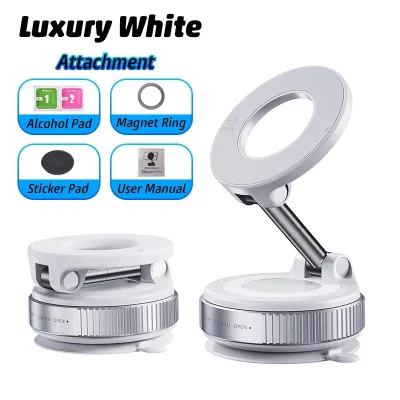
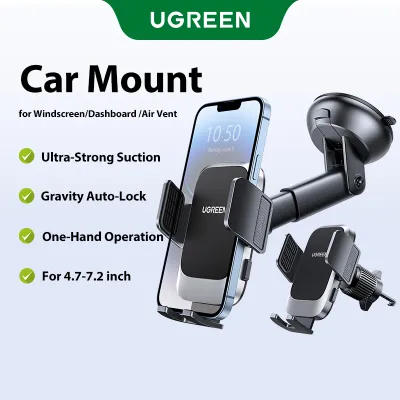
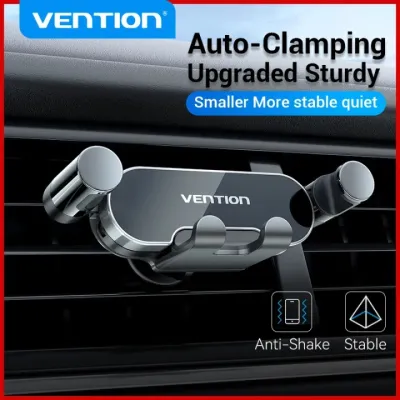
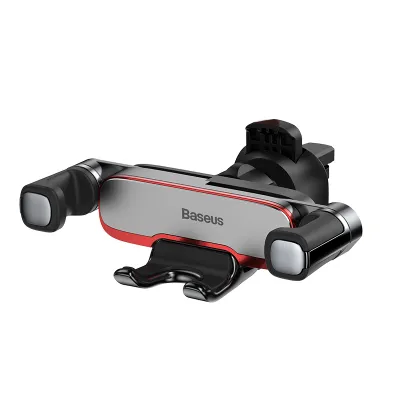

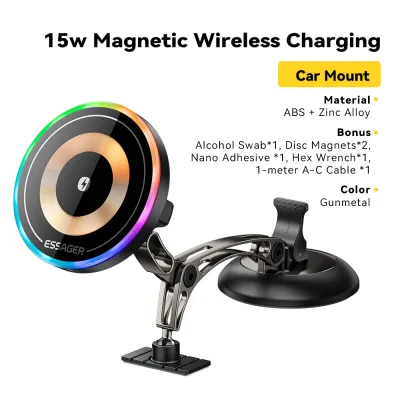
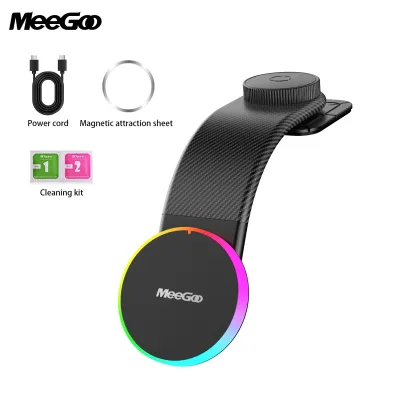
Prices are valid at publication and may change. Please refer to the product page for the latest price.
Built-In Car GPS: Pros, Cons, and Ideal Scenarios
Built-in car GPS systems are factory-installed navigation units or aftermarket head units integrated directly into the vehicle’s dashboard. These systems are designed to function as a permanent component of the vehicle’s electrical and entertainment ecosystem. Because they are built specifically for automotive environments, they offer a level of hardware integration that separate mobile devices struggle to replicate.
Advantages of Built-In Systems
One of the primary benefits of a built-in system is the clean, original equipment manufacturer (OEM) appearance. There are no dangling charging cables, suction cups on the windshield, or brackets blocking your air vents. The display is typically large, positioned at an optimal viewing angle, and integrated directly into the vehicle’s instrument cluster or head-up display (HUD), allowing you to view turn-by-turn directions without taking your eyes off the road ahead.
Furthermore, built-in systems do not consume your phone’s battery or data plan. They rely on the vehicle’s electrical system and a dedicated external GPS antenna, which often provides a more stable satellite connection than a phone. This dedicated antenna is particularly useful when driving through long, covered stretches like the Marina Coastal Expressway (MCE) or navigating beneath dense high-rise HDB estates where mobile GPS signals can occasionally drift or drop entirely.
These systems also integrate flawlessly with the vehicle’s audio and control systems. When a navigation prompt is spoken, the system automatically lowers the volume of your music or radio, ensuring you never miss a crucial turn. You can also control the system using physical steering wheel buttons or integrated rotary dials, minimizing physical distraction while driving.
Drawbacks of Built-In Systems
The most significant pain point of built-in car GPS is map degradation. Road networks in Singapore evolve constantly with the addition of new housing estates, modified slip roads, and temporary construction diversions. Built-in systems rely on offline databases stored on local hard drives or SD cards, which require manual updates.
Obtaining these updates often requires a visit to your authorized car distributor or purchasing expensive proprietary software updates that can cost anywhere from S$100 to S$300. Over time, manufacturers may stop supporting older head units entirely, leaving you with permanently outdated maps. Additionally, the user interfaces of older built-in systems can feel slow, clunky, and unresponsive compared to the fluid touch gestures of modern smartphones.
Most built-in systems also lack crowd-sourced real-time data. While some premium systems offer live traffic via radio broadcast signals or embedded SIM cards, they rarely match the speed and accuracy of mobile apps when alerting you to sudden accidents on the Central Expressway (CTE) or dynamic ERP pricing changes.
Ideal Scenarios for Built-In GPS
Built-in navigation is highly suited for drivers who prioritize a minimalist, clutter-free cabin and want to avoid mounting accessories on their dashboard. It is also highly beneficial for motorists who frequently drive cross-border into Malaysia, where mobile data roaming fees can accumulate quickly and cellular coverage in remote areas can be highly inconsistent.
Phone Navigation With a Car Phone Holder: Pros, Cons, and Ideal Scenarios
Using a smartphone for navigation requires mounting the device securely within the driver’s line of sight using a dedicated car phone holder. This combination turns your mobile phone into a highly responsive, connected co-pilot. For the vast majority of drivers in Singapore, this has become the default method for finding the fastest routes through daily traffic.

Advantages of Phone-Based Navigation
Smartphone navigation apps like Google Maps, Waze, and Apple Maps operate on continuous, cloud-based updates. This ensures that new roads, temporary closures, and modified traffic rules are reflected in your route calculations almost instantly. You never have to pay a subscription or update fee to access the latest geographical data.
These apps excel at real-time traffic management by leveraging crowd-sourced data from millions of active users. If a vehicle breaks down on the Pan Island Expressway (PIE), the system detects the slowdown immediately and recalculates your route to save time. Many apps also feature integrated ERP tracking, allowing you to compare different routes based on both travel time and the total toll costs you will incur at various times of the day.
Additionally, smartphones feature highly advanced voice recognition and familiar touch interfaces. Searching for a location is as simple as speaking the name of a building, shopping mall, or postal code. The integration with your personal contacts and calendar events also makes it incredibly easy to navigate to your next scheduled appointment with a single tap.
Drawbacks of Phone-Based Navigation
The most prominent drawback of using a smartphone for navigation is the rapid drain on your device’s battery. Running GPS tracking, cellular data transmission, and a high-brightness screen simultaneously places an immense load on the phone’s battery, requiring you to keep the device plugged into a charger for the duration of your journey.
This high power consumption, combined with Singapore’s tropical climate, creates a significant risk of device overheating. A smartphone mounted on the windshield or dashboard is exposed to direct sunlight and high ambient temperatures. If the phone gets too hot, it will automatically dim its screen, slow down its processing speed, or shut down entirely to protect its internal components, leaving you without navigation instructions in the middle of your drive.
Using a physical mount also introduces visual clutter to your dashboard. High-quality mounts must be selected carefully to prevent damage to your vehicle’s interior. Poorly designed suction cups can leave permanent rings on your windshield, while cheap vent clips can scratch or crack the delicate plastic louvers of your air conditioning vents.
Ideal Scenarios for Phone Navigation
This setup is the absolute best choice for daily commuters who face changing traffic conditions during peak hours and want to actively avoid ERP charges. It is also indispensable for private hire vehicle (PHV) drivers and delivery riders who require constant, rapid address searches and precise drop-off points. Budget-conscious drivers who want to avoid paying for expensive factory navigation packages will also find this combination provides the highest utility for the lowest cost.
Key Comparison Dimensions for Daily Driving
To determine which setup fits your daily routine, it is helpful to compare how they perform across specific physical and digital dimensions. Both options approach visibility, data accuracy, and physical cabin safety in fundamentally different ways.
Screen Visibility and Glare Management
Premium built-in car screens are engineered specifically for automotive use. They are typically treated with specialized anti-glare coatings and boast high-nit displays designed to remain readable even under direct, harsh sunlight. Because they are recessed or angled downward within the dashboard, they naturally minimize reflections from the side windows and windshield.
Smartphones, on the other hand, feature highly reflective glossy glass screens designed primarily for indoor or hand-held use. Under the bright Singapore sun, glare can easily wash out the display, forcing you to squint or turn up the screen brightness to its absolute maximum, which accelerates battery drain and heat generation.
To manage this glare effectively, you must select an adjustable car phone holder that allows for multi-angle tilting. Being able to pivot the phone slightly away from the sun’s direct rays is essential for maintaining clear visibility. Choosing a mount that positions the phone lower down on the dashboard or clips securely to an air vent can also help shield the screen from direct sunlight while utilizing the car’s air conditioning to keep the device cool.
Real-Time Traffic and Map Accuracy
Singapore’s urban landscape is dynamic, with new residential projects, commercial hubs, and road re-alignments occurring regularly. Phone-based navigation apps update their maps silently in the background, ensuring you are always driving with the most current data. These apps also rely on live GPS telemetry from thousands of active road users to calculate traffic density, giving you highly accurate arrival times.
This live connectivity is particularly useful for managing ERP costs. Because ERP rates change based on specific time windows, a phone app can dynamically calculate whether taking an alternative, non-toll route will save you money without adding excessive travel time.
In contrast, standard built-in GPS units rely on static maps. Even if your car’s system features basic live traffic updates via local radio data systems, the bandwidth is highly limited. It cannot provide the granular, street-by-street congestion data or the instant hazard reporting that makes smartphone routing so efficient in heavy city traffic.
Installation Safety and Dashboard Clearance
When adding any aftermarket accessory to your vehicle, safety must be your absolute priority. If you choose to use a smartphone, you must follow strict safety boundaries when installing your car phone holder.
- Airbag Deployment Zones: Never mount a phone holder over, in front of, or near any active airbag deployment zone. Airbags deploy with explosive force; placing a phone or a rigid plastic mount in their path can turn the device into a dangerous projectile in the event of a collision. Consult your vehicle's owner manual to identify the exact locations of all dashboard, side, and curtain airbags before choosing a mounting spot.
- Driver Line of Sight: Ensure the mount does not obstruct your forward view of the road or block your view of the side mirrors. The windshield should remain as clear as possible to comply with local safety standards and maintain optimal situational awareness.
- Secure Mounting Mechanisms: Choose a mount that matches your vehicle's dashboard texture and material. Suction cups with sticky gel pads work best on smooth, flat surfaces, while specialized vent clips must be checked for compatibility with your specific vent blade design. Ensure the phone is held tightly in place so it does not dislodge when driving over speed bumps in carparks or during sudden emergency braking.
- Dashboard Protection: If you need to clean your dashboard surface before applying an adhesive or suction mount, use only manufacturer-approved automotive interior cleaners. Avoid harsh household detergents or solvents that can strip away protective coatings, discolor plastics, or dry out leather surfaces.
Cost and Value: Upfront Price vs Long-Term Usability
The financial commitment required for each setup varies significantly, both in terms of initial investment and ongoing maintenance costs over the lifespan of your vehicle.
Built-In Car GPS Costs:
- Upfront Cost: Often bundled into premium vehicle trim levels, which can add thousands of dollars to the purchase price of the car. If retrofitting an aftermarket head unit, quality systems typically range from S$500 to S$1,500, excluding professional installation fees.
- Ongoing Cost: Map updates can cost S$100 to S$300 per update if your vehicle is no longer covered by a complimentary servicing package.
- Hardware Lifespan: Highly durable. These units are built to automotive standards and are designed to last the entire 10-year Certificate of Entitlement (COE) lifespan of the car without physical degradation.
Phone Navigation with Holder Costs:
- Upfront Cost: Extremely low. A durable, high-quality car phone holder typically costs between S$15 and S$60.
- Ongoing Cost: Practically zero, assuming you already have an active mobile data plan. Modern navigation apps consume very little data, typically using less than 50MB per hour of active driving.
- Hardware Lifespan: Moderate. While the physical mount may last several years, constant exposure to high interior heat and UV rays can eventually cause plastic parts to become brittle. Additionally, using your smartphone for intensive navigation daily will accelerate battery degradation, potentially requiring a phone battery replacement or device upgrade every two to three years.
Decision Framework: How to Choose the Right Setup for Your Car
To make the final decision for your daily commute, evaluate your specific driving habits, vehicle features, and personal preferences against this direct framework.
- Choose a built-in car GPS if:
- You prefer a completely clean, uncluttered dashboard with no visible wires or accessories.
- You frequently drive cross-border into Malaysia and want to avoid relying on mobile roaming data.
- Your vehicle features a high-quality integrated Head-Up Display (HUD) that projects navigation arrows directly onto the windshield.
- You want a highly durable system that will remain functional for the entire lifespan of the vehicle without requiring external hardware adjustments.
- Choose phone navigation with a holder if:
- You commute daily through congested areas and need real-time traffic updates to bypass gridlock.
- You want to actively track and minimize your ERP toll expenses using dynamic routing.
- You want access to instant, free map updates without ever paying subscription fees to a car dealership.
- You want a highly cost-effective setup that can be easily transferred between different vehicles.
- Verify your vehicle's infotainment capabilities first:
- Before purchasing a separate mount, check if your vehicle's infotainment system supports Apple CarPlay or Android Auto. If it does, you can bridge the gap between these two options entirely. These systems allow you to run powerful phone navigation apps directly on your car's built-in, anti-glare screen.
- If your car supports wireless projection, you can keep your phone safely in your pocket or on a wireless charging pad. If your car only supports wired connections, or if you prefer to keep your phone screen visible for secondary tasks, investing in a high-quality car phone holder remains an excellent way to keep your device secure and accessible without cluttering your center console.
Frequently Asked Questions (FAQ)
Does using phone navigation drain my car battery?
Using phone navigation does not directly drain your car’s battery while you are driving. When your phone is plugged into a USB port or a 12V accessory charger, it draws electrical power generated by the car’s alternator, which operates continuously while the engine is running. To prevent any potential electrical issues, always use high-quality, certified charging cables and adapters. It is also highly recommended to unplug your phone and charging accessories when the engine is switched off, as some vehicles keep their 12V accessory sockets powered even when parked, which can cause a slow parasitic drain on the car battery over time.
Are windshield phone mounts legal in Singapore?
Windshield phone mounts are legal in Singapore, but they must comply with strict safety and visibility guidelines set by the Land Transport Authority (LTA) and the Traffic Police. Any mounted device must not obstruct the driver’s clear, forward line of sight or block your view of the side mirrors and critical blind spots. If a mount is positioned in a way that severely compromises your vision of the road, you could be deemed to be driving without due care and attention. To ensure full compliance and maximize safety, consider using a dashboard mount or a secure air vent mount, as these keep your windshield completely clear and position the phone at a safer, less distracting viewing height.

Community discussion
Share your experience or ask a question. Comments are reviewed before publication.