
Quick Answer: Which Navigation Setup Should You Choose?
Choosing between built-in car navigation and a smartphone secured by a magnet phone holder depends on your vehicle’s age, your budget, and how heavily you rely on real-time, crowd-sourced traffic data. There is no single superior option, as both systems serve different driving profiles and operational priorities.
Built-in car navigation systems excel in seamless dashboard integration, reliable satellite connectivity via external vehicle antennas, and robust automotive-grade durability. They function independently of cellular networks and are engineered to withstand extreme cabin temperatures without performance degradation. This makes them ideal for drivers who prioritize a clean aesthetic, drive in areas with spotty mobile coverage, or want a permanent system that is always ready when the engine starts.
Conversely, using a smartphone paired with a high-quality magnet phone holder offers unmatched flexibility, zero-cost map updates, and superior real-time traffic routing. This setup is highly effective for daily commuters who must navigate congested urban routes and adapt to dynamic tolling systems. It provides a low-cost, portable solution that can be easily transferred between different vehicles.
Products mentioned in this guide
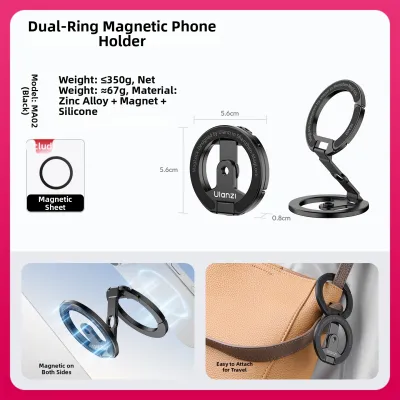

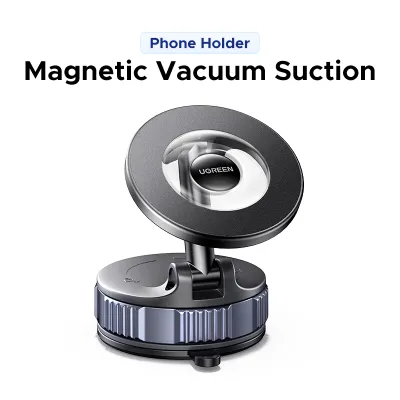
![🇸🇬[Ready Stock] New 360 Rotation Vacuum Suction Cup Phone Holder Foldable Magnetic Magsafe Car Phone Mount for Gym/Mirror/Smooth Surface](https://img.lazcdn.com/g/p/8209a6499e644df04a911de525ca3b30.jpg_400x400q80.jpg_.webp)
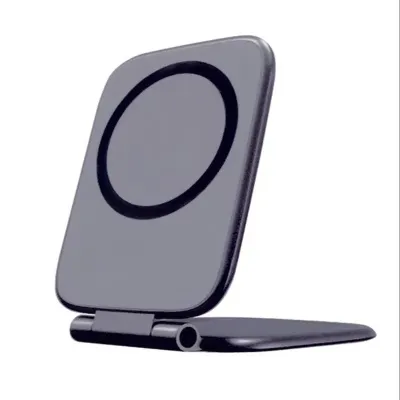
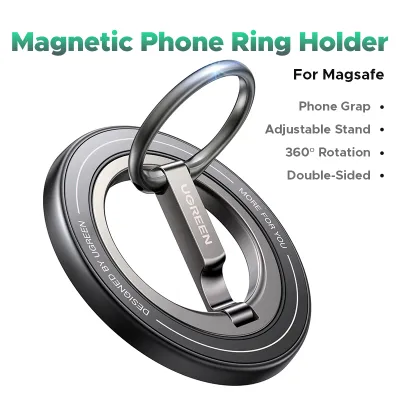
Prices are valid at publication and may change. Please refer to the product page for the latest price.
Head-to-Head Comparison: Car Navigation vs Phone with Magnet Holder
To make an informed decision, it is essential to evaluate how these two navigation methods perform across several key operational dimensions. The table below outlines the core differences in performance, cost, and usability.

| Feature | Built-In Car Navigation | Phone with Magnet Holder |
|---|---|---|
| Map Update Frequency | Infrequent (often annual or dealer-dependent) | Continuous (real-time, over-the-air updates) |
| Traffic Responsiveness | Limited (requires paid services or TMC signals) | Instantaneous (crowd-sourced live traffic data) |
| Upfront & Ongoing Cost | High initial cost; potential subscription fees | Low cost (one-time purchase of a magnetic mount) |
| Screen Quality & Position | Large, integrated, anti-glare, optimized viewing | Variable (depends on smartphone; potential glare) |
| Cabin Aesthetics | Clean, factory-fitted, no exposed cables | Requires mounting hardware; potential cable clutter |
Map Accuracy, Updates, and Real-Time Traffic
Built-in car navigation systems rely on onboard storage, such as hard drives, flash memory, or SD cards, to house map data. Because these systems operate offline, updating them requires active user intervention. Depending on your vehicle manufacturer, updates may involve buying a proprietary SD card, downloading massive files onto a USB drive, or booking a service appointment at a dealership. These updates are typically released only once or twice a year and can cost anywhere from S$100 to S$300 per update, leaving drivers with outdated maps of rapidly changing road networks.
Smartphone navigation applications, such as Google Maps, Waze, and Apple Maps, update continuously and automatically in the background. These platforms download small, incremental map tiles over cellular networks, ensuring that new roads, temporary closures, and modified speed limits are reflected almost instantly without any manual effort or financial cost to the user.
For drivers navigating congested urban areas, real-time traffic data is crucial. Smartphone apps excel here by aggregating crowd-sourced speed data from millions of active devices, allowing them to detect traffic build-ups instantly and suggest faster alternative routes. In Singapore, where Electronic Road Pricing (ERP) rates fluctuate based on time and location, real-time rerouting can help you bypass active ERP gantries and heavy congestion on major expressways like the PIE, AYE, or CTE, saving both time and money.
Built-in navigation systems often lack this level of responsiveness. While some premium vehicles offer live traffic updates via connected-car subscriptions, these services usually require ongoing monthly fees. Without an active subscription, built-in systems must rely on broadcast traffic signals like the Traffic Message Channel (TMC), which has limited bandwidth and cannot match the precision of crowd-sourced smartphone data.
Cost, Aesthetics, and Vehicle Integration
The financial commitment required for built-in navigation is substantial. It is typically bundled into expensive technology packages when purchasing a vehicle, adding thousands of dollars to the upfront cost. Even on the secondary market, vehicles equipped with functional, premium navigation systems command higher prices, yet the technology can feel dated within a few years of release.
In contrast, using a smartphone for navigation incurs almost no additional cost, as most drivers already own a capable mobile device. The only necessary purchase is a reliable magnet phone holder, which typically costs between S$15 and S$50. This small investment provides immediate access to cutting-edge mapping software that is constantly improved by global technology companies.
From an aesthetic standpoint, built-in systems are integrated directly into the vehicle’s dashboard by design. This factory placement ensures that the screen is positioned at an optimal viewing angle, matches the interior materials, and leaves the cabin free of exposed charging cables, suction cups, or brackets. The integrated screen also automatically dims when the headlights turn on, reducing eye strain during night driving.
Mounting a smartphone with a magnetic holder introduces an aftermarket element into the cabin. While modern magnetic mounts are compact and visually unobtrusive, they still require careful placement to avoid looking cluttered. Drivers must also manage charging cables running from the center console to the mount, which can disrupt the clean lines of the dashboard if not routed neatly.
Safety, Visibility, and Environmental Factors on the Road
Operating any device while driving introduces safety and environmental challenges. Understanding how each setup handles these factors is critical for maintaining focus and protecting your hardware.
Line of Sight and Airbag Safety
Automotive engineers design built-in screens to comply with strict safety regulations, ensuring they sit within the driver’s natural line of sight while remaining low enough to prevent any obstruction of the windshield. This careful positioning allows drivers to glance at map directions with minimal deviation from the road ahead.
When you install a magnet phone holder, you assume responsibility for these safety decisions. Placing a suction mount too high on the windshield or mounting a large smartphone on top of the dashboard can create dangerous blind spots, blocking your view of pedestrians or oncoming traffic. Vent-mounted magnetic holders keep the windshield clear but may force you to look down, taking your eyes off the road for dangerously long intervals.
Airbag Deployment Warning: Before securing a magnetic mount, you must verify the location of your vehicle’s airbags. Placing a phone or a heavy metal mount directly over or adjacent to airbag deployment zones—such as the steering wheel, passenger-side dashboard, or side pillars—presents a severe safety hazard. If an airbag deploys during a collision, it does so with explosive force, turning any unsecured object in its path into a high-velocity projectile inside the cabin. Always consult your vehicle’s owner manual to identify safe mounting areas clear of all airbag expansion zones.
Magnetic Interference
High-quality magnetic phone holders utilize strong neodymium magnets arranged in a specific pattern, such as a closed-loop array, to hold heavy smartphones securely over speed bumps and rough roads. While these magnetic fields are completely safe for modern flash memory and solid-state storage, they can affect other internal hardware components.
Digital Compass Impact: Smartphones rely on an internal sensor called a magnetometer to determine direction. A strong external magnet can temporarily disrupt this sensor, causing your navigation app to lose its orientation. This can result in the map spinning erratically or showing your vehicle facing the wrong direction when you are stopped at an intersection.
Camera Stabilization Risks: Many modern smartphones feature Optical Image Stabilization (OIS) and closed-loop autofocus in their camera systems. These components use tiny electromagnets and springs to suspend the camera lens and counteract hand tremors. Prolonged exposure to strong external magnetic fields, combined with the high-frequency vibrations of a moving vehicle, can degrade these delicate mechanical systems over time. To prevent damage, check your phone manufacturer’s official guidelines regarding magnetic accessories, and opt for high-quality mounts that incorporate magnetic shielding.
Thermal Management
Singapore’s tropical climate poses a significant challenge for electronic devices. On a typical sunny day, ambient temperatures can quickly heat up a vehicle’s cabin, and direct solar radiation coming through the windshield can raise dashboard temperatures well above 50°C.
Smartphone Overheating: Running a navigation app requires your smartphone to operate its GPS receiver, cellular modem, and screen backlight simultaneously, all while processing complex graphical maps. This intensive processing generates substantial internal heat. When combined with direct sunlight from a dashboard or windshield mount, the phone can quickly reach its thermal limit.
To prevent permanent hardware damage, the phone’s operating system will initiate protective thermal throttling. This process dims the screen, slows down processing speeds, halts battery charging, and may eventually force the device to shut down entirely mid-journey. Repeated exposure to these high temperatures accelerates the degradation of the phone’s lithium-ion battery, reducing its overall lifespan and capacity.
Built-In System Resilience: Built-in navigation hardware is specifically engineered to meet automotive-grade thermal standards. These systems are designed to operate reliably across extreme temperature ranges, typically from -40°C to 85°C. They feature robust passive heat sinks, dedicated cooling paths, and heavy-duty internal components that do not suffer from thermal shutdowns or battery swelling.
Cooling Strategy: If you choose to use a smartphone setup in a hot climate, consider using an air-vent magnetic mount. Positioning the phone directly in front of an active air conditioning vent utilizes the vehicle’s cooling system to keep the device operating within its safe temperature range, preventing thermal throttling and protecting battery health.
Decision Framework: How to Choose the Right Setup
To determine which navigation setup best suits your driving habits, evaluate your needs against the specific conditions outlined below.
Choose Built-In Car Navigation if:
- You prioritize cabin aesthetics: You want a clean, factory-integrated dashboard free of aftermarket mounts, visible brackets, or hanging charging cables.
- You want maximum reliability: You prefer a system that is permanently wired to the vehicle, boots up instantly when you start the engine, and does not rely on cellular signal strength or mobile data plans.
- You want to protect your phone: You want to avoid exposing your personal smartphone to direct sunlight, high cabin heat, and continuous battery-draining navigation tasks.
- You drive in remote areas: You frequently travel through regions with poor mobile network coverage where offline, satellite-based GPS mapping is more reliable than cellular data.
Choose Phone Navigation with a Magnet Holder if:
- You need real-time traffic data: Your daily commute involves navigating heavy traffic, and you rely on instant, crowd-sourced rerouting to avoid congestion and active ERP gantries.
- You want a cost-effective solution: You want to avoid paying hundreds of dollars for annual dealer map updates or ongoing connected-car software subscriptions.
- You drive multiple vehicles: You frequently drive rental cars, car-sharing vehicles, or company fleet vans, and you need a highly portable navigation setup that you can install and remove in seconds.
- You prefer specific mapping apps: You want the freedom to choose between Waze, Google Maps, or specialized routing applications, all of which update automatically and for free.
Verify First if:
Before purchasing any aftermarket mounting hardware, check if your vehicle supports modern smartphone projection technologies, such as Apple CarPlay or Android Auto. These systems allow you to connect your phone to the vehicle—either via a USB cable or wirelessly—and mirror your preferred navigation apps directly onto the built-in dashboard screen.
If your car supports smartphone projection, you get the best of both worlds: the real-time routing, crowd-sourced traffic alerts, and automatic updates of your phone apps, combined with the safe viewing angles, integrated controls, and large display of your vehicle’s built-in screen. In this scenario, you will not need to rely on the car’s native offline maps, and you may only need a magnet phone holder if your vehicle lacks wireless connectivity and you want a dedicated magnetic charging dock to keep your phone secure while plugged in.
Frequently Asked Questions (FAQ)
Will a magnet phone holder damage my smartphone?
Modern smartphones utilize solid-state flash memory, which is completely unaffected by the consumer-grade magnets used in phone mounts. However, very strong magnets can temporarily interfere with the phone’s internal magnetometer (digital compass), causing directional tracking issues in navigation apps until the phone is removed from the mount. Additionally, prolonged exposure to strong magnetic fields combined with high-frequency vehicle vibrations can potentially stress the delicate mechanical components of optical image stabilization (OIS) systems in high-end phone cameras. To minimize these risks, use high-quality, brand-certified magnetic mounts that feature proper magnetic shielding, and follow your phone manufacturer’s guidelines regarding magnetic accessories.
Is it legal to use a phone mount while driving in Singapore?
Under Singapore’s Road Traffic Act, it is an offence for a driver to hold and operate any mobile communication device while the vehicle is in motion. However, using a smartphone that is securely mounted on a dashboard, windshield, or air vent via a magnet phone holder is legal, provided the mount is secure and does not obstruct your forward view of the road. Even with a secure mount, you must not physically interact with the screen—such as typing in destinations, scrolling through routes, or reading messages—while driving or when stationary at a traffic light. All route planning and adjustments must be completed before you begin your journey or while the vehicle is safely parked.

Community discussion
Share your experience or ask a question. Comments are reviewed before publication.