
Choosing between a built-in car navigation system and a smartphone mounted on a car phone holder clip depends on your daily driving habits, vehicle age, and need for real-time traffic updates. If you prioritize seamless dashboard integration, stable GPS signals in tunnels, and hands-free safety, a built-in system is highly reliable. Conversely, if you rely on live, crowd-sourced traffic data to bypass peak-hour congestion on the CTE or PIE, a smartphone secured by a high-quality car phone holder clip offers excellent agility and up-to-date routing.
Evaluating Your Core Navigation Priorities
Singapore’s road network experiences rapid changes, ERP rate adjustments, and sudden peak-hour bottlenecks. Drivers who commute daily during rush hours often require dynamic rerouting to avoid delays. Evaluating how much you rely on live traffic updates is the first step in choosing your primary navigation setup.
While Singapore has excellent cellular coverage, certain areas like underground expressways or deep basement carparks can cause mobile signals to drop. Built-in systems with dedicated GPS antennas or dead reckoning technology maintain tracking when cellular networks fail. If your daily route involves long underground stretches, signal stability becomes a major priority.
Products mentioned in this guide
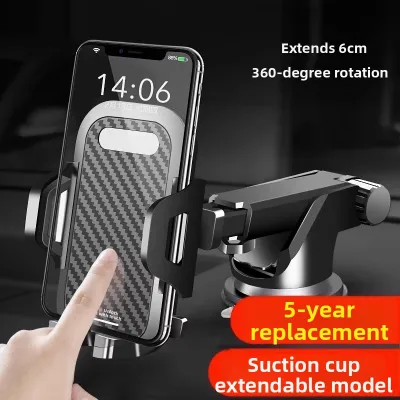
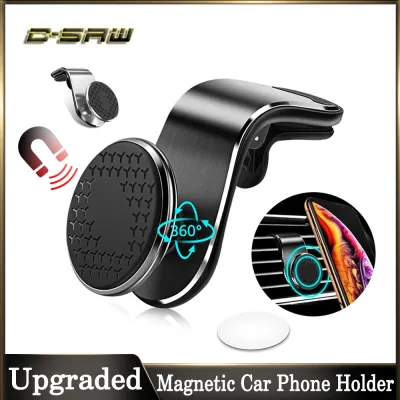
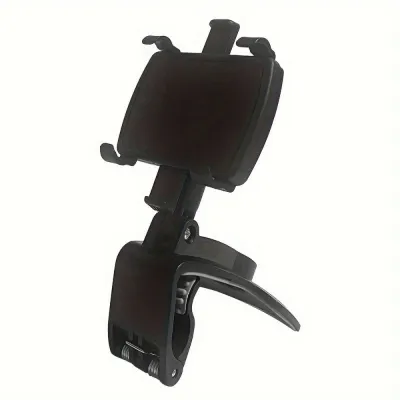
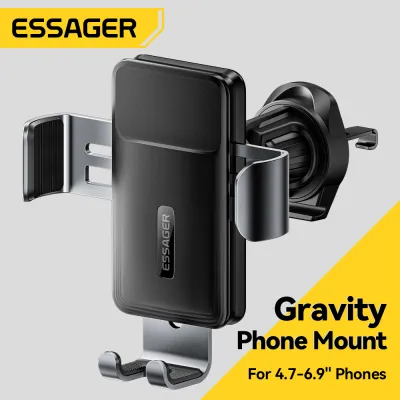
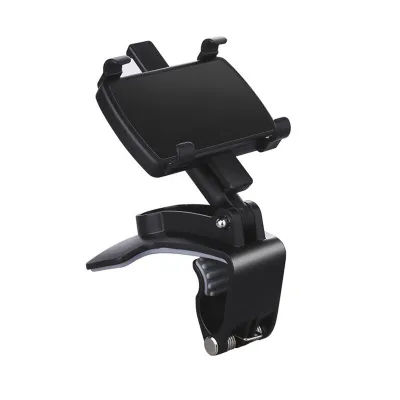
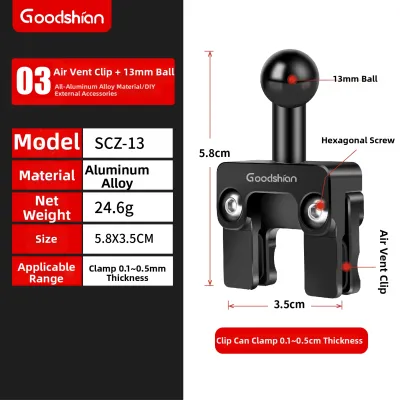

Prices are valid at publication and may change. Please refer to the product page for the latest price.
Dashboard aesthetics and functional flexibility also play a significant role in your decision. A built-in screen maintains a clean, clutter-free dashboard without visible wires. A phone holder clip, while highly functional, introduces visible cables and mounts but allows you to run any navigation application of your choice.
Built-In Car Navigation: Integration and Offline Reliability
Built-in systems are deeply integrated with the vehicle’s hardware. They connect directly to steering wheel controls, display navigation prompts on the instrument cluster or head-up display, and utilize a dedicated external GPS antenna. This antenna provides stable signal reception, which is highly beneficial when navigating complex multi-level junctions or long underground tunnels.

The primary drawback of factory-installed navigation is map update frequency. Unlike smartphone apps that update continuously, built-in maps often require manual updates via SD cards, USB drives, or dealership visits. These updates can be infrequent and may incur service fees at local service centers. Consequently, newly constructed roads, housing estates, or changed traffic directions might not reflect immediately on your dashboard screen.
In deep tunnels, built-in systems often outperform mobile phones by utilizing vehicle speed sensors to estimate your position even when GPS signals are completely blocked. This prevents the navigation system from freezing or losing track of your exit when driving through long underground expressways.
Phone Navigation and Clip Holders: Real-Time Agility
Smartphone navigation apps leverage real-time crowd-sourced data to provide instant alerts on accidents, road works, and speed cameras. These applications update their maps automatically in the background without any subscription fees or manual installation steps, ensuring you always have the latest road layouts.
To use a phone safely, you must select a secure car phone holder clip. The mount must withstand local environmental factors, such as high cabin temperatures when parked under the sun and constant vibration from driving. A clip that attaches to the air conditioning vent can help keep the phone cool, but it must have a robust clamping mechanism to prevent slipping.
Running GPS, mobile data, and high screen brightness simultaneously causes significant battery drain and heat generation. Drivers must manage this by using high-quality charging cables and positioning the phone where air conditioning can mitigate overheating, which can otherwise cause the phone to dim or shut down unexpectedly.
Safety, Mounting Rules, and Legal Compliance
In Singapore, holding a mobile communication device while driving is a serious offense under the Road Traffic Act. To remain compliant, any phone used for navigation must be mounted securely in a holder. The placement must not obstruct the driver’s clear line of sight of the road ahead.
When installing a car phone holder clip, you must verify the vehicle’s original manual to identify airbag deployment zones. Mounting a holder on or near the steering column, passenger dashboard, or side pillars can turn the phone or mount into a dangerous projectile if the airbags deploy during a collision.
Touching a phone screen to input destinations while driving is highly distracting and legally risky. Built-in systems often feature voice-control integration or steering wheel buttons that allow you to manage navigation without taking your eyes off the road, offering a safer alternative to manual phone operation.
Cost, Maintenance, and Long-Term Value
Maintaining a built-in navigation system can involve recurring costs. Dealerships may charge fees for annual map updates, which can add up over the vehicle’s lifespan. In contrast, smartphone navigation apps are generally free to use, requiring only a standard mobile data plan.
A car phone holder clip is subject to wear and tear from daily mounting, sun exposure, and cabin heat. Over time, plastic clips, suction cups, or silicone pads may degrade, requiring replacement. However, the cost of replacing a high-quality holder is relatively low compared to built-in system repairs.
When you upgrade your smartphone, you must check if your existing car phone holder clip remains compatible. Changes in phone dimensions, weight, or magnetic alignment systems may require you to purchase a new holder that matches your new device’s specifications.
Final Decision Framework: Matching the Setup to Your Profile
Choose built-in navigation if you prefer a clean, cable-free dashboard aesthetic, frequently drive through long underground tunnels where mobile signals drop, and value seamless integration with steering wheel controls and vehicle displays.
Choose a car phone holder clip if you prioritize real-time traffic avoidance to bypass daily congestion, want access to free and instant map updates, and prefer using familiar mobile navigation apps without paying dealership update fees.
Verify first if your vehicle’s dashboard layout has suitable mounting spots, check local traffic regulations regarding driver line-of-sight, and consult your phone’s operating guidelines regarding heat tolerance and charging requirements.
Frequently Asked Questions (FAQ)
Will a dashboard phone holder clip damage my car's interior?
Using adhesive-based mounts on leather or soft-touch dashboards can leave permanent residue or cause discoloration when removed. To prevent damage, check your vehicle’s manual for any weight limits on air vents before installing vent-clip holders. It is advisable to test adhesives on a small, hidden area first or opt for non-marking silicone pads and mechanical clips that grip without sticky adhesives.
Can I use Android Auto or Apple CarPlay instead of a physical holder?
If your vehicle’s head unit supports Android Auto or Apple CarPlay, you can project your phone’s navigation apps directly onto the built-in screen. This setup bridges the gap by offering real-time app updates on a large, integrated display, eliminating the need for a physical car phone holder clip on your dashboard. However, you must still store the phone safely in a designated console slot to prevent distraction, and ensure it is kept cool as projection relies heavily on the phone’s processing power and data connection.

Community discussion
Share your experience or ask a question. Comments are reviewed before publication.