
Quick Answer: Which Navigation Setup Should You Choose?
The best navigation setup for daily driving in Singapore depends on your vehicle’s age, your budget, and how heavily you rely on minute-by-minute traffic updates. For drivers navigating dynamic local traffic, a smartphone paired with a secure hand phone holder remains the most practical and cost-effective choice. This combination provides instantaneous routing adjustments, crowdsourced road incident alerts, and continuous, free map updates.
Conversely, native built-in car navigation systems offer distinct advantages for drivers seeking a clean, clutter-free dashboard. These integrated systems do not require external mounts, wires, or suction cups, preserving the vehicle’s interior design. Furthermore, built-in systems often communicate directly with the vehicle’s internal sensors, allowing them to maintain accurate tracking in areas with poor cellular reception, such as the Central Expressway (CTE) or Kallang-Paya Lebar Expressway (KPE) tunnels.
Ultimately, the decision often comes down to balancing the convenience of automated, real-time data against the aesthetic and hardware stability of an integrated system.
Products mentioned in this guide
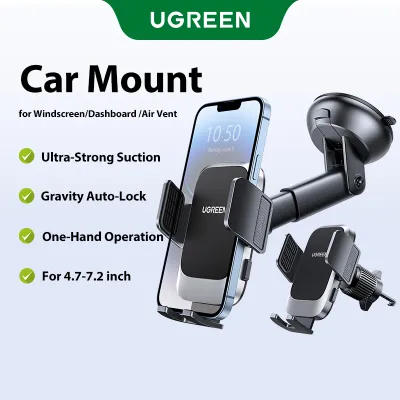
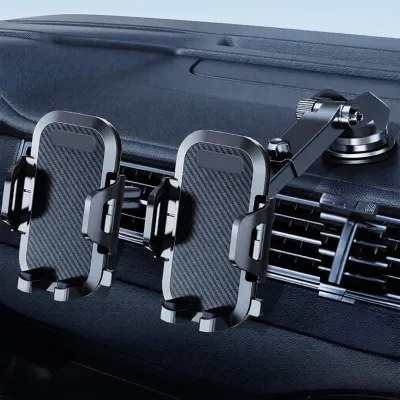

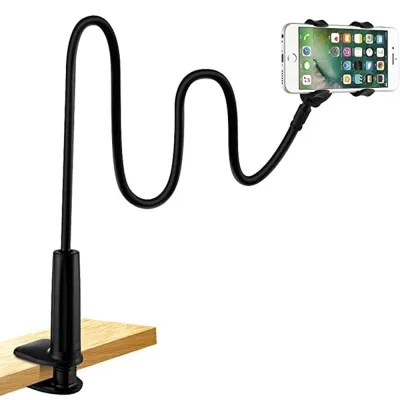
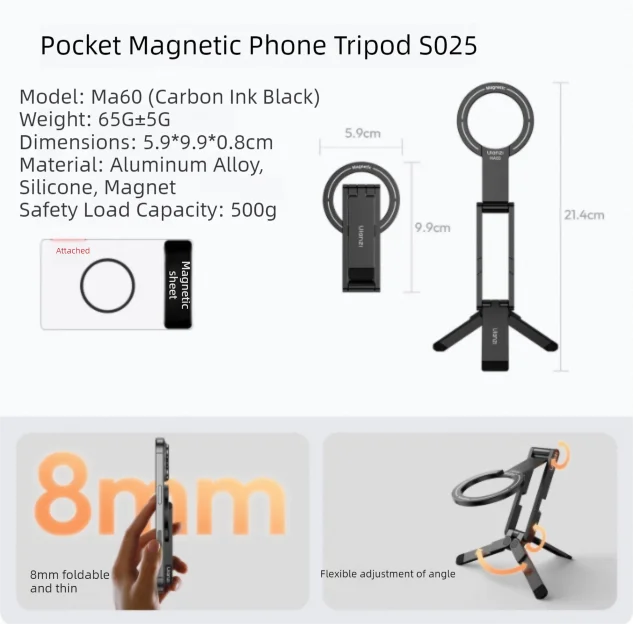

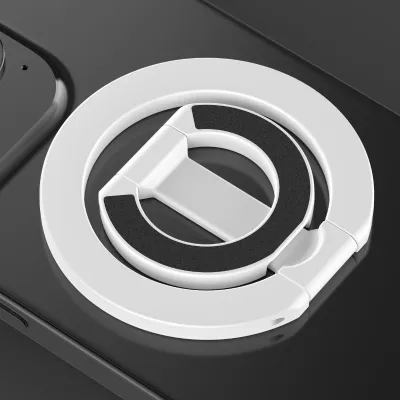
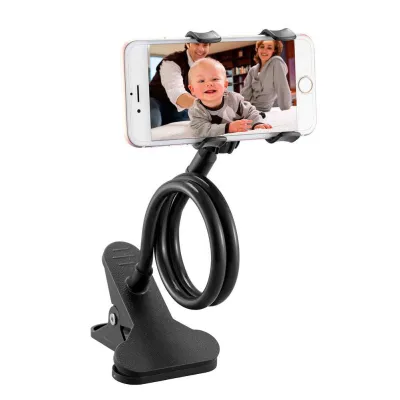
Prices are valid at publication and may change. Please refer to the product page for the latest price.
Key Comparison Dimensions for Daily Driving
Evaluating these two setups requires looking beyond simple map displays. Daily driving across Singapore presents unique environmental and infrastructural challenges, from Electronic Road Pricing (ERP) gantry changes to sudden tropical downpours and dense high-rise urban canyons. To determine which system serves you best, you must weigh three primary dimensions: data accuracy, hardware ergonomics, and system integration.

Each of these pillars directly impacts your daily commute, whether you are trying to find an optimal route to avoid peak-hour ERP charges or attempting to safely glance at your next turn while navigating a busy roundabout.
Map Accuracy, Real-Time Traffic, and Routing
For daily drivers, the utility of any navigation system hinges on its ability to provide real-time, accurate routing. Smartphone applications excel in this arena because they are constantly connected to high-speed cellular networks and backed by massive, active user bases. These platforms process crowdsourced data in real time, allowing them to detect sudden traffic build-ups, accidents, or road closures on major expressways like the Pan Island Expressway (PIE) or Ayer Rajah Expressway (AYE) and suggest alternative routes within seconds.
In contrast, traditional built-in car navigation systems rely on periodic map updates provided by the vehicle manufacturer. These updates are often released quarterly or annually, meaning newly constructed roads, modified housing estates in Tengah, or updated ERP pricing schedules may not reflect on your dashboard for months. While some modern, connected luxury vehicles now offer over-the-air (OTA) traffic updates, they rarely match the granular, community-driven accuracy of dedicated mobile applications.
However, built-in systems hold a significant technical advantage when it comes to signal reliability. When driving through the extensive underground tunnel networks of the KPE, MCE, or Marina Coastal Expressway, smartphone GPS signals frequently drop or lag. Built-in navigation systems mitigate this by using a technology known as dead reckoning. By linking directly to the car’s wheel speed sensors and internal gyroscopes, the system calculates your position, speed, and direction even when completely cut off from satellite and cellular networks.
This means a built-in system will continue to guide you accurately through complex underground exits, whereas a phone mounted on a holder might freeze, leaving you to guess which fork to take. For drivers whose daily commutes heavily involve these subterranean routes, this hardware integration offers unparalleled peace of mind.
Screen Visibility, Ergonomics, and Hardware
The physical viewing experience is another critical factor in daily usability. Modern smartphones feature exceptionally high-resolution screens with high peak brightness levels, often exceeding 1,000 nits. This makes them highly legible even under the harsh, direct sunlight common in Singapore. However, to utilize this screen, you must select and position a hand phone holder with extreme care.
An improperly placed phone holder can introduce severe ergonomic challenges. If mounted too low, such as on an air vent near the gear shifter, it forces you to look completely away from the road to view a map, creating a dangerous driving hazard. If mounted too high on the windscreen, the phone is subjected to intense solar heat, which can cause the device to overheat, dim its screen automatically, or shut down entirely during a mid-day drive. Additionally, windshield suction mounts can degrade rapidly under high humidity and heat, potentially causing the phone to fall while the vehicle is in motion.
Built-in screens, by design, avoid these aftermarket mounting complications. Car manufacturers position these displays at an optimal height and angle, integrated directly into the dashboard architecture. These screens are typically treated with specialized anti-glare and anti-reflective coatings that minimize reflections from the side windows and sunroof. While older factory screens may suffer from lower resolutions or sluggish resistive touch response, newer vehicles feature high-definition capacitive displays that rival modern tablets.
Choosing the right mounting style for a phone holder is essential if you opt for mobile navigation. Magnetic mounts, dashboard adhesive mounts, and CD-slot mounts each have different stability profiles. You must ensure that whatever mount you choose does not block vital air vents, obscure your instrument cluster, or rattle loose over uneven road surfaces like speed bumps in residential estates.
System Integration, Audio, and Convenience
How your navigation system interacts with the rest of your vehicle’s cabin dictates the overall convenience of your drive. Built-in navigation systems are deeply woven into the car’s electronic architecture. When a navigation prompt is announced, the system automatically ducks or pauses the music playing through the car speakers, delivering clear, uninterrupted instructions. Some advanced built-in systems can even project turn-by-turn arrows directly onto the digital instrument cluster behind the steering wheel or onto a Head-Up Display (HUD) on the windshield, keeping your eyes focused forward.
Using a smartphone on a holder requires managing these connections manually. If your phone is connected via standard Bluetooth, you may experience a slight audio lag, causing voice prompts to clip or arrive a second too late. Furthermore, managing incoming phone calls while navigating can be clumsy; a call might take over the entire screen right when you are approaching a critical highway junction, forcing you to scramble to clear the overlay.
Battery management is another practical hurdle. Running high-intensity GPS, cellular data, and high screen brightness simultaneously drains a smartphone battery rapidly. To prevent this, you must run a physical charging cable from a USB port or 12V socket to your phone holder, which can clutter your center console and interfere with physical climate or gear controls.
Fortunately, modern bridging technologies have largely closed this gap. If your vehicle supports Apple CarPlay or Android Auto, you can connect your phone (often wirelessly in newer models) and project your preferred mobile navigation apps directly onto the car’s built-in dashboard screen. This hybrid approach combines the superior real-time data of your phone with the ergonomic, integrated display and audio systems of your car, rendering the traditional phone holder unnecessary for map viewing while still keeping your phone safely stored and charged.
Costs, Installation, and Long-Term Value
The financial commitment of each setup varies significantly over the lifespan of the vehicle. Upfront, phone navigation is incredibly economical. Assuming you already own a smartphone, your only initial expense is purchasing a reliable, high-quality hand phone holder and a durable charging cable, which typically costs between S$15 and S$60. The navigation applications themselves are generally free to use, supported by ads or ecosystem data sharing.
Built-in navigation, on the other hand, often carries a high initial price tag. In many vehicle models, native GPS navigation is locked behind higher trim levels or expensive optional technology packages that can add thousands of dollars to the purchase price of the car. Even on the secondary market, cars equipped with premium factory navigation systems command a premium, though this value depreciates rapidly as the onboard technology ages.
Long-term maintenance costs also favor the smartphone setup. Map updates for built-in systems are notoriously expensive. Car manufacturers or dealerships may charge anywhere from S$100 to S$300 for a single map update SD card or software flash. Some modern vehicles require ongoing monthly or annual connected-service subscriptions to maintain active live-traffic data feeds on their built-in screens.
With a phone holder setup, the only recurring cost is your mobile data plan, which most drivers already pay for. The physical phone holder itself may need replacement every few years due to wear and tear on the joints, suction cups, or rubber grips, but this remains a negligible expense compared to factory software updates. From a resale perspective, modern used-car buyers in Singapore increasingly prioritize the presence of smartphone projection interfaces (CarPlay/Android Auto) over native factory GPS, meaning a car with an outdated built-in system and no smartphone integration may actually see its market appeal decline faster.
Legal and Safety Considerations for Singapore Drivers
Operating any electronic device while driving in Singapore is governed by strict legal frameworks enforced by the Land Transport Authority (LTA) and the Traffic Police. Under the Road Traffic Act, it is a serious offense for a driver to hold any mobile communication device in their hand while the vehicle is in motion. This means that if you are holding your phone to check a route, even while stationary at a red light or caught in a traffic jam on the CTE, you are committing an offense that carries heavy fines, demerit points, and potential court prosecution.
To remain compliant, you must secure your phone in a dedicated hand phone holder before you begin your journey. However, simply using a holder does not grant unlimited freedom to interact with the device. The law still prohibits drivers from being distracted by their mobile screens. You should input your destination, configure your audio preferences, and confirm your route before shifting the car out of park. If you must adjust your route mid-journey, you should safely pull over into a designated carpark or parking bay before touching the screen.
The physical placement of your phone holder is also subject to safety regulations and physical limitations. The mount must be positioned in a location that does not obstruct your forward view of the road or your side mirrors. Placing a large phone directly in the center of your windshield can create a dangerous blind spot, particularly when turning or looking out for pedestrians at crossings.
Crucially, you must consult your vehicle’s owner manual to identify the exact locations of all cabin airbags. Never mount a phone holder on or near an airbag deployment zone. This includes the passenger-side dashboard airbag cover, the driver’s steering wheel hub, and the A-pillars if your car is equipped with curtain airbags. In the event of a collision, an airbag deploying behind a mounted phone will turn the device and its holder into high-velocity shrapnel, risking severe or fatal injuries to the occupants. Always ensure the mounting arm, clamp, and phone are positioned completely clear of these safety systems.
Decision Framework: Choosing the Right Setup for Your Car
To determine the optimal configuration for your daily driving needs, consider the following condition-based framework:
Choose built-in navigation if:
- You drive a late-model vehicle equipped with a modern, high-resolution factory system that includes built-in live traffic data.
- You frequently drive through long underground tunnels or multi-story carparks where cellular GPS signals are consistently lost.
- You prefer a clean, uncluttered dashboard aesthetic and want to avoid physical cables, suction marks on the glass, or blocked air vents.
- Your vehicle features a Head-Up Display (HUD) or digital instrument cluster that seamlessly displays factory navigation prompts directly in your line of sight.
Choose phone navigation with a hand phone holder if:
- You drive an older vehicle with an outdated, sluggish, or non-updated factory navigation screen.
- You demand the most accurate, real-time traffic routing, ERP gantry updates, and crowdsourced road hazard alerts.
- You want to avoid paying expensive annual fees to the dealership for map updates or connected-service subscriptions.
- Your dashboard layout allows for the safe, secure mounting of a phone holder outside of airbag deployment zones and clear of your primary driving view.
Verify first if:
- Your car's head unit supports Apple CarPlay or Android Auto (wired or wireless). If this feature is present, you should utilize it as your primary setup. This integration allows you to run superior smartphone navigation apps like Google Maps or Waze directly on your car's large built-in screen, utilizing the vehicle's audio system and physical controls. This effectively eliminates the need for a separate phone holder for navigation, combining the data accuracy of your phone with the ergonomic safety of an integrated dashboard display.
Frequently Asked Questions (FAQ)
Can I use my phone's GPS navigation without a mobile data plan?
Yes, you can use your phone’s GPS navigation without an active mobile data plan, provided you prepare in advance. Most major smartphone navigation applications allow you to download offline map data for specific geographic regions, including Singapore and neighboring Malaysia, directly to your device’s internal storage while connected to Wi-Fi.
When driving offline, your phone’s internal GPS receiver will still track your physical location and provide turn-by-turn driving directions. However, you must keep in mind that all real-time features will be completely disabled. Without a cellular connection, you will not receive live traffic updates, dynamic rerouting suggestions around sudden accidents, active ERP rate changes, or crowdsourced speed camera alerts.
Do built-in car navigation systems require a paid subscription?
Whether a built-in system requires a paid subscription depends entirely on your car manufacturer’s policies and the vehicle’s model year. Basic satellite-based GPS positioning and pre-loaded map databases are always free to use and do not require an active subscription.
However, advanced features such as live traffic overlays, real-time weather updates, online destination searches, and over-the-air map updates frequently require an active connected-services subscription. Additionally, if your car’s map database becomes outdated, manufacturers typically charge a one-time fee to purchase updated maps via an SD card, USB drive, or dealership software update.

Community discussion
Share your experience or ask a question. Comments are reviewed before publication.