
Navigating the busy, fast-evolving roads of Singapore requires quick decision-making, especially when managing ERP gantries, sudden lane changes, and ongoing expressway construction. Drivers generally choose between two primary setups: a built-in car navigation system or a smartphone secured by a car phone mount. While factory-installed systems offer a clean, integrated look that blends seamlessly with your dashboard, a dedicated phone mount setup leverages the rapid processing power, continuous app updates, and real-time traffic data of your mobile device. Deciding which system to rely on depends on your vehicle’s age, your budget, and how critical real-time traffic routing is to your daily commute.
Core Differences in Map Data and Real-Time Updates
Map accuracy and update frequency are critical when navigating Singapore’s constantly changing road network, where new housing estates, modified slip roads, and temporary construction detours can quickly render older maps obsolete. Built-in car navigation systems typically rely on proprietary map databases stored locally on an internal hard drive or an SD card. Updating these systems often requires a physical visit to the dealership or downloading large files onto a USB drive, depending on the manufacturer’s specific update schedule. Some modern vehicles support over-the-air (OTA) updates, but these may require an active subscription or a paid data plan after an initial trial period.
In contrast, smartphone navigation apps utilize live cellular data to provide instantaneous updates. These platforms continuously refresh their maps in the background, ensuring that new road openings, temporary closures, and speed camera locations are reflected immediately. More importantly, phone-based navigation excels at dynamic routing by analyzing real-time traffic density. This allows the app to redirect you away from sudden congestion on the PIE or CTE, helping you avoid unexpected delays.
Products mentioned in this guide
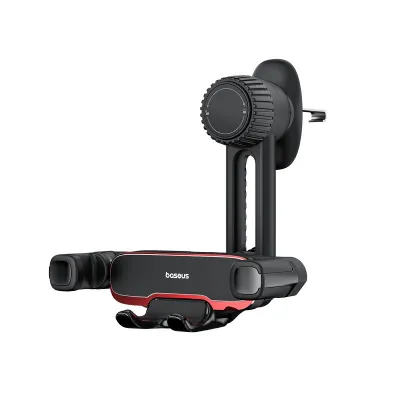
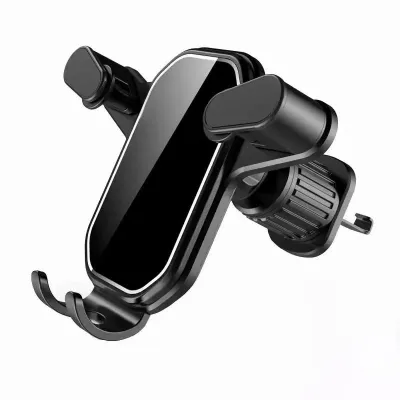
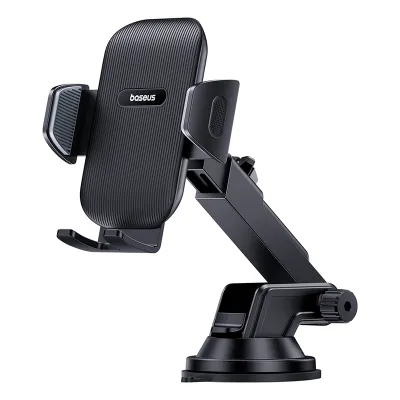
![[OMARS] Ultra Stable Auto-Clamping Mobile Phone Holder](https://img.lazcdn.com/g/p/16d7e76b9f387aec3a3f232d9342fbe1.jpg_400x400q80.jpg_.webp)
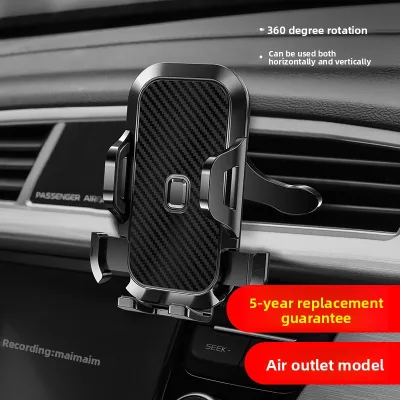
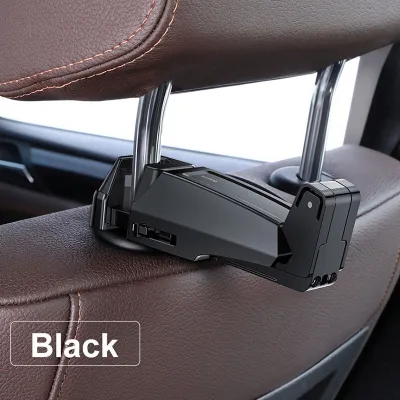

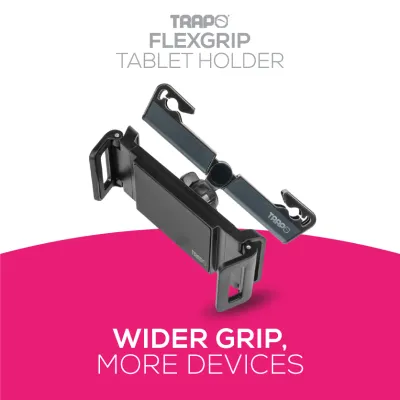
Prices are valid at publication and may change. Please refer to the product page for the latest price.
To evaluate which system performs better for your routine, perform a simple verification step. Compare the current map version and suggested route on your vehicle’s native screen with a live navigation app during your next peak-hour commute. Note whether the built-in system recognizes recent road changes or ERP operational hours, and observe if the phone app suggests a more efficient path based on live traffic conditions.
Hardware Integration and Dashboard Aesthetics
The physical integration of your navigation system directly impacts your driving environment, cabin aesthetics, and overall safety. Built-in navigation systems are designed to fit perfectly within the dashboard, maintaining the vehicle’s original design lines without adding clutter. Because they are wired directly into the car’s electrical and communication networks, these systems often integrate with steering wheel controls, multi-information instrument clusters, and heads-up displays (HUD). This integration allows you to view turn-by-turn directions directly in your line of sight, reducing the need to look away from the road.

Using a car phone mount introduces external hardware into your cabin, which requires careful placement to maintain safety and visibility. Drivers can choose from several mount types, including air vent clips, dashboard suction mounts, and windshield suction cups. While these mounts keep your phone highly accessible, they can disrupt the clean look of your dashboard and block air vents or physical buttons.
Safety must be your primary consideration when positioning a car phone mount. Under Singapore’s traffic regulations, drivers must ensure that any mounted device does not obstruct their forward view of the road or interfere with the deployment of airbags. Windshield mounts should be positioned low and to the far right or center to keep the main viewing field clear. Additionally, the mount must hold the device securely; a loose mount that drops your phone during a sudden stop poses a severe distraction and safety hazard.
Cost of Ownership and Long-Term Value
Evaluating the financial commitment of each navigation method requires looking beyond the initial purchase price to consider long-term maintenance and operational costs. Built-in navigation systems represent a significant upfront investment. If you are buying a new vehicle, these systems are often bundled into higher, more expensive trim levels. For older vehicles, upgrading to a modern aftermarket head unit with integrated navigation involves substantial hardware costs and professional installation fees to ensure proper wiring and integration with existing vehicle cameras and sensors. Furthermore, manufacturers may charge recurring fees for map update packages after the initial warranty or complimentary period expires.
A phone and mount setup offers a highly cost-effective alternative. The initial investment is limited to the cost of a high-quality car phone mount, which is widely available across various price points. Because you are utilizing a smartphone you already own, there are no additional hardware costs. However, you must account for ongoing mobile data usage, especially if your data plan has low limits or if you frequently use navigation apps that stream high-resolution satellite imagery.
Long-term device health is another factor to weigh. Running intensive navigation apps with the screen constantly on while simultaneously charging your phone can accelerate battery degradation due to heat buildup. Over several years, this increased wear may lead to shorter phone battery life or the need for an early battery replacement, which should be factored into the overall cost of ownership.
Usability, Interface, and Voice Control
Daily usability depends heavily on screen responsiveness, menu design, and how easily you can input destinations while remaining focused on the road. Built-in infotainment screens in older or entry-level vehicles often use resistive touchscreens or slower processors, which can result in noticeable lag when panning or zooming maps. However, these systems frequently retain physical buttons, rotary dials, or steering wheel controls, allowing for tactile, blind operation of basic functions without needing to look at the screen.
Smartphones leverage advanced capacitive touchscreens and powerful mobile processors, delivering incredibly smooth scrolling, pinch-to-zoom gestures, and rapid route calculation. The user interfaces of popular navigation apps are highly optimized for quick reading and intuitive menu navigation. Furthermore, smartphones feature highly sophisticated voice assistants that excel at natural language processing. This allows you to search for destinations, report road hazards, or change routes using hands-free voice commands, which is significantly safer than typing on a screen while driving.
Before committing to one system, conduct a hands-on test of both interfaces while parked. Assess the touch responsiveness of your car’s native screen and try entering a complex address using the built-in voice recognition system. Compare this experience to the speed and accuracy of your smartphone’s voice assistant to determine which interface feels more natural and less distracting for your daily drives.
Decision Framework: Which Setup Should You Choose?
To finalize your choice, evaluate how well each setup aligns with your specific vehicle capabilities, driving habits, and personal preferences.
You should choose a built-in navigation system if you prioritize a clean, cable-free dashboard aesthetic and value seamless integration with your vehicle’s physical controls and heads-up display. This setup is also highly reliable if you frequently drive through areas with poor cellular reception, such as deep underground carparks, long expressway tunnels like the MCE or KPE, or during cross-border road trips where roaming data might be unstable or unavailable.
Conversely, you should choose a car phone mount if you rely heavily on real-time traffic routing to bypass peak-hour congestion, prefer a highly responsive touch interface, and want continuous map updates without paying manufacturer subscription fees. This option is ideal for drivers who appreciate the flexibility of using their preferred mobile apps and want a low-cost solution that can be easily transferred between different vehicles.
Before making a final decision, verify whether your vehicle supports smartphone projection systems such as Apple CarPlay or Android Auto. These systems offer the best of both worlds by bridging the gap between the two setups. They allow you to run your phone’s navigation apps directly on the vehicle’s built-in dashboard screen, utilizing the car’s larger display and physical controls while leveraging the real-time data, voice assistants, and continuous updates of your smartphone.
Frequently Asked Questions (FAQ)
Does using a car phone mount damage the dashboard or air vents?
Using a car phone mount can potentially cause cosmetic or structural damage to your vehicle’s interior if the mount is incompatible or installed incorrectly. Air vent mounts place the weight of both the mount and the smartphone directly onto the thin plastic vent blades. Over time, road vibrations and the weight of larger devices can crack the blades or damage the internal directional adjustment mechanism. Dashboard mounts that use strong adhesives or suction cups can leave permanent residue, discolor plastic trim, or even tear delicate leather and soft-touch dashboard materials when removed. To prevent damage, always check the mount manufacturer’s installation instructions and verify that the mounting mechanism is compatible with your vehicle’s specific interior materials. Consider using a friction-based mount, a CD-slot mount, or a specialized bracket designed specifically for your vehicle model to minimize the risk of wear.
Will my phone overheat if I use navigation on a car phone mount all day?
Smartphones can experience significant heat buildup when used for extended navigation, particularly in Singapore’s warm, tropical climate. The combination of a constantly active screen, continuous GPS tracking, active mobile data transmission, and the thermal load of charging the battery simultaneously generates substantial internal heat. When mounted on the windshield or upper dashboard, the phone is also exposed to direct sunlight, which further raises its temperature and can trigger a thermal shutdown or accelerate battery degradation. To manage your phone’s temperature, avoid placing the mount in direct sunlight on the windshield. Instead, consider using an air vent mount that allows the vehicle’s air conditioning to cool the back of the device, but ensure you do not blast hot air directly onto a warm phone. Additionally, using a high-quality, certified charging cable and adapter can help regulate power delivery and minimize unnecessary heat generation during your drive.

Community discussion
Share your experience or ask a question. Comments are reviewed before publication.