
For most drivers in Singapore, navigating the dense, fast-moving road network requires a balance of real-time accuracy and convenience. Choosing between a built-in car GPS and smartphone navigation paired with a magnetic suction phone holder depends largely on your daily driving habits and priorities. For the majority of motorists, smartphone navigation is the most practical choice because it offers real-time traffic routing, instant ERP gantry updates, and zero map update costs.
However, built-in car GPS systems still hold a distinct advantage for specific driving scenarios. If you prioritize a completely clutter-free dashboard, seamless audio integration, and reliable offline routing when driving through deep underground HDB or shopping mall carparks, a factory-installed system is highly effective. Understanding how these two options perform under local driving conditions will help you determine the best setup for your daily commute.
Core Comparison Dimensions for Singapore Drivers
Evaluating navigation systems in Singapore requires looking at specific local factors, from ERP charges to intense tropical heat.
Products mentioned in this guide
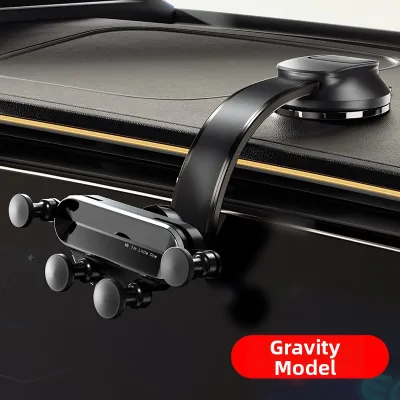
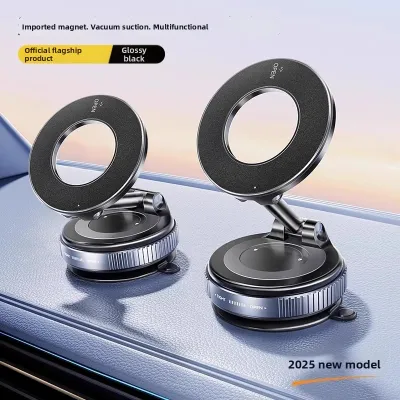
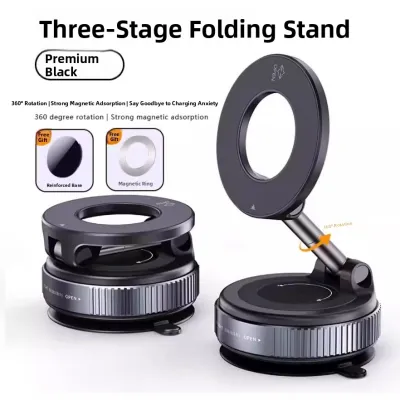


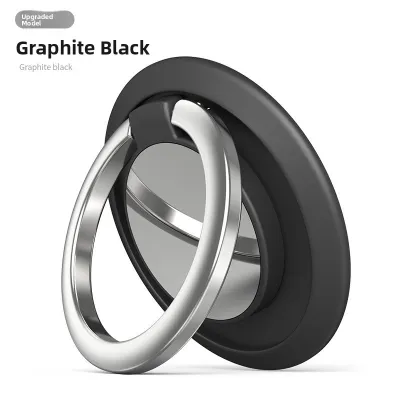
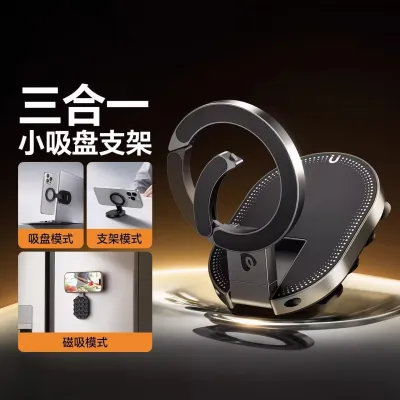
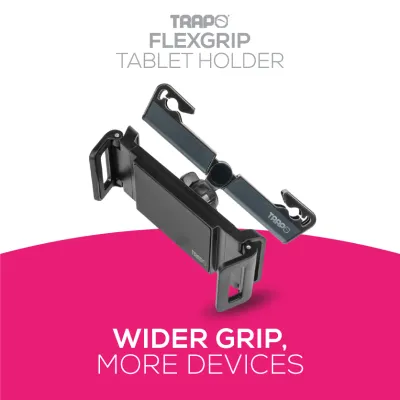
Prices are valid at publication and may change. Please refer to the product page for the latest price.
Real-Time Traffic and ERP Avoidance
Singapore’s traffic conditions can change rapidly, especially during peak hours on major expressways like the Central Expressway (CTE) and Pan Island Expressway (PIE). Smartphone navigation apps excel at dynamic rerouting, helping you avoid sudden congestion and accidents. Furthermore, real-time routing can help you bypass active Electronic Road Pricing (ERP) gantries, saving you money on daily tolls by calculating alternative routes before you reach the gantry.
Screen Visibility and Cabin Heat
Our tropical climate presents a unique challenge for in-car electronics. When parked in the open, cabin temperatures can quickly rise, exposing dashboard accessories to intense heat and UV radiation. This heat can cause smartphone batteries to degrade or trigger thermal shutdown when the device is mounted on the windshield. Built-in GPS screens are engineered to withstand these high temperatures and feature anti-glare coatings that remain highly visible even under direct, midday sunlight.
Integration and Ease of Use
Built-in navigation systems are fully integrated into the vehicle’s infotainment ecosystem. This means navigation prompts automatically lower the volume of your music, and directions may display on your instrument cluster or head-up display (HUD). A smartphone setup requires manual mounting and charging cables, but it offers a highly responsive, familiar touch interface and seamless integration with your personal contacts and calendar events.
Cost and Upgrades
Smartphone navigation relies on free, continuously updated applications that require no subscription fees. In contrast, built-in car GPS systems often require manual map updates. Depending on your vehicle manufacturer, these updates may require purchasing proprietary software cards or visiting an authorized service center, which can introduce ongoing maintenance costs over the lifespan of the vehicle.
Built-In Car GPS: Strengths and Limitations
Built-in car GPS systems are designed to offer a reliable, permanent navigation solution that functions as an organic part of your vehicle.

Strengths of Built-In Systems
The primary advantage of a built-in GPS is its aesthetic and physical integration. There are no loose wires, suction mounts, or brackets cluttering your dashboard. Because these systems use dedicated external GPS antennas and integrate with the vehicle’s internal sensors, they maintain highly accurate positioning even when driving through long tunnels like the Kallang-Paya Lebar Expressway (KPE) or deep underground carparks where cellular signals are completely blocked.
Limitations of Built-In Systems
The most significant drawback is the static nature of the map database. Unless updated regularly, built-in maps will not reflect new road openings, residential estates, or changes to traffic directions. They also lack the crowd-sourced, real-time hazard alerts that notify drivers of temporary obstacles, stationary vehicles, or speed camera locations.
Ideal User Profile
This setup is best suited for drivers who value a clean, original equipment manufacturer (OEM) dashboard appearance and prefer not to manage phone mounts or charging cables. It is also highly beneficial for motorists who frequently navigate complex underground road networks or travel to areas with spotty cellular coverage.
Phone Navigation with a Magnetic Suction Phone Holder: Strengths and Limitations
Using a smartphone for navigation, supported by a heavy-duty magnetic suction phone holder, is a highly popular and flexible alternative for modern drivers.
Strengths of Smartphone Navigation
Smartphone apps offer unparalleled routing accuracy by analyzing live data from thousands of active road users. This allows for precise arrival time predictions and immediate alerts regarding road hazards or speed enforcement zones. Additionally, a magnetic mount allows you to attach and detach your phone instantly with one hand, making it incredibly convenient for quick trips.
Limitations of Smartphone Navigation
Continuous GPS usage combined with high screen brightness drains phone batteries rapidly, making a physical charging cable necessary for longer drives. Furthermore, placing a smartphone directly on the windshield or dashboard exposes it to direct sunlight, which can cause the device to overheat, dim its screen, or pause charging to protect the battery.
Safety and Setup Boundaries
When installing a magnetic suction phone holder, safety must be your primary consideration. Always position the mount outside the deployment zone of your vehicle’s airbags, and ensure the phone does not obstruct your forward line of sight. Because Singapore’s high cabin temperatures can weaken adhesives, verify that the suction cup or mounting pad is rated for high-heat environments to prevent the holder from detaching while the vehicle is in motion. Always check your vehicle’s manual to identify airbag locations before choosing a mounting spot.
Ideal User Profile
This configuration is ideal for daily commuters, private-hire vehicle (PHV) drivers, and delivery professionals who require up-to-the-minute traffic avoidance, precise ERP cost calculations, and the flexibility to use their preferred navigation apps.
Feature-by-Feature Comparison
To help you compare the two systems quickly, the table below outlines how they perform across key operational dimensions.
| Dimension | Built-In Car GPS | Phone with Magnetic Holder |
|---|---|---|
| Map Updates | Manual / Periodic (May incur fees) | Automatic / Continuous (Free) |
| Real-Time Traffic Alerts | Limited / Dependent on telematics | Excellent / Community-driven |
| Offline Reliability | Excellent (Uses vehicle sensors) | Moderate (Requires pre-downloaded maps) |
| Cabin Integration | Seamless (No visible wires or mounts) | Requires physical mount and cables |
| Ongoing Costs | Moderate (For map packages) | Low (Data usage only) |
How to Choose the Right Navigation Setup
Selecting the right navigation method depends on your specific vehicle model, driving habits, and personal preferences.
Choose Built-In Car GPS if:
- You prefer a minimalist, factory-standard dashboard layout with zero visible cables.
- You frequently drive through underground expressways, tunnels, or complex multi-storey carparks where mobile signals fail.
- You want a navigation system that is always ready to use the moment you start the engine, without needing to mount your phone.
Choose Phone Navigation with a Magnetic Holder if:
- Your daily commute involves navigating heavy peak-hour traffic where real-time rerouting is essential.
- You want to actively avoid ERP charges by using dynamic routing tools.
- You prefer using free, continuously updated mapping applications without paying for dealership software updates.
Verify Your Infotainment Capabilities First
Before purchasing a new mount, check if your vehicle supports Apple CarPlay or Android Auto. If your car features this technology, you can project your smartphone’s navigation apps directly onto the built-in dashboard screen. This hybrid solution offers the best of both worlds: the real-time routing power of your phone combined with the large, integrated display of your car. Even with smartphone projection, a magnetic suction phone holder can still serve as a secure, dedicated charging dock or a convenient secondary display for non-navigational tasks.
Frequently Asked Questions (FAQ)
Will a magnetic suction phone holder damage my phone or car dashboard?
Modern smartphones use solid-state storage and are not affected by the magnetic fields generated by consumer-grade phone mounts. However, the mounting surface itself requires care. While suction cups adhere securely to glass and hard plastics, they can leave permanent rings or cause indentation damage on soft-touch synthetic materials or leather-wrapped dashboards. If your dashboard has a delicate or textured surface, consider mounting the holder to your windshield or using a dedicated adhesive base plate to protect the material.
Is it legal to use a phone holder while driving in Singapore?
Under the Road Traffic Act in Singapore, it is legal to use a mobile device for navigation only if it is securely mounted in a dedicated holder or integrated into the vehicle’s dashboard. The mount must be positioned so that it does not block your view of the road ahead. It remains a serious offense to hold, type on, or interact physically with your mobile phone while the vehicle is in motion, even if it is mounted. Always input your destination and configure your route before you begin driving.

Community discussion
Share your experience or ask a question. Comments are reviewed before publication.