
Navigating Singapore’s dense urban landscape, shifting traffic patterns, and active Electronic Road Pricing (ERP) gantries requires a highly reliable navigation setup. While built-in car GPS systems offer seamless dashboard integration and stable satellite connections, using a smartphone paired with a magnetic car mount provides highly responsive real-time routing agility and instant map updates. The ideal choice depends on whether you prioritize cabin aesthetics and standalone hardware reliability or dynamic routing flexibility to bypass peak-hour congestion.
How Built-in GPS and Phone Navigation Actually Differ
To choose the right setup, it is essential to understand the fundamental hardware and operational differences between factory-installed infotainment systems and standalone mobile devices. Built-in GPS systems are designed specifically for the vehicle, featuring large displays integrated directly into the dashboard console. These screens typically range from 7 to over 12 inches, offering clear visibility without adding physical clutter to your dashboard. However, the touch responsiveness and screen resolution of older or entry-level factory head units can sometimes feel sluggish, as they may use older resistive touch technology rather than the highly responsive capacitive glass screens found on modern smartphones.
Power management is another key differentiator. Built-in navigation systems run directly off the vehicle’s main electrical system, powering on and off automatically with the ignition. This setup eliminates the need for loose charging cables and prevents any drain on your personal devices. Conversely, running a navigation app on a smartphone is highly resource-intensive, requiring constant GPS tracking, active mobile data, and high screen brightness. This rapid battery drain makes a dedicated charging cable necessary for longer drives. Managing these cables requires careful routing to avoid cluttering the gear shifter or center console controls.
Products mentioned in this guide
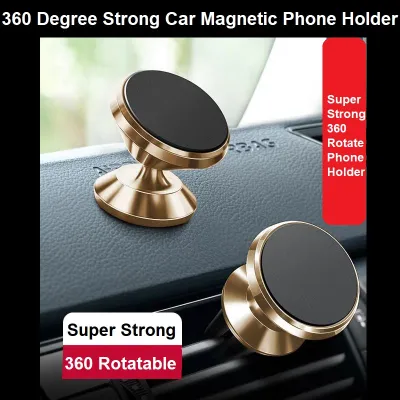
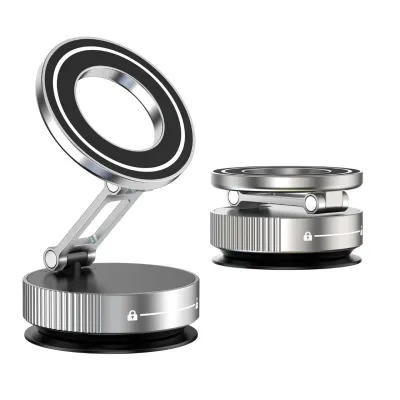

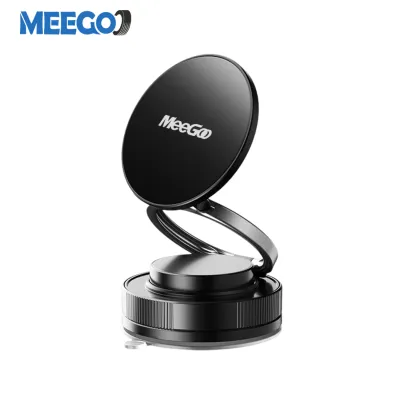
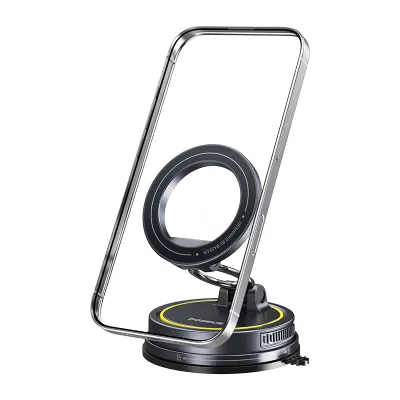
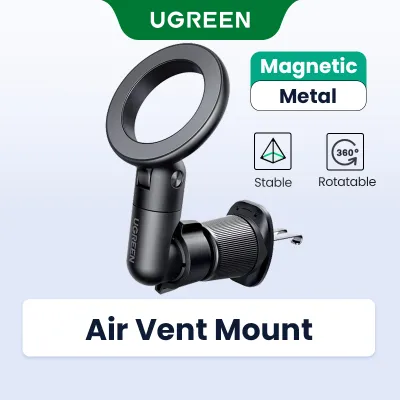

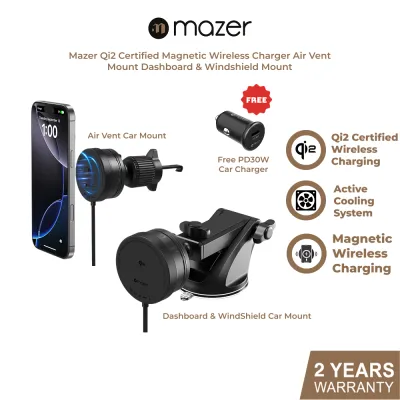
Prices are valid at publication and may change. Please refer to the product page for the latest price.
The user interface and overall learning curve also vary significantly between the two options. Smartphones offer a highly familiar operating environment, utilizing intuitive pinch-to-zoom gestures, rapid keyboard typing, and seamless voice search integration. Proprietary built-in navigation systems, on the other hand, often feature unique menu structures and proprietary input methods. Entering a destination on an older built-in system can feel slow and clunky, especially when searching for specific points of interest or postal codes rather than exact street addresses.
Evaluating Map Updates and Real-Time Traffic Routing
Keeping map data current is critical for navigating Singapore’s constantly evolving road network, which frequently sees new housing estates, modified expressway exits, and temporary road diversions. For built-in navigation systems, map updates are rarely automatic. Drivers must typically check their vehicle owner’s manual or consult their local dealership to verify the update cycle. In many cases, updating a built-in system requires purchasing a proprietary SD card, downloading large files onto a USB drive, or visiting an authorized service center to have the firmware updated by a technician.

Smartphone navigation apps solve this issue by updating their map databases automatically in the background at no additional cost. However, this constant connectivity relies heavily on mobile data networks. When driving through Singapore’s extensive network of underground tunnels, such as the Marina Coastal Expressway (MCE), Central Expressway (CTE), or Kallang-Paya Lebar Expressway (KPE), mobile data and GPS signals can drop. Built-in navigation systems often handle these dead zones better by utilizing dead reckoning technology. By linking directly to the vehicle’s wheel speed sensors and internal gyroscopes, the built-in system can estimate your vehicle’s position and continue providing guidance even when satellite signals are completely blocked. To achieve similar reliability on a phone, drivers must proactively download offline maps within their preferred navigation app to ensure uninterrupted routing.
Real-time traffic routing is another area where the two systems diverge. Smartphone apps excel at crowdsourcing live traffic data from thousands of active users, allowing them to detect sudden bottlenecks, accidents, or road closures instantly. This live data enables dynamic rerouting, helping drivers bypass heavy traffic and optimize their travel times. While some modern built-in systems offer live traffic feeds, they often require an active telematics subscription or a paired mobile hotspot. Older, offline built-in GPS units cannot adapt to real-time traffic changes, meaning they may direct you straight into peak-hour congestion or active ERP zones that a smartphone app would naturally avoid.
Cabin Integration, Visibility, and the Magnetic Car Mount
The physical placement of your navigation screen directly impacts both cabin aesthetics and driving safety. Built-in screens preserve the clean, factory-designed look of your dashboard, keeping all wiring hidden behind the console panels. Adding a smartphone setup requires installing external hardware, with a magnetic car mount being one of the most popular choices due to its ease of use and quick mounting action.
When installing a magnetic car mount, safety must be your primary consideration. Drivers must consult their vehicle’s documentation to identify the exact locations of all cabin airbags, particularly those housed in the dashboard and A-pillars. Never place a magnetic mount or route charging cables across an airbag deployment zone, as a deploying airbag can turn the phone or mount into a dangerous projectile. Additionally, ensure the mount is positioned so that it does not block your forward view of the road, obstruct physical climate control vents, or interfere with dashboard sensors, such as automatic headlight or rain sensors. Secure mounting is also a legal consideration; local road safety guidelines require drivers to maintain a clear, unobstructed view through the windscreen at all times.
Screen visibility and environmental factors also play a major role in daily driving. Singapore’s intense tropical sunlight can cause severe screen glare, making displays difficult to read. Built-in screens are typically recessed or angled by the manufacturer to minimize glare, and they often feature automatic brightness adjustments that sync with the vehicle’s headlights for night driving. A mounted smartphone is highly exposed to direct sunlight, which can cause screen glare and lead to rapid overheating. When a phone overheats on the dashboard, it may dim its screen, pause charging, or shut down entirely to protect its battery. To mitigate this, many drivers prefer using an air-vent magnetic mount, which utilizes the cabin’s air conditioning to keep the device cool during operation.
Long-Term Costs, Repairs, and Upgrades
The financial and maintenance realities of both navigation setups extend well beyond the initial purchase. Built-in navigation systems can carry high long-term maintenance costs. Once the vehicle’s initial warranty or complimentary update period expires, official dealership map updates can cost a significant amount per update. Furthermore, if the integrated head unit or GPS antenna malfunctions, repairs can be exceptionally expensive, often requiring proprietary parts and specialized labor from authorized service centers.
In contrast, smartphone navigation apps are generally free to use, with the only ongoing cost being your mobile data plan. If a magnetic car mount wears out, loses its suction, or its adhesive backing degrades due to cabin heat, replacing it is simple and highly affordable. Upgrading your navigation experience with a phone setup is as simple as purchasing a newer phone or downloading a different application. Upgrading an outdated built-in system, however, is highly complex and may require replacing the entire infotainment head unit with an aftermarket system, which requires professional installation to avoid damaging the vehicle’s electrical wiring.
The state of your vehicle’s navigation system can also influence its appeal on the secondhand market. An outdated, slow, or non-functional built-in GPS system can make an otherwise well-maintained car feel dated to potential buyers. A clean dashboard paired with a high-quality magnetic car mount allows subsequent owners to use their preferred devices seamlessly, avoiding the frustration of obsolete factory software.
Final Verdict: Choosing the Right Navigation for Your Commute
Selecting the right navigation setup depends on your specific driving habits, vehicle age, and personal preferences.
You should rely on your built-in GPS if you prioritize a clean, cable-free dashboard, drive frequently through long underground tunnels where mobile signals drop, and want a large, glare-resistant screen that does not drain your phone’s battery or expose it to dashboard heat. This setup is ideal for drivers who prefer a set-and-forget navigation experience that is fully integrated into the vehicle’s hardware.
You should opt for phone navigation with a magnetic car mount if you require highly responsive, real-time traffic routing to avoid peak-hour congestion and ERP charges, want free and instant map updates for rapidly changing road layouts, and prefer using familiar mobile apps with voice integration. This setup offers maximum flexibility and lower long-term maintenance costs.
Before making a final decision, verify if your vehicle’s head unit supports smartphone projection systems such as Apple CarPlay or Android Auto. This hybrid alternative represents the modern standard for many drivers, projecting your phone’s real-time navigation apps directly onto the vehicle’s large, integrated dashboard screen. This setup merges the benefits of both worlds: you get the dynamic routing and free updates of your phone, displayed on a safe, factory-integrated screen, while keeping your phone charged and securely positioned out of direct sunlight.

Community discussion
Share your experience or ask a question. Comments are reviewed before publication.