
Choosing the right charging method on your Baseus VC2 depends entirely on your device’s power requirements, your available cables, and your immediate driving priorities. Whether you need to quickly replenish a smartphone battery during a brief commute, power a legacy dashcam, or keep your phone topped up wirelessly while navigating busy city streets, understanding how each interface operates ensures you get the most efficient and safest charge possible. By matching your device’s specifications with the appropriate port, you can avoid slow charging speeds and prevent unnecessary wear on your electronics.
Car chargers have evolved from simple single-port adapters into complex power distribution hubs. The Baseus VC2 serves as a versatile accessory for modern drivers, but its multiple outputs behave differently under various electrical loads. To optimize your charging setup, you must evaluate the trade-offs between the speed of a wired connection and the convenience of wireless power, especially when operating within the confined, heat-prone environment of a vehicle cabin.
Identifying Your Baseus VC2 Ports and Device Requirements
Before plugging any cable into your Baseus VC2, you should locate and read the detailed output specifications printed directly on the charger’s body, its original packaging, or the user manual. Manufacturers print these technical specifications in small text, detailing the exact voltage and amperage limits for each individual port. Because different production runs or regional variants of the VC2 may feature slightly different power configurations, verifying the physical label on your specific unit is the most reliable way to confirm its capabilities.
Products mentioned in this guide
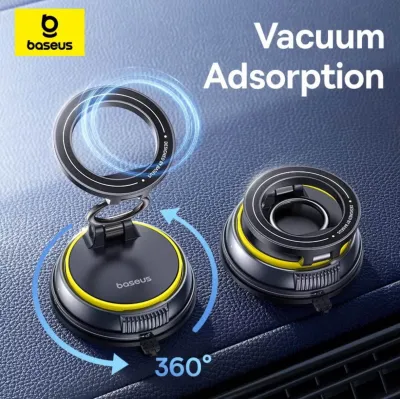


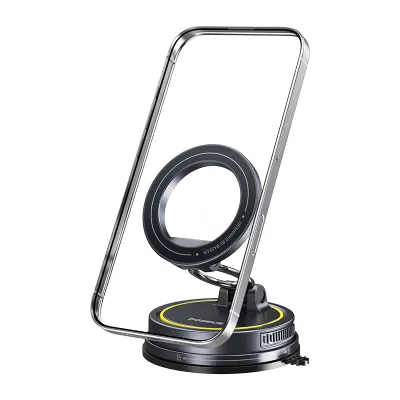


Prices are valid at publication and may change. Please refer to the product page for the latest price.
Take a close look at the physical interfaces available on your exact VC2 variant. You will typically find a combination of a USB-A port, a USB-C port, and an integrated wireless charging pad or mount attachment. Each of these interfaces is designed to handle different power delivery protocols and physical cable connectors.
Once you have identified the ports on the charger, examine your mobile device’s charging requirements. Check your smartphone, tablet, or accessory’s user manual to find its maximum supported input rating, usually expressed in watts, volts, and amperes. Additionally, inspect the quality of your charging cables; using a damaged or low-quality third-party cable can severely restrict power transfer and pose safety risks, regardless of how powerful the charger itself is.
When to Use USB-C for Fast Charging
The USB-C port on your Baseus VC2 is the primary choice for modern smartphones, tablets, and compatible laptops that require high-wattage power delivery. This interface supports advanced fast-charging protocols, such as USB Power Delivery (PD), which dynamically negotiate the optimal voltage and current between the charger and your device. If you are using a modern mobile device, connecting via a high-quality USB-C to USB-C or USB-C to Lightning cable is necessary to unlock rapid charging speeds.

Before attempting to charge larger electronics like laptops or high-draw tablets, always verify the USB-C port’s maximum output rating on the charger’s printed label. While some car chargers can output enough wattage to power a laptop in standby mode, others are strictly designed for mobile phones and tablets. Attempting to draw more power than the port is rated to deliver can cause the charger to run hot or fail to charge the connected device altogether.
It is also important to note that the USB-C port’s performance is highly dependent on how many other devices are connected simultaneously. When you plug a second device into the USB-A port or place a phone on the wireless pad, the charger’s internal circuitry typically redistributes the total power pool. This power-sharing protocol often reduces the maximum wattage delivered to the USB-C port, meaning your fast-charging device will revert to standard charging speeds until the other ports are cleared.
When to Use USB-A for Older Devices and Accessories
While USB-C has become the modern standard, the USB-A port on the Baseus VC2 remains highly useful for legacy electronics, basic peripherals, and dedicated car accessories. Devices such as older smartphones, basic Bluetooth earpieces, portable power banks, and standard dashcams often rely on USB-A to micro-USB or proprietary charging cables. These devices generally do not support modern fast-charging protocols and are designed to draw lower, steadier currents.
To ensure safe operation, check the USB-A port’s specific amperage and voltage limits on the charger’s label. Standard USB-A ports typically output a steady 5V at 1A or 2.4A, which is perfectly suited for low-draw accessories. Powering these devices from the USB-A port keeps your high-speed USB-C port free for devices that actually require rapid power delivery.
However, you should avoid using the USB-A port to charge modern smartphones or tablets that explicitly require USB-C fast charging to function optimally. Charging a modern, high-capacity battery via a standard USB-A port can result in extremely slow charging times, sometimes taking several hours to reach a full charge. In some cases, if you are using your phone for heavy tasks like GPS navigation and media streaming simultaneously, a standard USB-A connection might only slow down the rate of battery drain rather than actually increasing the battery percentage.
When to Use Wireless Charging for Convenience
Wireless charging on the Baseus VC2 offers excellent convenience, making it a practical choice for quick top-ups during short trips or when your phone is mounted for navigation. By eliminating the need to fumble with physical cables every time you enter or exit your vehicle, wireless charging keeps your cabin clutter-free. This is particularly useful during daily urban driving, such as a quick trip from Jurong to the Central Business District, where you might make frequent stops and need to grab your phone quickly.
To ensure efficient wireless power transfer, you must pay close attention to your phone case and mounting position. Thick protective cases, or those containing metal plates, credit cards, and magnetic ring attachments, can block the electromagnetic induction process entirely. Not only can these materials prevent charging, but they can also cause rapid heat buildup in both the phone and the charger, posing a potential safety hazard. Always use a thin, wireless-charging-compatible case and ensure the phone is aligned correctly with the charging coil.
Additionally, you must monitor your device’s temperature when using wireless charging, especially in warm climates. Wireless charging is inherently less efficient than wired charging, with a significant portion of the energy lost as heat. When combined with direct sunlight hitting your dashboard and Singapore’s tropical heat, this thermal buildup can cause your phone to overheat, leading to dimmed screens, paused charging, or temporary thermal shutdowns. If your phone becomes excessively hot to the touch, switch to a wired USB-C connection to complete the charge safely.
How to Manage Simultaneous Charging Safely
Charging multiple devices at the same time requires a careful understanding of your car charger’s physical and electrical limits. Before plugging in your phone, a dashcam, and a passenger’s device all at once, read the Baseus VC2 label to identify its total maximum output and combined port limitations. Every car charger has an absolute ceiling on the total wattage it can draw from your vehicle’s 12V accessory socket and distribute to its ports.
When you utilize multiple ports simultaneously, the charger’s internal smart circuitry automatically divides the available wattage. For example, a charger that delivers high wattage through its USB-C port when used alone might split that power evenly or drop to a lower standard output across all active ports when the USB-A or wireless pad is engaged. This means that while you can technically charge multiple devices at once, none of them will charge at their maximum possible speed.
Operating a car charger at its maximum capacity for extended periods generates significant heat. If you notice that your vehicle’s 12V socket, the Baseus VC2 body, or any of the connected cables feel unusually hot to the touch, you should immediately unplug your devices and stop using the charger. Allow the unit to cool down completely, and consult both your vehicle’s owner manual and the charger’s documentation to verify compatibility and check for any underlying electrical faults.
Decision Guide: Which Charging Method Fits Your Drive?
To establish a practical charging strategy for your daily drives, consider your specific travel scenarios and device combinations. If you are facing a short commute and need to quickly boost your smartphone’s battery from a low percentage, prioritize the USB-C port with a compatible fast-charging cable. This method delivers the most power in the shortest amount of time, ensuring you arrive at your destination with a usable battery level.
For continuous, low-priority power needs, the USB-A port is your best option. Use this port to keep your dashcam running or to slowly charge secondary accessories like wireless earbud cases. This keeps your primary fast-charging ports open for your main devices and prevents unnecessary power-sharing slowdowns.
If you are embarking on a longer road trip where your phone will be mounted on the dashboard for GPS navigation, wireless charging provides a clean, convenient setup. It keeps your phone’s battery stable without the clutter of dangling wires across your console. However, always keep a backup USB-C cable in your glove compartment in case your phone gets too warm under the windshield and requires a cooler, wired charge.
Finally, before connecting multiple high-draw devices, verify your vehicle’s 12V outlet fuse rating. Most passenger vehicles use a 10-amp or 15-amp fuse for the accessory socket, which limits the total wattage the outlet can safely provide. Exceeding this limit by overloading the socket with multiple high-power adapters can blow the vehicle’s fuse, disabling the outlet entirely until the fuse is replaced.
Frequently Asked Questions (FAQ)
Does wireless charging drain the car battery when the engine is off?
Whether the Baseus VC2 draws power when your engine is off depends entirely on your vehicle’s electrical design. Most modern cars automatically cut power to the 12V accessory socket as soon as the ignition is turned off or the driver’s door is opened. However, some vehicles keep the socket permanently live, meaning the charger will continue to draw a small standby current even when no devices are connected. To prevent slow battery drain over days of parking, check your vehicle’s manual or observe if the charger’s indicator light remains illuminated after you lock the car; if it stays on, it is safest to unplug the charger.
Why does my phone charge slowly when using both USB-C and USB-A at the same time?
When you connect devices to both the USB-C and USB-A ports simultaneously, the Baseus VC2’s internal power management system redistributes the total available wattage to protect its circuits from overloading. This power-sharing mechanism typically disables fast-charging protocols like Power Delivery, forcing both ports to output standard, lower wattages. If you need to charge a primary device as quickly as possible, unplug all other accessories from the remaining ports to allow the charger to dedicate its full power output to that single connection.

Community discussion
Share your experience or ask a question. Comments are reviewed before publication.