
Selecting the ideal car charger adapter requires balancing charging speed, cable clutter, and device compatibility. While a USB-C Power Delivery (PD) adapter offers the fastest possible charging speeds for modern smartphones, a traditional USB-A adapter remains a highly reliable and cost-effective choice for older accessories. Meanwhile, wireless car chargers provide unmatched convenience for short trips but come with trade-offs in thermal efficiency and raw speed. Understanding how these technologies interact with your vehicle’s electrical system is key to making the right purchase.
Understanding the Three Car Charger Adapter Types
To choose the right adapter, you must first understand the underlying technology of each option. The classic USB-A car charger adapter is the rectangular port that has been the standard for decades. These chargers operate on older USB protocols, typically delivering a fixed voltage. Because they rely on older standards, they are best suited for legacy devices, dash cameras, or basic trickle charging. They require device-specific cables, such as USB-A to Lightning or Micro-USB, and generally cannot support the rapid charging protocols required by modern smartphones.
USB-C Power Delivery (PD) represents the modern standard for wired charging. Utilizing the smaller, reversible USB-C port, PD technology allows for dynamic voltage and current negotiation between the charger and your device. Instead of delivering a flat, low wattage, a USB-C PD adapter can communicate with a compatible phone, tablet, or even a laptop to deliver the precise amount of power required for rapid charging. This setup requires a dedicated USB-C to USB-C cable (or a certified USB-C to Lightning cable) capable of handling higher currents safely.
Products mentioned in this guide
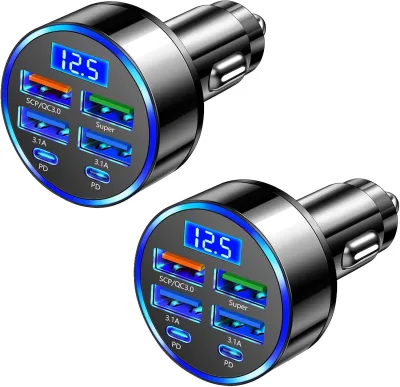
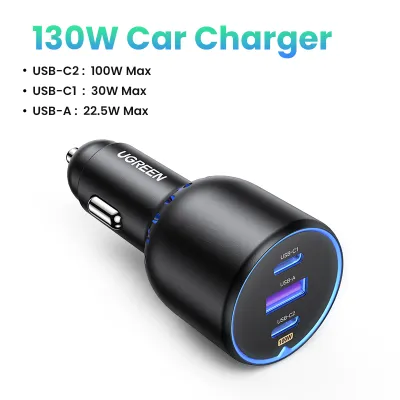
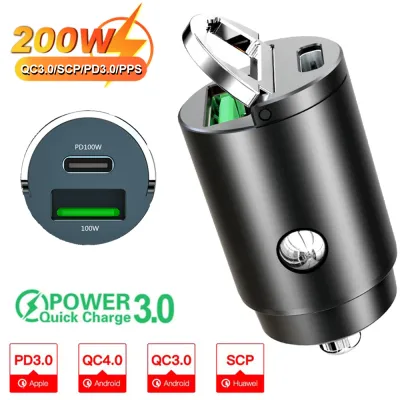
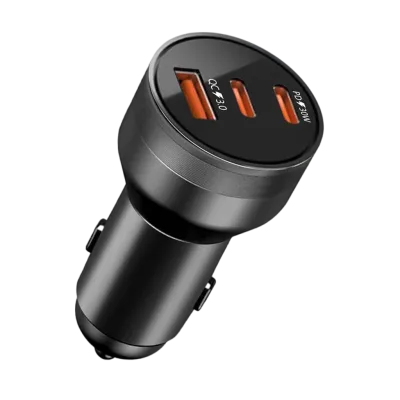
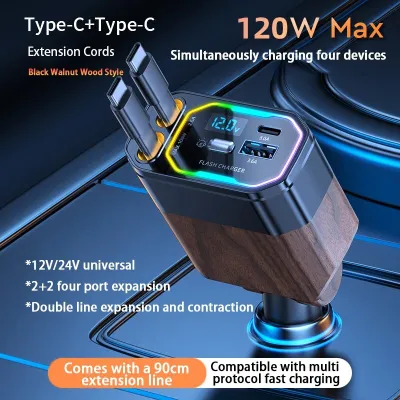
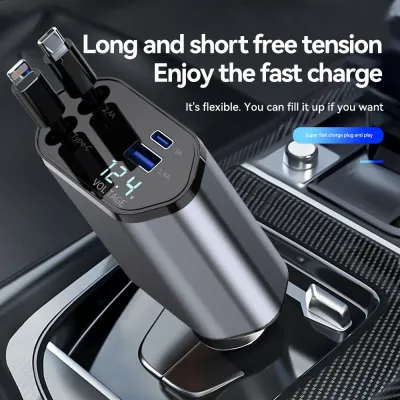
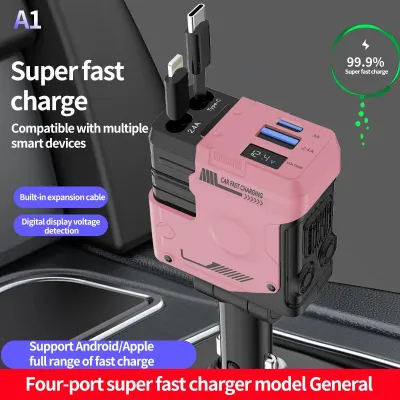
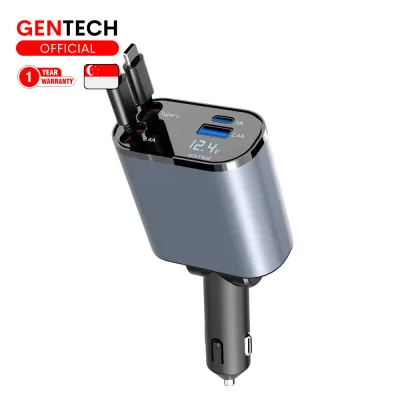
Prices are valid at publication and may change. Please refer to the product page for the latest price.
Wireless car chargers utilize electromagnetic induction to transfer power without a direct cable connection to your phone. These systems consist of a charging pad or mount that is physically plugged into the vehicle’s 12V accessory socket, which then transfers energy to a receiver coil built into the back of your smartphone. Many modern wireless chargers feature magnetic alignment or motorized cradles to ensure the coils align perfectly. While they eliminate the need to plug a cable directly into your phone every time you get in the car, they prioritize convenience over raw charging speed.
Key Comparison Dimensions for Your Decision
Deciding on the right car charger adapter is not just about picking the newest technology. It requires evaluating how speed, physical convenience, cabin organization, and thermal management fit into your daily driving habits.

Charging Speed and Power Delivery
When it comes to pure speed, USB-C PD is the undisputed leader. The Power Delivery protocol allows the adapter to negotiate higher voltages, enabling compatible devices to charge from empty to half capacity in a fraction of the time required by older standards. This rapid charging is highly beneficial for short commutes where you only have fifteen to twenty minutes to boost your battery.
In contrast, standard USB-A ports are generally limited in their power output. While some USB-A chargers feature proprietary quick-charging technologies, they often default to a slower speed when charging non-compatible devices. For modern smartphones with large battery capacities, a standard USB-A port may only provide enough power to maintain the current battery level while running navigation apps, rather than actually increasing the charge.
Wireless charging is the slowest of the three methods due to the inherent energy loss of induction. A significant portion of the electrical energy is lost as heat during the wireless transfer process. Even if a wireless charger is rated for higher wattages, the actual power received by the device is often lower, and charging speeds will typically throttle downward as the phone’s temperature rises.
Device Compatibility and Cable Management
Your choice of adapter must align with the devices you and your passengers carry. If you drive a vehicle shared by family members with a mix of older and newer smartphones, a multi-port adapter featuring both USB-A and USB-C ports is often the most practical solution. This ensures compatibility with legacy cables while still offering fast-charging capabilities for newer hardware.
Cable management is another critical factor in cabin safety and aesthetics. Loose cables trailing from the dashboard down to the center console can interfere with the gear shifter, handbrake, or physical climate controls. Wireless charger mounts help reduce this clutter by keeping the phone secured in a dedicated cradle, though the mount itself still requires a power cable running to the 12V socket. For a completely clean look, flush-fitting USB-C or USB-A adapters allow you to use short, coiled cables that stay out of the way of vital vehicle controls.
Convenience, Mounting, and Heat Management
Physical installation and ease of use vary significantly between these charger types. Standard USB-A and USB-C PD adapters are simple plug-and-play devices that insert directly into your vehicle’s 12V accessory socket (formerly known as the cigarette lighter). They require no mounting hardware and do not obstruct your view of the road or block air vents.
Wireless chargers, however, must be physically mounted within reach of the driver. Common mounting options include air vent clips, dashboard adhesive mounts, or windshield suction cups. While these mounts offer excellent convenience—allowing you to drop your phone into the cradle with one hand—they can block airflow or obstruct driver sightlines if positioned poorly.
Heat management is a major consideration, especially during long drives or in warm tropical climates. Wired charging via USB-C PD generates some heat, but most of it is concentrated at the adapter inside the 12V socket rather than inside the phone itself. Wireless charging generates substantial heat directly on the back of the phone. If you mount a wireless charger on the windshield under direct sunlight, the combination of solar heat and inductive charging heat can cause the phone to overheat, leading to severe charging speed throttling or a complete thermal shutdown to protect the battery.
Feature Comparison Matrix
| Feature | USB-A Adapter | USB-C PD Adapter | Wireless Car Charger |
|---|---|---|---|
| Typical Max Output | Low to moderate; check adapter specs | High (supports fast charging); check specs | Moderate; varies by phone model |
| Cable Required | USB-A to device-specific cable | USB-C to USB-C or USB-C to Lightning | No cable to phone; power cable to mount |
| Best Use Case | Legacy devices, dash cams, trickle charging | Rapid charging, tablets, modern phones | Short commutes, frequent stops, convenience |
| Heat Generation | Low | Moderate (mostly at the adapter) | High (at both charger and phone) |
| Mount Type | Flush-fit 12V socket plug | Flush-fit 12V socket plug | Vent, dashboard, or windshield mount |
How to Choose the Right Car Charger Adapter for Your Setup
To determine the best option for your vehicle, evaluate your specific hardware, driving habits, and cabin layout.
Choose a USB-A adapter if your primary goal is a low-cost, reliable power source for older devices or dedicated car accessories. If you use a dash camera, a GPS unit, or an older phone that does not support fast charging, a simple USB-A plug is perfectly adequate. It is also the ideal choice if you prefer to keep your phone tucked away in a glove box or center console while driving and only need a slow trickle charge to keep the battery topped up.
Choose a USB-C PD adapter if you prioritize speed, efficiency, and future-proofing. If you rely heavily on your phone for navigation and media streaming during short trips, the rapid-charging capability of Power Delivery ensures you get a meaningful battery boost in just a few minutes. This is also the necessary choice if you need to charge larger electronics, such as tablets or compatible laptops, directly from your vehicle’s 12V socket.
Choose a wireless car charger if you value convenience and make frequent short stops throughout the day. Delivery drivers, real estate agents, and those who constantly get in and out of their vehicles benefit immensely from not having to plug and unplug a cable repeatedly. It keeps your phone mounted at eye level for safe navigation viewing while keeping the battery charging continuously.
Before making a purchase, perform these critical verifications:
- Check your phone's specifications: Ensure your device natively supports USB-C Power Delivery or wireless charging before investing in those specific adapters.
- Inspect your phone case: Thick, rugged cases or those with integrated metal plates, ring stands, or credit card slots will block electromagnetic induction, rendering wireless chargers unusable.
- Verify your vehicle's 12V socket fuse: Consult your vehicle owner's manual to ensure the accessory socket's fuse rating (typically 10A or 15A) can safely handle the maximum wattage of a high-output multi-port charger.
Installation and Safety Checks Before You Buy
Before installing any new electronic accessory in your vehicle, safety must be your primary concern. Start by checking the physical depth and fit of your vehicle’s 12V accessory socket. Some older or European vehicles have slightly deeper or shallower sockets, which can cause smaller, flush-fit adapters to lose contact or wiggle loose over bumpy roads. Ensure the adapter fits snugly and does not spark when inserted.
When choosing where to place a wireless charger or phone mount, verify that the installation does not block vital vehicle controls. The mount must not obstruct your view of the road, the gear shifter, climate control vents, or the instrument cluster. Most importantly, never mount a phone or run a charging cable across any panel marked “SRS Airbag.” In the event of a collision, an airbag deploying behind a mounted phone or cable can turn the device into a dangerous projectile.
Always look for adapters that feature built-in electrical protections. High-quality car chargers list safety certifications on their packaging, indicating protection against overcurrent, overvoltage, short-circuits, and extreme temperatures. These safety chips prevent electrical surges from damaging your expensive smartphone or compromising your vehicle’s wiring harness.
Finally, determine whether your vehicle’s 12V accessory socket is “switched” or “always-on.” A switched socket only receives power when the vehicle’s ignition is turned to the accessory or run position. An always-on socket remains powered even when the engine is off and the keys are removed. If your vehicle has an always-on socket, leaving a wireless charger or an adapter with an active LED plugged in can cause a parasitic draw, slowly draining your car battery over several days of inactivity. If this is the case, make it a habit to unplug the adapter when parking the vehicle overnight.
Frequently Asked Questions (FAQ)
Can I use a USB-C PD charger with an older USB-A car port?
No, you cannot directly plug a USB-C PD cable into a built-in USB-A car port without an adapter. While USB-A to USB-C adapter plugs exist, using one will completely bypass the Power Delivery protocol. The charging speed will be strictly limited to the lower power output capabilities of the vehicle’s original USB-A port. To experience true Power Delivery fast charging, you must plug a dedicated USB-C PD adapter directly into your vehicle’s 12V accessory socket.
Does wireless charging drain the car battery when the engine is off?
Whether a wireless charger drains your car battery depends entirely on how your vehicle’s 12V accessory socket is wired. If the socket is switched (turning off with the ignition), the charger will not draw any power once the engine is shut down. However, if the socket is always-on, the wireless mount will continue to draw a small amount of standby power even when no phone is resting on it. Over several days, this parasitic draw can weaken or drain your car battery, so it is highly recommended to unplug the charger when leaving the vehicle parked for extended periods.
Community discussion
Share your experience or ask a question. Comments are reviewed before publication.