
Navigating the busy expressways and arterial roads of Singapore requires timely information, especially when trying to avoid peak-hour Electronic Road Pricing (ERP) gantries and sudden traffic build-ups. For drivers deciding between Apple CarPlay and a vehicle’s built-in navigation system, the choice comes down to a trade-off between real-time responsiveness and seamless vehicle integration. While smartphone-driven platforms offer rapid updates and familiar interfaces, factory-installed systems provide robust offline reliability and deep integration with your car’s physical displays.
Understanding how these two technologies operate on local roads can save you time during your daily commute. Whether you are navigating the Central Expressway (CTE) during the morning rush or searching for a newly established point of interest in a developing estate like Tengah, the efficiency of your navigation system directly impacts your driving experience. By comparing their routing capabilities, interface convenience, and long-term costs, you can determine which setup best aligns with your driving habits.
Core Differences in Routing and Real-Time Traffic
The primary difference between Apple CarPlay and built-in navigation lies in how they retrieve and update map data. CarPlay acts as a projection of your iPhone, meaning it utilizes navigation applications that update continuously in the background. When a new road opens or a traffic scheme changes, these mobile applications typically reflect the updates within days, if not hours, without requiring any manual intervention from the driver.
Products mentioned in this guide
![[ SG ] CarlinKit Ai Box Wireless Carplay Adapter Android 13 8-Core 8+128G Built-in GPS Wireless Android Auto Apple Carplay Dongle Car Link Kit Tbox LED 车连易](https://img.lazcdn.com/g/ff/kf/S46cdc75f9378480db20ee29af4e8e255s.jpg_400x400q80.jpg_.webp)
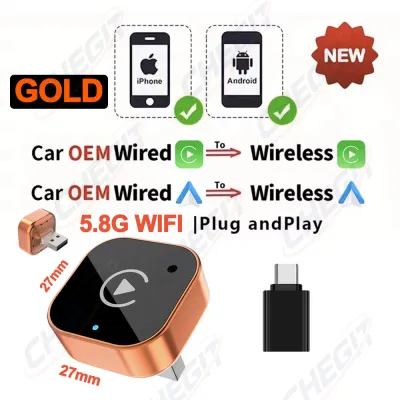
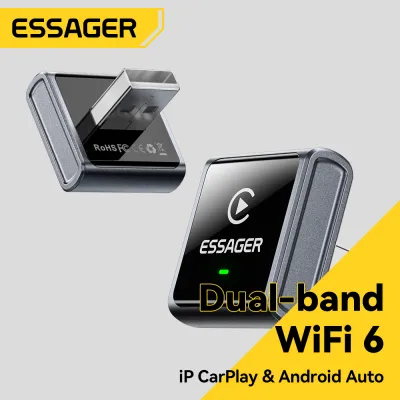
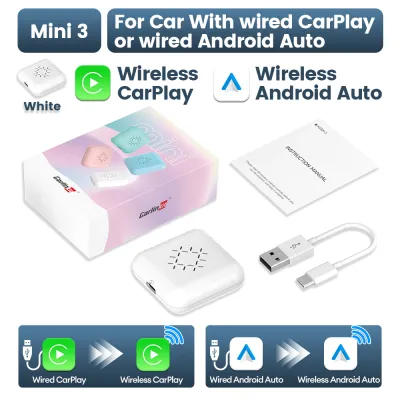

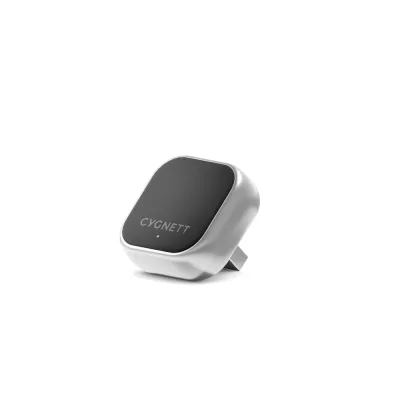
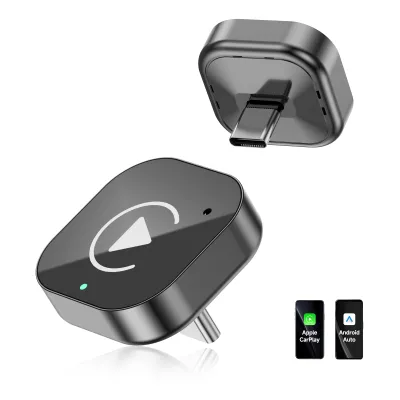
Prices are valid at publication and may change. Please refer to the product page for the latest price.
In contrast, built-in car navigation systems rely on onboard storage to house map databases. Updating these systems often requires downloading large files onto a USB drive or visiting an authorized dealership to install the latest software patch. Because these official updates are released less frequently—often only once or twice a year—drivers using built-in systems may find themselves navigating outdated road layouts, which can be particularly challenging in rapidly developing areas of Singapore.
Real-time traffic monitoring is another area where the two systems diverge. CarPlay applications leverage crowdsourced data from thousands of active users on the road, allowing them to detect sudden slowdowns, accidents, or roadworks almost instantly. This enables highly responsive dynamic rerouting, helping you bypass congestion before you get stuck in it. Built-in systems may rely on broadcast traffic messages, such as the Radio Data System-Traffic Message Channel (RDS-TMC), which can suffer from slower refresh rates and less granular coverage.
When it comes to local points of interest (POIs), smartphone maps excel at locating newly opened cafes, commercial buildings, or temporary carpark entrances. Because these databases are linked to search engine directories, they provide up-to-date operating hours and user reviews. Built-in systems, while highly accurate for established landmarks, may fail to recognize newer destinations until the next scheduled system update is performed.
Interface, Ease of Use, and Daily Convenience
The physical and digital interaction with your navigation system plays a significant role in driving safety and convenience. Apple CarPlay offers a highly standardized user interface that mirrors the design language of your iPhone. This familiarity reduces the learning curve, allowing you to access navigation, music, and communication apps using gestures you already use daily. The capacitive touchscreens found in most modern vehicles respond quickly to CarPlay inputs, making map panning and zooming feel fluid.

Built-in navigation systems feature proprietary interfaces designed by individual car manufacturers. While some premium systems offer stunning graphics and highly responsive menus, others can feel sluggish or unintuitive, particularly in older vehicle models. The menu logic in factory systems sometimes requires multiple steps to input a simple postal code, which can be frustrating when you are trying to set a destination quickly before moving off.
Voice control is another critical factor for hands-free operation on busy Singapore roads. CarPlay integrates deeply with Siri, allowing you to dictate destinations, reply to messages, or change playlists using natural language commands. Siri’s voice recognition is continuously updated via the cloud, making it highly accurate at interpreting local street names and pronunciations. Native vehicle voice control systems, unless connected to an active online service, often require specific, rigid command structures and may struggle with local accents or complex road names.
However, built-in navigation holds a distinct advantage when it comes to hardware integration. Because the factory system is designed specifically for the vehicle, it can seamlessly project turn-by-turn directions onto the digital instrument cluster directly behind the steering wheel or onto a head-up display (HUD) projected onto the windshield. CarPlay’s ability to display navigation data on secondary screens is highly dependent on both the vehicle’s hardware capabilities and the specific navigation app being used, meaning many drivers are restricted to viewing maps solely on the central infotainment screen.
Setup Requirements, Data Usage, and Ongoing Costs
Operating Apple CarPlay requires a compatible iPhone and a stable mobile data connection. While standard navigation apps do not consume excessive amounts of data, continuous map downloading, traffic streaming, and background updates can impact your monthly mobile data allowance. If your mobile plan has strict data limits, you will need to monitor your usage, especially if you drive frequently throughout the day.
Connection stability is also a practical consideration. Wired CarPlay requires a high-quality, undamaged USB cable connected to the vehicle’s designated data port. Wireless CarPlay offers greater convenience by connecting automatically via Wi-Fi and Bluetooth when you enter the car, but it can occasionally suffer from connection drops or audio latency in areas with high electromagnetic interference. Additionally, running wireless CarPlay while simultaneously using GPS can cause your smartphone to run hot, particularly in Singapore’s warm climate when the phone is exposed to direct sunlight on the dashboard.
Built-in navigation systems operate independently of your smartphone, meaning they do not consume your mobile data or drain your phone’s battery. This offline reliability ensures that your maps will function perfectly even in areas with poor cellular reception, such as deep underground carparks or remote parts of the island. However, maintaining a built-in system can involve ongoing costs. While some manufacturers provide free map updates during the vehicle’s warranty period, subsequent updates may require a paid subscription or a one-time fee, which you should verify with your local distributor in S$.
To mitigate smartphone battery drain during long drives, you may need to invest in a dedicated, high-wattage car charger or ensure your vehicle’s built-in USB ports provide sufficient power output to charge your phone while CarPlay is active. Wireless charging pads built into vehicles can sometimes exacerbate thermal issues, so keeping your phone in a shaded area of the cabin is advisable during longer journeys.
Decision Framework: Choosing the Right Navigation for Your Commute
To determine which navigation system best suits your daily driving needs in Singapore, consider your priorities regarding data usage, convenience, and routing accuracy.
Choose Apple CarPlay if you:
- Prioritize highly accurate, real-time traffic updates to avoid peak-hour congestion and ERP charges.
- Prefer a familiar, smartphone-like interface with seamless integration of your favorite music and messaging apps.
- Want access to the most up-to-date map layouts and points of interest without paying for dealer-installed updates.
Choose Built-in Navigation if you:
- Prefer a clean dashboard setup with zero visible cables and no dependency on your smartphone's battery or data plan.
- Value seamless integration with your vehicle's digital instrument cluster or head-up display.
- Frequently drive in areas with spotty mobile reception or want a reliable backup system that works instantly when you start the engine.
Before making a final decision, verify your vehicle’s head unit specifications to confirm whether it supports wired or wireless CarPlay. If you plan to use CarPlay extensively, review your mobile data plan to ensure you have sufficient data limits, and consult your car dealer to understand the long-term costs associated with keeping your built-in maps updated.
Frequently Asked Questions (FAQ)
Does Apple CarPlay work with all car models in Singapore?
Apple CarPlay is widely supported in most modern vehicles sold in Singapore, but compatibility is not universal. You should check your vehicle’s official head unit specifications to confirm if the feature is pre-installed. For older vehicles that lack native support, you can explore aftermarket head units or wireless adapters. When considering aftermarket solutions, it is important to verify connection stability and potential audio latency before purchasing.
Will using CarPlay navigation drain my phone battery quickly?
Yes, running CarPlay navigation can drain your phone’s battery, particularly when using a wireless connection. Wireless CarPlay requires the phone to transmit data continuously via Wi-Fi and Bluetooth while processing GPS data, which increases power consumption and heat generation. To prevent battery drain, you can use a wired USB connection or connect your phone to a dedicated, high-wattage car charger plugged into the vehicle’s accessory socket.

Community discussion
Share your experience or ask a question. Comments are reviewed before publication.