
Finding a center console storage box that fits the Zeekr 7X requires careful attention to the vehicle’s specific interior layout, particularly the clearance around the wireless charging pads, climate control vents, and armrest latch mechanisms. Because the Zeekr 7X features a highly integrated center console with active cooling vents, physical buttons, and dual wireless charging pads, generic aftermarket organizers often block essential functions or cause overheating. The most compatible storage boxes are low-profile, drop-in trays specifically molded for the lower console bin or custom-fit side-pocket inserts that do not encroach on the driver’s knee room or seat adjustment controls. To ensure a perfect fit, owners must verify the physical dimensions of any aftermarket accessory against the console’s active zones before purchasing.
Mapping the Zeekr 7X Center Console Layout and Boundaries
The center console of the Zeekr 7X is designed as a multi-tier hub, combining high-tech interfaces with physical utility. The upper tier features dual wireless charging pads positioned directly below the central infotainment screen, flanked by climate control vents that direct airflow throughout the front cabin. Below this upper deck lies the primary storage bin, which is accessed via a split-opening armrest lid that swings upward from the center line.
Understanding the physical boundaries of this lower bin is crucial before selecting any aftermarket organizer. The main compartment features a deep cavity with integrated USB-C ports and a 12V power socket. Because the interior walls of the bin taper slightly toward the bottom, a storage tray must match these exact angles to sit flush without wedging or rattling.
Products mentioned in this guide
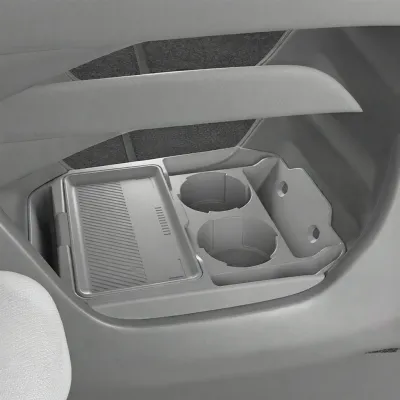

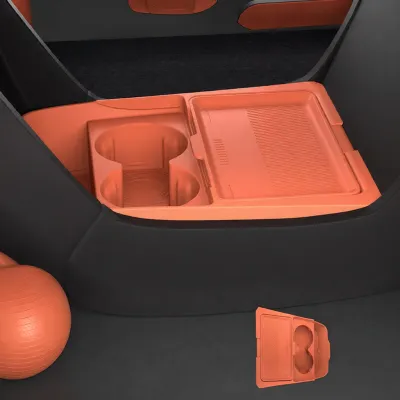
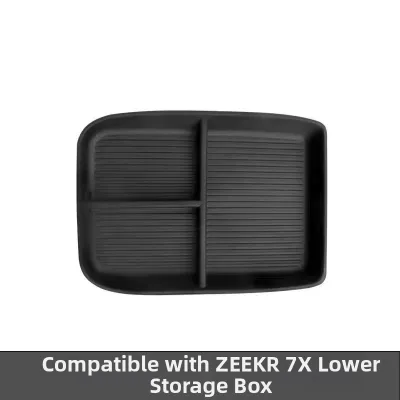
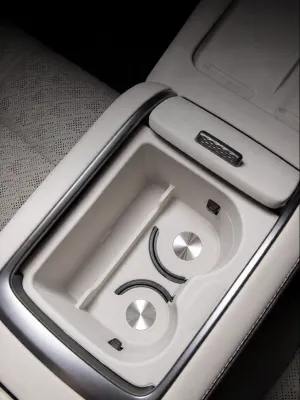
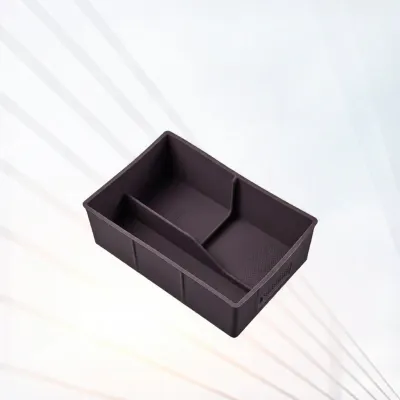
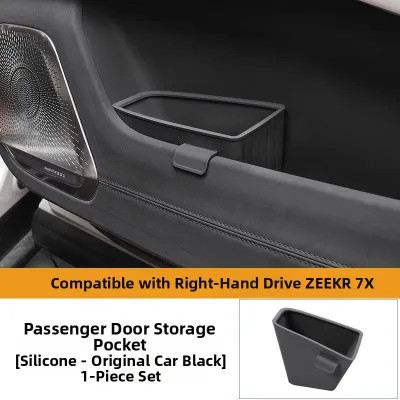
Prices are valid at publication and may change. Please refer to the product page for the latest price.
Furthermore, the split-opening armrest mechanism requires a clear vertical path to latch and unlatch securely. Any tray that sits too high or has an excessively wide lip will prevent the armrest doors from closing completely, which can strain the latching motor or cause annoying dashboard warnings. Additionally, the proximity of the active cooling vents near the charging pads means that any upper-tier organizer must not restrict the airflow paths designed to keep your mobile devices cool during rapid charging.
Essential Clearance Checks for Vents, Controls, and Charging Pads
Before committing to a specific Zeekr 7X storage box, performing a series of physical clearance checks will prevent functional interference and potential damage to your vehicle’s electronics.

Vent and Airflow Clearance: The Zeekr 7X utilizes dedicated ventilation paths around the center console to manage cabin temperature and cool the wireless charging area. When evaluating an organizer, verify that its edges do not block these HVAC outputs. Restricting airflow can lead to localized heat buildup, which may cause nearby electronic components to throttle performance or trigger safety shut-offs. In tropical climates like Singapore, where high ambient temperatures and humidity place extra stress on vehicle electronics, keeping these cooling vents clear is even more critical to prevent condensation or device overheating.
Control and Screen Access: The console layout places physical toggle switches and touch-sensitive controls within easy reach of the driver. Ensure that the height and profile of any mounted storage box do not obscure your view of or physical access to these controls. A poorly designed organizer that sits too high can interfere with your hand movement when operating the drive selector or accessing the hazard light switch.
Wireless Charging Pad Interference: The dual wireless charging pads rely on inductive coupling to charge your devices. If you are considering an upper-tier tray or phone mount, check that the base does not cover the charging surface or introduce thick materials that block the inductive field. Additionally, ensure the organizer does not block the cooling vents integrated into the charging pad surface, as heat can significantly degrade battery health over time.
Armrest and Lid Operation: The split-opening armrest lid operates on a precise mechanical hinge. To test compatibility, place the organizer in its designated position and slowly close the armrest doors. Watch for any resistance, rubbing, or scraping along the inner trim. The lid should latch effortlessly; if you have to apply downward pressure to close it, the organizer is too tall and should be removed to avoid damaging the latch mechanism.
Comparing Storage Box Designs for Console Compatibility
Different organizer designs offer distinct advantages, but they also carry unique fitment risks within the Zeekr 7X cabin.
Drop-in Trays and Dividers: These common aftermarket solutions sit on the upper ledge of the main console bin to create a dual-layer storage system. When choosing a drop-in tray, look for models with a shallow depth that leaves ample room in the lower compartment for larger items. The lip overhang must be thin enough to allow the split armrest to close without interference, and the tray should include a finger notch or pull tab so you can easily lift it to access the lower section.
Side-Pocket Inserts: These organizers attach to the sides of the center console, utilizing the space next to the footwells. While useful for holding small items like sunglasses or parking cards, they must be evaluated for passenger comfort and seat movement. Ensure the inserts do not block the physical seat adjustment controls on the side of the seats or press against the leather upholstery, which can cause permanent creasing or wear over time.
Hidden Compartment Organizers: Often designed to fit into the hollow space beneath the console bridge, these organizers must be checked for structural thickness. If the walls of the organizer are too thick, they will unnecessarily reduce the usable storage volume. More importantly, ensure the design does not block access to the lower 12V power outlet or USB ports, which are essential for powering external dashcams or charging secondary devices.
Material and Finish Considerations: The interior trim of the Zeekr 7X features premium materials that can be easily scratched by hard, unfinished plastics. Opt for storage boxes constructed from high-quality ABS plastic or silicone, featuring soft-touch edges or integrated rubber liners. Anti-slip bases are essential to prevent the organizer and its contents from sliding around during acceleration or cornering, which eliminates annoying cabin rattles and protects the factory console trim from abrasive wear.
Safe Installation and Fitment Verification Steps
Installing a storage box should be a reversible process that enhances utility without causing damage.
Begin by thoroughly cleaning the center console surfaces where the organizer will rest. Trapped dust, sand, or small debris can act like sandpaper under the weight of a loaded storage box, leading to deep scratches on the factory plastic or leather trim. Use a soft microfiber cloth and a mild, interior-safe cleaner to wipe down the area, ensuring it is completely dry before proceeding.
Next, gently lower the storage box into position without forcing it. It should slide into place smoothly; if you encounter resistance, stop and inspect the alignment. Once seated, try to wiggle the organizer from side to side. If there is excessive play, it may rattle while driving, which can be resolved by adding thin, self-adhesive foam strips to the contact points of the box.
With the organizer installed, perform a comprehensive functional test. Open and close the armrest lid several times to ensure the latch operates smoothly. Place your phone on the wireless charging pad to verify that the charging cycle begins without interruption and that the cooling fan operates normally. Finally, check that all USB ports and physical buttons remain fully accessible.
If you find that the storage box forces the armrest lid to sit slightly open, blocks critical safety controls, or requires you to modify, cut, or glue any part of the vehicle’s interior, halt the installation immediately. A proper aftermarket accessory should fit perfectly without any permanent modifications, and you should return the product in favor of a model designed with more precise tolerances.
Frequently Asked Questions (FAQ)
Will a center console storage box void my Zeekr 7X warranty?
Using a reversible, non-destructive drop-in organizer will not void your Zeekr 7X vehicle warranty. However, any physical damage to the interior trim, latches, or electronics caused by a poorly fitting aftermarket accessory is typically not covered under warranty. For example, if an oversized box blocks the console’s cooling vents and leads to the overheating of the wireless charging system, the repair costs for that electronic failure may fall on the owner. Always refer to your owner’s manual or consult your local dealer if you have questions about specific interior accessory policies.
How do I clean the Zeekr 7X center console before installing an organizer?
To clean the console surfaces safely, use a clean, dry microfiber cloth to remove loose dust and debris. For deeper cleaning, lightly dampen the cloth with a dedicated, non-abrasive automotive interior cleaner that is safe for plastics and leather. Avoid spraying liquid cleaners directly onto the console, especially near the wireless charging pads, USB ports, or climate control vents, as excess moisture can seep into the sensitive electronics and cause short circuits. Allow the surfaces to air-dry completely before placing the new storage box inside.
Community discussion
Share your experience or ask a question. Comments are reviewed before publication.