
The choice between a wireless and a USB-C charging phone holder for your Mazda 3 depends entirely on your daily driving habits, device priorities, and the specific layout of your cabin. Wireless mounts offer a clean, cable-free experience that is highly convenient for quick errands and short trips around town. On the other hand, USB-C wired mounts provide faster, more consistent power delivery and superior thermal management, making them the preferred choice for long commutes or heavy navigation use. By understanding how each system interacts with your vehicle’s electrical setup and interior design, you can select the most reliable and practical solution for your daily drive.
Understanding Your Mazda 3's Power and Mounting Setup
Before choosing a charging phone holder, you must assess your Mazda 3’s existing power sources and physical dashboard layout. Different generations of the Mazda 3 feature distinct interior designs and port configurations that directly impact compatibility. For instance, older generations typically rely on USB-A ports located in the center console or dashboard, which may not supply enough wattage to power a modern fast-charging mount. Newer models, particularly those released in recent years, often feature integrated USB-C ports that offer higher power outputs but still require careful cable routing to maintain a clean cabin aesthetic.
If your Mazda 3 only has factory USB-A ports, you will likely need a high-quality 12V accessory socket adapter to supply sufficient power to your charging mount. The 12V accessory socket in the Mazda 3 is often located inside the center console armrest or deep within the front storage cubby. It is essential to verify the ignition-switched behavior of this socket, as some model years cut power immediately when the engine is turned off, while others may keep the port active for a short duration.
Products mentioned in this guide
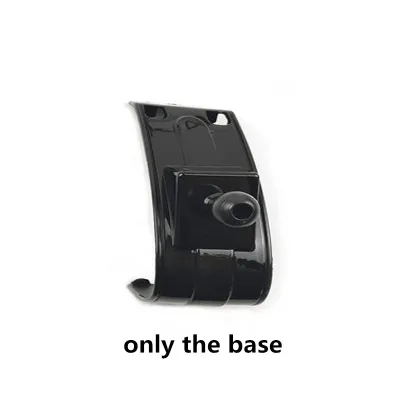
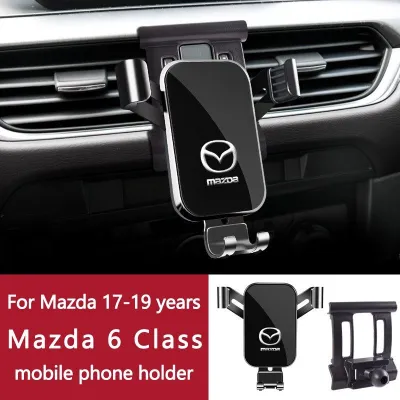
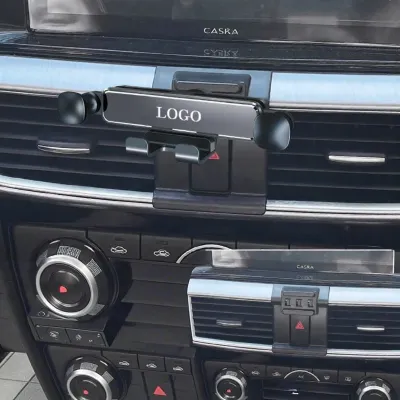
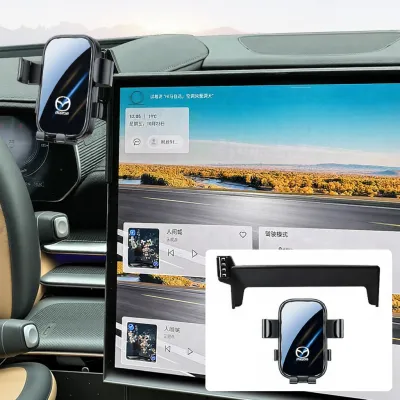
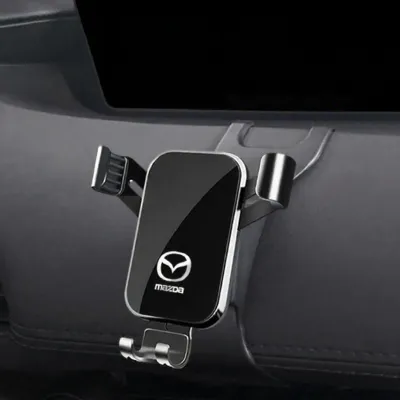

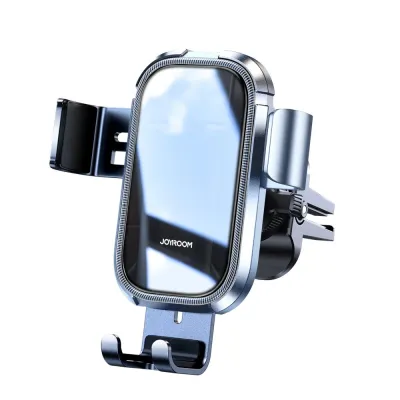
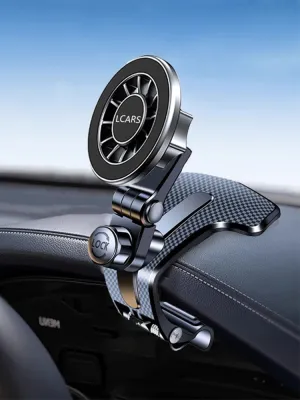
Prices are valid at publication and may change. Please refer to the product page for the latest price.
The physical mounting location is equally important due to the Mazda 3’s unique interior styling. The sleek, asymmetrical dashboard of the fourth-generation Mazda 3 features soft-touch materials and leather-wrapped panels that are not suitable for standard suction cups, which require flat, non-porous surfaces to adhere securely. Additionally, the slim, horizontal air vents in modern Mazda 3 cabins require specialized, low-profile vent clips. Standard, bulky clips can easily damage the delicate plastic louvers or block the airflow entirely, leading to cabin discomfort.
Wireless Charging Holders: Convenience vs. Heat Management
Wireless charging mounts, which typically utilize Qi or magnetic alignment standards, are highly valued for their seamless user experience. They allow you to drop your phone into the holder and begin charging instantly with a single hand, eliminating the need to fumble with physical cables in the cabin. This cable-free setup keeps the Mazda 3’s minimalist center console looking tidy and uncluttered, which appeals to drivers who prioritize interior aesthetics.

However, wireless charging is inherently less efficient than a direct wired connection. A significant portion of the electrical energy is lost as heat during the induction process. When you run power-intensive applications such as real-time GPS navigation, music streaming, and Bluetooth connectivity simultaneously, your phone’s internal processor and battery generate substantial heat on their own.
In warm climates, such as Singapore’s tropical weather, this heat generation is amplified. A phone mounted on the dashboard or windshield is exposed to direct sunlight through the glass, which can quickly raise its temperature to critical levels. When a phone overheats, its internal safety protocols will trigger thermal throttling, which dims the screen, slows down performance, and eventually stops charging altogether to protect the battery from permanent degradation.
To counter these thermal limitations, many premium wireless mounts feature active cooling systems, such as built-in miniature fans or heat-dissipating materials. If you opt for a wireless charging holder, it is crucial to check the manufacturer’s specifications for these active cooling features. You must also ensure your phone is fully compatible with the mount’s wireless standard and that your phone case is thin enough to allow efficient power transfer without causing excessive resistance and heat.
USB-C Charging Holders: Reliability and Fast-Charging Capabilities
Wired USB-C charging holders remain the most reliable option for drivers who require consistent, high-speed power delivery. A direct physical connection via a USB-C cable ensures that almost all the electrical energy is transferred directly to your device’s battery with minimal resistance. This direct path significantly reduces the heat generated at the back of the phone compared to wireless induction.
This thermal efficiency is a major advantage during long commutes or road trips. Because the phone remains cooler, it can sustain higher charging speeds for longer periods without triggering thermal throttling. If you start your commute with a low battery and need to run navigation and media apps continuously, a USB-C wired mount is much more likely to deliver a fully charged device by the time you reach your destination.
To achieve optimal charging speeds, you must match the mount’s integrated cable and your 12V power adapter to your phone’s specific fast-charging protocols, such as USB Power Delivery (USB-PD) or Quick Charge (QC). Using an incompatible adapter or a low-quality cable can limit your charging speed to standard, slower rates. Always check your phone’s original documentation to verify its supported input wattage and protocol requirements.
While a wired setup does introduce a visible cable into your Mazda 3’s cabin, this minor aesthetic drawback can be easily managed. Using small, adhesive cable clips to route the wire along the seams of the center console trim can keep the cable secure and out of the way of the gear shifter, infotainment controls, and steering wheel. The trade-off is a highly dependable charging system that performs consistently regardless of ambient temperature or processor load.
Key Comparison Factors for Daily Commuting
When deciding between wireless and USB-C charging mounts for your Mazda 3, comparing their performance across key operational categories can help clarify which system fits your routine.
Charging speed under heavy load is one of the most noticeable differences. A wired USB-C connection can easily deliver 18W to 45W of power depending on the adapter and device, allowing the battery to charge rapidly even while running GPS and streaming media. In contrast, most in-car wireless chargers are limited to 7.5W, 10W, or 15W, and this rate often drops further if the phone begins to warm up.
Device temperature management is another critical factor. Because wireless charging generates heat directly behind the phone’s battery, it is much more susceptible to shutting down on hot days. A USB-C cable keeps the heat source at the power adapter rather than the phone, ensuring stable operation even when the cabin is warm.
Physical stability must also be considered. Wireless charging mounts are often heavier because they contain copper induction coils, motorized clamping mechanisms, and sometimes cooling fans. This added weight puts more physical stress on your Mazda 3’s air vents or adhesive mounts, making them more prone to sagging or detaching on bumpy roads. USB-C holders are typically lighter and more compact, though you must ensure the dangling cable does not snag on cabin controls.
| Feature | Wireless Charging Mount | USB-C Wired Mount |
|---|---|---|
| Primary Benefit | Cable-free convenience, quick mounting | Maximum charging speed, high reliability |
| Heat Generation | Higher (due to induction loss) | Lower (direct electrical path) |
| Charging Speed | Moderate (check manufacturer specs) | Fast (supports USB-PD/QC protocols) |
| Mount Weight | Heavier (coils, optional fans/motors) | Lighter (mechanical frame only) |
| Best Suited For | Short trips, frequent stops | Long commutes, heavy navigation use |
How to Choose the Right Mount for Your Mazda 3
To finalize your choice, evaluate your typical driving patterns and the physical constraints of your specific Mazda 3 model year.
Choose a wireless charging mount if your daily driving consists primarily of short trips and frequent stops, where the convenience of grabbing your phone without unplugging a cable outweighs the need for rapid charging. This option is ideal if you prefer a clean, minimalist dashboard and your phone supports efficient wireless charging. To ensure long-term reliability, select a model with active cooling to combat cabin heat.
Choose a USB-C charging mount if you have a long daily commute, frequently drive in hot weather, or rely heavily on power-hungry navigation and streaming apps. A wired connection is also the better choice if you want to preserve your phone’s battery health by minimizing heat exposure, or if your phone does not support wireless charging.
Before making any purchase, verify that the mount’s attachment mechanism is compatible with your Mazda 3’s interior. Check the dimensions of your air vents, the texture of your dashboard, and the clearance around your infotainment screen to ensure the holder can be mounted securely without blocking your view or damaging the vehicle’s trim.
Installation and Safety Checks
Proper installation of your phone holder is essential to protect your Mazda 3’s interior and ensure safe driving conditions. Always review the manufacturer’s instructions for both the mount and your vehicle’s interior materials before applying any adhesives or clips. Some strong adhesives can permanently mark or tear soft-touch dashboard plastics, while poorly designed vent clips can scratch or crack the delicate vent louvers.
Position the mount carefully to ensure it does not block your line of sight through the windshield or obstruct essential vehicle controls, such as the hazard light button or the climate control dials. Most importantly, ensure the mount, phone, and charging cable do not interfere with the deployment zones of your vehicle’s airbags. Consult your Mazda 3 owner’s manual to identify the exact locations of the dashboard and side curtain airbags.
If your chosen mounting solution requires drilling into the dashboard, making permanent structural modifications, or complex electrical hardwiring into the vehicle’s fuse box, stop and consult a qualified professional. Improper electrical modifications can damage your car’s sensitive electronic control units, void your manufacturer’s warranty, or create a safety hazard.
Frequently Asked Questions (FAQ)
Will a wireless charger drain my Mazda 3's battery when the car is off?
Most modern Mazda 3 models are designed to cut power to the USB ports and the 12V accessory socket shortly after the ignition is turned off or when the driver’s door is opened. However, accessory socket behavior can vary depending on the model year and regional specifications. To prevent unexpected battery drain, manually verify your port’s behavior by observing if the mount’s status LED or your phone’s charging icon remains active after you have turned off the engine, removed the key, and locked the vehicle. If the port remains powered, always unplug the charger when parking for extended periods.
Can I use a magnetic mount without wireless charging?
Yes, you can use a magnetic mount purely for its physical holding convenience while plugging in a USB-C cable separately for charging. This hybrid setup provides the quick, one-handed mounting of a magnetic holder alongside the fast, cool charging performance of a wired connection. Before using this configuration, verify that the metal plate or magnetic ring attached to your phone or case does not block your phone’s internal sensors, and ensure it is positioned correctly to avoid interfering with any built-in compass or NFC functionality.

Community discussion
Share your experience or ask a question. Comments are reviewed before publication.