
Connecting your smartphone to your car’s infotainment system has transformed the driving experience, making navigation, music streaming, and hands-free communication seamless. However, many drivers face confusion when trying to set up these systems, especially when transitioning to wireless setups. The most critical point to understand is that your phone’s operating system determines which in-car platform you can use. An Android phone cannot run Apple CarPlay, and an iPhone cannot run Android Auto, regardless of whether you use a cable or a wireless connection.
If you are searching for a way to use wireless CarPlay with an Android phone, or trying to figure out how to get Android Auto running wirelessly, you must first understand the technical boundaries of these platforms. While aftermarket adapters and upgrades exist, they do not bridge the gap between competing operating systems. Instead, they simply convert a wired connection into a wireless one for the same operating system. Understanding these distinctions will save you time and money when upgrading your vehicle’s technology.
The Fundamental Rule: Phone OS Dictates the System
The integration between your smartphone and your car relies on proprietary software protocols developed by Apple and Google. Apple CarPlay is built exclusively for iOS, meaning it requires an iPhone to function. Similarly, Android Auto is built exclusively for the Android operating system. These systems are not interchangeable because they rely on deep integration with the phone’s underlying software, security protocols, and application ecosystem.
Products mentioned in this guide
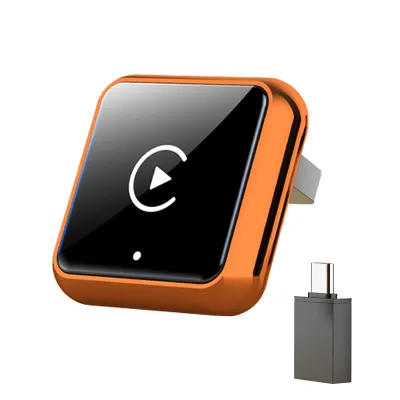
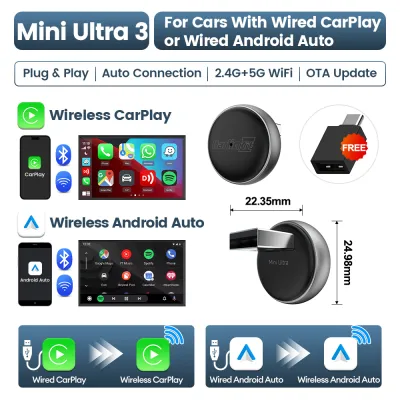
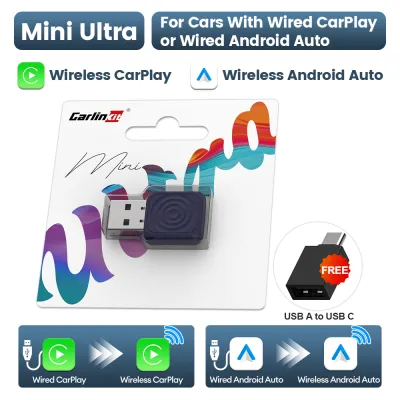
![[ SG ] CarlinKit Mini Ultra Wired to Wireless Carplay Adapter Plug and Play Wireless Android Auto Apple Carplay Dongle 2in1 Smart Super Mini Box 车连易](https://img.lazcdn.com/g/ff/kf/Sb07d0aad64434856a9969b1600bb1112K.jpg_400x400q80.jpg_.webp)
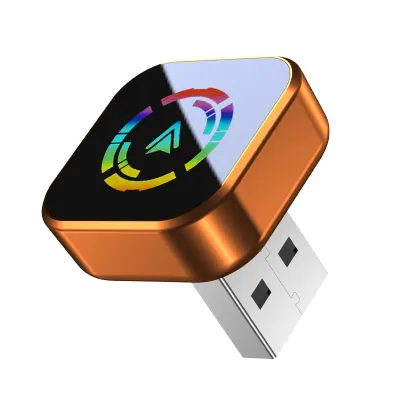
![✅[SG Ready Stock] OTTOCAST MINI 2 in 1 Wired To Wireless CarPlay Android Auto Adapter USB Stick Wifi Car Accessories](https://img.lazcdn.com/g/p/13aaa7969c2095b57b7752a70cd73b8d.jpg_400x400q80.jpg_.webp)
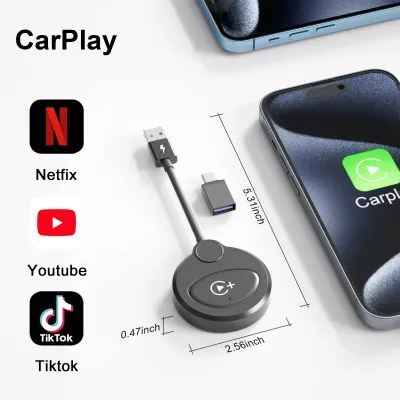
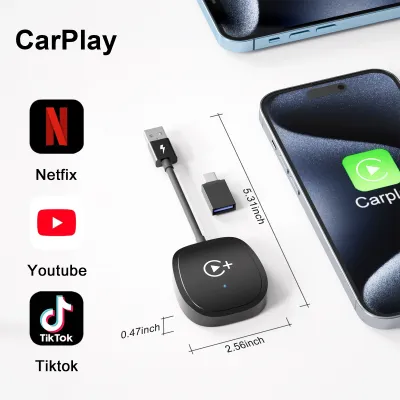
Prices are valid at publication and may change. Please refer to the product page for the latest price.
When we talk about “wireless” CarPlay or wireless Android Auto, we are referring strictly to the communication method between the phone and the car’s head unit. Instead of using a physical USB cable, the system establishes a connection using a combination of Bluetooth and Wi-Fi. Bluetooth is typically used for the initial handshake, while a high-bandwidth Wi-Fi connection transmits the actual video, audio, and touch-input data. The wireless technology is merely a pipeline; it does not act as a cross-platform software bridge that allows an Android device to mimic an iPhone.
Consequently, the branding on your car’s dashboard does not override your phone’s operating system. Many modern vehicles come equipped with dual-compatibility, meaning the infotainment system can host either Apple CarPlay or Android Auto. However, the car will only display the interface that matches the connected phone. If you pair an Android phone, the car launches Android Auto. If you connect an iPhone, it launches CarPlay. There is no setting or configuration that allows you to run CarPlay using an Android device.
How to Check if Your Phone and Car Support Wireless Android Auto
If you are an Android user looking to cut the cord, you must verify that both your smartphone and your vehicle’s infotainment system support the wireless protocol. On the phone side, compatibility depends on both the software version and the hardware capabilities. Generally, smartphones running Android 11 or newer with built-in 5 GHz Wi-Fi support are capable of wireless Android Auto. Some older devices or specific regional models might lack the necessary dual-band Wi-Fi hardware, so it is essential to check your phone’s official specifications sheet.

On the vehicle side, having a screen that supports wired Android Auto does not automatically mean it supports the wireless version. To verify wireless compatibility, look for the official wireless Android Auto logo in your vehicle’s infotainment menu or consult the owner’s manual. Many car manufacturers introduced wired compatibility years before adding the wireless transmitters necessary for cord-free operation. If your car lacks the built-in Wi-Fi module required for this connection, the system will not be able to connect wirelessly without aftermarket assistance.
When either your phone or your car lacks the necessary wireless hardware, a wired USB connection remains the only viable native option. While using a cable might feel less convenient, it offers distinct advantages, such as continuous device charging and a highly stable data connection that is immune to wireless interference. Before purchasing any external accessories, test your phone with a high-quality, data-certified USB cable to ensure that the basic wired Android Auto system functions correctly in your vehicle.
Can an Android Phone Use Wireless CarPlay?
A common point of confusion among drivers is whether an Android phone can be forced to run wireless CarPlay through the use of third-party adapters. The short answer is no. There is no native software, application, or standard aftermarket adapter that can translate the Android operating system into an Apple CarPlay signal for your car’s head unit. Any product listing on an online marketplace claiming to enable “Android phone wireless CarPlay” is likely misrepresenting its capabilities or referring to a highly specific, non-standard setup.
To understand why, it helps to look at what third-party wireless adapters actually do. These dongles are designed to act as a bridge for vehicles that already have wired compatibility. For example, a wireless CarPlay adapter plugs into a car’s USB port that supports wired CarPlay. The adapter then connects to an iPhone via Bluetooth and Wi-Fi, tricking the car into thinking a wired iPhone is connected. This process only works if you are using an iPhone; it cannot convert an Android phone’s output into a CarPlay-compatible signal.
When browsing online marketplaces or electronics retailers, you may encounter misleading product descriptions. Some adapters are marketed as “2-in-1” or “dual-protocol” devices. These adapters can indeed handle both systems, but they still require the correct phone to match the protocol. They allow an iPhone user to connect wirelessly to CarPlay, and an Android user to connect wirelessly to Android Auto, but they never allow cross-platform operation. Always read the fine print of any adapter to ensure you are not buying a device under the false impression that it will let your Android phone run Apple’s interface.
How to Choose the Correct Adapter or Head Unit Upgrade
If you have determined that your car only supports wired connections but you want a wireless experience, you have two primary paths: purchasing a wireless adapter or upgrading your vehicle’s head unit. When choosing an adapter, you must match the device strictly to your phone’s operating system. If you use an Android phone, you must buy a dedicated wireless Android Auto adapter. If you use an iPhone, you need a wireless CarPlay adapter. Buying the wrong type will result in a device that cannot communicate with your phone.
Beyond software compatibility, you must check the physical interface and power requirements of your vehicle. Most wireless adapters connect via a standard USB-A or USB-C port. Ensure the adapter you choose comes with the correct cable or connector for your car’s dashboard ports. Additionally, these adapters rely on the vehicle’s USB port to provide stable power. If your car’s USB port has low power output, the adapter may suffer from frequent disconnects or fail to boot entirely. Checking your vehicle’s manual for port specifications can help prevent these power-related issues.
For older vehicles that lack any built-in smartphone integration, a complete head unit upgrade is often the best solution. Replacing the factory radio with an aftermarket head unit can add native wireless CarPlay and Android Auto to almost any vehicle. However, car electrical systems are complex and carry safety risks. Incorrect installation can damage your vehicle’s wiring, drain the battery, or disable integrated safety features like backup cameras. If you are not experienced with automotive electronics, stop the DIY process and consult a qualified professional installer to ensure a safe and reliable installation.
Frequently Asked Questions (FAQ)
Can I use both CarPlay and Android Auto on the same car?
Yes, many modern vehicle infotainment systems and aftermarket head units are designed to support both Apple CarPlay and Android Auto. However, they cannot run simultaneously on the same screen. The system will automatically detect the operating system of the connected phone and launch the corresponding interface. If you have multiple drivers in your household using different phone types, the system will switch protocols depending on which phone is paired as the primary device.
Why does my wireless connection keep dropping?
Wireless connection drops are usually caused by signal interference, outdated software, or power fluctuations. Because wireless systems rely on a 5 GHz Wi-Fi connection, driving through areas with high electromagnetic interference—such as toll plazas or dense urban centers—can temporarily disrupt the signal. To resolve persistent issues, ensure your phone’s operating system and your car’s infotainment firmware are updated to the latest versions. If wireless instability continues, falling back to a high-quality wired USB connection is the most reliable way to maintain an uninterrupted link.
Community discussion
Share your experience or ask a question. Comments are reviewed before publication.