
The “best” CarPlay setup depends entirely on your car’s existing head unit, your tolerance for cables, and your need for absolute connection stability versus daily convenience. A direct wired connection offers baseline reliability, zero setup time, and simultaneous phone charging. In contrast, a wireless CarPlay adapter provides a cleaner cabin and automatic connection but requires verifying head unit compatibility and managing your phone’s battery life. This guide breaks down the practical differences to help you choose the right configuration for your vehicle and driving habits.
For drivers navigating busy urban roads, daily commutes often involve short trips, frequent stops, and the need for immediate navigation and music access. A direct wired connection remains the gold standard for stability, ensuring your phone charges continuously while delivering lag-free audio and map updates. However, the convenience of entering your vehicle and having your infotainment system connect automatically without removing your phone from your pocket or bag is highly appealing. Wireless CarPlay adapters have emerged as a popular aftermarket solution to bridge this gap, but they introduce unique variables such as latency, battery drain, and hardware compatibility. Understanding how these two connection methods operate under real-world driving conditions is essential for determining which setup aligns with your vehicle’s hardware and your personal preferences.
Understanding Your Car's Current CarPlay Setup
Many modern vehicles come equipped with factory-installed CarPlay, but the implementation varies by model year and trim level. To determine your baseline, consult your vehicle’s owner’s manual or connect your phone to the dashboard USB ports using an original manufacturer cable. If the CarPlay icon illuminates on your screen, your vehicle supports a wired connection. Some premium trims or newer models may already support native wireless CarPlay, which you can verify by checking the smartphone integration settings in your head unit’s menu.
Products mentioned in this guide
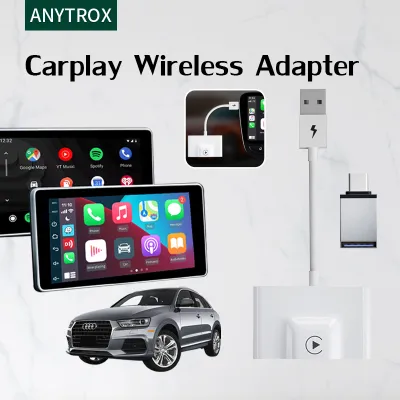
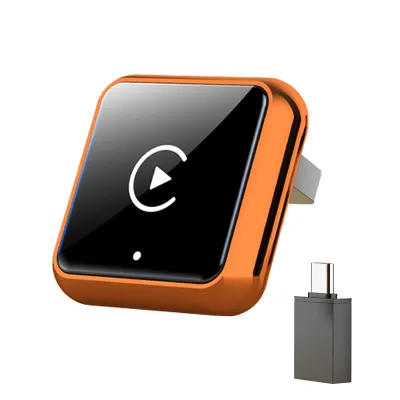
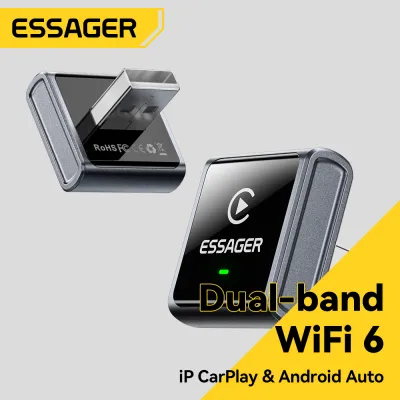
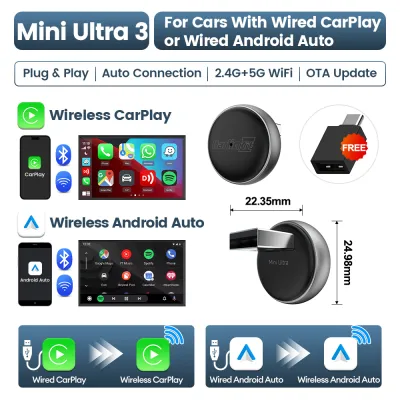
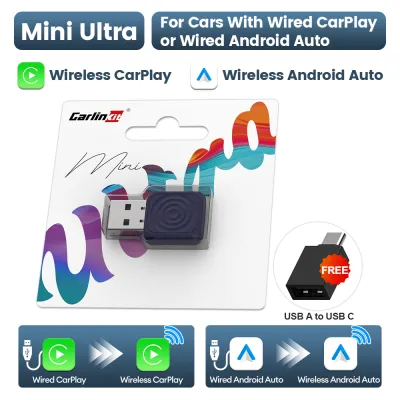
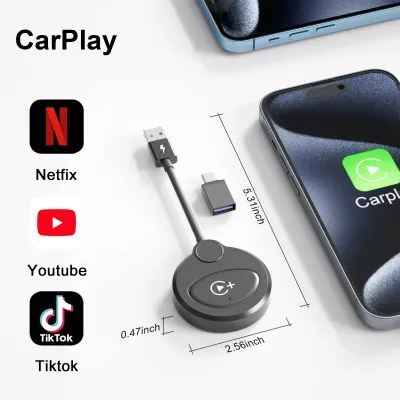
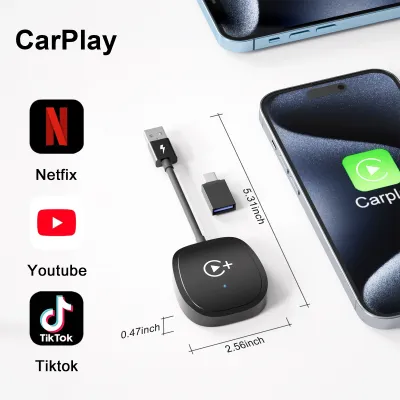
![[ SG ] CarlinKit Ai Box Wireless Carplay Adapter Android 13 8-Core 8+128G Built-in GPS Wireless Android Auto Apple Carplay Dongle Car Link Kit Tbox LED 车连易](https://img.lazcdn.com/g/ff/kf/S46cdc75f9378480db20ee29af4e8e255s.jpg_400x400q80.jpg_.webp)
Prices are valid at publication and may change. Please refer to the product page for the latest price.
Not all USB ports in a car support data transfer. Look closely at the physical ports on your center console or dashboard; data-enabled ports are often marked with a smartphone icon or a USB symbol. Newer vehicles frequently utilize USB-C ports for faster data transfer, while older models rely on USB-A. If plugging your phone into a port only charges the device without launching CarPlay, that port is restricted to power delivery and cannot host a connection.
An aftermarket wireless CarPlay adapter is only useful if your vehicle already possesses a functioning wired CarPlay system; it cannot add CarPlay to an unsupported head unit. If your current wired connection drops frequently, the issue might be a worn-out cable rather than the system itself. Before purchasing an adapter, try upgrading to a certified, high-speed data cable to see if stability improves.
Wired CarPlay Connections: Stability and Baseline Performance
A physical cable connection provides the most reliable data transmission path between your smartphone and the vehicle’s head unit. Because the data does not have to travel through the air, it is virtually immune to electromagnetic interference from external sources like high-voltage power lines, electronic road pricing gantries, or dense urban wireless networks. This direct link ensures that navigation prompts are delivered in real-time, music playback remains uninterrupted, and voice commands are processed with minimal delay.

One of the most significant practical advantages of a wired connection is continuous power delivery. Running navigation apps alongside music streaming and background location services demands substantial processing power, which rapidly depletes a smartphone’s battery. A wired connection solves this by charging your device while you drive. This is particularly beneficial during longer journeys or when navigating through heavy traffic, ensuring you arrive at your destination with a fully charged phone rather than a depleted battery.
Despite its performance benefits, a wired setup introduces physical clutter. Loose cables can drape over gear shifters or block storage cubbies, presenting a minor safety hazard if not properly routed. Additionally, constant plugging and unplugging places mechanical stress on your phone’s charging port and the vehicle’s USB port, which can eventually lead to loose connections and dropped signals over time.
Wireless CarPlay Adapters: Convenience and Operational Variables
The primary appeal of a wireless CarPlay adapter is the seamless user experience. Once paired, the adapter automatically connects to your phone via Bluetooth and Wi-Fi as soon as you start the vehicle. Keeping your phone in your pocket or bag eliminates the need to fumble with cables, which is especially convenient for short daily trips where plugging in feels like an unnecessary chore.
While wireless connectivity frees your cabin from cable clutter, it accelerates phone battery drain. Transmitting high-bandwidth data over Wi-Fi while running GPS tracking generates significant heat and consumes substantial power. On longer drives, this can leave your phone hot and low on battery, prompting many drivers to pair wireless adapters with a separate wireless charging pad or high-output car charger.
Wireless adapters rely on Bluetooth for the initial handshake and a 5GHz Wi-Fi channel for data transfer. This wireless link is susceptible to environmental factors; dense commercial districts or major transport hubs can occasionally cause brief audio dropouts or map lag. Furthermore, the adapter’s boot-up sequence adds a delay of several seconds before CarPlay appears on your screen compared to an instant wired connection.
Direct Comparison: Wired vs. Wireless CarPlay
| Feature | Wired CarPlay | Wireless CarPlay (via Adapter) |
|---|---|---|
| Connection Speed | Instantaneous upon plugging in | 15 to 40 seconds boot-up time |
| Cable Clutter | Visible cable on dashboard | Clean, hidden adapter installation |
| Phone Charging | Continuous charging via data port | None (requires separate charger) |
| Audio Latency | Zero noticeable lag | 1 to 2 seconds delay in controls |
| Connection Stability | Extremely high; immune to wireless interference | Generally stable; subject to local interference |
| Ideal Use Case | Long road trips, high-fidelity audio | Short daily commutes, quick errands |
As shown in the comparison, neither system is universally superior; rather, each excels in different operational environments. A wired connection offers unmatched speed and reliability, making it the preferred choice for drivers who demand instant responsiveness and high-fidelity audio. On the other hand, a wireless adapter prioritizes physical convenience and cabin aesthetics, trading a small amount of connection speed and latency for a completely cable-free environment.
Actual performance of a wireless adapter is highly dependent on your specific hardware combination. The processing speed of your car’s head unit, the wireless chip inside your smartphone, and the firmware optimization of the adapter all play critical roles. An adapter that works flawlessly in one vehicle model may exhibit latency in another, making it vital to check manufacturer compatibility lists before purchasing.
Your daily driving habits should dictate your choice. For long highway drives where your phone needs constant charging and you require zero-latency controls, a wired connection is indispensable. Conversely, if your driving consists of multiple short trips throughout the day where you are constantly getting in and out of the vehicle, the convenience of an automatic wireless connection far outweighs the minor latency associated with wireless adapters.
Decision Framework: Which Setup Should You Choose?
Opt for a direct wired connection if your primary concerns are audio fidelity, zero-latency control, and hassle-free power management. Audiophiles will appreciate the uncompressed data transfer that only a physical cable can provide. Additionally, on long-distance road trips, a wired connection ensures your phone remains fully charged without the thermal buildup often associated with wireless charging pads in warm climates.
A wireless adapter is the ideal choice if you prioritize a minimalist, clutter-free dashboard and value seamless convenience. If your daily commute consists of short drives where you prefer to keep your phone secured in your pocket or bag, the automatic connection sequence saves time. This setup is particularly effective if your vehicle is equipped with a built-in wireless charging pocket, allowing you to maintain battery levels without handling cables.
Before committing, verify several critical technical parameters. If your vehicle features an older aftermarket head unit, it may not supply sufficient power through its USB port to run a wireless adapter stably, or it may have software limitations. Furthermore, ensure that your phone does not have known wireless projection issues or operating system bugs that affect Wi-Fi stability to prevent compatibility frustrations.
Compatibility and Installation Verification
To ensure a successful installation, begin by thoroughly reviewing your vehicle’s owner’s manual. Look for sections detailing the infotainment system, smartphone integration, and USB port specifications. Some manufacturers require specific firmware updates to be installed by an authorized service center before CarPlay features operate reliably. Verifying that your head unit is running the latest official software version can resolve many common connectivity issues before you even connect an adapter.
When selecting a wireless adapter, do not rely solely on generic product descriptions. Carefully cross-reference the adapter’s official compatibility list with your vehicle’s exact make, model, and production year. Many adapters require the vehicle to have a factory-installed wired CarPlay system as a prerequisite. Additionally, check if the adapter supports your specific smartphone model and its operating system version, as some older devices may lack the necessary wireless protocols to establish a stable 5GHz connection.
Safety must always be your top priority when modifying your vehicle’s cabin electronics. Ensure that all cables, adapters, and phone mounts are securely positioned so they do not obstruct your view of the road or interfere with physical driving controls, gear shifters, or airbag deployment zones. Avoid making unauthorized modifications to your vehicle’s electrical wiring to power aftermarket accessories. If your vehicle does not have factory CarPlay and you are considering a complete aftermarket head unit replacement, consult a qualified automotive electronics professional to ensure safe integration with your vehicle’s existing electrical systems.
Frequently Asked Questions (FAQ)
Can I use a wireless CarPlay adapter with any car?
No, wireless CarPlay adapters are not universal. An adapter requires your car to already have a functioning, factory-installed or aftermarket wired CarPlay system. The adapter works by plugging into the data-enabled USB port and converting the existing wired signal into a wireless connection. If your vehicle’s head unit does not support wired CarPlay natively, a wireless adapter will not function.
Does wireless CarPlay drain my phone battery faster?
Yes, wireless CarPlay consumes significantly more battery power than a standard Bluetooth connection. Because the system must transmit high-bandwidth video and audio data continuously over Wi-Fi while utilizing your phone’s GPS and cellular data for navigation, the processor runs at high capacity. For drives lasting longer than thirty minutes, it is highly recommended to use a dedicated car charger or a wireless charging pad to maintain battery levels.
Will a wireless adapter affect my car's audio quality?
In most daily driving scenarios, any difference in audio quality between a wired connection and a wireless adapter is negligible. Wireless adapters transmit audio data over a high-bandwidth 5GHz Wi-Fi connection, which supports high-quality streaming. However, because the audio signal must be compressed and decoded, audiophiles using high-end sound systems might notice a slight reduction in dynamic range compared to a direct digital cable connection. If you experience degradation, check your head unit’s equalizer settings and update the adapter’s firmware.
Community discussion
Share your experience or ask a question. Comments are reviewed before publication.