
When your phone or tablet repeatedly starts and stops charging while you are driving, the issue is rarely a complete mystery. This frustrating cycle of connection alerts and battery drain typically stems from a few common culprits: a physically loose connection, a degraded charging cable, thermal throttling triggered by heat, or an inadequate power supply from your vehicle’s accessory ports.
In most cases, resolving the issue does not require expensive repairs. By systematically isolating the physical connections, testing the power output, and managing the temperature of your device, you can pinpoint exactly why the power flow is being interrupted.
Recognize the Symptoms of Intermittent Car Charging
To resolve the issue, you must first observe exactly how and when the charging stops. A complete charging failure—where the device does not register a connection at all—points to a dead fuse, a broken charger, or a completely severed cable. Intermittent stopping, where the charging icon flickers on and off, usually indicates a physical connection issue or a cable that is failing internally under the vibrations of a moving car.
Products mentioned in this guide

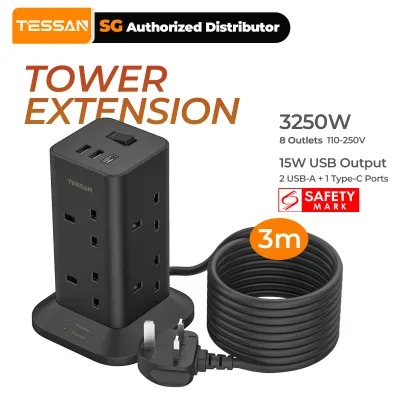
Prices are valid at publication and may change. Please refer to the product page for the latest price.
Pay close attention to the timing of these interruptions. If your device stops charging only after several minutes of driving, especially when running navigation apps, the cause is likely thermal throttling rather than a physical connection. Modern smartphones are designed to pause charging automatically when internal temperatures rise to protect battery health.
Physical clues can also guide your diagnosis. Feel the car charger adapter and your device; excessive heat is a primary trigger for charging pauses. Additionally, check if the charging stops when you hit a bump or turn a corner, which strongly suggests a loose fit in the 12V accessory socket or a worn-out USB port.
Quick and Safe Checks to Try First
Before purchasing new hardware or dismantling any part of your car’s console, perform a few low-risk, physical checks. Start by inspecting the charging port on your device and the ports on your car charger. Over time, pocket lint, dust, and debris accumulate inside these small cavities, preventing the cable from seating fully. Use a non-metallic tool, such as a wooden or plastic toothpick, to gently clear out any debris under a bright light.

Next, isolate the cable. Charging cables undergo significant stress in a vehicle, often being bent around mounts, stepped on, or exposed to extreme temperature swings. Swap your current cable with a known-working, high-quality cable of the correct power rating. Ensure the replacement cable is rated to handle the power requirements of your specific device, as under-rated cables can cause voltage drops that trigger the device’s safety cut-offs.
Finally, examine the connection between the car charger adapter and the vehicle’s 12V accessory socket. These sockets can vary slightly in depth and diameter, leading to a loose fit for some third-party adapters. Gently wiggle the adapter while it is plugged in; if the indicator light on the charger flickers or the device disconnects, the internal metal contacts inside the socket may be bent, or the adapter itself may lack sufficient spring tension to stay seated.
Match Symptoms to Causes and Fixes
To help you diagnose the exact issue, use the following matrix to match your specific charging symptoms with their most likely causes and practical solutions.
| Observed Symptom | Likely Cause | Recommended Action |
|---|---|---|
| Charging stops when hitting bumps or turning | Loose physical connection in the 12V socket or device port | Clean ports; ensure the charger is fully seated; try a tighter-fitting adapter. |
| Charging stops after 10 to 15 minutes of use | Thermal throttling due to device overheating | Move the device out of direct sunlight; mount it near an active air conditioning vent. |
| Charging stops when the screen is turned on | Insufficient amperage from the USB port | Switch from built-in vehicle USB ports to a high-output 12V accessory adapter. |
| Charging icon flickers rapidly without moving the phone | Internal cable damage or broken wire strands | Replace the cable with a certified, heavy-duty charging cable. |
| Charging stops when a second device is plugged in | Power budget limit exceeded on multi-port charger | Use a charger with independent power channels or charge one device at a time. |
Thermal throttling is one of the most common, yet misunderstood, causes of charging interruptions. In warm climates, such as during a hot afternoon drive in Singapore, the cabin temperature can rise rapidly. When you combine high ambient temperatures with direct sunlight hitting a dashboard-mounted phone, the device’s internal safety protocols will halt charging to prevent permanent battery degradation.
Another frequent issue is power budget limitations on multi-port chargers. Many inexpensive car chargers share a single power circuit across multiple USB ports. When you plug in a second device, the charger may momentarily cut power to redistribute the current, or the total draw may exceed the charger’s maximum capacity, causing the entire unit to shut down or cycle power repeatedly to protect itself.
When to Suspect Hardware or Vehicle Electrical Issues
If basic troubleshooting and cable swaps do not resolve the issue, the problem may lie within the charger hardware itself or your vehicle’s electrical system. A failing car charger adapter often exhibits physical warning signs. Inspect the adapter for any signs of warping, discoloration, or a faint burning smell. If the adapter feels excessively hot to the touch even when charging a single device, discontinue use immediately to prevent damage to your vehicle’s electrical system or your device.
Vehicle-side electrical issues can also cause intermittent charging. A weak or aging car battery, a failing alternator, or loose wiring behind the 12V accessory socket can cause voltage fluctuations. When the vehicle’s voltage drops below a certain threshold—such as when the engine auto-starts at a traffic light or when heavy electrical loads like the air conditioning compressor kick in—the car charger may temporarily lose power.
For safety reasons, always respect the boundaries of DIY troubleshooting. If you suspect a blown fuse, consult your vehicle’s owner’s manual to locate the correct fuse box and replace the fuse with one of the exact same amperage rating. However, if you suspect faulty wiring behind the dashboard, a damaged accessory socket, or persistent voltage drops, do not attempt to disassemble the vehicle’s electrical console yourself. Consult a qualified automotive electrician to diagnose and repair vehicle-side wiring faults safely.
Prevent Future Charging Interruptions
Preventing future charging issues relies on establishing good hardware care and device management habits. Start with proper cable management. Avoid tightly wrapping cables around your gear shifter or pulling them taut to reach a mount. Use cable clips or organizers to route the cable safely away from controls, ensuring there is enough slack so that normal driving vibrations do not strain the connector ends.
Position your device mount strategically to manage heat. Avoid mounting your phone directly on top of the dashboard where it is exposed to intense, direct sunlight through the windshield. Instead, opt for a mount that clips onto an air conditioning vent. The cool airflow from the vent acts as an active cooling system, keeping both the device and its battery at an optimal temperature for continuous, high-speed charging.
Finally, make routine maintenance a habit. Periodically inspect the 12V accessory socket for dust, corrosion, or small metallic objects (like coins or paperclips) that may have fallen inside. In humid climates, a thin layer of oxidation can build up on the metal contacts inside the socket, resisting electrical current. Gently cleaning these contacts with a dry, non-conductive swab while the vehicle’s ignition is completely off can ensure a clean, stable electrical connection.
Frequently Asked Questions (FAQ)
Does using a wireless car charger cause more frequent stopping than a wired connection?
Yes, wireless car chargers are generally more prone to charging interruptions than wired connections. Wireless charging relies on precise alignment between the coils in the charger and those in your device; vehicle vibrations can easily shift the device out of this optimal alignment, pausing the charge. Furthermore, wireless charging is inherently less efficient than a wired connection, generating significantly more heat. This extra heat, combined with warm cabin temperatures, frequently triggers the device’s internal thermal protection, causing it to stop charging much sooner than it would on a standard cable.
Why does my phone only stop charging when I am using GPS navigation?
Using GPS navigation is a highly resource-intensive task for any smartphone. Running the GPS receiver, constantly downloading map data, keeping the screen on at high brightness, and processing real-time routing instructions simultaneously generates a massive amount of internal heat. When you attempt to charge the device at the same time, the battery charging process generates even more heat. To prevent the phone from reaching dangerous temperatures that could cause permanent battery damage, the device’s operating system will automatically pause charging until the internal temperature drops to safe levels.

Community discussion
Share your experience or ask a question. Comments are reviewed before publication.