
Choosing the right Ugreen car charger depends on your device ecosystem, your vehicle’s physical layout, and how you use your phone on the road. If you need rapid power delivery for modern smartphones or laptops, a USB-C charger is the optimal choice. For older accessories and legacy cables, a USB-A charger offers reliable, basic power. If you prioritize seamless mounting and navigation access during short commutes, a wireless charging mount provides the ultimate convenience.
Verify Your Car's Power Output and Console Space
Before purchasing any car accessory, you must understand your vehicle’s electrical and physical limitations. The primary power source for aftermarket chargers is the 12V or 24V auxiliary power outlet, commonly known as the cigarette lighter socket.
Locate this socket in your vehicle and consult your owner’s manual or the interior fuse box cover to identify its maximum amperage rating. Most passenger vehicles feature a 10-amp or 15-amp fuse for this circuit, which translates to a maximum power limit of 120W to 180W. Exceeding this limit by plugging in multiple high-draw devices can blow the fuse, temporarily disabling the outlet and other shared cabin electronics.
Products mentioned in this guide
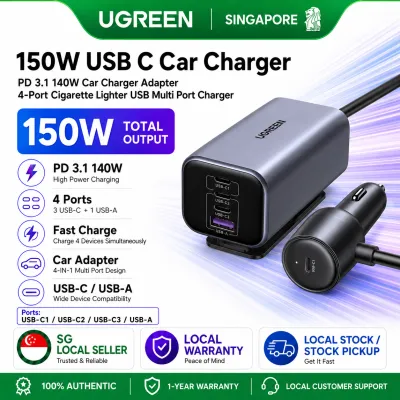
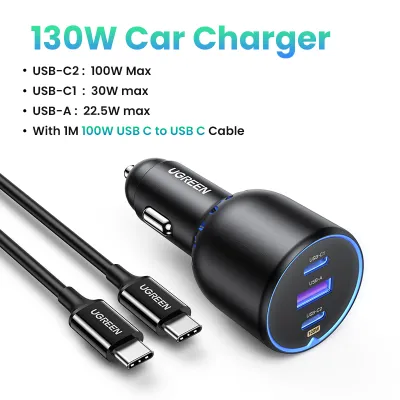
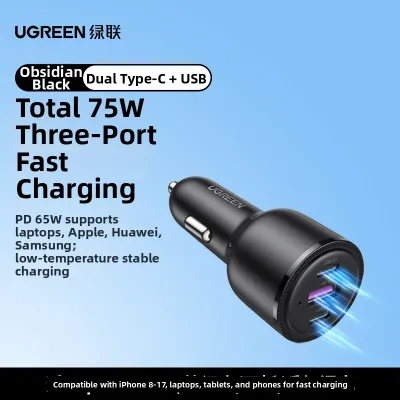
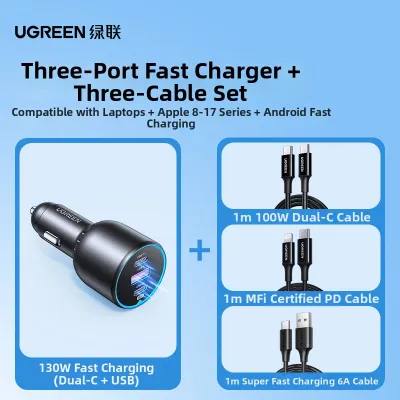
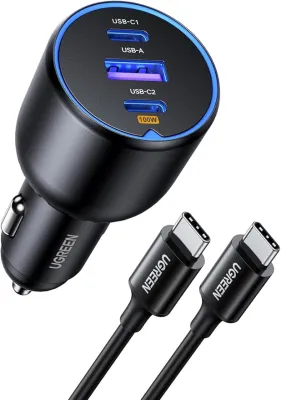
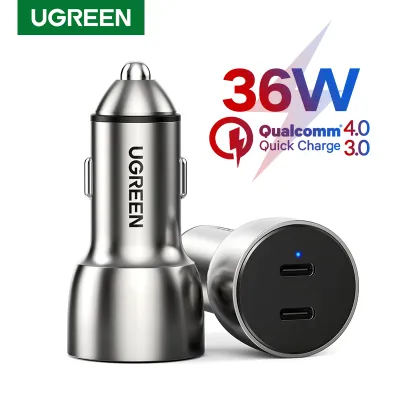
Prices are valid at publication and may change. Please refer to the product page for the latest price.
Physical dimensions are equally critical. Measure the depth of your accessory socket and inspect the surrounding console area. Some vehicles feature recessed sockets or place them close to gear shifters, handbrakes, or cup holders. A bulky, multi-port charger might obstruct these essential controls or fail to seat securely in a shallow socket, leading to intermittent power connections while driving over uneven road surfaces.
Additionally, take note of any built-in USB ports provided by your vehicle’s manufacturer. These factory-installed ports are frequently limited to low-amperage outputs, often delivering only 5W of power, which is barely sufficient to maintain a modern smartphone’s battery level while running navigation apps. Identifying these existing ports helps you decide whether your new Ugreen charger needs to completely replace their function or simply supplement them for high-speed charging tasks.
Ugreen USB-A Chargers: Best for Legacy Cables and Basic Power
Traditional USB-A car chargers remain highly practical for drivers who maintain an ecosystem of older devices or prefer to use existing cables. Many dash cams, older GPS units, Bluetooth earpieces, and legacy smartphones rely on USB-A to Micro-USB, USB-A to Lightning, or USB-A to USB-C cables.

If your primary goal is to keep these essential accessories powered without replacing your entire cable collection, a dedicated USB-A charger is a sensible, cost-effective solution. These chargers are typically compact, sitting nearly flush with the accessory socket to maintain a clean dashboard aesthetic.
However, you must carefully evaluate how these chargers distribute power when multiple ports are active. When you plug in two or more devices, the charger’s internal circuitry splits the total available amperage across the active ports. This means that while a single port might deliver decent speeds, occupying all ports simultaneously will reduce the charging rate for each connected device.
It is also important to recognize the technical limitations of the USB-A standard. Standard USB-A ports generally do not support modern high-wattage Power Delivery (PD) protocols. While they can support older fast-charging standards like Quick Charge (QC) for compatible Android devices, they cannot supply the high wattages required to rapidly charge modern flagship smartphones, tablets, or laptops. If fast charging is a priority for your daily commute, relying solely on USB-A may leave you with slow charging times.
Ugreen USB-C Chargers: Best for Fast Charging Modern Devices
For drivers carrying modern smartphones, tablets, or even laptops, a USB-C car charger is the modern standard. USB-C technology utilizes the Power Delivery (PD) protocol, which allows for significantly higher wattage and smarter power negotiation between the charger and your device.
To maximize this technology, you must match the charger’s rated PD wattage with the specific fast-charging protocols supported by your devices. For instance, many modern flagship phones require specific wattages (such as 20W, 25W, 30W, or even 45W) and protocols like Programmable Power Supply (PPS) to achieve their fastest charging rates. Using a charger that meets or exceeds these specifications ensures your device charges as quickly as possible during short trips.
Achieving these high speeds also requires the correct cabling. You must pair your USB-C car charger with a high-quality, certified USB-C to USB-C cable or a USB-C to Lightning cable. Using an inferior or uncertified cable can bottleneck the power transfer, limiting your charging speed to standard rates or causing the connection to drop entirely.
If you need to power multiple high-demand devices, look for multi-port USB-C models that feature dynamic power allocation. These advanced chargers intelligently detect the power requirements of each connected device. For example, if you connect a laptop and a smartphone simultaneously, the charger will dynamically allocate a larger portion of the wattage (e.g., 45W or 60W) to the laptop while reserving a smaller, sufficient portion (e.g., 20W) for the phone. This prevents overloading the charger while ensuring both devices receive optimal power.
Ugreen Wireless Chargers: Best for Navigation and Quick Mounting
Wireless car chargers combine the utility of a secure phone mount with the convenience of cable-free charging. This form factor is ideal for drivers who frequently use their phones for turn-by-turn navigation and want to avoid the hassle of plugging and unplugging a cable every time they enter or exit the vehicle.
Before choosing a wireless model, you must confirm that your smartphone supports Qi wireless charging. Additionally, check the thickness and material of your phone case. Most wireless chargers can penetrate standard plastic or silicone cases up to a certain thickness (typically around 3mm to 5mm). However, cases made of metal, those with built-in metal plates for magnetic mounts, or cases holding credit cards will block the electromagnetic induction and must be removed before charging.
The mounting mechanism itself requires careful consideration based on your vehicle’s interior design. Wireless chargers are commonly available as vent clips, suction cup mounts, or adhesive dashboard mounts. Inspect your vehicle’s air vents; thin, curved, or circular vent blades may not support a heavy vent-clip mount, especially when a large phone is attached. Suction cups require a smooth, non-porous surface, while adhesives need a clean, flat area on the dashboard to bond securely.
It is also crucial to manage expectations regarding charging speed and thermal performance. Wireless charging is inherently less efficient than a direct wired connection, converting a portion of the electrical energy into heat. When you combine wireless charging with active GPS navigation and direct sunlight through the windshield, your phone can become quite warm. To protect its battery, the phone may automatically reduce its charging speed. Consequently, wireless chargers are best used to maintain your battery level during a drive rather than rapidly topping it up from empty.
How to Choose the Right Ugreen Charger for Your Commute
Selecting the ideal charger comes down to analyzing your daily driving habits, your device mix, and your vehicle’s layout. By matching your specific needs to the strengths of each charger type, you can ensure a seamless and reliable charging experience on the road.
A USB-A charger is the most practical choice if you primarily need to power legacy accessories like dash cams or older phones, prefer to use your existing cables, and want a compact, budget-friendly solution that sits flush in your console. It provides reliable, basic power without cluttering your dashboard.
A USB-C charger is the definitive choice if you carry modern devices and prioritize speed. If you often find yourself needing to rapidly boost your phone’s battery during a short 20-minute commute, or if you need to keep a laptop powered during long road trips or mobile work sessions, the high-wattage output of USB-C is unmatched.
A wireless charging mount is best suited for drivers who value convenience and seamless integration. If your daily routine involves frequent short stops—such as delivery driving or running quick errands—the ability to drop your phone into a mount and have it charge automatically without fumbling with cables is incredibly convenient. It is also the perfect setup for keeping your phone positioned safely at eye level for navigation.
Regardless of which type you choose, always perform a final safety check. Verify that your vehicle’s auxiliary socket can safely handle the combined maximum wattage of your chosen charger and any connected devices. Taking a few moments to verify these specifications beforehand will protect your vehicle’s electrical system and ensure your devices remain safely powered wherever your journey takes you.
Frequently Asked Questions (FAQ)
Will a high-wattage Ugreen car charger blow my car's fuse?
A high-wattage charger itself will not blow your car’s fuse unless the total power drawn by the connected devices exceeds the fuse’s rating. Most vehicle accessory sockets are protected by a 10A or 15A fuse, which supports roughly 120W to 180W of continuous power. To prevent a blown fuse, check your vehicle’s manual for the exact socket limit and ensure the combined maximum input draw of your charger and connected accessories remains safely below this threshold.
Can I use a Ugreen wireless car charger with a thick phone case?
Wireless charging performance depends heavily on the distance between the charger’s internal coil and your phone. Most Qi-compatible wireless chargers work reliably with standard plastic, TPU, or leather cases that are less than 3mm to 5mm thick. However, you must avoid using cases that contain metal components, magnetic plates, ring holders, or credit cards, as these materials block the wireless signal and can cause dangerous heat buildup.
How do Ugreen multi-port chargers distribute power to multiple devices?
Multi-port chargers utilize intelligent power allocation technology to distribute wattage dynamically across active ports. When a single device is connected, the charger can direct its maximum rated power to that port. When multiple devices are plugged in, the internal controller automatically splits the total wattage based on pre-programmed power profiles, prioritizing high-draw devices like laptops while providing standard power to smaller accessories. Check the specific model’s documentation to understand the exact wattage distribution for your port configuration.

Community discussion
Share your experience or ask a question. Comments are reviewed before publication.