
Selecting the right Essager car charger is not just about finding a plug that fits; it requires matching your vehicle’s electrical setup, your smartphone’s charging capabilities, and your daily driving habits. If you need rapid power delivery for modern devices, a Type-C charger is the most efficient choice. For older accessories or secondary devices, a traditional USB-A charger offers reliable compatibility. If you prioritize convenience and a clutter-free dashboard during frequent short trips, a wireless charging mount provides a seamless, cable-free experience. Balancing these factors ensures your device stays powered safely without risking damage to your vehicle’s electrical system.
In Singapore’s urban driving environment, characterized by short commutes, frequent stop-and-go traffic, and strict hands-free driving laws, having a reliable power source is essential. Drivers must ensure that any phone mount or charger does not obstruct their view of the road or interfere with safe vehicle operation. By understanding the physical and electrical specifications of your car and phone, you can select an Essager charger that integrates seamlessly into your daily drive.
Check Your Vehicle and Smartphone Compatibility First
Before purchasing any car accessory, you must verify the physical and electrical prerequisites of both your vehicle and your mobile devices. Many modern vehicles come equipped with built-in USB ports, but these are often designed primarily for data transfer (such as Apple CarPlay or Android Auto) and typically output a meager 5W of power. This is rarely sufficient to charge a modern smartphone while it is actively running power-hungry navigation and traffic apps. To achieve true fast charging, you will need to utilize your vehicle’s 12V or 24V auxiliary power outlet, commonly known as the cigarette lighter socket, paired with a dedicated car charger.
Products mentioned in this guide
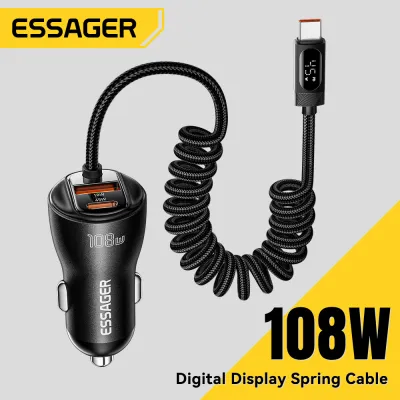
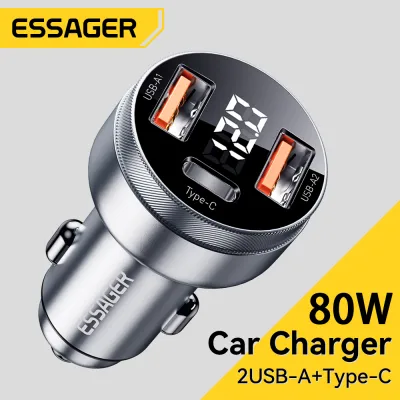
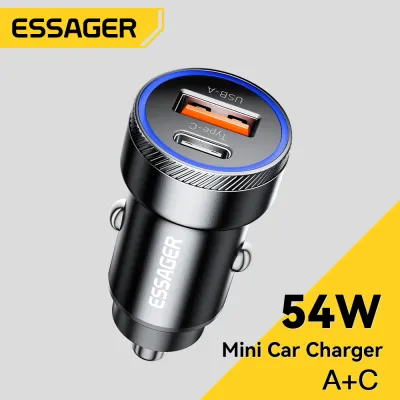
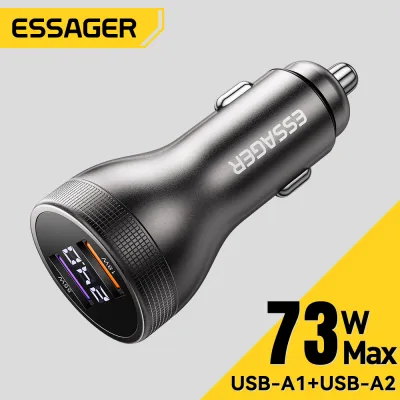
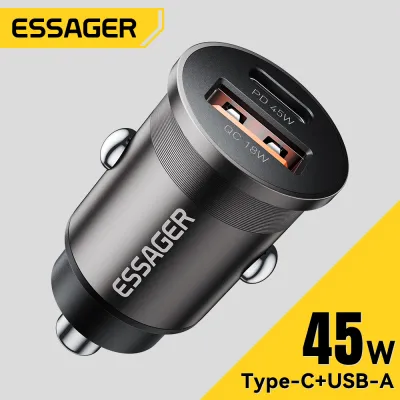
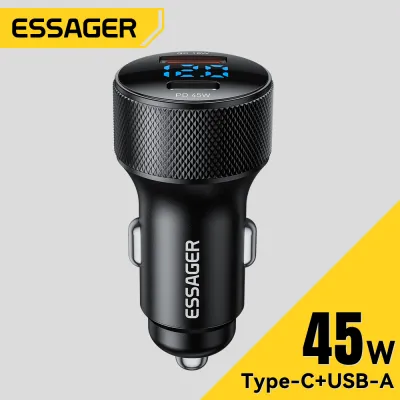
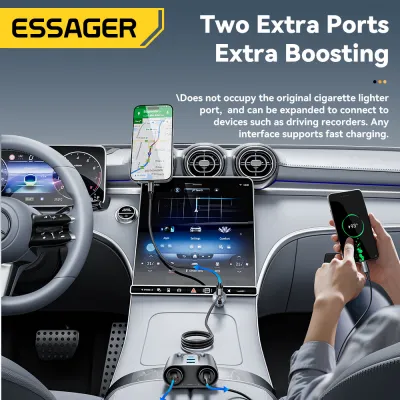
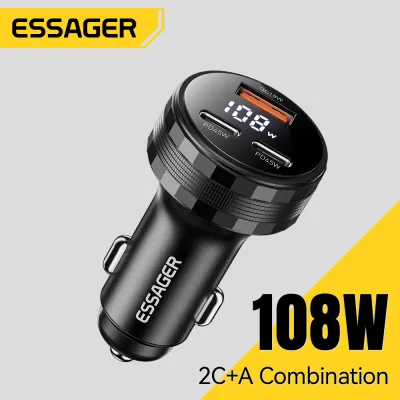
Prices are valid at publication and may change. Please refer to the product page for the latest price.
First, inspect the physical layout of your vehicle’s 12V socket. Note its location—whether it is situated openly on the center console, tucked away under the dashboard, or hidden inside an armrest compartment. Some sockets have tight clearances or protective spring-loaded covers that may prevent longer or bulkier chargers from seating fully. Additionally, consult your vehicle’s owner manual to locate the fuse box diagram and verify the fuse rating for the auxiliary outlet, which is typically rated at 10A or 15A. This rating determines the maximum total wattage your vehicle can safely supply to a multi-port charger.
Next, examine your smartphone’s charging specifications and port type. Modern devices rely on specific fast-charging protocols to accept higher wattages safely. For instance, iPhones and newer Android devices primarily use USB Power Delivery (PD) or Programmable Power Supply (PPS), which require a Type-C connection. Older Android devices may rely on Quick Charge (QC) protocols, which are often compatible with USB-A ports. If you are considering a wireless charger, verify that your phone supports the Qi wireless charging standard and check if your phone case is thin enough to allow inductive power transfer.
Finally, always review the product packaging or official specifications of the Essager charger you are considering. Look closely at the input voltage rating to ensure it matches your vehicle; while most chargers support a wide 12V to 24V range suitable for both passenger cars and commercial trucks, verifying this prevents electrical incompatibility. Check the maximum output ratings per port rather than just the combined total wattage, as a multi-port charger might split its power in ways that do not support fast charging on all ports simultaneously.
Comparing Essager Car Charger Form Factors
The physical design of a car charger dictates how you manage cables, where you position your phone, and how much power you can deliver to your devices. A compact, flush-fit plug keeps your center console looking clean and uncluttered, whereas an extended plug might offer more ports, integrated voltage displays, or flexible neck joints. Choosing the right form factor involves balancing aesthetic preferences with practical utility.

Each charger type—USB-A, Type-C, and wireless—serves a distinct purpose on the road. Understanding how these form factors operate under real-world driving conditions will help you narrow down the best option for your specific vehicle layout and daily routine.
USB-A Car Chargers
The traditional USB-A car charger remains a familiar sight due to its widespread compatibility with legacy cables and accessories. This form factor utilizes the classic rectangular USB port, which requires cables to be inserted in a specific orientation. Because USB-A has been the industry standard for decades, these chargers are highly practical if you already own a collection of older USB-A to Lightning, Micro-USB, or Type-C cables.
These chargers are highly suitable for powering secondary devices that do not require high-wattage fast charging. For example, dashcams, older GPS navigation units, portable air purifiers, or a passenger’s older smartphone can run perfectly well on a standard USB-A port. It provides a reliable, steady stream of power without demanding specialized or expensive cabling.
However, USB-A has clear limitations when it comes to modern power demands. The physical architecture of USB-A ports generally restricts them from supporting the latest high-wattage Power Delivery standards. While some proprietary protocols allow USB-A to deliver moderate fast charging, they typically top out at lower wattages compared to modern standards. This means that if you need to rapidly boost your phone’s battery during a short twenty-minute commute, a USB-A charger may not deliver power quickly enough to make a significant difference.
Type-C (USB-C) Car Chargers
Type-C car chargers represent the modern standard for mobile power on the road. Featuring the smaller, reversible Type-C port, these chargers eliminate the frustration of trying to plug in a cable the wrong way in a dark cabin. This interface is designed specifically to handle much higher electrical currents and voltages safely, making it the foundation for modern fast-charging technologies.
The primary advantage of Type-C is its native support for Power Delivery (PD) and Programmable Power Supply (PPS) protocols. These technologies allow the charger and your smartphone to communicate dynamically, negotiating the exact voltage and current required at any given moment. This optimization ensures that your device charges at its maximum safe speed while minimizing energy loss, which in turn reduces heat generation inside the phone’s battery.
To utilize a Type-C car charger, you must pair it with a high-quality Type-C to Type-C cable, or a Type-C to Lightning cable for older Apple devices. Investing in a certified, robust cable is essential, as cheap or non-compliant cables can bottleneck the charging speed or even pose an electrical hazard. For drivers who use power-hungry applications like real-time navigation, music streaming, and Bluetooth simultaneously, a Type-C charger provides the rapid power delivery needed to keep the battery percentage climbing rather than slowly draining.
Wireless Car Chargers
Wireless car chargers combine a phone mount and an inductive charging pad into a single device, offering unmatched convenience for drivers who dislike dealing with physical cables. These units are typically designed to mount directly onto your vehicle’s air vents, dashboard, or windshield using suction cups or specialized clips. Once installed, you can simply place your phone into the cradle, and charging begins automatically.
To use a wireless car charger, your smartphone must be compatible with the Qi wireless charging standard. It is also important to note that the wireless mount itself is not entirely cordless; it still requires a physical cable running from its base to a 12V car charger plug in your console to receive power. The convenience lies in the one-handed operation, allowing you to mount and unmount your phone effortlessly when entering or exiting the vehicle.
Despite their convenience, wireless chargers involve distinct trade-offs regarding charging speed and thermal management. Wireless charging relies on electromagnetic induction, a process that is inherently less efficient than a direct wired connection. A significant portion of the electrical energy is lost as heat. In warm tropical climates, mounting a wirelessly charging phone on the dashboard in direct sunlight can cause the device to heat up rapidly. When a smartphone detects high internal temperatures, it will automatically throttle its charging speed or stop charging entirely to protect the battery, resulting in much slower power delivery.
Evaluating Charging Speed, Convenience, and Safety
To make an informed decision, it is helpful to compare how these three charger types perform across key operational categories. The table below outlines the typical specifications and use cases you will find on product labels and documentation.
| Charger Type | Typical Wattage Range | Cable Requirement | Mounting Style | Primary Benefit |
|---|---|---|---|---|
| USB-A | 12W – 18W | USB-A to USB-C / Lightning | Plugged directly into 12V socket | High compatibility with legacy devices |
| Type-C (USB-C) | 20W – 100W+ | Type-C to Type-C / Lightning | Plugged directly into 12V socket | Maximum charging speed and PD support |
| Wireless Mount | 5W – 15W | Type-C (to power the mount) | Air vent, dashboard, or windshield | Cable-free convenience for the phone |
Convenience is highly subjective and depends on your daily driving patterns. If your routine involves making frequent short stops—such as delivery driving or running quick errands—a wireless mount saves you from constantly plugging and unplugging a cable. However, if you prioritize keeping your dashboard completely clear of mounts and wires, a low-profile Type-C plug that sits flush in your 12V socket is the cleaner solution.
Safety should always be a primary consideration when introducing aftermarket electronics into your vehicle. Look for Essager chargers that explicitly list built-in safety protections on their labels, including overcurrent, overvoltage, short-circuit, and high-temperature protection. For wireless chargers, Foreign Object Detection (FOD) is a critical safety feature; it ensures the charger will automatically shut off if a metal object, such as a coin, key, or magnetic phone plate, is placed between the charging pad and your phone, preventing extreme heat buildup and potential fire hazards.
Decision Framework: Which Essager Charger Fits Your Drive?
To finalize your choice, consider which of the following scenarios best describes your vehicle, device, and driving habits:
- Choose a USB-A Charger if: You drive an older vehicle with basic power needs, primarily use legacy cables, and need to power low-draw accessories like a dashcam or a secondary passenger phone. This is a practical, budget-friendly option for basic utility.
- Choose a Type-C Charger if: You own a modern smartphone, tablet, or compatible laptop, and you require the fastest possible charging speeds during short commutes. This setup is ideal for power users who rely heavily on navigation apps and want to future-proof their vehicle's charging capabilities.
- Choose a Wireless Charger if: You prioritize a seamless, one-handed mounting experience, make frequent stops throughout the day, and own a Qi-enabled phone. To mitigate heat issues in warm climates, consider choosing an air-vent mount style, which allows your car's air conditioning to help keep the phone cool while charging.
Before making your final purchase, always verify your vehicle’s physical layout. Ensure that the placement of your 12V socket does not interfere with your gear shifter or handbrake when a charger is plugged in. For wireless mounts, inspect your car’s air vent slats; circular or highly angled vents may not support standard vent clips securely, requiring a dashboard or windshield suction mount instead.
Frequently Asked Questions (FAQ)
Can I use an Essager Type-C car charger in a car that only has USB-A ports?
Yes, because an Essager car charger plugs directly into your vehicle’s 12V auxiliary power outlet (the cigarette lighter socket), not into the car’s built-in USB ports. As long as your vehicle has a standard 12V or 24V socket, you can use any Essager charger regardless of what built-in ports your dashboard features. If you were to plug a device directly into the car’s built-in USB-A port using an adapter cable, you would be limited to the vehicle’s low native power output, whereas the 12V socket charger provides full fast-charging capabilities.
Does wireless charging drain my car battery when the engine is off?
This depends entirely on how your vehicle’s electrical system is wired. In most modern vehicles, power to the 12V auxiliary socket is automatically cut off when the ignition is turned off or when the driver’s door is opened. However, some vehicles keep the 12V socket constantly powered even when the engine is off. If your vehicle keeps the socket live, a connected wireless charger will continue to draw a very small amount of standby power. While this draw is minimal, leaving the vehicle parked for several days without starting the engine could eventually drain the battery, so it is best practice to unplug the charger if leaving the car idle for an extended period.
How do I clean and maintain the charging contacts on my Essager charger?
Over time, dust, lint, and microscopic debris can accumulate inside the charging ports or on the metal spring contacts of the 12V plug, which can lead to intermittent charging or poor electrical connections. To clean the charger safely, first remove it completely from the vehicle’s 12V socket. Use a dry, soft-bristled brush or a can of compressed air to gently blow out any dust from the USB-A or Type-C ports. For the external metal contacts on the sides and tip of the plug, wipe them down with a clean, dry microfiber cloth. Never use water, liquid cleaning agents, or metal objects like paperclips inside the ports, as these can cause permanent physical damage or short circuits.

Community discussion
Share your experience or ask a question. Comments are reviewed before publication.