
Choosing the right car charger is no longer just about finding a plug that fits your cigarette lighter socket. With modern smartphones, tablets, and even laptops requiring different power delivery standards, selecting the wrong charger can result in painfully slow charging speeds or a cluttered dashboard. Baseus offers a wide range of in-car charging solutions across three primary categories: USB-A, USB-C, and wireless chargers. The ideal choice for your vehicle depends on your primary devices, how quickly you need to replenish battery life, and your tolerance for visible cables.
To make an informed decision, you can use this straightforward framework:
- Choose USB-C if you require the fastest possible charging speeds for modern flagship smartphones, tablets, or laptops, and your devices support Power Delivery (PD).
- Choose USB-A if you primarily charge older legacy devices, low-draw accessories like dashcams or wireless earbud cases, or need a budget-friendly backup option.
- Choose Wireless if you prioritize a clean, cable-free dashboard setup, take frequent short trips where plugging and unplugging is tedious, and your phone supports Qi or magnetic wireless charging.
- Verify first if your vehicle's 12V socket fuse limit can support high-wattage multi-port chargers, and ensure your phone case thickness is compatible if you opt for a wireless charging mount.
Core Differences: USB-A, USB-C, and Wireless Baseus Chargers
Understanding the physical and functional differences between these three charging technologies is essential before purchasing. Each type serves a distinct purpose and utilizes different protocols to deliver power to your devices.
Products mentioned in this guide
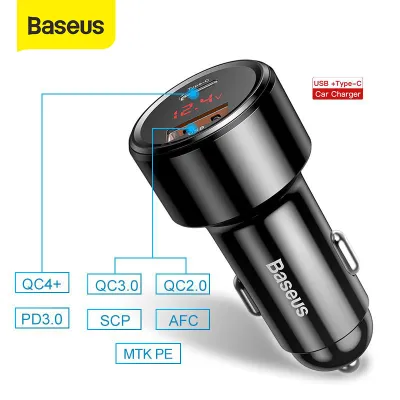
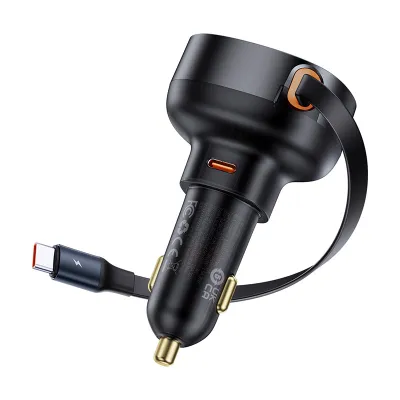
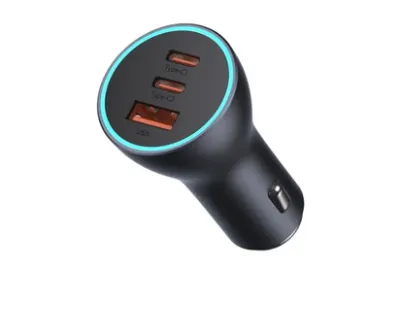
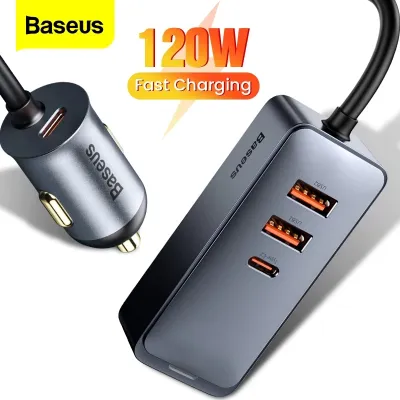
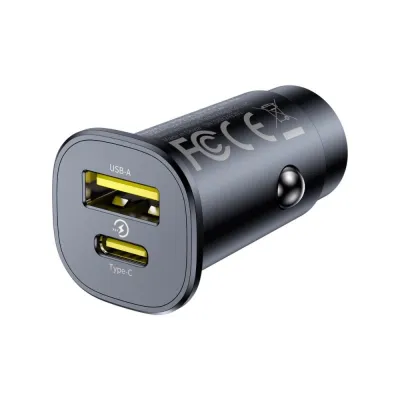
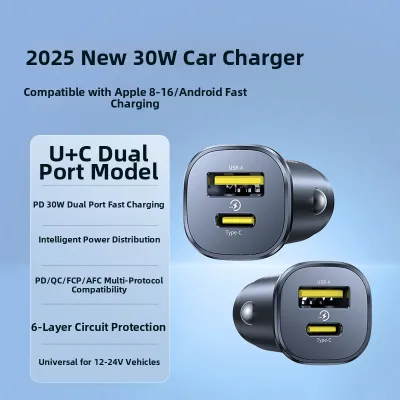
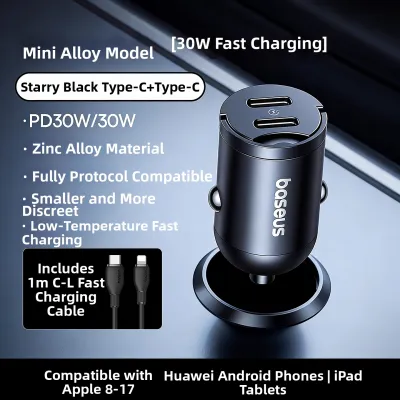
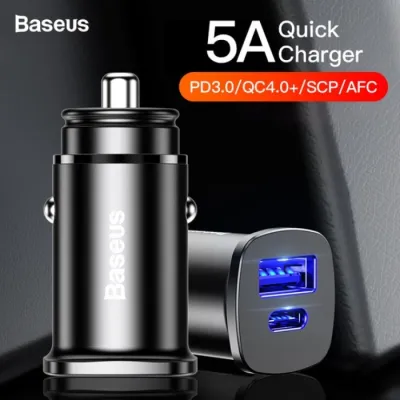
Prices are valid at publication and may change. Please refer to the product page for the latest price.
USB-A car chargers feature the traditional, rectangular port that has been the industry standard for decades. These chargers are typically limited to older charging standards, such as standard 5V charging or proprietary fast-charging protocols like Quick Charge 3.0. Because USB-A cannot support the higher voltages required by modern Power Delivery standards, they are best suited for older devices and low-power accessories. Many modern Baseus models address this limitation by offering hybrid configurations, combining a USB-A port with a USB-C port in a single compact housing.
USB-C car chargers utilize the smaller, reversible connector that has become the modern standard for electronics. The primary advantage of USB-C is its compatibility with Power Delivery (PD) and Programmable Power Supply (PPS) protocols. This allows USB-C chargers to negotiate much higher wattages—ranging from 20W to over 100W—making them capable of fast-charging modern smartphones and even powering laptops while on the road.
Wireless car chargers rely on electromagnetic induction to transfer power without a direct cable connection to your phone. These chargers typically double as motorized clamping mounts or magnetic mounts that attach to your air vents, dashboard, or windshield. While they offer unmatched convenience, they still require a physical cable running from the mount itself to the vehicle’s 12V socket to draw power. Because Baseus frequently updates its product lineup with hybrid port configurations and varying power outputs, always verify the exact specifications on the product packaging or manufacturer documentation before purchasing.
Head-to-Head Comparison: What Matters Most in Your Car?
When deciding on a car charger, you must weigh several practical factors, including how quickly your battery charges, how neat your dashboard remains, and how hot your devices get during operation.

The following comparison table outlines the general industry standards and physical characteristics of each charger type to help you evaluate their real-world performance.
| Feature | USB-A Car Chargers | USB-C Car Chargers | Wireless Car Chargers |
|---|---|---|---|
| Typical Power Output | 12W to 18W (up to 30W on proprietary protocols) | 20W to 100W+ via Power Delivery (PD) | 7.5W to 15W maximum |
| Primary Use Case | Legacy devices, dashcams, and secondary passenger accessories | Fast-charging modern smartphones, tablets, and laptops | Convenient top-ups, clean dashboard, and navigation mounting |
| Cable Management | Requires physical cable running from socket to device | Requires physical cable running from socket to device | Mount requires a power cable; phone remains cable-free |
| Device Compatibility | Universal for older USB cables and legacy electronics | Universal for modern USB-C devices and high-power gadgets | Requires Qi-compatible phone; limited by thick cases |
| Heat Generation | Low to moderate inside the 12V socket | Moderate (heat is dissipated at the socket, not the phone) | High (inductive transfer and direct sunlight generate heat) |
| Installation Effort | Plug-and-play into 12V socket | Plug-and-play into 12V socket | Requires mounting to air vent, dashboard, or windshield |
Charging Speed and Power Output
If rapid charging is your top priority, USB-C is the undisputed leader. A high-wattage Baseus USB-C charger utilizing Power Delivery can charge a compatible smartphone from empty to 50% in approximately 30 minutes. This high-speed performance is particularly useful during short commutes where you only have a limited window to top up your battery.
USB-A chargers operate at much lower speeds. While they are perfectly adequate for maintaining your battery percentage or charging low-draw accessories like a dashcam, they will struggle to quickly replenish a modern phone’s battery, especially if you are actively using the device for navigation.
Wireless charging is inherently the slowest of the three methods due to the energy lost during inductive power transfer. Most wireless car chargers max out at 15W, with many iPhones limited to 7.5W on standard Qi mounts. Wireless charging is best viewed as a way to maintain your current battery level during a drive rather than a tool for rapid recovery, particularly when running demanding navigation applications.
Convenience, Mounting, and Cable Clutter
The physical design of your charger directly impacts your daily driving experience. Standard socket chargers (both USB-A and USB-C) are highly compact and sit flush or nearly flush within your vehicle’s 12V cigarette lighter outlet. This design keeps the center console neat, but it requires you to manually plug a cable into your phone every time you get into the car.
Wireless charging mounts offer superior convenience, allowing for seamless one-handed operation. With magnetic or automatic infrared clamping mounts, you simply place your phone onto the cradle, and it begins charging instantly. This is a significant safety advantage while driving, as it eliminates the distraction of fumbling with cables.
However, wireless mounts do not completely eliminate cable clutter. While your phone itself remains free of a direct cable, a power cord must still run from the mount to the 12V socket. Depending on where you position the mount, this cable may drape across your dashboard or center console unless you take the time to route it neatly.
Device Compatibility and Multi-Device Charging
Compatibility is a critical consideration if you share your vehicle with family members or passengers who use different devices. USB-A remains highly useful for legacy cables, older iPhone models using Lightning connectors, and various automotive accessories.
USB-C is essential for modern flagship devices, including the latest iPhone and Android models, iPads, and USB-C powered laptops. If you have a mixed-device household, opting for a Baseus charger that features both a USB-C and a USB-A port provides the best of both worlds, ensuring no passenger is left without a compatible connection.
Wireless charging requires a phone equipped with Qi or magnetic wireless charging capabilities. If your phone is housed in a thick, rugged case, or if you use a metal plate for a magnetic car mount, the inductive connection may be blocked entirely, preventing the charger from functioning and potentially causing the device to overheat.
Match Your Driving Habits to the Right Charger Type
To select the most practical Baseus car charger, consider your daily driving routines and how you interact with your devices while on the road.
The Daily City Commuter If your daily drive consists of short, stop-and-go trips through heavy traffic on expressways like the PIE or CTE, your charging needs are highly specific. Running navigation apps like Google Maps or Waze with high screen brightness to combat glare can drain your battery rapidly. For this scenario, a high-wattage Baseus USB-C charger is highly effective, delivering a substantial power boost in a short amount of time. Alternatively, a vent-mounted wireless charger keeps your phone positioned at eye level for easy navigation viewing while keeping the battery topped up.
The Long-Distance Driver or Road Tripper For those who frequently take longer drives, such as road trips up north or extended weekend journeys, charging speed is less critical than multi-device reliability. A multi-port Baseus socket charger featuring both USB-C and USB-A ports is ideal here. It allows you to power a dashcam continuously from the USB-A port while keeping your phone and a passenger’s tablet charging via USB-C, all without the risk of thermal throttling that can occur with wireless chargers over long periods.
The Ride-Hailing or Family Driver If you drive for a ride-hailing service like Grab or Gojek, or frequently transport family members, you must accommodate a wide variety of devices and user preferences. Passengers may have older phones, thick protective cases, or specific cable requirements. A multi-port Baseus socket charger paired with a high-quality multi-tip cable (or a Baseus retractable cable car charger) is the most versatile solution. This setup ensures you can charge any passenger’s device quickly, regardless of their phone model or case design.
The Minimalist If you prefer a completely clean aesthetic with minimal visible hardware, a magnetic wireless charger or an ultra-compact, flush-fitting Baseus dual-port charger is the perfect choice. Baseus designs several micro-sized socket chargers that sit completely flush inside your 12V outlet, allowing you to close the socket cover on some vehicle models when not in use. Paired with a short, neatly routed cable, this keeps your center console entirely free of clutter.
In-Car Safety, Heat, and Installation Checks
Operating electrical accessories in a vehicle requires careful attention to safety, environmental factors, and electrical limitations. This is particularly true when dealing with high-wattage chargers or operating devices in hot climates.
Heat Management in Warm Climates
Singapore’s intense tropical climate poses a unique challenge for in-car electronics. When your vehicle is parked in direct sunlight, cabin temperatures can rise rapidly. Operating a wireless charger under these conditions compounds the issue, as inductive charging naturally generates significant heat.
If your phone gets too hot, its internal safety mechanisms will automatically slow down or pause charging to protect the battery. To mitigate this, consider mounting your wireless charger to an air vent. This placement allows the vehicle’s air conditioning system to actively cool both the charger and your phone during operation. However, ensure the mount does not completely block critical dashboard controls or restrict airflow needed to keep the cabin comfortable.
Electrical Limits and Overload Prevention
Every vehicle’s 12V cigarette lighter socket is protected by a fuse, typically rated between 10A and 15A. At a standard 12V output, this limits the total power draw to approximately 120W to 180W.
While a single Baseus car charger is unlikely to exceed this limit, caution is required if you use multi-port expanders or splitters to run multiple high-draw accessories simultaneously. Drawing too much power by running a high-wattage laptop charger, a portable car vacuum, and a dashcam on the same circuit can easily blow the vehicle’s fuse, disabling your 12V socket entirely until the fuse is replaced.
Mounting Safety and Cable Routing
When installing a wireless charging mount, ensure it is secured firmly to prevent it from becoming loose. A heavy phone mounted to a loose vent clip or a degraded suction cup can easily fall during sudden braking, sharp turns, or when driving over speed bumps, creating a dangerous distraction.
Additionally, pay close attention to how you route your charging cables. Cables should never hang loose near the steering wheel, gear shifter, or foot pedals, as they can interfere with your mechanical control of the vehicle. Use adhesive cable clips to route wires neatly along the seams of your dashboard to ensure a safe, hazard-free driving environment.
Frequently Asked Questions (FAQ)
Can I use a Baseus USB-C car charger to charge my laptop in the car?
Yes, you can charge a laptop using a Baseus USB-C car charger, provided both the charger and your laptop meet specific power requirements. Your laptop must support charging via USB-C Power Delivery (PD), and the specific Baseus charger port you use must output sufficient wattage—typically at least 45W, 65W, or 100W depending on your laptop model. Always check your laptop’s original power adapter to verify its required input wattage, and check the labeled output specifications on the Baseus charger before attempting to connect it.
Do Baseus wireless car chargers work with thick phone cases?
Standard Baseus wireless car chargers are designed to transmit power through thin plastic or silicone cases, typically up to 3mm to 5mm in thickness. However, rugged heavy-duty cases, wallet cases containing credit cards, and cases with integrated metal rings or kickstands will block the inductive signal. Metal objects placed between the phone and the charger will not only prevent charging but can also heat up rapidly due to the induction field, posing a serious safety hazard. If you use a thick or metallic case, you must remove it before wireless charging or opt for a wired USB-C connection.
Why does my phone stop charging wirelessly while using GPS in the car?
This issue is almost always caused by thermal throttling. Running GPS navigation, maintaining high screen brightness, and processing cellular data simultaneously generates substantial heat within your phone. When you combine this workload with the heat naturally produced by wireless charging, the phone’s internal temperature can quickly exceed safe operating limits. To protect the battery from permanent degradation, the phone’s operating system will temporarily pause charging until the device cools down. To prevent this, mount the charger in front of an active air conditioning vent or switch to a wired USB-C connection, which generates significantly less heat.
Community discussion
Share your experience or ask a question. Comments are reviewed before publication.