
Quick Answer: Choosing the Right V2L Output Type
Using a Vehicle-to-Load (V2L) adapter transforms your electric vehicle into a mobile power station, but choosing the right output configuration depends entirely on the devices you intend to power.
- USB-C: Select this option if your primary goal is charging modern laptops, tablets, and smartphones that support USB Power Delivery (PD) natively. It offers high efficiency by avoiding unnecessary power conversion.
- AC Outlet: Choose this if you need to run standard household appliances, power tools, camera battery chargers, or any device requiring a traditional three-pin plug.
- Wireless: Opt for this configuration if you prioritize cable-free convenience for Qi-compatible smartphones during stationary vehicle use, such as camping or resting.
Before purchasing any adapter, always verify that your specific vehicle model supports V2L functionality and check the manufacturer’s stated maximum continuous discharge limit in your owner’s manual.
How V2L Adapters Deliver Power to Your Devices
A V2L adapter acts as a physical and electrical bridge between your electric vehicle’s high-voltage battery pack and your everyday consumer electronics. When plugged into the vehicle’s charging port, the adapter signals the onboard charger to reverse the flow of electricity, drawing direct current (DC) from the traction battery and routing it to the adapter’s output ports.
Products mentioned in this guide
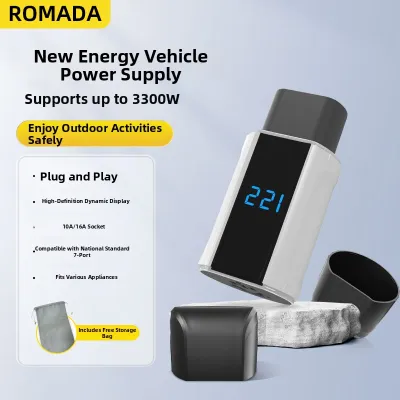
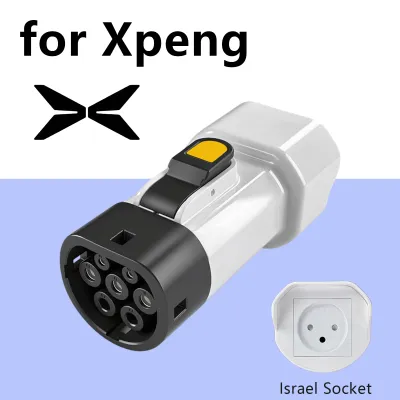
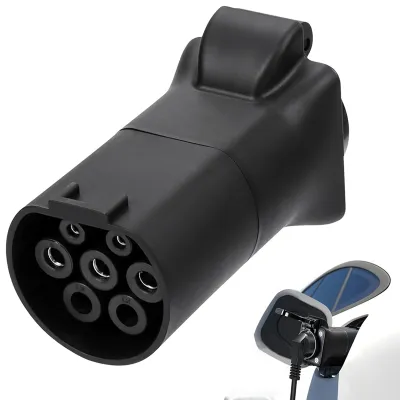
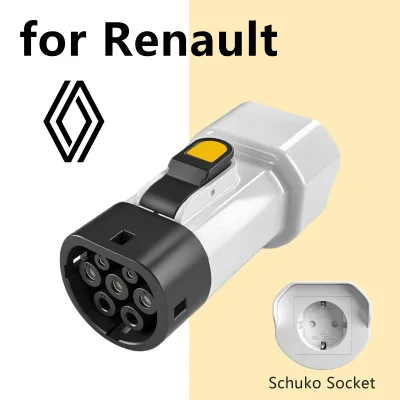
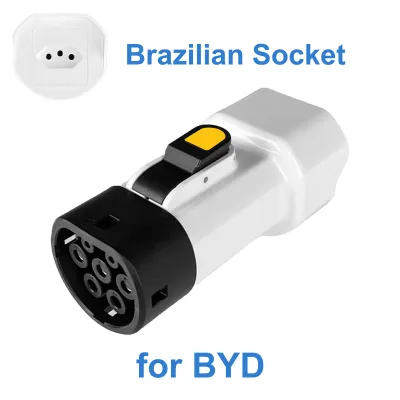
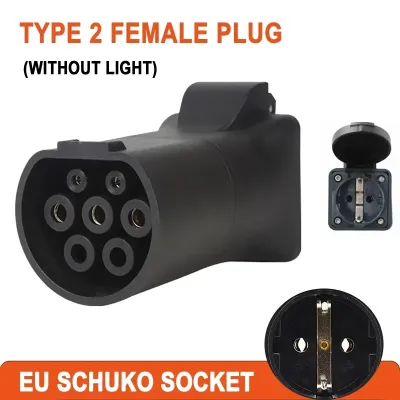
Prices are valid at publication and may change. Please refer to the product page for the latest price.

It is critical to understand that V2L capability is not a universal standard across all electric vehicles. Some manufacturers integrate this technology natively, while others require specific proprietary vehicle-side adapters or software activation. Always consult your vehicle’s owner manual to confirm compatibility and to identify the exact connector type required for your model.
Furthermore, the total usable power you can draw is strictly constrained by two factors: the vehicle’s internal inverter limits and the external adapter’s rated maximum capacity. Exceeding either of these limits will trigger safety cutoffs to protect the vehicle’s electrical architecture.
USB-C Output: Direct Charging for Smart Devices
For users who primarily need to keep portable electronics running, a V2L adapter equipped with direct USB-C ports offers a highly efficient solution. This setup utilizes direct DC-to-DC power transfer, which bypasses the vehicle’s internal inverter. By avoiding the conversion of DC power to AC and back to DC again, you minimize energy loss and reduce heat generation within both the adapter and your devices.
When evaluating a USB-C V2L adapter, you must check the product label for its supported Power Delivery (PD) profiles and maximum wattage. A standard USB port might only output 10 to 15 watts, which is insufficient for modern laptops. To charge a demanding laptop or tablet at full speed, look for ports rated for at least 60W or 100W PD.
However, USB-C outputs have clear limitations. They cannot power devices that strictly require an AC plug, such as household appliances, specialized camera battery cradles, or older laptops with proprietary charging bricks. If your gear relies on traditional plugs, a dedicated USB-C port will not suffice.
AC Outlet Output: Powering Standard Household Electronics
An AC outlet configuration is the most versatile option, allowing you to run conventional household electronics, outdoor gear, and specialized tools directly from your vehicle. To provide this utility, the system relies on an inverter to convert the EV battery’s DC power into AC power, mimicking the electrical outlets found in your home.
When choosing an AC-equipped V2L adapter, you must verify whether the output is a pure sine wave or a modified sine wave. This specification is typically printed on the adapter’s product label or detailed in the manufacturer’s documentation. Sensitive electronics, medical equipment, and devices with variable-speed motors require a pure sine wave to operate safely and prevent long-term damage.
Additionally, you must pay close attention to the continuous and peak wattage ratings of the AC outlet. While some vehicles can deliver up to 3,000 watts or more, the adapter itself may have lower limits. Overloading the outlet with high-draw appliances like electric kettles or hair dryers can trip the vehicle’s safety cutoff or damage the adapter.
Wireless Output: Cable-Free Charging for Compatible Phones
Some modern V2L setups and multi-port adapters feature integrated wireless charging pads, offering a convenient way to power Qi-compatible smartphones and wireless earbuds. This configuration is particularly useful during stationary vehicle activities, such as tailgating, camping, or waiting inside the cabin while parked.
Despite the convenience of eliminating cables, wireless charging is the least efficient power transfer method. It suffers from significant energy loss compared to a direct wired USB-C connection, meaning more power is wasted as heat. This lower efficiency also translates to much slower charging speeds, which may not be practical if you need a quick battery boost.
Thermal management is another critical consideration, especially in warm climates like Singapore’s tropical weather. Wireless charging naturally generates heat, and when combined with high cabin temperatures, your smartphone or the adapter itself may automatically throttle charging speeds or shut down temporarily to prevent overheating.
How to Match Your Devices to the Best V2L Configuration
To determine the ideal V2L adapter setup, you should evaluate your device inventory against the strengths and limitations of each output type. The table below outlines the key differences to help guide your decision:
| Output Type | Power Efficiency | Device Compatibility | Best Use Cases |
|---|---|---|---|
| USB-C (PD) | High (Direct DC-to-DC) | Laptops, tablets, modern smartphones | Remote work, fast-charging smart devices |
| AC Outlet | Medium (Requires DC-to-AC conversion) | Household appliances, tools, older chargers | Camping, emergency backup, outdoor events |
| Wireless (Qi) | Low (Inductive loss) | Qi-compatible phones, wireless earbuds | Casual, cable-free top-ups while stationary |
Before purchasing, create a quick checklist of your devices’ power requirements:
- Identify the plug types required (USB-C, USB-A, or standard AC plugs).
- Check the input wattage listed on each device's power brick or label.
- Determine if any of your electronics require a pure sine wave AC supply.
If you travel with a diverse range of gear, a single-port adapter may feel limiting. In these scenarios, a multi-port V2L adapter that combines both high-wattage USB-C ports and a standard AC outlet offers the greatest flexibility, allowing you to charge your laptop efficiently while keeping household appliances running.
Critical Safety and Vehicle Compatibility Checks
Operating a V2L adapter safely requires strict adherence to both vehicle guidelines and electrical safety practices. Before connecting any devices, locate your vehicle’s maximum V2L discharge limit in the owner’s manual. Ensure that the combined wattage of all connected devices remains well below this limit to prevent overloading the vehicle’s electrical system.
Inspect the physical condition of the V2L adapter, its cable integrity, and its connector pins before every use. Look for safety certification marks on the product label to ensure the device has undergone rigorous testing. Never use an adapter that shows signs of cracking, exposed wiring, or bent pins.
Using V2L adapters in wet weather or high-humidity environments poses severe electrical risks. Avoid operating the adapter in the rain, and never handle plugs with wet hands. If you experience any unusual behavior, such as sparking, excessive heat, or error messages on your vehicle’s dashboard, stop use immediately and consult your vehicle manufacturer or a qualified automotive technician.
Frequently Asked Questions (FAQ)
Can I use a standard extension cord with a V2L AC outlet adapter?
Using standard household extension cords with a V2L adapter is generally discouraged due to safety risks. Long or undersized extension cords can cause a significant voltage drop, leading to overheating and potential fire hazards, especially when powering high-draw appliances. If an extension cord is absolutely necessary, you must select a heavy-duty, outdoor-rated cord with an appropriate wire gauge (such as 12 or 14 AWG) that matches or exceeds the adapter’s maximum wattage rating. Always check your vehicle’s owner manual first, as some manufacturers explicitly prohibit the use of extension cords with their V2L systems.
Does using a V2L adapter drain the EV battery quickly?
The rate of battery depletion depends entirely on the power draw of your connected devices relative to your EV’s total battery capacity. For example, running a 100-watt laptop charger for five hours consumes approximately 0.5 kWh of energy, which is negligible on a standard 60 kWh EV battery. However, high-draw appliances like portable heaters or hot plates can drain the battery much faster. To prevent stranded drivers, most electric vehicles allow you to set a minimum battery threshold (such as 20%) in the infotainment system, which automatically shuts off the V2L output when the battery drops to that level. Keep in mind that using the AC outlet introduces minor energy losses due to inverter conversion, making direct USB-C charging slightly more efficient.
Community discussion
Share your experience or ask a question. Comments are reviewed before publication.