
There is no single charging type that suits every driver; the right car phone holder wireless charger or wired alternative depends entirely on your phone’s capabilities, your vehicle’s power outputs, and your preference for convenience over maximum charging speed. Choosing an incompatible setup can lead to slow charging, excessive heat, or cluttered cables that interfere with your driving experience. By understanding the differences between USB-A, USB-C, and wireless charging mounts, you can select a system that keeps your device securely positioned and reliably powered throughout your journey.
Baseline Check: What Your Phone and Car Actually Support
Before purchasing any car phone holder, you must identify the hardware constraints of both your mobile device and your vehicle. Not all phones support wireless charging, and not all car USB ports are designed to deliver power.
First, check your phone’s physical charging port. Modern devices typically feature a USB-C port, while older or specific proprietary models may use different connectors. To determine if your phone is compatible with wireless charging, verify whether it supports standard Qi or magnetic wireless charging protocols in the manufacturer’s official specifications. If your phone lacks internal wireless charging coils, a wireless charging mount will not function without an external adapter sleeve or receiver patch.
Products mentioned in this guide
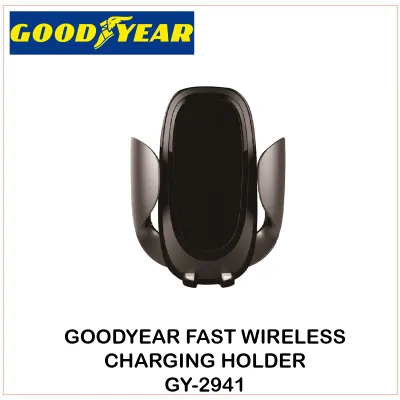
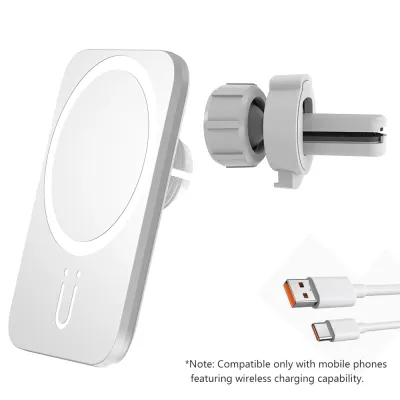
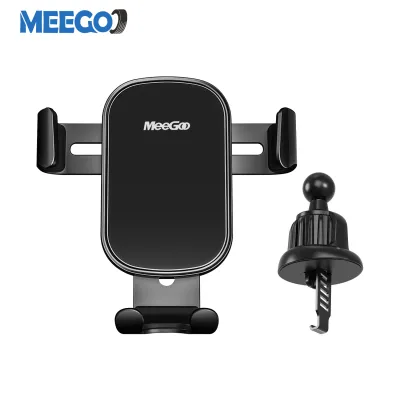
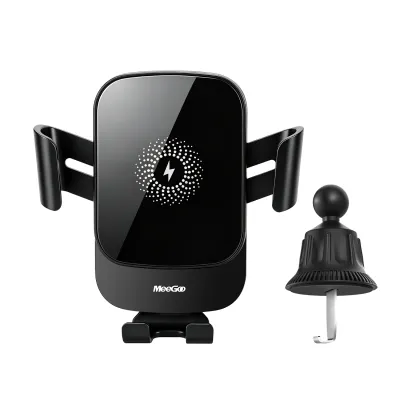
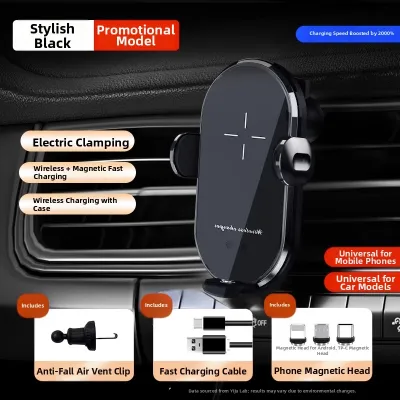
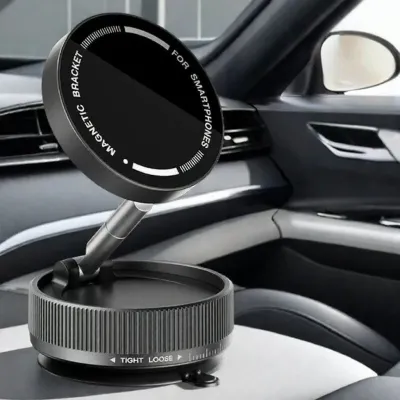
![🔥High Quality & Fast Charging 🔥]LDNIO 15W Wireless Charger Magnetic Car Holder For ALL Phone](https://img.lazcdn.com/g/p/c71adc4ec786c484a737f035f2e7f6eb.jpg_400x400q80.jpg_.webp)
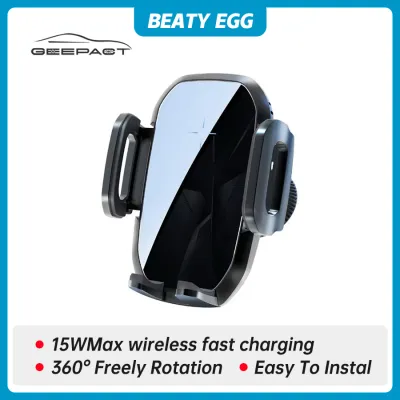
Prices are valid at publication and may change. Please refer to the product page for the latest price.
Next, inspect your vehicle’s built-in USB ports. Many built-in ports, especially in older vehicles, are designed primarily for media transfer or wired smartphone integration like Apple CarPlay or Android Auto. These data-only ports often output very low power, typically around 0.5 amps, which is insufficient to charge a modern smartphone while it is running navigation apps. Check the labels next to the ports or consult your vehicle’s owner’s manual to verify their power output ratings.
If your vehicle’s built-in USB ports do not provide enough power, locate the 12V auxiliary power outlet, commonly known as the cigarette lighter socket. This socket can accommodate a high-output external USB adapter, which is often necessary to supply the higher wattage required by modern fast-charging wired mounts or wireless charging holders.
Comparing USB-A, USB-C, and Wireless Car Phone Holders
Each charging technology offers distinct trade-offs regarding charging speed, cable management, and physical installation requirements. Understanding these differences helps you choose a reliable option for your daily commute.

USB-A Holders
USB-A car phone holders rely on the traditional rectangular USB port that has been standard in vehicles for decades. These systems are highly compatible with older cars and legacy cables, making them a straightforward choice if you do not want to upgrade your existing accessories.
However, USB-A connections generally offer lower power delivery compared to newer standards. When using a USB-A setup, you must check the output label on your car charger adapter to ensure it meets your phone’s minimum power requirements. Relying on assumed speeds can result in a battery that drains even while plugged in, especially when running power-intensive GPS navigation and screen-on tasks simultaneously.
USB-C Holders
USB-C car phone holders utilize the modern, oval-shaped connector that supports advanced power delivery standards. This technology is highly suitable for newer vehicles and modern smartphones, offering a reversible cable design that eliminates the frustration of plugging in the connector the wrong way in low-light conditions.
The primary advantage of USB-C is its ability to support much higher wattages, enabling rapid charging that can quickly replenish your phone’s battery during short drives. To achieve these speeds, you must verify that both your car’s built-in port or 12V adapter and the phone holder itself support the specific power delivery profiles required by your smartphone.
Wireless Holders
Wireless car phone holders offer maximum convenience by eliminating the need to manually plug a cable into your phone every time you enter the vehicle. These mounts use electromagnetic induction to transfer power directly to your phone when it is placed in the cradle, which is highly convenient for short trips and frequent stops.
Despite the convenience, wireless charging is less efficient than wired connections and generates more heat during operation. This heat can cause your phone to throttle its charging speed or temporarily shut down to protect the battery, particularly when exposed to direct sunlight on the dashboard. To manage thermals, consider mounting wireless chargers on an air vent where the vehicle’s air conditioning can help cool the device, and ensure the phone is precisely aligned with the holder’s internal charging coils.
Power Source and Installation Requirements
To ensure safe operation and reliable power delivery, you must carefully plan how your car phone holder will be powered and mounted within the cabin. Improper installation can lead to loose mounts, distracted driving, or cables that interfere with critical vehicle controls.
When powering your holder, compare the performance of plugging directly into the vehicle’s built-in USB ports versus using a dedicated 12V car charger adapter. Built-in ports often lack the voltage and amperage required to run fast wireless chargers or high-speed wired mounts. A dedicated 12V adapter plugged into your auxiliary socket is generally the most reliable way to supply stable, high-wattage power to your charging mount.
Cable routing is another critical safety consideration. Ensure that all power cables are neatly routed and secured away from the steering wheel, gear shifter, pedals, and climate controls. Loose, dangling wires can snag on your hands or gear selector during sudden maneuvers, creating a serious driving hazard. Use cable clips or tuck the wires into dashboard seams to keep the driver’s area completely clear.
Finally, evaluate the mounting style based on the physical weight of the holder and the size of your phone. Wireless charging mounts are significantly heavier than standard non-charging holders because they contain internal copper coils, magnets, and sometimes motorized clamping mechanisms. Ensure your chosen mounting location—whether it is an air vent, dashboard adhesive, or windshield suction cup—is robust enough to support the combined weight of the heavy holder and your phone without vibrating loose. When choosing a mounting position, verify your local road safety regulations and vehicle documentation to ensure the holder does not obstruct your field of vision or interfere with airbag deployment zones.
Final Decision Guide: Choosing the Right Holder for Your Setup
Selecting the right car phone holder requires matching your vehicle’s physical layout with your daily driving habits and device specifications. Use the following guidelines to make your final decision.
Choose USB-A if:
- You drive an older vehicle equipped only with standard USB-A ports and prefer not to purchase new adapters.
- You already own reliable USB-A cables and do not require rapid charging speeds during short trips.
- Your phone does not support wireless charging or high-speed USB-C power delivery.
Choose USB-C if:
- You own a modern smartphone and drive a vehicle with built-in USB-C ports or a high-output 12V adapter.
- You prioritize the fastest possible charging speeds to quickly top up your battery during short commutes.
- You prefer a single, durable, reversible cable that can also be used to charge other modern electronics.
Choose Wireless if:
- You frequently enter and exit your vehicle throughout the day and want to avoid the constant hassle of plugging and unplugging cables.
- You want to minimize visible cable clutter on your dashboard for a cleaner, more integrated cabin appearance.
- Your smartphone natively supports Qi or magnetic wireless charging, and you are comfortable mounting the holder near an air vent to manage heat.
Verify first if:
- Your phone case is exceptionally thick, contains metal plates, or holds credit cards, as these materials will block wireless charging signals and can cause dangerous heat buildup.
- Your vehicle's built-in USB ports are strictly designed for audio data transfer, which means they cannot output enough electrical current to power any charging holder effectively.
Frequently Asked Questions (FAQ)
Do I need a special case to use a wireless car phone holder?
You do not necessarily need a special case, but your existing case must meet specific physical requirements to allow successful wireless charging. Standard wireless chargers generally require a non-metallic case that is less than 3mm to 5mm thick. Thick rugged cases, wallet cases containing credit cards, and cases with integrated metal kickstands or magnetic plates will block the electromagnetic induction and may cause the charger to overheat. If you use a magnetic alignment system, you will need a compatible case with built-in magnetic rings to ensure the phone stays securely attached to the holder over bumps.
Can I use a USB-C car phone holder with an older USB-A car port?
Yes, you can connect a USB-C car phone holder to an older USB-A port using a USB-A to USB-C adapter or a hybrid cable, but there are electrical limitations to consider. The charging speed will be strictly limited by the lower power output of the older USB-A port, meaning your holder may not receive enough wattage to support fast charging or stable wireless power delivery. Always check the power ratings on your port and the input requirements of your holder to ensure safe compatibility and prevent overloading the circuit or experiencing intermittent charging drops.

Community discussion
Share your experience or ask a question. Comments are reviewed before publication.