
Quick Answer: Which Charging Method Fits Your Daily Drive?
Finding the right handphone mount for car use depends heavily on your daily driving habits, your device’s capabilities, and your vehicle’s power infrastructure. There is no single option that suits every driver, but matching your typical commute to the right charging standard ensures your phone stays powered without overheating or cluttering your dashboard.
For drivers who rely heavily on active navigation apps like Waze or Google Maps during long drives, a Type-C (USB-C) wired mount is the ideal choice. This setup delivers the high wattage needed to fast-charge your phone even while power-hungry apps and screen brightness are at their peak.
If your daily drive consists of short, frequent trips—such as quick grocery runs, school drop-offs, or brief commutes—a wireless charging mount offers unmatched convenience. You can simply place your phone on the mount to top up the battery without constantly plugging and unplugging cables.
Products mentioned in this guide
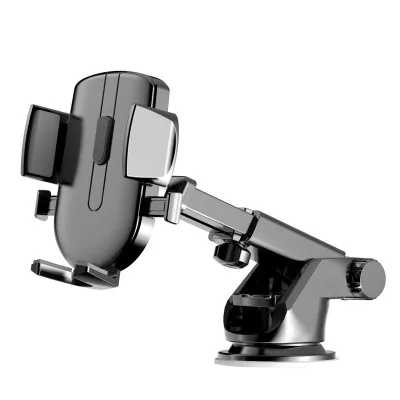
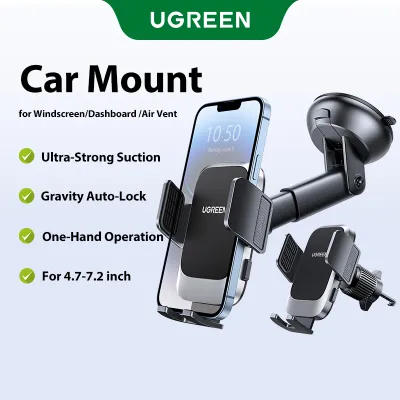

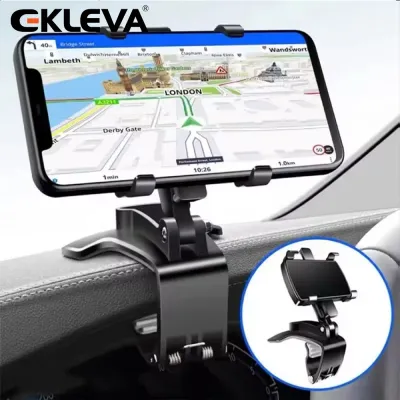
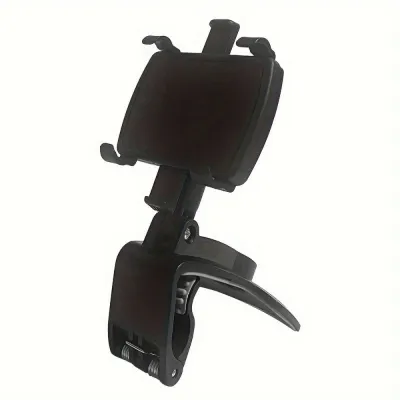
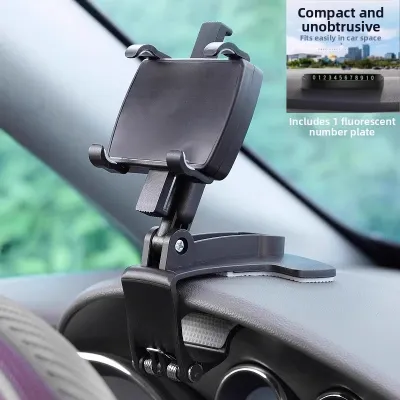
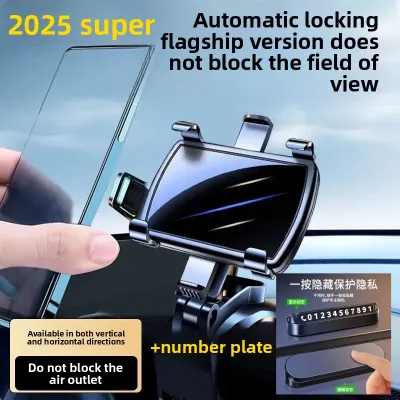

Prices are valid at publication and may change. Please refer to the product page for the latest price.
For those driving older vehicle models or using legacy devices, a USB-A wired mount remains a highly reliable, budget-friendly fallback. While it charges more slowly, it provides a stable physical connection that avoids the thermal issues common with wireless systems.
Comparing USB, Type-C, and Wireless Handphone Mount for Car Options
Choosing a handphone mount for car setups requires understanding how different charging technologies interact with your vehicle. The modern market is divided into three primary categories: legacy USB-A wired mounts, modern Type-C wired mounts, and wireless charging mounts. Selecting the right one is not just about physical mounting; it is about matching your phone’s internal hardware with your car’s electrical output.

Each system presents distinct trade-offs regarding charging speed, heat generation, cable clutter, and overall convenience. To make an informed decision, you must evaluate how these standards perform under real-world driving conditions, especially in tropical climates where cabin temperatures can rise rapidly.
USB-A Wired Mounts
USB-A wired mounts utilize the traditional rectangular USB port that has been standard in consumer electronics and vehicles for decades. These mounts typically feature a cradle that holds your phone, with a separate USB-A to USB-C, Lightning, or Micro-USB cable running to your car’s dashboard port or a 12V cigarette lighter adapter.
The primary advantage of USB-A is its universal compatibility and widespread availability. Almost every car on the road today, whether an older sedan or a slightly newer hatchback, features at least one built-in USB-A port. This makes it incredibly easy to find compatible cables and accessories without needing to upgrade your car’s existing power outlets.
However, USB-A is severely limited in terms of charging speed. Most built-in vehicle USB-A ports only output 5 watts (5V at 1A) or occasionally 10 to 12 watts. When you are running intensive GPS navigation, streaming music, and operating with high screen brightness, a 5W connection may only slow down the rate of battery drain rather than actually charging the device.
On the positive side, wired USB-A connections are highly reliable and generate very little heat compared to wireless alternatives. Because the electrical current flows directly through a physical copper wire, there is minimal energy loss, ensuring a stable, albeit slow, trickle charge even during long journeys.
Type-C (USB-C) Wired Mounts
Type-C wired mounts represent the modern standard for mobile power delivery on the road. These systems utilize the smaller, reversible USB-C connector, which has quickly become the default port for almost all modern smartphones, tablets, and laptops.
The standout feature of Type-C is its support for advanced fast-charging protocols, most notably USB Power Delivery (USB-PD). Unlike older USB-A ports, a proper USB-C setup can deliver 18W, 20W, 30W, or even higher wattages directly to your phone. This allows you to rapidly top up your battery, often taking a device from 0% to 50% in approximately 30 minutes.
This rapid charging capability is incredibly useful for drivers who use their phones for continuous navigation and hands-free calling. Even with the screen set to maximum brightness to combat daytime glare, a Type-C connection provides more than enough power to actively charge the battery rather than just maintaining its current level.
To achieve these fast-charging speeds, however, you must ensure that your entire power chain is compatible. This means you need a phone that supports fast charging, a high-quality USB-C to USB-C cable, and a car port or 12V adapter capable of outputting the required wattage. If any link in this chain is bottlenecked, the system will default to standard, slower charging speeds.
Wireless Charging Mounts
Wireless charging mounts combine a physical phone holder with an integrated induction charging coil, typically utilizing the widely adopted Qi standard. These mounts are designed to plug directly into your car’s power source, allowing you to charge your phone simply by placing it into the cradle without manually attaching a cable to the device itself.
The primary appeal of wireless mounts is their sheer convenience. For drivers who frequently get in and out of their vehicles throughout the day, the “drop-and-go” functionality eliminates the daily annoyance of fumbling with physical cables. Many modern wireless mounts even feature automatic motorized clamps that secure your phone as soon as the sensors detect its presence.
Despite this convenience, wireless charging has several inherent physical limitations, the most notable of which is efficiency. Induction charging is significantly less efficient than a direct wired connection, with a substantial portion of the electrical energy lost as ambient heat. This inefficiency translates to slower charging speeds, typically capped at 7.5W for iPhones and 10W to 15W for compatible Android devices.
Furthermore, because the charging coil is located directly against the back of the phone, the heat generated during wireless charging can cause the device’s internal temperature to rise quickly. In warm cabin environments, this heat can trigger the phone’s thermal protection protocols, leading to thermal throttling where the phone automatically reduces charging speeds or shuts down entirely to protect the battery.
Feature Comparison: Speed, Convenience, and Compatibility
To help you weigh the practical trade-offs of each system, the table below outlines the core performance characteristics of USB-A, Type-C, and wireless car mounts. Before making a purchase, always verify the specific wattage ratings on the product labels and consult your phone’s user manual to ensure full compatibility.
| Charging Standard | Max Speed Potential | Cable Clutter | Phone Compatibility | Heat Generation Risk |
|---|---|---|---|---|
| USB-A Wired | Slow (5W – 12W) | Moderate (Requires cable to phone) | Universal (With correct cable) | Low |
| Type-C Wired | Fast (18W – 45W+) | Moderate (Requires cable to phone) | High (Requires USB-C port) | Low to Moderate |
| Wireless (Qi) | Moderate (7.5W – 15W) | Low (No cable to phone) | Medium (Requires Qi-enabled phone) | High |
When reviewing these specifications, keep in mind that the maximum speed potential is highly dependent on your car’s power source. A high-end Type-C mount will not deliver fast-charging speeds if it is plugged into a weak, built-in dashboard port that only outputs 5W of power. Always check the output specifications printed near your car’s USB ports or on your 12V accessory adapter.
How to Choose Based on Your Phone and Driving Habits
Selecting the perfect handphone mount for car use requires a systematic evaluation of your device, your vehicle’s interior layout, and your typical driving patterns. By analyzing these factors, you can avoid purchasing a mount that is incompatible with your setup or fails to meet your daily power needs.
Phone Compatibility
Your first step is to verify the exact charging specifications of your smartphone. Most modern flagship devices support both USB Power Delivery (PD) for fast wired charging and the Qi standard for wireless charging. However, budget-friendly or older phone models may lack wireless charging coils entirely, making a wired mount your only viable option. Check your manufacturer’s documentation to confirm if your phone supports wireless charging, and note its maximum supported wireless wattage (such as 7.5W, 15W, or Qi2 standards).
Car Infrastructure
Next, inspect your vehicle’s built-in ports. Many older cars feature only standard USB-A ports, which are generally insufficient for modern fast charging. If your car lacks built-in USB-C ports, you do not necessarily have to settle for slow charging; you can purchase a high-quality 12V cigarette lighter adapter that plugs into your accessory socket. These adapters can convert your car’s 12V power into high-wattage USB-C PD outputs, allowing you to run a fast-charging wired or wireless mount easily.
Driving Habits
Your daily routine should heavily influence your choice. If you are a commercial driver, delivery partner, or someone who frequently takes long road trips across the island, a wired Type-C mount is highly recommended. Continuous GPS usage, high screen brightness, and active mobile data connections drain battery power rapidly, and only a high-wattage wired connection can reliably keep your battery topped up. Conversely, if your daily drive consists of short 15-minute commutes to the office or local shopping malls, the convenience of a wireless mount is hard to beat, as the slower charging speed is a reasonable trade-off for not having to plug in a cable every time you step into the car.
Decision Framework
To simplify your decision, apply these straightforward guidelines:
- Choose Type-C wired if you prioritize rapid charging speeds, use your phone heavily for navigation, and want to minimize heat buildup in your device.
- Choose Wireless if you value a clean, cable-free dashboard aesthetic, take frequent short trips, and own a phone that natively supports Qi or magnetic wireless charging.
- Choose USB-A wired if you are on a tight budget, drive an older vehicle with limited port options, and do not mind standard charging speeds.
Safety, Heat Management, and Installation Checks
Operating a handphone mount for car use involves more than just keeping your battery charged; it also requires careful attention to safety, thermal management, and local driving regulations. Improperly installed mounts can become dangerous projectiles in an accident, block your view of the road, or damage your vehicle’s interior.
Heat Management
Singapore’s tropical climate poses a significant challenge for in-car electronics. When a phone is mounted on the dashboard or windshield, it is exposed to direct sunlight, which, combined with the heat generated by wireless charging or heavy processor use, can quickly cause the device to overheat. To mitigate this risk, consider mounting your phone in front of an air conditioning vent. The cool airflow from the vent acts as an active cooling system, keeping your phone’s temperature low and preventing thermal throttling or battery degradation.
Mount Placement
When choosing where to install your mount, you must prioritize safety and road visibility. Windshield mounts must be positioned carefully to avoid obstructing your line of sight or blocking your view of critical driving aids, such as your vehicle’s In-Vehicle Unit (IU) used for ERP gantries. Furthermore, never place a mount on or near dashboard panels labeled “SRS Airbag.” An airbag deploys with immense force, and any object placed in its path can cause severe injury to passengers. Always consult your vehicle’s owner manual to identify safe accessory mounting zones.
Cable Management
If you opt for a wired setup, proper cable routing is essential for safe driving. Loose, dangling cables can easily catch on your gear shifter, steering wheel, or even drop down near your foot pedals, creating an immediate safety hazard. Use small, adhesive cable clips to route your charging cable neatly along the contours of your dashboard, keeping the driver’s footwell completely clear of obstructions.
Verification
Before installing any mount, check the manufacturer’s instructions for both the mount and your vehicle. If you are using an air vent mount, verify that your vent slats are sturdy enough to support the combined weight of the mount and your phone. Some modern vehicles feature fragile, thin vent designs that can crack under heavy loads, especially when driving over speed bumps or uneven road surfaces.
Frequently Asked Questions (FAQ)
Can I use a wireless car mount if my phone has a thick case?
Wireless charging relies on close physical proximity between the induction coils in the mount and those inside your phone. Most standard Qi wireless car mounts can successfully charge through plastic or rubber cases that are less than 3mm to 5mm thick. However, if you use a heavy-duty, ruggedized case, a wallet case containing credit cards, or a case with an integrated metal kickstand, the wireless signal may be completely blocked.
Metal is the primary enemy of wireless charging. Even thin metal plates used for magnetic non-charging mounts will interfere with the electromagnetic field, causing the mount to stop charging or, worse, overheat the metal plate and damage your phone. If you prefer thick cases, look for mounts and cases specifically certified for magnetic alignment systems (such as MagSafe or Qi2), which are engineered to maintain optimal coil alignment through compatible magnetic cases.
Will a wireless charger drain my car battery when parked?
A wireless car mount does draw a very small amount of standby power (often called parasitic drain) even when no phone is placed on it, as its internal circuitry remains active to detect when a phone is nearby. Whether this drains your car battery depends entirely on how the mount is connected to your vehicle’s electrical system.
If your mount is plugged into a 12V cigarette lighter socket or a USB port that turns off automatically when the ignition is switched off, there is zero risk of battery drain. However, some vehicles keep their 12V sockets or USB ports powered constantly, even when the engine is off and the keys are removed. If your car behaves this way, leaving a wireless mount plugged in over several days of non-use could slowly deplete your car’s battery. Always check your vehicle’s accessory power behavior, and unplug the charger if your ports remain constantly active when parked.
Community discussion
Share your experience or ask a question. Comments are reviewed before publication.