
Finding the ideal phone holder for your Audi is not just about choosing a mount that clips securely onto your dashboard or air vents. It is a decision deeply tied to how you power your device during your daily drive. With smartphones serving as our primary navigation hubs, music players, and communication centers, keeping your device charged while on the road is essential. However, the market is flooded with different charging technologies—ranging from legacy USB-A connections and modern high-speed Type-C wired setups to effortless wireless charging systems. Choosing the wrong type can lead to slow charging, cluttered cables, or even physical damage to your car’s premium interior.
The best phone holder setup for your Audi depends entirely on your specific vehicle model’s built-in port availability and your smartphone’s capabilities. If you drive a modern Audi with native USB-C ports and require rapid power delivery for heavy navigation use, a Type-C wired phone holder is the superior choice. For drivers who prioritize a clean, cable-free cabin aesthetic and take frequent short trips, a wireless charging holder offers unmatched convenience. Meanwhile, a legacy USB-A wired holder remains a highly reliable, budget-friendly fallback for older Audi models.
Crucially, you must remember that any phone holder’s charging speed is always bottlenecked by your car’s actual port output, not just the holder’s advertised maximum wattage. Before purchasing any accessory, it is vital to understand how your Audi’s electrical system interacts with these devices to ensure safe, efficient operation.
Products mentioned in this guide


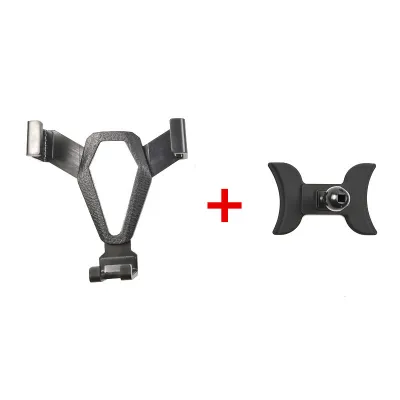

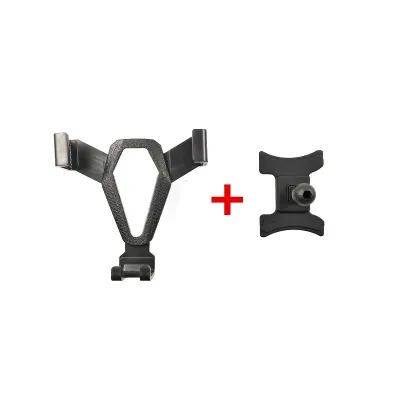
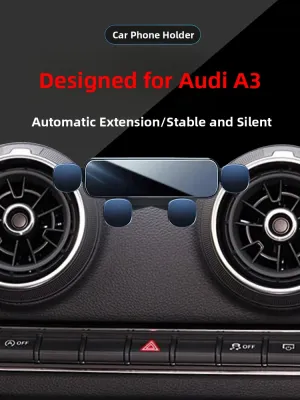
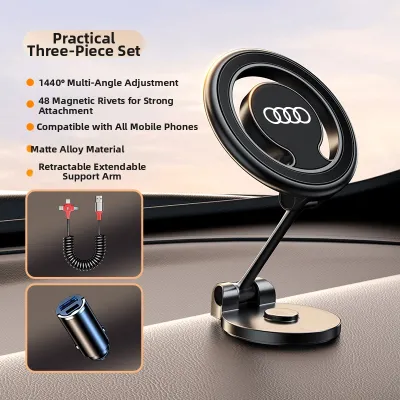
Prices are valid at publication and may change. Please refer to the product page for the latest price.
Check Your Audi's Ports and Power Limits First
Before you browse online marketplaces for a new Audi phone holder, you must verify your vehicle’s actual hardware and power delivery limits. Audi has undergone a significant hardware transition over the past decade. Older models, such as the pre-facelift Audi A3 (8V), A4 (B8 or early B9), and first-generation Q5, typically feature legacy USB-A ports. These ports are often tucked away inside the center armrest storage compartment or positioned near the cup holders. They were primarily designed for the Audi Music Interface (AMI) or basic data transfer, meaning they often output a modest 5 volts at 0.5 or 1 ampere, translating to a mere 2.5W to 5W of power.
In contrast, modern Audi models—such as the post-2020 Audi A4 (B9.5), Q3 (F3), A6 (C8), or the fully electric e-tron series—have transitioned to modern USB-C (Type-C) ports. While these ports are physically smaller and support newer cable standards, their power output still varies. To determine your car’s specific capabilities, physically inspect your center console, dashboard, and rear passenger areas. You should also consult your Audi owner’s manual to identify the exact port specifications and power limits associated with each location.
When inspecting your ports, pay close attention to the icons printed next to them. A standard USB symbol indicates a data-and-charging port, which is linked directly to the Audi MMI (Multi Media Interface) system. These ports often have lower power outputs because their primary job is data transmission for Apple CarPlay or Android Auto. On the other hand, ports marked with a battery icon or a lightning bolt are dedicated high-power charging ports. These are engineered specifically to deliver higher amperage to charge devices quickly.
Never assume that plugging a high-wattage charging holder into any available port will result in fast charging. If you connect a 15W wireless charging holder or a high-output Type-C mount to a low-output 2.5W legacy port, the holder will only operate at the port’s maximum limit of 2.5W. During heavy navigation use—where your phone’s screen is constantly on, GPS is active, and mobile data is streaming—a low-power port will not be able to keep up. Your phone’s battery will continue to drain slowly even while plugged in, leaving you with a dead battery by the end of your drive.
USB-A vs Type-C vs Wireless: How They Actually Perform
To make an informed decision, you must compare how these three charging methods perform in real-world driving environments. Each technology offers distinct trade-offs in terms of speed, convenience, thermal management, and cabin aesthetics.

| Charging Method | Relative Charging Speed | Convenience | Heat Generation | Cable Management |
|---|---|---|---|---|
| USB-A (Legacy Wired) | Moderate to Slow | Low (Requires manual plug-in) | Low to Moderate | Cable visible in cabin |
| Type-C (Modern Wired) | Fastest | Low to Moderate (Easy plug-in) | Low | Cable visible in cabin |
| Wireless (Qi/MagSafe) | Moderate to Slowest | High (Instant drop-and-go) | High | Cable hidden to mount |
USB-A (Legacy Wired)
The traditional USB-A connection is the long-standing standard for automotive charging. Its primary advantage is universal compatibility. Almost every phone holder and cable combination can connect to a USB-A port, making it a highly accessible option if you drive an older Audi model. Furthermore, a physical wired connection is incredibly reliable; it will not drop out or disconnect when driving over speed bumps, rough road surfaces, or through tunnels.
However, USB-A has clear limitations in modern contexts. It generally offers slower charging speeds compared to Type-C, meaning it takes significantly longer to top up your battery. Additionally, you must manage specific cables, such as a USB-A to Lightning or USB-A to USB-C cable, which can clutter your console. The non-reversible design of the USB-A plug also means you cannot easily plug it in with one hand while sitting in the driver’s seat.
Type-C (Modern Wired)
Type-C represents the modern standard for wired power delivery. It is engineered to support advanced Power Delivery (PD) protocols, allowing it to negotiate higher wattages safely with your smartphone. This results in the fastest possible charging speeds available in a vehicle, making it highly efficient for rapid top-ups during short commutes.
The physical design of Type-C is also highly user-friendly. The plug is fully reversible, so you can easily connect your phone without looking. It integrates seamlessly with newer Audi interiors, matching the native ports found in modern cabins. The primary downside is that it requires a native USB-C port in your vehicle or a high-quality, high-output 12V cigarette lighter adapter. Additionally, you must still contend with a physical cable running from the port to your phone holder, which some drivers find visually unappealing.
Wireless (Qi/MagSafe)
Wireless charging phone holders offer the ultimate convenience. By utilizing electromagnetic induction (Qi standard) or magnetic alignment (such as Apple’s MagSafe), these holders allow you to secure and charge your phone instantly. You simply place your phone into the cradle, and motorized clamps or magnets lock it into place. This eliminates the daily hassle of plugging and unplugging cables every time you enter or exit your vehicle.
However, wireless charging comes with several distinct trade-offs. Many drivers do not realize that the wireless charging holder itself must still be permanently plugged into a power source via a physical cable, which you will need to route neatly around your dashboard. Furthermore, wireless charging is inherently inefficient. A significant portion of the energy is lost as heat, which can cause your phone to warm up rapidly. This heat generation is exacerbated when the phone is running demanding applications like GPS navigation. Finally, wireless charging is highly sensitive to phone cases; thick, rugged cases or those containing metal plates can block the induction coils entirely, preventing charging.
Matching the Charging Method to Your Daily Commute
To choose the right Audi phone holder, you must look beyond technical specifications and consider your actual driving habits. Local driving conditions in Singapore play a major role in this decision. Our tropical climate means high ambient temperatures and intense sunlight, which naturally raise the temperature inside your car’s cabin. Additionally, daily driving often involves navigating heavy traffic on major expressways like the CTE, PIE, or KPE, where constant stop-start conditions require active GPS monitoring to bypass congestion and ERP gantries.
If your daily commute involves longer drives—such as traveling from Jurong to Changi, or taking frequent weekend road trips across the Causeway into Malaysia—your phone will likely be working under heavy strain. Running a navigation app with the screen set to maximum brightness to combat daytime glare generates substantial internal heat. In this scenario, a wired Type-C phone holder is highly recommended. Because wired charging is highly efficient, it generates minimal external heat compared to wireless induction. This helps keep your phone’s operating temperature within safe limits, preventing thermal throttling (where your phone slows down or dims the screen to cool off) while ensuring your battery actually charges rather than slowly draining.
Conversely, if your driving consists primarily of short, frequent city trips—such as dropping your children off at school, running quick errands around Orchard Road, or making brief customer visits throughout the day—the convenience of a wireless charging holder is unmatched. Constantly plugging and unplugging a physical cable during ten-minute drives can quickly become tedious. A wireless holder allows you to simply drop your phone onto the mount to top up the battery, and grab it instantly when you park, without fumbling with cords.
Before finalizing your choice, you must also evaluate your smartphone’s physical compatibility. Check your phone’s specifications to confirm it supports Qi or MagSafe wireless charging. If you prefer using heavy-duty, rugged phone cases or wallet cases that hold credit cards, be aware that these will likely interfere with wireless charging. If your case is thicker than 3mm to 5mm, or if it contains any metal components, a wired USB-A or Type-C holder is a much more reliable and practical choice.
Safe Installation and Interior Protection
Once you have selected your preferred charging method, you must consider how the phone holder will physically mount to your Audi’s interior. Audi cabins are celebrated for their premium materials, soft-touch plastics, and unique design features. For example, older Audi models feature distinctive circular air vents, while newer models utilize sleek, continuous horizontal vent lines. Choosing a mount that fits securely without causing permanent damage to these premium surfaces is critical.
There are several common mounting styles available, each with specific implications for your Audi’s cabin:
- Air Vent Clips: These are highly popular because they keep your phone within your natural line of sight and close to your dashboard ports. However, in Singapore's humid climate, you will constantly run your air conditioning at high capacity. If a vent mount completely blocks the cold air flow, it can cause moisture condensation to form on the back of your phone, potentially damaging the device. Additionally, the cold air can cause your windshield to fog up directly above the vent, compromising your visibility. Ensure any vent mount you choose features padded, adjustable clips that do not put excessive stress on the delicate plastic vent slats.
- Dashboard or Windshield Suction Cups: These provide a very stable mounting point. However, the intense tropical sun can heat your dashboard to extreme temperatures when parked outdoors. This heat can cause the suction cup's adhesive gel to melt, leaving permanent sticky residues or indentations on your soft-touch dashboard. If you use a suction mount, sticking it directly to the windshield glass is generally safer for your car's interior trim.
- Custom-Fit Console Mounts: Many manufacturers produce custom-fit brackets designed specifically for Audi interiors. These brackets clip securely into the natural gaps between your dashboard panels or around your hazard light switch, requiring no adhesives or suction cups. These are highly recommended as they provide a factory-like fit and completely protect your car's resale value.
Regardless of the mounting style you choose, you must establish strict safety boundaries. Never position your phone holder where it blocks your direct view of the road or covers your side mirrors. You must also ensure the mount is installed clear of all airbag deployment zones; consult your Audi owner’s manual to verify where the dashboard and side curtain airbags are located.
Before purchasing, always verify your specific vehicle model, year, mounting interface, and road legality from the product documentation. If you plan to hardwire a charging mount directly into your Audi’s electrical system or fuse box to hide all cables, do not attempt to do this yourself unless you are experienced. Consult a qualified automotive professional to perform the installation. Incorrect wiring can damage your car’s complex electrical systems, cause safety hazards, or void your manufacturer’s warranty.
Final Decision Framework: Which Holder Should You Choose?
To make your final purchase decision, match your specific vehicle hardware and driving habits to the following clear, conditional framework:
- Choose Type-C Wired if: You drive a modern Audi equipped with native USB-C ports, rely heavily on GPS navigation for long commutes or road trips, and require the fastest, most heat-efficient charging performance to keep your device powered under the sun.
- Choose Wireless if: Your daily drive consists of short, frequent trips around the city, you prioritize a clean cabin aesthetic without visible dangling wires, and your phone supports wireless charging through a compatible, thin case.
- Choose USB-A Wired if: You drive an older Audi model equipped only with legacy USB-A ports, want a highly reliable and budget-friendly power connection, and do not mind managing a physical cable in your console.
- Verify first if: You are unsure of your Audi's port output or your phone's wireless charging compatibility. Always check your vehicle's owner's manual and the phone holder's product documentation to confirm compatibility, power requirements, and safe installation limits before making a purchase.
Community discussion
Share your experience or ask a question. Comments are reviewed before publication.