
The quest for a clutter-free car interior often leads drivers to consider an invisible car charger setup. The absolute “cleanest” look depends entirely on whether your primary goal is to minimize the physical footprint of the charging port or to eliminate visible cables from your dashboard altogether.
For those who prefer a wired connection, a flush-mounted USB-C port provides the smallest, most discreet physical footprint, blending seamlessly into modern, minimalist dashboards. Conversely, a wireless charging pad completely eliminates cable clutter for a seamless, cable-free surface, but it requires a much larger physical footprint and a deeper installation cutout behind the panel.
USB-A remains the most conspicuous and bulky option of the three. Ultimately, USB-C is the superior choice for minimal dashboard intrusion and rapid power delivery, while wireless charging is best suited for hidden integration inside center console compartments or armrest bins where the entire setup can be concealed when not in use.
Products mentioned in this guide
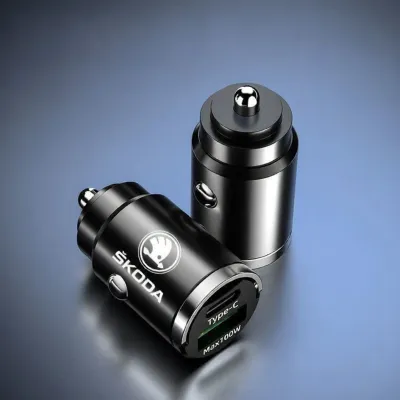
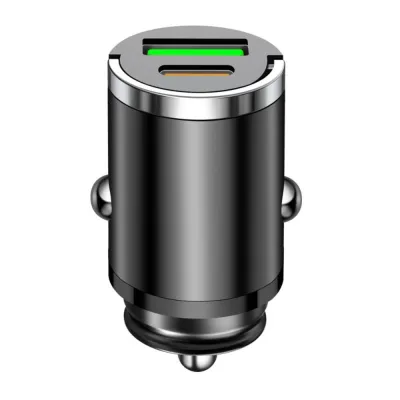
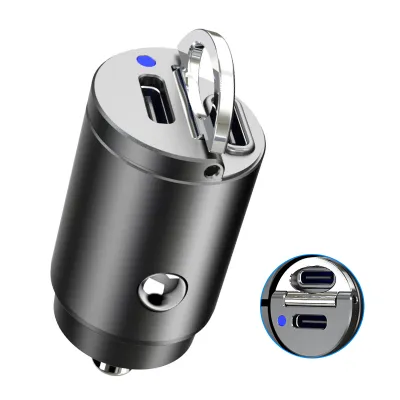
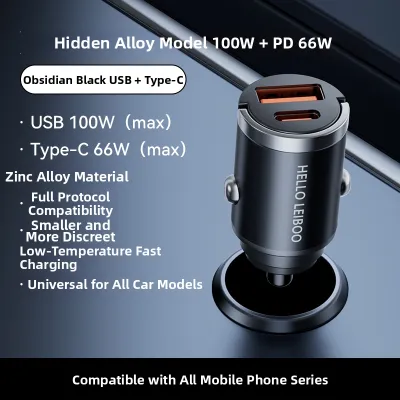

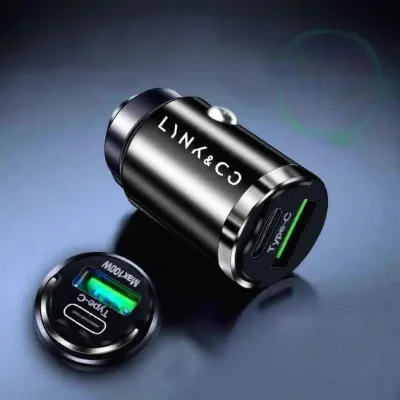

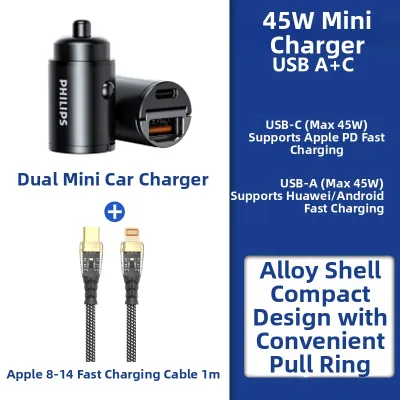
Prices are valid at publication and may change. Please refer to the product page for the latest price.
What Makes a Car Charger "Invisible"?
To understand how to achieve a truly clean look, it is essential to define what makes a car charger “invisible” or “flush-mount” in an automotive context. Standard car chargers plug directly into the vehicle’s 12V auxiliary power outlet (commonly known as the cigarette lighter socket). These adapters inevitably protrude several centimeters into the cabin, creating a highly visible obstacle and forcing charging cables to drape over gear selectors, infotainment screens, or climate controls.
In contrast, an invisible car charger is designed to sit perfectly level with the surrounding dashboard, center console, or interior trim panels. This flush-mounting technique mimics the appearance of factory-installed equipment, making the charger look like an original part of the car’s interior design rather than an aftermarket add-on.
Achieving this seamless integration requires hidden cable routing. Instead of plugging into the exposed 12V socket, the charger’s wiring harness is routed behind the interior trim panels and hardwired directly into the vehicle’s electrical system, typically at the fuse box.
Additionally, many clean installations involve integrating the charging hardware into existing storage compartments, such as the center armrest bin, glovebox, or the storage tray beneath the air conditioning controls. When these compartments are closed, both the charging hardware and any connected cables are completely hidden from view. True invisibility is only achieved when you carefully match the charger’s physical dimensions, faceplate texture, and mounting depth to the available cutout space and materials inside your specific vehicle.
Visual Discreetness and Cable Management
A clean automotive cabin is defined by the absence of visual clutter and distracting elements. When comparing USB-A, USB-C, and wireless charging systems, the overall aesthetic impact is determined by both the physical size of the hardware interface and how effectively you can manage the associated charging cables.

USB-A and USB-C: The Wired Approach
Physical size is the primary differentiator between the two major wired standards. A standard USB-C port is remarkably compact, measuring approximately 8.4 mm by 2.6 mm. This tiny profile allows manufacturers to design flush-mount USB-C ports with incredibly slim outer bezels. The symmetrical shape of the USB-C interface also allows it to blend effortlessly into the clean, geometric lines of modern, minimalist vehicle interiors, particularly when mounted in matte black or dark grey plastic trim.
In comparison, a USB-A port is significantly larger and more obtrusive, measuring roughly 12 mm by 4.5 mm. Its rectangular shape, combined with the internal plastic tongue and metal shielding, makes it highly noticeable against dark interior plastics or leather upholstery. The larger cutout required for a USB-A port also limits where it can be discreetly installed.
However, both wired options share a fundamental aesthetic challenge: the presence of physical cables. The moment you connect a smartphone to a USB-A or USB-C port, a visible cable must run from the port to your device. This cable immediately disrupts the “invisible” aesthetic unless you implement secondary cable management strategies.
For example, you can route the cable through a dedicated rubber grommet inside a storage compartment, utilize ultra-short custom-length cables that match your phone mount’s exact position, or install a spring-loaded retractable cable mechanism behind the dashboard. Without these extra measures, a dangling cable will quickly compromise the clean look of your flush-mount port.
Wireless Charging Pads: The Cable-Free Surface
Wireless charging pads offer the ultimate aesthetic benefit by completely eliminating the need for physical device cables. When your smartphone is not being charged, you are left with a clean, flat, and completely uncluttered surface that integrates directly into your vehicle’s console or storage trays. This cable-free convenience is highly desirable for drivers who want to maintain a pristine cabin environment.
However, this seamless surface comes with specific visual and physical trade-offs. A wireless charging pad cannot be condensed into a tiny port cutout; it requires a flat physical surface area at least as large as a modern smartphone. Many aftermarket wireless charging pads feature highly visible alignment markers, rubberized anti-slip textures designed to keep your phone from sliding during spirited cornering, or bright LED status indicator lights. These design features can clash with your vehicle’s original trim materials and draw unwanted attention to the modified area.
To maximize the “invisible” effect of a wireless setup, many car owners choose to install the wireless charging pad inside a closed compartment, such as the center armrest console or a sliding storage tray. This approach hides the pad, the phone, and any flashing LED indicators from view while driving, ensuring that the visible parts of your dashboard remain completely untouched and clean.
Installation Depth and Space Requirements
Beyond the surface appearance, the physical space available behind your vehicle’s trim panels is the most critical factor in determining which charger type is viable for your installation.
Wired USB-A and USB-C flush-mount ports require very little installation depth. The port housing itself typically extends only 20 mm to 35 mm behind the mounting panel, with the wiring harness and connector adding another 10 mm of clearance. This shallow profile gives you immense flexibility, allowing you to install wired ports in tight dashboard areas, thin plastic trim panels, or shallow storage compartments where space is highly constrained.
Wireless charging modules, on the other hand, are significantly bulkier and require a much larger installation envelope. A typical wireless transmitter contains copper induction coils, a printed circuit board (PCB), and thermal shielding. High-power wireless chargers (such as 15W Qi-certified or Qi2-compatible modules) generate substantial heat during operation and often feature integrated cooling fans or metal heatsinks to dissipate that heat. These components add considerable thickness to the module.
Consequently, a flush-mount wireless charging pad can require an installation depth of 40 mm to over 60 mm beneath the mounting surface, along with a wide horizontal clearance to accommodate the coil array. Before purchasing any charging hardware, you must remove the target trim panels and carefully inspect the cavity behind them. Look for structural metal brackets, HVAC ducting, steering column components, or factory wiring harnesses that cannot be relocated. If your chosen mounting location lacks the necessary depth, attempting to force a bulky wireless module into the space can pinch wires, damage trim clips, or prevent the panel from reassembling correctly.
Device Compatibility and Practical Trade-offs
While aesthetics are a major consideration, your choice of charger must also align with your daily usage patterns, device hardware, and local environmental conditions.
Wireless charging requires a Qi-compatible smartphone. If you or your passengers use older phone models, or if you prefer thick, rugged protective cases, magnetic phone mounts, or wallet cases that hold credit cards, the wireless charging pad may fail to initiate a charge. The physical distance between the charger’s induction coils and the phone’s internal receiver must typically be under 5 mm to work effectively. If your case is too thick, you will be forced to plug in a physical backup cable anyway, which completely defeats the purpose of an invisible wireless setup.
Charging speed is another critical trade-off. USB-C ports utilizing the USB Power Delivery (PD) standard can easily deliver 30W, 45W, or even higher wattages, allowing you to rapidly charge modern smartphones, tablets, and even laptops during short commutes. Wireless charging is inherently slower and less efficient, typically topping out at 15W for compatible devices due to energy loss during electromagnetic induction.
Thermal management is a particularly vital consideration in Singapore’s tropical climate. When parked outdoors under the intense sun, cabin temperatures can quickly exceed 60°C. Wireless charging inherently generates more heat than wired charging. When combined with high ambient cabin temperatures, this extra heat can trigger your smartphone’s thermal protection protocols, leading to severely throttled charging speeds or a complete shutdown of the device to prevent battery degradation. If you choose a wireless setup, it is essential to select a high-quality module with built-in thermal cutoff safety features and ensure the installation area has adequate passive ventilation to dissipate heat.
Decision Framework: Choosing the Cleanest Setup
To determine the best approach for your vehicle, evaluate your aesthetic priorities, technical constraints, and charging requirements using this conditional decision framework.
- Choose USB-C if you prioritize the absolute smallest visible port footprint, require reliable fast charging for multiple device types, and have limited clearance (under 40 mm) behind your dashboard panels. This setup is highly versatile and fits almost any vehicle interior.
- Choose Wireless if you want a completely cable-free interior, have a dedicated, deep storage compartment (such as a center console bin or armrest) to hide the charging pad, and use a Qi-compatible phone with a slim, non-metallic protective case.
- Choose USB-A if you must support legacy accessories, specific dashcam hardwire kits, or older devices that do not benefit from USB-C fast charging, and you are comfortable with a slightly larger, more visible port footprint.
- Verify first if your vehicle's trim panels can be modified safely. You must ensure that any custom cutouts or routing paths do not interfere with structural brackets, passenger safety systems, or factory electrical wiring.
Installation Safety and Verification Checks
Modifying your vehicle’s interior panels and electrical system carries inherent risks that must be managed carefully to ensure safety and preserve your car’s value.
Cutting or drilling into dashboard plastics or console trim is irreversible. Replacement trim pieces from authorized distributors in Singapore can be exceptionally expensive, and improper modifications may void your vehicle’s interior trim warranty. Before performing any physical modifications, consult your vehicle’s official service manual to identify the exact locations of structural supports, climate control ducting, and airbag deployment zones. Never drill or mount hardware near passenger knee airbags or side curtain modules, as loose components can become dangerous projectiles during a collision.
From an electrical perspective, hardwiring an aftermarket charger requires tapping into the vehicle’s 12V system. You must verify that the circuit you tap into is ignition-switched (only active when the engine is running) to prevent the charger from slowly draining your car battery while parked. Always install an inline fuse rated according to the charger manufacturer’s specifications to protect the circuit from short circuits or overcurrent events.
For complex routing, integration with the vehicle’s CAN bus, or if you are unfamiliar with automotive electrical systems, it is highly recommended to seek the services of a qualified professional automotive electrician in Singapore. A professional installation ensures compliance with local electrical safety practices and guarantees that your vehicle’s factory wiring remains safe and intact.
Frequently Asked Questions (FAQ)
Can I install a flush-mount charger myself without damaging the dashboard?
While basic plug-and-play accessories require no tools, a true flush-mount installation requires cutting or drilling into your vehicle’s trim panels. If you do not have experience working with automotive plastics, specialized trim removal tools, or rotary cutting instruments, DIY attempts can easily lead to cracked panels, visible gaps, or permanent cosmetic damage. For custom cutouts and seamless integration, professional installation is highly recommended to preserve your car’s interior value.
Does wireless charging generate too much heat in a parked car?
An idle wireless charger does not generate active heat when a phone is not present. However, the hardware components must still withstand the extreme ambient heat of a car parked in the sun, which can degrade the electronics over time. When actively charging in a warm cabin, wireless modules can heat up rapidly. To ensure safety and reliability, always verify that the manufacturer’s specified operating temperature range matches the demanding thermal conditions of the local climate.
Community discussion
Share your experience or ask a question. Comments are reviewed before publication.